Discord MCP



Connect your AI client to Discord through a typed, production-ready MCP server.
201 tools for Discord operations, Guild Templates, and explicit Emoji.gg inspiration discovery.
Quickstart
· Browse 201 tools
· View on npm
· Documentation
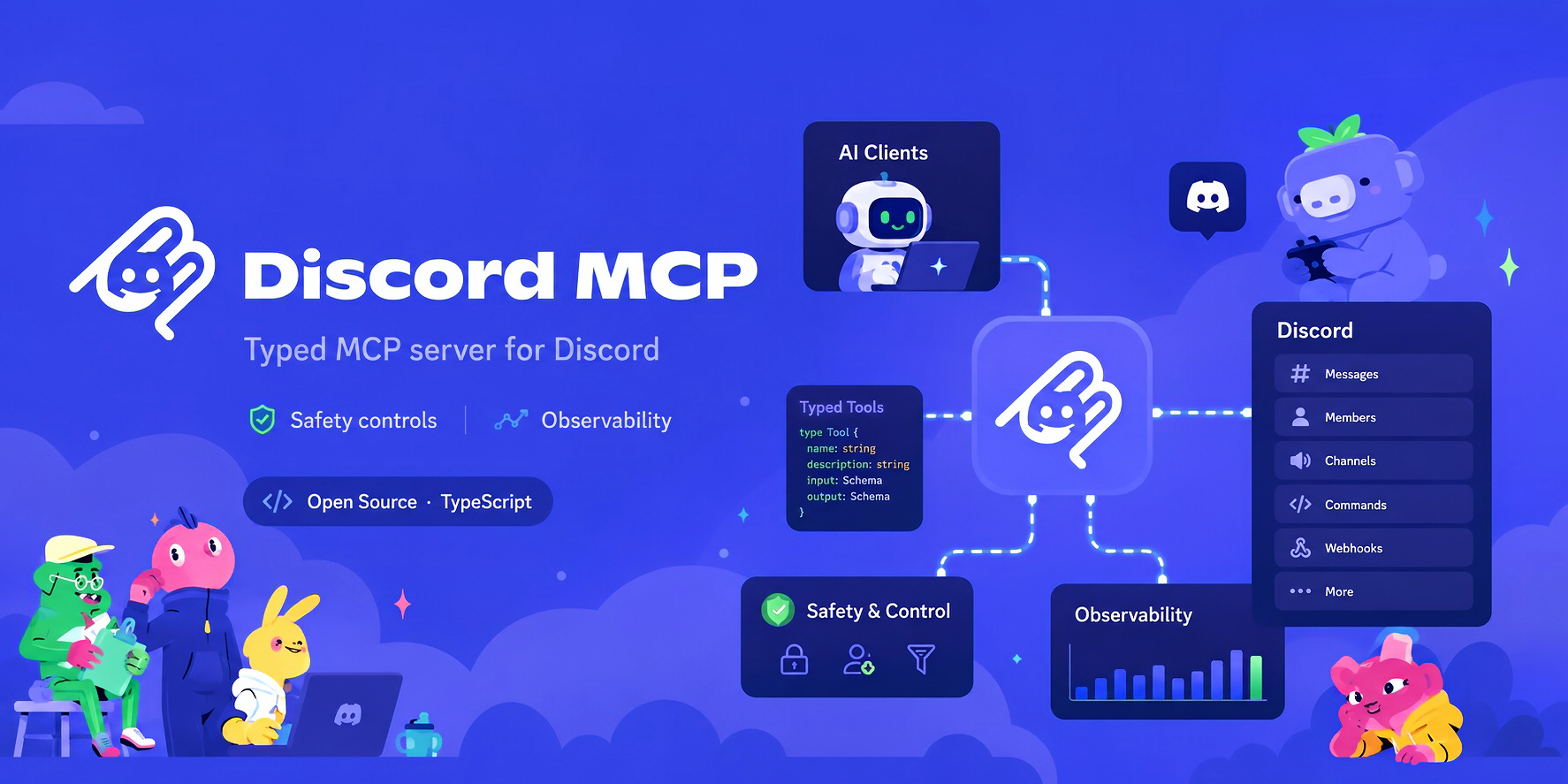
How it works
Quick start
Requires Node.js 22.12 or later.
npm install -g @discord-mcp/cli
export DISCORD_TOKEN="Bot YOUR_DISCORD_BOT_TOKEN"
discord-mcp setup --profile devbot --client codex
discord-mcp doctor --profile devbot --online
discord-mcp smoke --profile devbot
On PowerShell, set the token before running the same setup and verification commands:
$env:DISCORD_TOKEN = "Bot YOUR_DISCORD_BOT_TOKEN"
setup supports Codex, Claude Desktop, Claude Code, Cursor, and a generic MCP client. It sends the current token only to Discord, verifies the bot identity, chooses a guild boundary, and saves a versioned local profile containing only non-secret metadata. The generated client fragment runs a pinned @discord-mcp/cli package through npx, then serve --profile devbot, so it does not depend on an absolute installation or cache path. It forwards DISCORD_TOKEN from the caller's launch environment; neither the profile nor the default Codex fragment stores the token. A profile is locked to its first verified bot ID, so --force cannot silently reassign it to another bot. Use profile list, profile show, and profile remove for lifecycle management. The older init command remains available as a stateless snippet generator. See the installation guide for non-interactive and client-specific setup.
For MCP clients that do not natively defer large tool catalogs, set
MCP_TOOL_SURFACE=progressive. The model initially receives only
mcp_tools_search plus read, write, and destructive dispatchers, then loads
compact tool matches on demand. A single match already includes its schema;
for multiple matches, search the selected tool's exact name before dispatch,
or use detail: "full" when several contracts are needed together. The result
chooses the dispatcher whose annotations match the selected tool's risk.
MCP_CATEGORIES remains the authorization boundary; progressive mode does not
bypass confirmation, dry-run, audit, or other middleware.
Set ALLOWED_GUILDS to a comma-separated list of server IDs to enforce the
bot's guild boundary inside discord-mcp. Direct guild calls use a constant-time
check; channel, thread, webhook, invite, and guild-sticker routes are resolved
before execution and cached. Global writes and opaque interaction-token routes
that cannot prove a guild are unavailable while the allowlist is active. The
resolution caches are bounded to prevent untrusted ID churn from growing memory
without limit.
users_list_current_user_guilds remains a read-only discovery tool; seeing a
guild in that result does not authorize operations against it.
To run without a global install:
npx -y @discord-mcp/cli init --client cursor
Remote OpenAI / Codex MCP
For the OpenAI Responses API or Codex, run a bearer-protected Streamable HTTP
endpoint and place it behind an HTTPS reverse proxy:
export DISCORD_TOKEN="Bot YOUR_DISCORD_BOT_TOKEN"
export DISCORD_MCP_ACCESS_TOKEN="replace-with-a-long-random-secret"
discord-mcp serve --http --host 127.0.0.1 --port 3000
The endpoint is /mcp; send Authorization: Bearer <DISCORD_MCP_ACCESS_TOKEN>.
It negotiates stable MCP 2026-07-28 while retaining stateless compatibility
for 2025-era Streamable HTTP clients. Every authenticated client shares the
deployment's caller-owned Discord bot identity, so use least-privilege Discord
roles plus narrow ALLOWED_GUILDS and MCP_CATEGORIES allowlists. The
OpenAI remote MCP guide
covers HTTPS, Responses API tool_search/defer_loading, Codex progressive
discovery, and the current OAuth boundary.
What you get
| Messages and channels | Send, edit, pin, search, manage threads, forums, and permissions |
| Moderation and safety | Bans, role changes, AutoMod rules, bulk actions, and audit-aware operations |
| Community operations | Members, roles, invites, onboarding, events, polls, soundboard, and voice |
| Application APIs | Slash commands, interactions, application emojis, webhooks, and entitlements |
| Agent workflows | Tool output schemas, predictable errors, migration adapters, and client config generation |
Explore the complete, generated tool reference and practical recipes.
Built for production use
- Safety controls - destructive operations require explicit confirmation; guild and category allowlists constrain the bot's blast radius server-side.
- Reliable Discord access - retries, timeouts, rate-limit handling, and circuit breaking protect agent workflows from transient API failures.
- Observability - OpenTelemetry traces and metrics, structured logs, and audit events make operations inspectable.
- Typed contracts - every tool is schema-defined; public core exports, CLI flags, configuration variables, and tool metadata are regression-tested.
- Supply-chain evidence - npm releases are published from GitHub Actions with signed SLSA provenance.
Read the architecture, operations guides, and v1.0 readiness plan for implementation details and current stability commitments.
Commands
discord-mcp serve | Start the local stdio MCP server (default), or serve --http for a bearer-protected Streamable HTTP endpoint. |
discord-mcp setup | Verify one caller-owned bot, save a non-secret profile, and generate its client configuration. |
discord-mcp activity | Show the local, privacy-safe evidence journal for setup and verification outcomes. |
discord-mcp update | Check a generated Codex launcher for a newer release; apply it only with explicit --apply. |
discord-mcp profile | List, inspect, or remove local non-secret bot profiles. |
discord-mcp init | Generate a stateless MCP client configuration snippet. |
discord-mcp doctor | Check Node.js, token format, environment, audit configuration, optional network connectivity, and a saved Codex launcher's update status. |
discord-mcp smoke | Verify the MCP-to-Discord path; add --confirm-write for a self-cleaning CRUD test, or --confirm-template-lifecycle to prove Guild Template inspect/diff/sync/delete and cleanup. |
discord-mcp migrate | Create a migration report from a supported Discord MCP setup. |
Run discord-mcp --help or see the full CLI reference for flags and examples.
Packages
| @discord-mcp/cli | You want to run Discord MCP from an AI client or terminal. |
| @discord-mcp/core | You are building an integration on the typed Discord MCP tool and server primitives. |
The CLI runs on macOS, Linux, and Windows. Its executable is always discord-mcp.
Migrate an existing setup
discord-mcp includes migration adapters for established community projects, including PaSympa, quadslab, and discord-ops. Start with:
discord-mcp migrate --list
Then use discord-mcp migrate --from <adapter> --source <path> to generate a tool-by-tool mapping report. The migration guides explain each adapter and its limits.
Develop locally
pnpm install
pnpm build
pnpm test
The repository is a pnpm workspace. For a real Discord smoke test, set DISCORD_TOKEN and run node packages/mcp-server/dist/cli.js; the MCP Inspector is useful for verifying tools/list interactively.
Project status
discord-mcp is pre-1.0. The current public release is v0.16.5; this source tree's core exports, CLI surface, environment schema, and 201-tool registry are covered by contract tests. See the changelog and v1.0 readiness checklist before depending on an unstable surface.
License
MIT


