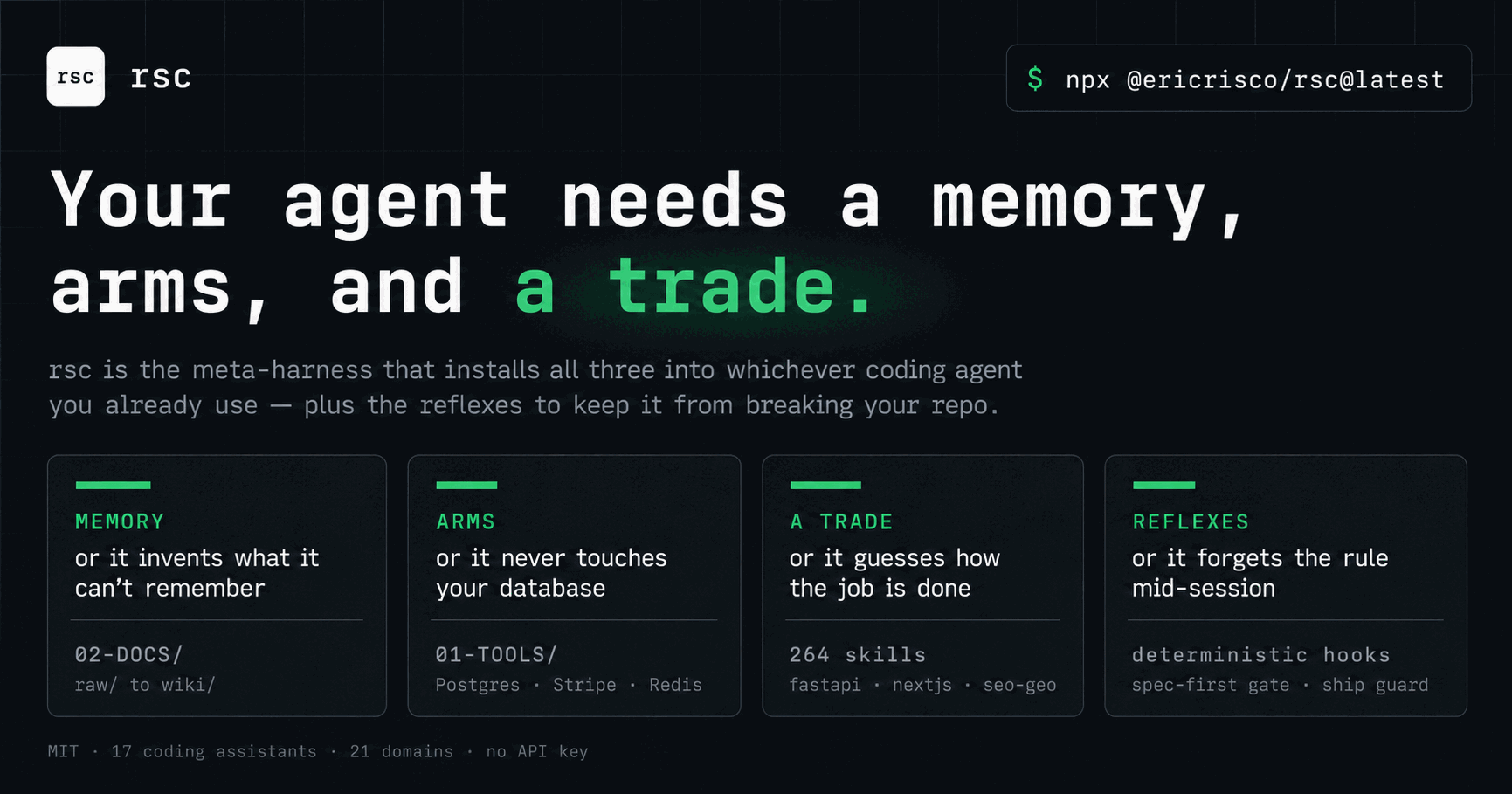
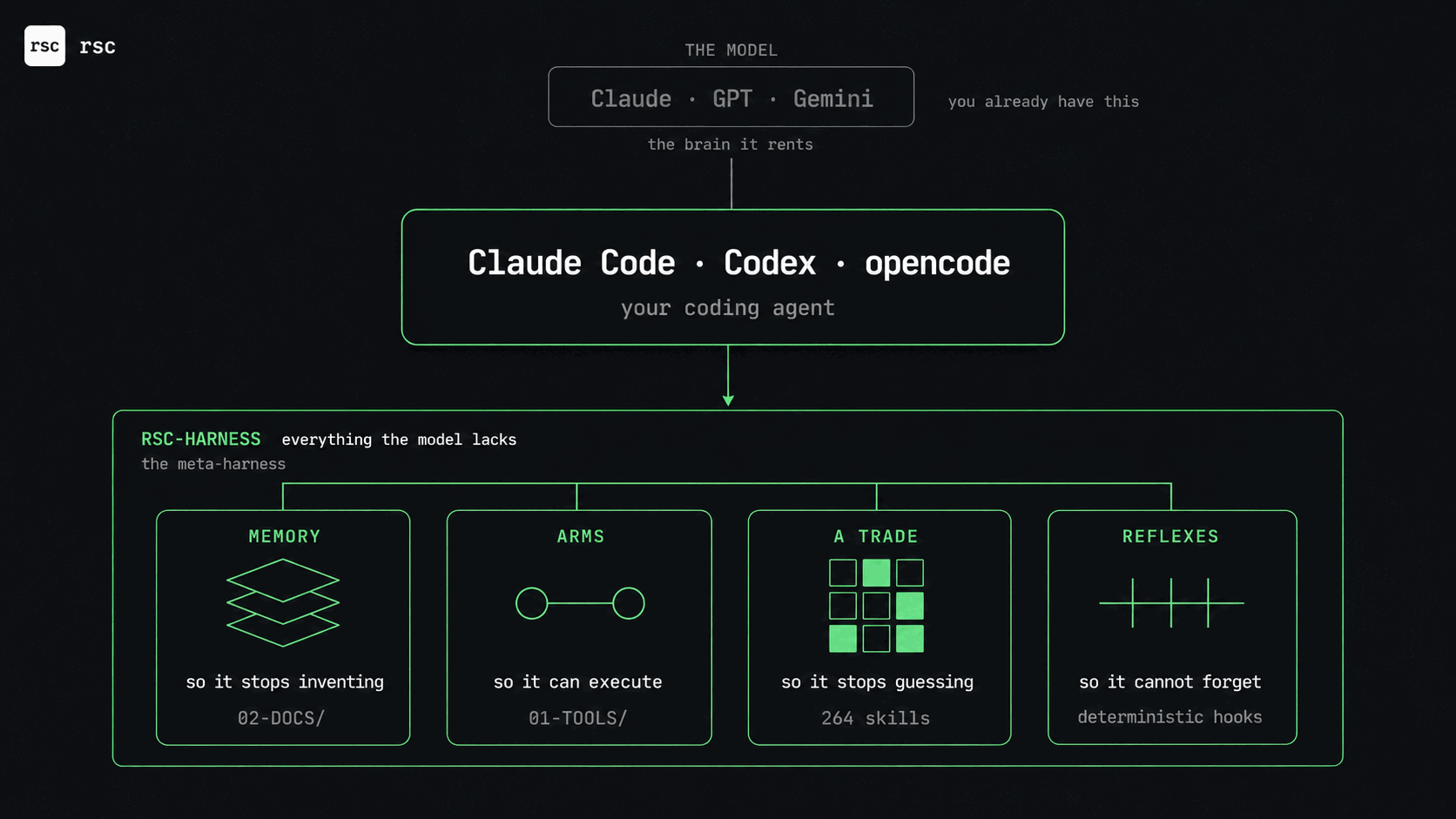
Your agent needs a harness. It should not improvise one.
A model is only the brain. Real work also needs project memory, tools, domain knowledge, rules and
repeatable workflows. Add those pieces ad hoc and the result becomes a Frankenstein harness:
duplicated instructions, unrelated skills, premature hooks, unnecessary MCPs and no clear owner.
Open standards already cover individual parts — Agent Skills,
MCP and AGENTS.md — but they do not decide
which complete harness this project needs. rsc-harness does that job through one guided flow:
- You state the outcome. No skill, hook or MCP vocabulary required.
- The wizard reads only the project root and asks technical level, accompaniment, project kind,
goal and assistants.
- A proportional plan explains every choice. Selected, deferred and excluded pieces all have a
reason. Nothing writes before you accept the exact plan.
- The result is verified. Shared sources prevent duplication; knowledge loads progressively;
local state stays local; deterministic checks prove the installed harness matches the plan.
- It grows from evidence. A deferred capability is proposed later only when the project actually
develops the need for it.
That is what “best practices” means here: a small, separated, project-bound and auditable harness —
not a pile of whatever an agent happened to install.
🤖 For agents: "install this harness"
If you're an AI coding agent (Claude Code, Cursor, Copilot, Codex, Gemini…) and your user
asked you to install rsc / this harness / these skills, run this in the root of the
project they're equipping — not inside a clone of this repo (see the note under Install):
npx @ericrisco/rsc@latest onboard
That launches the binding plain-language onboarding. It asks the user for technical level,
accompaniment, project kind and goal before it writes anything, reads only the selected project
root, and shows every selected or deferred skill, agent and hook with its reason. Relay those
questions to the user; never invent or default their answers. The first pass writes nothing and
prints a SHA-256 plan id. Only rerun with --accept-plan <id> after the user accepts that exact plan.
For a non-interactive agent, collect the answers and preview the same plan explicitly:
npx @ericrisco/rsc@latest onboard --technical-level mixed --accompaniment L1 \
--project-kind software --goal "small compound-interest website" \
--software-scope small --target codex
npx @ericrisco/rsc@latest onboard --technical-level mixed --accompaniment L1 \
--project-kind software --goal "small compound-interest website" \
--software-scope small --target codex --accept-plan PRINTED_SHA256_ID
- Choose assistants non-interactively: add
--target claude (comma-separate for several) to onboard.
- Two assistants already installed? rsc asks instead of guessing.
--target settles it in one word.
- Already installed, just refreshing skills + hooks:
rsc sync (or re-run the command above).
- Add one skill by id:
rsc add <id> · browse the catalog: rsc consult "<what you want>" or rsc list.
From then on it's self-driving: rsc-suggest proposes the next skill as tasks appear, and in
Claude Code a hook re-asserts the spec-first new-feature gate on every turn — so a feature
request routes through specify before any skill writes code.
Why this exists
An improvised harness tends to grow by accumulation: more files, more context and more rules, with
no method deciding whether each piece belongs. rsc-harness keeps that construction disciplined:
- Granular by default. The unit of installation is one skill. Install
fastapi without ever pulling go. Nothing you don't use touches your context.
- Self-recommending. Both the terminal (
rsc consult) and the chat
(rsc-suggest, an always-on detector) watch what you're doing and propose the
next skill the moment a task needs it — a one-word confirm installs it.
- Not code-only. First-class support for running a company: bookkeeping,
invoicing, hiring, GDPR, pitch decks, SEO, a YouTube/TikTok/LinkedIn presence —
each wired to a
02-DOCS/ knowledge loop that learns from your own results.
- Specialists follow the stack. The four base agents stay small; installing a
supported stack adds only its reviewer and build resolver.
rsc add go, for
example, adds the Go pair without pulling reviewers for every other language.
- A new local session continues the old one. Claude Code, Codex, Gemini CLI
and OpenCode load a bounded checkpoint for the current branch and worktree at
session start. Cursor desktop uses an assisted read-before-action fallback.
- Honestly good. Every skill was built by a research → spec → implement →
adversarial review pipeline and had to clear an objective rubric
(
scripts/skill-rubric.md, written before any skill existed). The bar was
real: skills that scored 8.0 were sent back and fixed, not waved through.
skills/<name>/ is the single source of truth. There are no bundles to argue
over: you start with a tiny floor and grow one piece at a time.
New sessions pick up the latest local work
On supported local targets, rsc checkpoints observable repository state at safe
boundaries: branch, worktree, HEAD, changed paths, commits and SDD ledger status.
When a new session opens in the same checkout, that state is injected before the
first agent action. A completed edit is preserved even if the previous client
closed before its normal session-end event.
- Full: Claude Code, Codex, Gemini CLI and OpenCode. Codex asks you to inspect
and trust the project hook once with
/hooks; until then doctor reports that
trust is still required.
- Assisted: Cursor desktop. Its start hook is fire-and-forget, so rsc also
installs a local always-on rule that performs the read before acting.
- Never cloud: Cursor Cloud, Codex Cloud, remote agents, cloud storage and
synchronization are intentionally unsupported. The memory runtime makes no
network request.
The journal never stores prompts, responses, tool output, file contents or
secrets. It stays in a git-excluded project-local path, retains 30 days, and
injects at most 4,096 bytes. Disable every memory surface for a project with
rsc memory off; re-enable it with rsc memory on.
Install
npx @ericrisco/rsc@latest onboard
Prefer the short rsc command? Install once, globally:
npm install -g @ericrisco/rsc
Run it inside any project and describe what you want. Working on the catalog
itself? Clone and link:
git clone https://github.com/ericrisco/rsc-harness.git ~/rsc-skills
cd ~/rsc-skills && npm install && npm link
Run it inside the project you're equipping — not inside this repo. The
catalog's own package.json is named @ericrisco/rsc, so npx @ericrisco/rsc
from within a rsc-harness clone resolves to the local (unlinked) bin and
dies with sh: rsc: command not found. Working on the catalog itself? Use
node scripts/rsc.js …, the npm link above, or pin the published build with
npx @ericrisco/rsc@latest ….
The first run asks how technical the conversation should be, the accompaniment level, what the
project is for, its goal and the assistants to target. It then presents the complete plan. A small
website can defer SDD, agents and code guards; an operations harness does not receive them merely
because it lives in a repository. Deferred components record the evidence that would make rsc
recommend them later. rsc reassess reports that evidence but still cannot install anything
without a newly accepted plan.
Everything stays in the project, and the real skill files are written
once to .rsc/skills/<id>/. Each assistant you pick gets a lightweight
symlink back to that shared base — no copy is duplicated across IDEs. (If the
filesystem can't symlink, it falls back to a real copy automatically.)
On targets with file-based agents, the four base agents are installed too;
stack specialists remain selective. Native command targets receive only entry
points whose backing skill, agent or local-memory capability actually exists.
30-second tour
$ rsc onboard
 ██████╗ ███████╗ ██████╗     ← animated gradient wordmark
 ██╔══██╗██╔════╝██╔════╝
 ██████╔╝███████╗██║
  272 skills · one CLI · zero bloat

How technical should the conversation be?
How much accompaniment do you want?
What are you building or running?
What do you want this project to achieve?

RSC_ONBOARDING_PLAN
Plan id: <sha256>
Selected: …
Deferred: …
Accept this exact harness plan?
The terminal and chat adapters produce the same normalized answers and plan id. If project evidence
changes between preview and acceptance, rsc returns RSC_PLAN_CHANGED and writes nothing. After an
accepted application it verifies the receipt and managed state before printing RSC_ONBOARDING_READY.
The CLI
Fresh projects enter through rsc onboard. The direct add and install --profile forms below
are maintenance controls for projects that already carry an .rsc.json declaration; they cannot
bypass onboarding in a new folder.
rsc onboard
rsc reassess
rsc add fastapi postgresdb
rsc add youtube-api remotion-video
rsc add fastapi --target claude,codex
rsc install --profile minimal
rsc install --profile core
rsc install --profile full
rsc install --profile full --without go
rsc consult "I want to launch a SaaS"
rsc registry refresh
rsc list
rsc capabilities
rsc doctor
rsc memory status
rsc memory save --session handoff
rsc memory resume
rsc memory learn --text "…" --evidence "…" --confidence 0.8 --approve
rsc memory off
rsc sync --target claude,codex
rsc backups
rsc restore latest --dry-run
rsc restore <snapshot-id>
rsc upgrade --dry-run
rsc uninstall postgresdb --dry-run
👥 Sharing a harness with your team
The harness travels by git, but not all of it — and the split is the point.
Commit these:
.rsc.json | The decision: which assistants, which skills, which catalog version, the developer tier, which gates you disarmed |
01-TOOLS/ · 02-DOCS/ | Your tooling and your wiki, if you use them |
| Skills and agents you wrote by hand | They are yours. rsc does not claim them, does not count them as drift, and does not touch them |
Do not commit these — rsc adds them to .gitignore for you:
.rsc/ | Machine state: hook scripts, seals, logs and fallback session memory |
02-DOCS/raw/worklog/.rsc-memory/ | Preferred session journal when a local wiki exists; protected with git's local exclude |
| The skill entries rsc manages | Symlinks on macOS/Linux, real copies on Windows — two incompatible shapes of one thing |
Whoever clones runs one command and ends up with the same harness:
npx @ericrisco/rsc@latest sync
Same skills, same version — .rsc.json pins the catalog, so a teammate who clones in three
months gets what you had, not what shipped since. Upgrading is a deliberate act, never a side
effect of rebuilding.
When someone changes the harness and you git pull, rsc doctor tells you what no longer
matches. Nothing is ever written to your machine by a pull — you are told, and you decide.
Own skills. A skill your team wrote lives in the repo and already works for whoever clones,
with no command at all. Declare it in .rsc.json under ownSkills and doctor will also say
when someone is missing it — that is all declaring does. rsc never installs, updates or
overwrites it: its version is the commit.
🩹 Something's off? One command
Recognise any of these? They are all the same fix.
"target": "codex" when you work in Claude Code | |
This target has no hook injection and you did not expect that | |
| Skills appear that you never asked for | |
| You cloned a repo and your assistant sees no skills at all | |
| A hook seems to run several times per turn | |
Template lines showed up inside your hand-written AGENTS.md | |
npx @ericrisco/rsc@latest repair
Safe in any folder: with no rsc there, it says so and writes nothing. It shows what it
found before touching anything, keeps a recoverable copy, and running it twice changes
nothing the second time. Add --dry-run to see the whole pass without a single write.
What it fixes on its own — putting the harness back to what was already declared:
dangling links from a clone, hooks wired several times, the 0.1 layout no assistant reads.
What it asks about — anything that changes a decision: moving the harness to another
assistant, or touching files you already committed.
What it never touches: skills and agents you wrote by hand. rsc did not install them,
so rsc does not repair, move or delete them — not even when rebuilding from scratch.
Update
rsc is an npm package, so updating is two steps — bump the package, then
re-sync what's already wired into your project:
npm install -g @ericrisco/rsc@latest
rsc sync
Not sure what a bump touches? Preview the exact commands without writing anything:
rsc upgrade --dry-run
Running through npx (no global install)? There's nothing to upgrade —
npx @ericrisco/rsc@latest always fetches the latest published catalog; just run
rsc sync afterwards if the project already has skills installed.
Every sync snapshots the project first, so a bad update is always reversible:
rsc backups
rsc restore latest --dry-run
rsc restore <snapshot-id>
How recommendation works
Two faces, one catalog (manifest.json):
- In the terminal —
rsc / rsc consult rank the catalog against your words
(multilingual TF-IDF blended with exact tag/id weights and intent synonyms), merge that with what they
detect in your repo, and expand via each skill's recommends.
- In the chat —
rsc-suggest is a tiny always-on skill. When a task would
benefit from a skill you don't have, it names it and (one-word confirm) runs
rsc add <id> for you. It's the floor — installed with every profile.
Repo detection maps real signals to skills: package.json + next → nextjs;
go.mod → go; pyproject.toml → fastapi; *.sql/prisma/ → postgresdb;
Dockerfile/.github/ → docker/github-actions; and so on. An empty repo
just asks in plain language.
The catalog
272 skills, grouped by what you're trying to do. Click any skill to read its
SKILL.md. It fires on its own when a task matches.
🧭 Core & control plane
The front door and the workspace brain.
init · harness · orient · suggest · bro · unslop · author-skill · sdd-init
harness is the Karpathy chaos→knowledge engine — a 01-TOOLS/ layer (one
folder per provider, each with a working test_connection) and a 02-DOCS/
self-improving wiki. It governs software or a whole company. orient is the
always-on compass that keeps a non-technical human oriented after every step.
bro is installed with every profile and rewrites any answer in plain, natural
language when the user asks — without making its full body always-on.
📦 The 02-DOCS/ brain is now 100% Open Knowledge Format (OKF v0.1) conformant
Google Cloud published the Open Knowledge Format
— a vendor-neutral standard for portable, agent-readable knowledge — built on the
same Karpathy LLM-wiki pattern our 02-DOCS/ engine has used from day one. We
independently converged on the same design, so adopting the standard cost almost
nothing. As of now, every 02-DOCS/wiki/ is a valid, portable OKF bundle:
- Markdown + YAML frontmatter,
type on every concept doc, OKF-standard
fields (title, description, resource, tags, timestamp).
- Standard markdown links (not wikilinks) form the knowledge graph — any OKF
consumer reads it, and it stays a native Obsidian vault (graph, backlinks,
Properties, Bases). Same files, no export step.
- Reserved files honored:
index.md (no frontmatter) for navigation,
log.md (newest-first, ISO 8601) for history.
Tarball a wiki/ and any OKF tool — including Google's own viewer — can read it.
And the brain now keeps your repo clean: a loose file it ingests (a PDF at the
root, anything in inbox/) is moved into raw/, never left as clutter.
📐 Spec-Driven Development
Take a fuzzy intent to a shipped, verified change — phase by phase. npx @ericrisco/rsc install --profile core.
sdd · constitution · idea-refinement · specify · clarify · plan · tasks · analyze · decision-challenge · implement · source-grounded-development · verify · review · simplify-code · ship · debug · worktrees · parallel
Two of those are not phases the chain walks on its own. idea-refinement is invoked — specify runs its FRAME block before the first question round. decision-challenge is on-demand: it exists, it is good, and no phase calls it yet. Listed so you can reach for it, not because the chain will. And the limit of what FRAME buys you, stated rather than implied: a second reading by the same model breaks correlation of framing, not of model — it shares the priors it is checking.
💼 Run a business
finance-ops · invoicing · bookkeeping · pricing · sales-pipeline · lead-gen · cold-outreach · proposals · contracts · customer-support · client-onboarding · retention · hiring · people-ops · inventory · logistics-ops · procurement · meeting-notes · sop-builder · project-ops
💸 Raise & model money
pitch-deck · investor-materials · financial-model · fundraising · unit-economics · grants
⚖️ Legal, privacy & compliance
gdpr-privacy · terms-conditions · compliance · data-policy · ip-trademark
📣 Market & brand
marketing · seo-geo · content-engine · social-publisher · brand-voice · brand-identity · newsletter · landing-copy · ads · article-writing · case-studies · video-shorts · podcast · market-research · competitor-watch · press-kit · community · webinar · review-management
🎬 Grow a channel
Each with a 02-DOCS feedback loop that learns from your own results. remotion-video edits programmatically — transitions, Whisper captions, silence removal.
youtube-api · youtube-strategy · youtube-ideation · youtube-thumbnails · youtube-packaging · remotion-video · tiktok-api · instagram-api · shortform-strategy · shortform-ideation · shortform-packaging · shortform-editing · viral-score · linkedin-api · linkedin-strategy · linkedin-content · linkedin-carousels · linkedin-outreach · medium-writing · medium-publishing · medium-strategy
🔌 Connect & automate
stripe · email-connector · google-workspace · notion-connector · whatsapp-telegram · automation-flows · api-connector-builder · webhooks · data-scraper · spreadsheet-ops · calendar-scheduling · document-processing · e-signature
⚙️ Automation
Operate the big automation platforms programmatically or via MCP — create and manage automations dynamically, not just design them on a canvas. automation-strategy decides whether / what / which platform; the platform skills drive the live REST API or MCP server (harness connectors ship for each). Complements automation-flows (visual design + importable workflow JSON).
automation-strategy · n8n · make · zapier · power-automate
📊 Data & analytics
analytics · dashboard · kpi-framework · reporting · ab-testing · forecasting · data-cleaning · business-intelligence
🤖 AI — build it in
building-agents · rag · embeddings-search · prompt-engineering · llm-pipeline · agent-eval · chatbot · ai-media · replicate-images · structured-extraction · agent-safety · cost-tracking
🛰️ AI — run it on
replicate · runpod · modal · huggingface · ollama · together-fireworks · fal
🎓 AI — train it
Train and adapt open models end to end: classic ML, deep learning, NLP, fine-tuning (with Unsloth), building training datasets, choosing open-weight models by license/size, and serving them at throughput with vLLM. Facts that move monthly (versions, model licenses) are verified at author time and hedged.
machine-learning · deep-learning · nlp · finetuning · training-data · unsloth · open-weights · vllm
🗣️ Languages
typescript · python · java · csharp-dotnet · php · ruby · cpp · elixir · bash-scripting · sql · go
🏗️ Frameworks & app stacks
fastapi · nextjs · react · react-native · vue-nuxt · angular · svelte · astro · solid-js · htmx · nodejs · nestjs · django · laravel · rails · spring-boot · phoenix · flutter · swift-ios · kotlin-android · compose-multiplatform · expo · tauri · electron · rust · wordpress · shopify · no-code-app · chrome-extension · api-design
🎮 Game development
Three engines + engine-agnostic disciplines. Every engine skill pins the current version and bans deprecated APIs, so the agent stops emitting stale Godot-3 / legacy-Unity code.
godot · unity · unreal · game-design · game-storytelling · level-design · gamedev-shaders · gamedev-multiplayer · gamedev-physics · gamedev-pathing · gamedev-shipping
🗄️ Databases & data layer
postgresdb · mysql · mongodb · redis · supabase · neon · planetscale · sqlite-turso · prisma-orm · drizzle-orm · firebase · dynamodb · vector-db · clickhouse-analytics · duckdb · db-migrations · backups
☁️ Ship & operate — platforms
vercel · netlify · cloudflare · railway · render · fly-io · coolify · hetzner · digitalocean · aws-essentials · gcp-essentials
🛠️ Ship & operate — devops
docker · github-actions · git-workflow · domains-dns · monitoring · email-deliverability · scaling · deployment · deprecation
🔒 Ship & operate — quality & security
code-review · security-scan · secure-coding · testing-py · testing-web · testing-go · e2e-testing · accessibility · performance · error-handling · observability
🌀 Motion & interface craft
motion-craft · ui-engineering · variant-explorer
🎨 Design & content craft
design-loop · design · design-dna · presentations · course-storytelling · course-builder · technical-writing · translation-l10n
🧠 Knowledge & meta
knowledge-ops · codebase-onboarding · research-ops · decision-records · continuous-learning · skill-scout · context-budget · roast-me · show-me · eli5 · fable-operator
Multi-target
skills/<name>/ is the catalog source. On install the real files land once
in the project at .rsc/skills/<id>/; each assistant you pick gets a symlink
(or a converted file) back to that shared base — pick several and nothing is
duplicated. The wizard asks which ones; --target a,b does it non-interactively.
claude | .claude/skills/<id>/ → symlink (copy on Windows) | SessionStart hook in .claude/settings.json |
codex | .codex/rsc/<id>/ → symlink | block in AGENTS.md |
copilot | .github/rsc/<id>/ → symlink | block in .github/copilot-instructions.md |
cursor | .cursor/rules/<id>.mdc (converted) | always-apply rule |
gemini | .gemini/rsc/<id>/ → symlink | block in GEMINI.md |
windsurf | .windsurf/rsc/<id>/ → symlink | rule in .windsurf/rules/rsc-suggest.md |
cline | .clinerules/rsc/<id>/ → symlink | rule in .clinerules/rsc-suggest.md |
antigravity | .antigravity/rsc/<id>/ → symlink | block in .antigravity/AGENTS.md |
zed | .zed/rsc/<id>/ → symlink | block in AGENTS.md |
continue | .continue/rsc/<id>/ → symlink | rule in .continue/rules/rsc-suggest.md |
roo | .roo/rsc/<id>/ → symlink | rule in .roo/rules/rsc-suggest.md |
amp | .amp/rsc/<id>/ → symlink | block in AGENTS.md |
opencode | .opencode/rsc/<id>/ → symlink | block in AGENTS.md |
jules | .jules/rsc/<id>/ → symlink | block in AGENTS.md |
junie | .junie/rsc/<id>/ → symlink | block in .junie/guidelines.md |
kiro | .kiro/rsc/<id>/ → symlink | doc in .kiro/steering/rsc-suggest.md |
aider | .aider/rsc/<id>/ → symlink | block in CONVENTIONS.md |
codex, zed, amp, opencode and jules all share the one root
AGENTS.md; the block is idempotent, so picking several writes it once.
The richer surfaces are intentionally narrower than skill support:
| Claude Code | yes | agent + memory entries; skills already invoke natively | full |
| Codex | yes | no separate project-command surface | full after /hooks trust |
| Cursor desktop | yes | yes | assisted |
| Gemini CLI, OpenCode | yes | yes | full |
| GitHub Copilot | yes | yes | unsupported |
| Junie, Kiro | yes | unsupported | unsupported |
| Windsurf, Cline, Roo | unsupported | yes | unsupported |
| Antigravity, Zed, Continue, Amp, Jules, Aider | unsupported | unsupported | unsupported |
manifest.json is the generated public inventory: 33 agents (4 base + 29
selective specialists) and 53 command entries (20 fixed + 33 stack aliases).
Unsupported means rsc writes nothing for that surface; it does not emulate a
provider feature with an unverified file.
Skill format
Each skill is a directory under skills/<name>/ whose SKILL.md frontmatter
drives both triggering and the installer's recommendations:
---
name: my-skill
description: Use when [specific triggers]… Triggers: 'phrase', 'frase'. NOT x (that is sibling).
tags: [keyword, keyword]
recommends: [sibling-skill]
profiles: [core, full]
origin: risco
---
The full agent-skill spec lives at
agentskills.io/specification.
Repo layout & contributing
skills/<name>/ is the single source of truth — every skill is authored
there, once. After editing any skill:
npm run manifest
npm run validate
npm test
bash scripts/eval-lint.sh
manifest.json is generated, never hand-edited; CI runs npm run manifest:check
and fails if it's stale or the skill count drifts. Adding a skill is: create
skills/<id>/SKILL.md with tags + recommends, run npm run manifest, done —
the rubric to hold it to is scripts/skill-rubric.md.
This is a personal catalog. Bug reports welcome via GitHub issues; PRs fixing
detector patterns, provider endpoints, or typos are appreciated.
Third-party skills
Most of this catalog is written here. These are not, and they keep their author's credit:
design-eng · animate · animate-expo · review-animations · improve-animations · find-animation-opportunities · animation-vocabulary · apple-design · prototype · pick-ui-library · write-swift · ask-sonner | emilkowalski/skills by Emil Kowalski, commit d23d7f8 | MIT |
part of the AI-tell corpus in design | Leonxlnx/taste-skill | MIT |
Adapted, not mirrored: each one carries rsc frontmatter, routing evals, hand-offs to its siblings
and — where it declares a binding rule — a checker with a test. The craft bar in them is the
original author's. If you want the source of the motion material rather than this adaptation, go to
animations.dev.
License
MIT. See LICENSE.