

Product
Socket Now Protects the Firefox Extension Ecosystem
Socket is bringing experimental protection to Firefox, scanning 97,000+ extensions in Mozilla's official directory for malware and risky updates.
By John Tuckner - Aug 20, 2026
@evan-moon/firma
Advanced tools
Local-first, AI-native CLI asset tracker for overseas stock investors. Built-in MCP server for Claude Desktop.
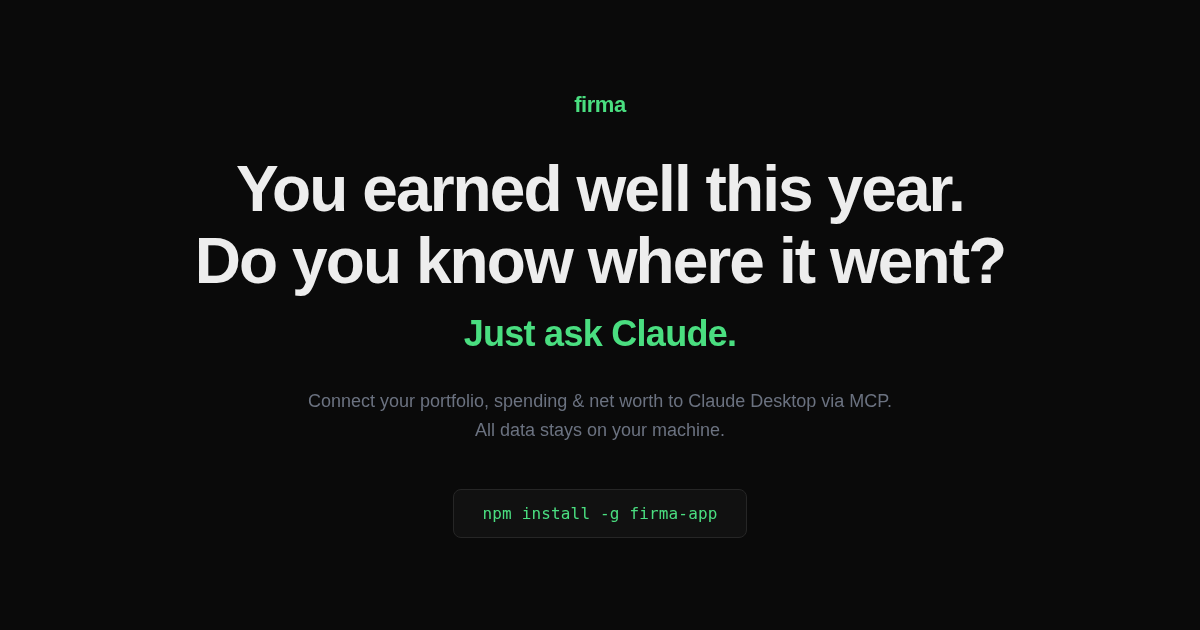
You earned well this year.
Do you know where it went?
Drop your trade history into Claude.
Get back a full financial picture — portfolio, net worth, cash flow — stored in a local SQLite file.


npm install -g @evan-moon/firma
You:    Here's my IBKR trade history [trades.csv]. Set up firma.
Claude: I see 47 transactions. Logging in chronological order... done.
        Syncing prices and FX history... your portfolio: $179K, +61% all-time. TSLA is 78%.

You:    My portfolio feels really volatile lately. Should I be worried?
Claude: TSLA is 74% of your equity — a 10% TSLA move is a 7% net worth move.
        Cash flow is solid at $6.4k/month saved. The volatility is market, not lifestyle.

You:    That July expense spike looks alarming.
Claude: That was $57k in TSLL — a leveraged bet, not spending.
        Strip it out: expenses flat at ~$7k/month, savings rate 47.8%.

You:    Give me a full overview with charts.
Claude: Net worth: $294k → $490k in 8 months, pulled back to $427k with TSLA's Q1 dip.
        [builds net worth trend, income vs expenses, portfolio allocation, unrealized P&L]
firma mcp install wires firma into Claude Desktop. Every command you can run in the terminal, Claude can call through MCP — log trades, sync prices, render charts, reason about your data.~/.firma/firma.db. No server, no sync, no account. Your financial data never leaves your machine.get_market_brief doesn't just dump data — it returns a weekly stance (lean aggressive or defensive), a ranked recommendation per holding (BUY / ADD / HOLD / TRIM / SELL / AVOID with conviction, time horizon, English thesis, and a show_valuation drill-down), and a watchlist of new-ticker candidates, all computed deterministically from your holdings, cash flow, and macro signals. Each holding is auto-classified into one of five categories (growth, quality, hedge, income, speculative) and run through a category-specific playbook that enforces position-size ceilings. A cross-cutting correlation guard then downgrades any BUY/ADD that would lift the portfolio's weighted-average 90-day pairwise correlation by more than 0.10 and push it above 0.70, so "more of what you already own" gets caught before it lands. The same call bundles macro signals, commodity prices, the dividend calendar, global macro (World Bank), and active disaster alerts (GDACS) — no extra API keys needed for the global data.project_net_worth runs a multi-scenario Monte Carlo (1000-iteration GBM, shared seeded shocks across scenarios) over your portfolio at any horizon — next month for short-term outlook or 30 years for FIRE planning, one tool. You supply the (return, vol) assumptions for each scenario and Claude discloses them verbatim; firma never bakes in defaults. Returns P10 / P25 / P50 / P75 / P90 paths, probability of reaching an optional target, and median months to reach. Diagnostic and thought-experiment tools stay strictly separated — the brief never invents future numbers, projections always show their assumptions. (See Forward projection below.)firma sync after install backfills 90 days of daily-close history from Yahoo's keyless chart endpoint — full shares × close snapshot rows for everything you hold and price-only rows for watchlist peers. Correlation, effective_n, Sharpe, max drawdown, annualized volatility, and CAGR are populated immediately, instead of waiting 30+ days for snapshots to accrue. Subsequent syncs skip tickers that already have coverage, and a single ticker failing on Yahoo never poisons the rest of the run.show_thesis_track joins your recorded reason per trade to current outcomes (validated / underwater / cut_loss). show_anti_portfolio follows the post-exit prices of positions you fully sold (missed_rebound / good_call) — the data brokerages deliberately don't show, because it highlights bad sells. Six months from now, Claude reads your trade reasons back to you with proof.get_market_brief, every show_*, report) returns currently true facts — no future-looking probabilities. Thought-experiment (project_net_worth, simulate_scenario) returns conditional outcomes only when you supply assumptions, and Claude discloses them verbatim. The brief never invents future numbers; projections always show their math.Three ways to install — all work the same way once set up.
Download and double-click. Node.js is bundled — nothing to install first. Claude Desktop and Claude Code are connected automatically; a setup dialog then shows the two firma config set commands for your free API keys.
↓ Download firma-mac-arm64.pkg
Download and run. Node.js is bundled and firma is added to your PATH — nothing to install first. Claude Desktop and Claude Code are connected automatically; a setup dialog then shows the two firma config set commands for your free API keys. The installer is unsigned — if SmartScreen warns, choose More info → Run anyway.
# 1. Install
npm install -g @evan-moon/firma

# 2. Set API keys (both free)
firma config set finnhub-key YOUR_KEY   # finnhub.io — prices, news, earnings
firma config set fred-key YOUR_KEY      # fred.stlouisfed.org — macro & FX history

# 3. Connect Claude Desktop
firma mcp install
# Restart Claude Desktop — firma tools will appear in the toolbar.
Drop your data into Claude. Paste a CSV, brokerage export, or plain text — Claude logs everything and syncs prices automatically.
Prefer the terminal? The CLI is the safety net — setup, manual entry, repair, and a few
showcommands for quick inspection. Analysis, briefs, and projections go through Claude. See CLI reference.
If firma helps you track your money, please ⭐ star the repo — it's the cheapest way to help others find it.
The CLI is the safety net — three things only: setup, manual data entry, and repair. Anything analytical (brief, recommendations, projections, news, valuation, macro) goes through Claude.
| Command | What it does |
|---|---|
firma config set finnhub-key KEY | Set Finnhub API key (prices, news, earnings) |
firma config set fred-key KEY | Set FRED API key (macro & FX history) |
firma config set currency CODE | Set display currency (USD, KRW, JPY, …) |
firma config get [key] | Show config values |
firma mcp install | Register MCP server in Claude Desktop |
firma doctor | Check API keys, data state, FX cache, time-series coverage |
firma profile | Set up your goals (birth year, retirement target, target net worth, risk tolerance, notes) — every field optional |
| Command | What it does |
|---|---|
firma add txn | Record a transaction — a stock in any of 9 markets, or a non-stock asset (crypto / commodity / real estate) — type buy / sell / deposit / dividend / tax |
firma add balance [-p YYYY-MM] | Monthly asset & liability snapshot |
firma add flow [-p YYYY-MM] | Monthly income & expense entry |
firma add monthly [-p YYYY-MM] | Balance + flow in one call (month-end) |
firma add snapshot | Sync prices and record today's portfolio snapshot |
firma add price [name] [value] | Set the current value of non-stock holdings (they have no price feed) |
| Command | What it does |
|---|---|
firma edit txn / balance / flow / snapshot | Edit an existing entry (interactive picker) |
firma delete txn / balance / flow / snapshot | Delete an entry. Alias: firma rm |
| Command | What it does |
|---|---|
firma show portfolio | Holdings table with P&L, avg cost, market value, sector/country allocation, FX return decomposition (for non-USD display currency) |
firma show txns [ticker] | Transaction history |
firma show balance [period] | Stored balance entries |
firma show flow [period] | Stored cash flow entries |
firma show snapshot [ticker] | Portfolio value history; --from/--to for date range |
firma show profile | Show the stored profile |
firma show fx [currency] | Inspect cached FX history with --from/--to/--limit |
| Command | What it does |
|---|---|
firma sync | Fetch latest prices (Finnhub) + FX rate history (FRED). On the first run, also pulls 90 days of Yahoo daily-close history for held stocks and watchlist peers so correlation / risk metrics work immediately. Idempotent — later runs skip tickers already covered |
firma sync fx | FX history only — incremental backfill from your earliest entry date |
After firma mcp install, Claude has full read/write access to your data through conversation. Tools split into two epistemic families — Claude is told never to mix them:
get_market_brief, every show_*, report. Returns currently true facts: deterministic, rule-derived, no forward-looking probability distributions. The brief never invents future numbers.project_net_worth (stochastic Monte Carlo distribution over months/years) and simulate_scenario (deterministic conditional point-estimate for shocks within days/weeks). Caller must supply assumptions (return + vol, or shock magnitudes), and Claude discloses them verbatim. Firma never bakes in defaults.Voice and judgment. On top of the data and tools, firma ships a fund-manager voice layer in its server instructions: 4 explicit principles that govern how Claude answers — decisiveness over neutrality, every macro statement must end with a dollar number on your book, behavioral anchors (show_thesis_track on buys, show_anti_portfolio on sells), and every BUY/HOLD/SELL stance must cite the firma field that justifies it. Vague hedge phrases like "could pressure tech" or "조건부로 보라" are explicit violations. This is why firma's answers read like a paid advisor's, not a chatbot's data dump.
get_market_brief is the primary diagnostic entry point. In a single call it returns:
recommendations[] array, one entry per holding, with action (BUY / ADD / HOLD / TRIM / SELL / AVOID), conviction (high / medium / low), time horizon (tactical / strategic / long), an English thesis bullet list, earnings catalysts, the playbook inputs used to reach the call, any conflicts raised by the cross-cutting guards, and a drill_down pointer to the next tool. Each holding is classified into growth / quality / hedge / income / speculative and rated by the matching playbook; results are ranked by severity × conviction so TRIM/SELL/AVOID surface first. A correlation guard runs across every BUY/ADD candidate: if a starter position would lift the portfolio's weighted-average 90d pairwise correlation by more than 0.10 and push it above 0.70, the conviction is downgraded one tier and a correlation_guard conflict is appended. Claude reads the array top-down and narrates the verdict; it doesn't reorder or re-derive the calls.sync firsteffective_n and the 90d pairwise correlation matrix (firma sync rebuilds the cache from snapshot history)project_net_worth)If today's snapshot is missing, get_market_brief records one automatically before assembling the brief, so daily history accrues even when you forget to run firma add snapshot.
Diagnostic drill-down tools: show_portfolio, show_txns, show_balance, show_flow, show_snapshot, show_concentration, show_dividend, show_news, show_financials, show_valuation, show_earnings, show_macro, show_fx, show_risk, show_benchmark, show_profile, show_thesis_track (past trades with recorded reason ↔ outcome — for thesis review and behavioral anchoring), show_anti_portfolio (post-exit performance of fully-sold positions — surfaces missed_rebound vs good_call labels with summary counts).
MCP Resources (attach as context with @firma:…): firma://portfolio (current holdings table), firma://thesis-log (recent trades with reasons), firma://profile (your goals). Use these in Claude Code when you want the model to reason about your portfolio without burning a tool call.
project_net_worth is the only thought-experiment tool today. Unlike a generic Monte Carlo calculator, it operates on your actual portfolio and treats assumption disclosure as a hard contract.
expected_annual_return + annual_volatility. All scenarios share the same seeded shock sequence so cross-scenario differences reflect (return, vol) — not random noise. Apples-to-apples.horizon_months accepts 1 (next-month outlook) through 720 (60-year FIRE planning). Same GBM math, same fan-chart output. No artificial short/long split.target_value for probability_of_reaching_target + median_months_to_target. Omit it for the pure distribution at the horizon.risk_summary.annualized_return_pct and annualized_vol_pct from the brief — Claude reads those and uses them as one scenario among others."Will I retire on time?" — Claude pulls your
target_net_worthandretirement_target_yearfrom your profile, yourcurrent_net_worthand 90d realized vol from the brief, runsproject_net_worthwith three scenarios (historical-stats / bear / bull), shows the fan and the probability per scenario, and discloses every assumption. The brief never claims a future number.
simulate_scenario)For the day-to-week horizon — "what if PCE comes in hot Thursday", "TSLA earnings miss by 10%", "S&P −2% tomorrow" — simulate_scenario is the deterministic sibling of project_net_worth. You supply the shocks (the assumption), it walks every holding via per-ticker beta (pulled from holdings[].fundamentals.beta_5y), and returns point-estimate P&L impact per holding and portfolio total. Optionally pass daily_vol_pct from the brief and each scenario also returns a one_sigma_range_usd, so a hypothetical move can be sized against your portfolio's natural daily volatility ("a 1.3σ event, not a tail"). High-impact macro events in the brief (FOMC, CPI, PCE, NFP within 7 days) auto-trigger this chain — Claude doesn't wait for you to ask.
Prompts — type / in Claude Desktop to access guided workflows. Firma ships five MCP prompts (no need to memorize — / opens autocomplete):
| Prompt | What it does |
|---|---|
import-trades | Confirms column mapping then inserts every row in a single add_txn call — handles 100s of rows in one shot |
import-balance | Same flow for a net-worth spreadsheet (rows = months, columns = balance categories) → one add_balance call |
import-flow | Same flow for an income/expense spreadsheet → one add_flow call |
month-end | Walks through balance + cash flow entry for the period, submits in one batch |
setup-profile | Captures your goals (birth year, retirement target, target net worth, risk tolerance, notes) so all future analysis is anchored to them — every field optional |
Reasoning frameworks (no slash command — Claude applies them automatically based on how you phrase the question):
| Framework | Triggered when… |
|---|---|
pre-mortem | You're considering a buy or seem anchored to a single thesis — Claude generates five plausible failure modes tied to actual data, with portfolio impact in dollars |
rebalance | Concentration drift or "how's my balance" questions — current vs target, specific trades, wash-sale checks |
tax-harvest | Year-end or tax-related questions — loss scan, wash-sale rule, replacements, savings by bracket |
scenario | "What if X happens" questions — routed to simulate_scenario with explicit beta assumptions Claude discloses |
setup_status (called by Claude at session start) returns the analyst_context block — the fund-manager persona principles + data-gating rules + the four frameworks above. This is loaded on every conversation, so the right framework fires without you typing anything.
Historical FX note: firma sync fx backfills daily FX rates (KRW, JPY, EUR, CNY, GBP, HKD, INR, TWD) from FRED starting at your earliest transaction date. Subsequent runs are increment-only. This means a 2018 balance in KRW uses the 2018 rate — not today's.
Firma is a Yarn Berry monorepo with a layered, port-and-adapter design. The application layer never imports an external-API package directly — it talks to domain interfaces, and adapters implement those interfaces against specific services.
Workspace layout reflects the layers:
packages/
  domain/           ports + types + routers, no external-API dep
    domain/         market/ (Quote, StockSnapshot, Candle, news, …),
                    macro/ (series, country indicators, live FX, stress,
                    regime), event/ (world disaster events)
  external-api/     raw API clients, no firma-domain dep
    finnhub/  fred/  worldbank/  gdacs/  open-er-api/  yahoo-finance/
  adapter/          the only layer that imports both sides
    adapters/       provider registry — createMarketProviders, …
  use-case/         business logic
    portfolio/      brief/   advisor/
  shared/           cross-cutting
    db/             utils/
apps/
  cli/              mcp/   docs/
Import dependencies (A → B means "A imports B"):
apps/cli, apps/mcp
  → @firma/adapters        data-clients.ts builds providers via the registry
  → @firma/domain          commands/tools call domain clients directly
                           for simple reads (e.g. `show news`)
  → use-case packages      richer flows (portfolio sync, brief)

use-case (portfolio, brief, advisor)
  → @firma/domain          brief also composes @firma/advisor

@firma/adapters
  → @firma/domain          implements MarketDataProvider / MacroDataProvider /
                           EventDataProvider
  → external-api packages  calls the raw HTTP/RSS clients

external-api (finnhub, fred, worldbank, gdacs, open-er-api, yahoo-finance)
  → shared only            pure API clients; no domain/adapter knowledge

@firma/domain
  → shared only            the stable core; no external-api / adapter /
                           use-case / app dependency

shared (db, utils)
  → nothing                cross-cutting leaf; imported by every layer above
At runtime, data flows the opposite way:
External API → @firma/adapters → domain client → use-case → cli / mcp
Dependency rule: external-API packages have zero firma-domain knowledge; domain packages have zero external-API knowledge. @firma/adapters is the only package that imports both sides. Application code (apps/cli, apps/mcp) talks to domain clients; the one place it touches @firma/adapters is data-clients.ts, which constructs the concrete providers.
Capabilities — each domain interface declares a capability set; the router picks a provider per capability:
| Sub-domain | Capabilities |
|---|---|
market | quote, snapshot, candles, news, insider, financials, earnings, dividends, peers, economic-calendar |
macro | series, metadata, search, country-indicator, live-fx |
event | disasters |
Why this matters: adding a data source touches no command or business-logic code. Adding KRX coverage, for example, means a new packages/external-api/naver/ raw client, a createNaverProvider(): MarketDataProvider in packages/adapter/adapters/src/, and one registration line in packages/adapter/adapters/src/registry.ts. See CONTRIBUTING.md for the full recipe.
Requires Node.js 22+ and Yarn Berry.
corepack enable
yarn install

yarn dev:cli show portfolio    # CLI dev mode
yarn typecheck                 # Full type check
yarn test                      # Run unit tests
See CONTRIBUTING.md for the full architecture walkthrough and the recipe for adding a new external data provider.
Firma is the financial intelligence layer of the Herald ambient voice assistant stack. When connected, Herald can:
Herald + Firma + Memex — ambient voice, financial intelligence, and persistent memory in one personal AI stack.
llms.txt is a machine-readable summary of this project for LLM agents — concise description with documentation links, following the llms.txt standard.
MIT © Evan Moon
FAQs
Local-first, AI-native CLI asset tracker for overseas stock investors. Built-in MCP server for Claude Desktop.
The npm package @evan-moon/firma receives a total of 37 weekly downloads. As such, @evan-moon/firma popularity was classified as not popular.
We found that @evan-moon/firma demonstrated a healthy version release cadence and project activity because the last version was released less than a year ago. It has 1 open source maintainer collaborating on the project.
Did you know?

Socket for GitHub automatically highlights issues in each pull request and monitors the health of all your open source dependencies. Discover the contents of your packages and block harmful activity before you install or update your dependencies.
Product
Socket is bringing experimental protection to Firefox, scanning 97,000+ extensions in Mozilla's official directory for malware and risky updates.

Research
/Security News
Three compromised Rust crates pulled in a malicious dependency that downloaded and executed cross-platform malware during Cargo builds.

Research
/Security News
Socket uncovered 77 linked Firefox extensions, including 40 that steal wallet secrets or credentials and 37 deceptive sports-score shells.