@ghostpaw/affinity







Agent contacts: people, promises and yearly dates, with a radar for who is drifting.
npm install @ghostpaw/affinity
A standalone social CRM core for Node.js, built on SQLite.
Affinity treats contacts, identities, relationship mechanics, structural ties,
journal evidence, commitments, recurring dates, attributes, and graph review as
one coherent model instead of separate systems. It ships as a single prebundled
blob with zero runtime dependencies, designed for two audiences at once: human
developers working directly in code, and LLM agents operating through a
structured soul / tools / skills runtime.
MCP server
Every client below starts the same stdio server: npx -y @ghostpaw/affinity mcp.
Contacts live in ~/.ghostpaw/affinity.db unless the GHOSTPAW_AFFINITY_DB
environment variable (absolute path) or --db <path> says otherwise.
Claude Code
claude mcp add ghostpaw-affinity -- npx -y @ghostpaw/affinity mcp
or as a plugin, which also installs the skill:
/plugin marketplace add GhostPawJS/affinity
/plugin install ghostpaw-affinity@ghostpaw-affinity
Codex CLI (~/.affinity/config.toml)
[mcp_servers.ghostpaw-affinity]
command = "npx"
args = ["-y", "@ghostpaw/affinity", "mcp"]
Cursor (.cursor/mcp.json), Claude Desktop (claude_desktop_config.json)
or a project .mcp.json:
{
  "mcpServers": {
    "ghostpaw-affinity": {
      "command": "npx",
      "args": ["-y", "@ghostpaw/affinity", "mcp"]
    }
  }
}
Claude Desktop users can also install server.mcpb from the
latest GitHub release.
A Dockerfile is included for container hosts:
docker build -t ghostpaw-affinity . && docker run -i --rm -v affinity:/data ghostpaw-affinity.
The server speaks MCP 2026-07-28 (stateless, server/discover) and the
initialize-based revisions 2025-11-25, 2025-06-18, 2025-03-26 and 2024-11-05.
CLI
npx -y @ghostpaw/affinity tools
npx -y @ghostpaw/affinity call manage_contact '{"action":"create","input":{"name":"Sam","kind":"human"}}'
npx -y @ghostpaw/affinity call search_affinity '{"query":"Sam"}'
Install globally for the ghostpaw-affinity binary: npm i -g @ghostpaw/affinity.
ghostpaw-affinity mcp starts the stdio server.
Agent Skill
SKILL.md (repo root) and skills/affinity/SKILL.md follow the
Agent Skills format and ship in the npm package.
Copy skills/affinity/ into your agent's skills folder, or print it:
npx -y @ghostpaw/affinity skill > SKILL.md
Install
The npm package requires Node 24+:
npm install -g @ghostpaw/affinity
npx -y @ghostpaw/affinity --help
Standalone binaries are available from GitHub Releases
for linux-x64, linux-arm64, darwin-arm64, darwin-x64 and windows-x64.
curl -fsSL https://raw.githubusercontent.com/GhostPawJS/affinity/main/install.sh | sh
irm https://raw.githubusercontent.com/GhostPawJS/affinity/main/install.ps1 | iex
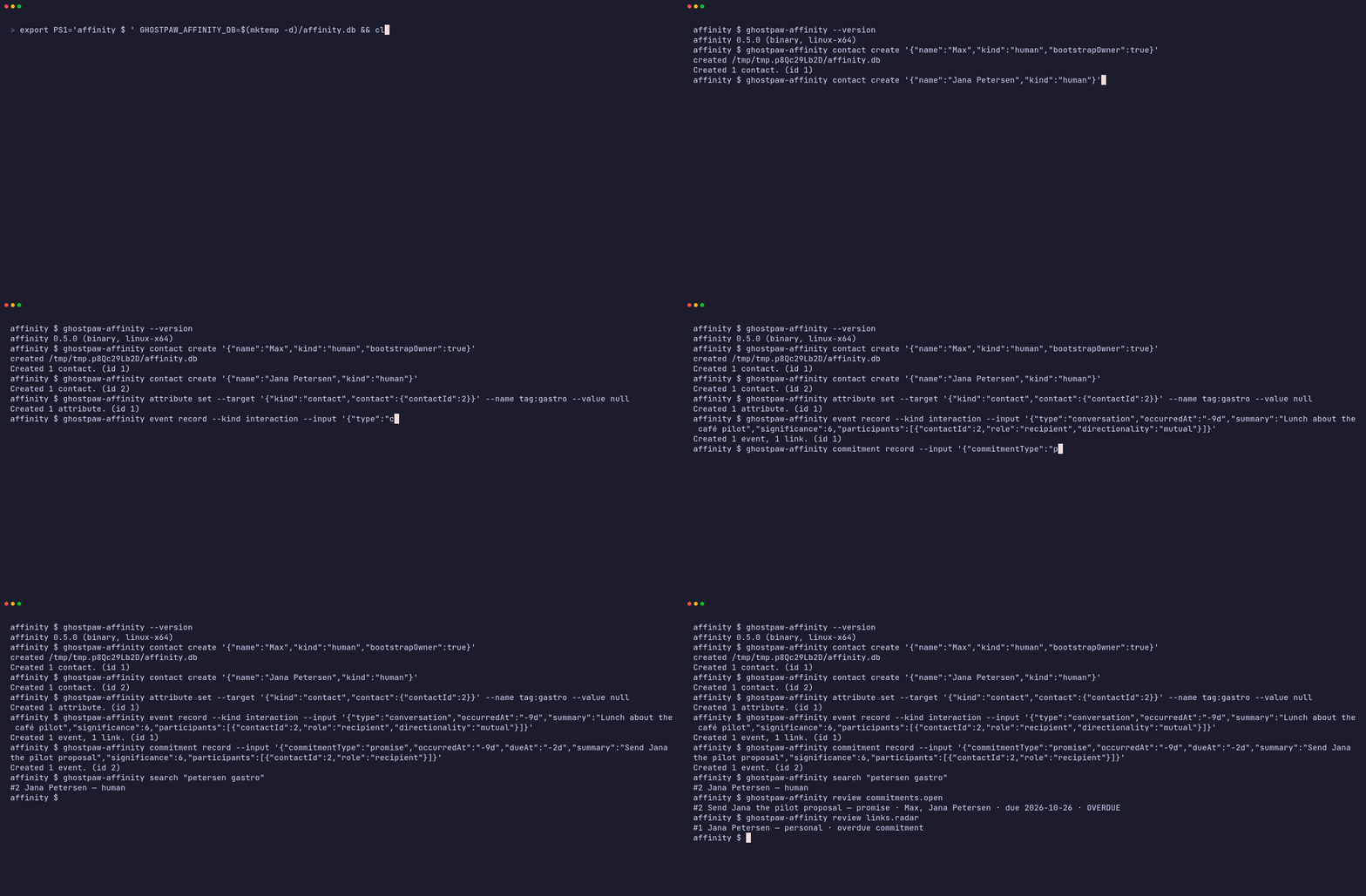
A session with the 0.4.0 linux-x64 binary against a fresh database (output piped through jq to keep it short):
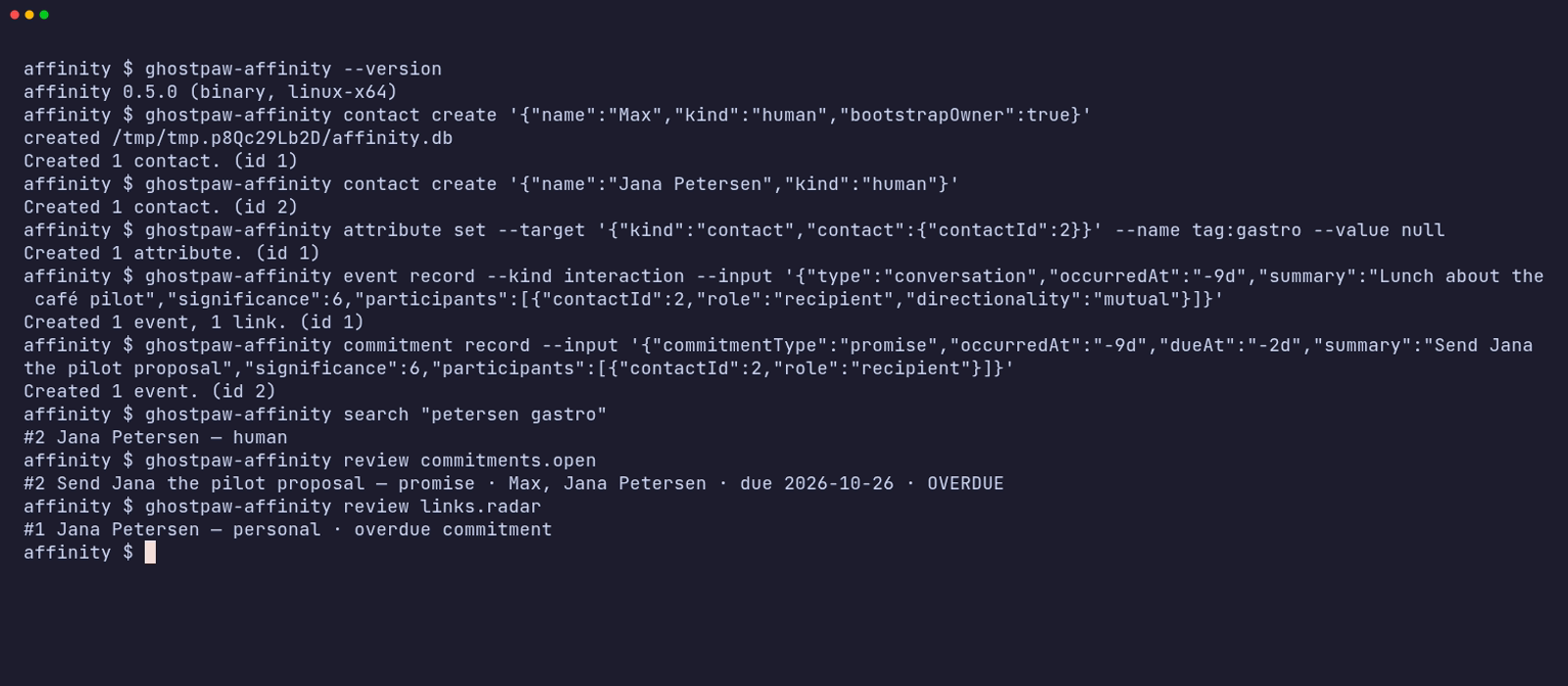
The same session as an animated GIF.
Other release installers:
mise use -g github:GhostPawJS/affinity
ubi --project GhostPawJS/affinity --exe ghostpaw-affinity --in ~/.local/bin
eget GhostPawJS/affinity
For aqua, define a
github_release package in aqua.yaml:
registries:
  - name: affinity
    type: local
    path: affinity-registry.yaml
packages:
  - name: GhostPawJS/affinity@v<VERSION>
    registry: affinity
affinity-registry.yaml:
packages:
  - type: github_release
    repo_owner: GhostPawJS
    repo_name: affinity
    asset: ghostpaw-affinity-{{trimV .Version}}-{{.OS}}-{{.Arch}}.tar.gz
    format: tar.gz
    replacements: { amd64: x64 }
    overrides:
      - goos: windows
        asset: ghostpaw-affinity-{{trimV .Version}}-windows-{{.Arch}}.zip
        format: zip
    files:
      - name: ghostpaw-affinity
Install scripts verify SHA256SUMS. To verify a downloaded archive's
build attestation:
gh attestation verify <archive> -R GhostPawJS/affinity
Set GHOSTPAW_VERIFY=attestation for attestation verification in install.sh.
Binaries are unsigned; macOS binaries carry an ad-hoc signature. For a browser
download on macOS, remove quarantine with
xattr -d com.apple.quarantine /path/to/ghostpaw-affinity.
Linux binaries require glibc 2.28+; use npx on Alpine.
See the binary build workflow.
Sizes for 0.4.0 (Node 26.12.1 inside each binary):
| linux-x64 | 41.7 MB tar.gz | 117.6 MB |
| linux-arm64 | 41.2 MB tar.gz | 115.3 MB |
| darwin-arm64 | 44.9 MB tar.gz | 146.8 MB |
| darwin-x64 | 46.4 MB tar.gz | 149.7 MB |
| windows-x64 | 38.4 MB zip | 105.7 MB |
The npm package is 2003 KB unpacked and needs Node 24+. Every release is
installed and run on ubuntu-24.04, macos-15 and windows-2025 by the
install check.
The install check runs on ubuntu-24.04, macos-15 and windows-2025.
CLI
ghostpaw-affinity search <query>
ghostpaw-affinity review <view>
ghostpaw-affinity show <owner_profile|contact_profile|link> [--contact JSON --link JSON]
ghostpaw-affinity contact create <input-json>
ghostpaw-affinity contact revise <contact-json> --patch JSON
ghostpaw-affinity contact lifecycle <contact-json> <lifecycleState>
ghostpaw-affinity contact merge [flags]
ghostpaw-affinity identity add|revise|verify|remove [flags]
ghostpaw-affinity relationship add|bond|state|tie|untie [flags]
ghostpaw-affinity commitment record|resolve [flags]
ghostpaw-affinity attribute set|unset|replace [flags]
ghostpaw-affinity date add|revise|remove [flags]
ghostpaw-affinity event record [flags]
ghostpaw-affinity duplicate dismiss|undismiss [flags]
ghostpaw-affinity mcp|skill|tools|describe|call|completions|version|help
There are 27 domain commands. review accepts the existing view names,
including contacts.list, contacts.duplicates and dates.upcoming.
show selects an inspection kind; contact and link locators are JSON objects.
Use help contact or contact create --help for schema-derived help.
Nested payloads use JSON or @path to read a file.
Global flags: --db <path>, --json, --quiet, --compact,
--help/-h, --version/-V/-v, --no-color.
NO_COLOR is accepted; output uses no terminal colors.
Noun-verb commands print the full tool result as JSON with --json or piped
stdout. Terminal output shows the summary and payload. --quiet suppresses
stdout. --compact removes JSON indentation.
Array flags repeat; kebab-case flags map to schema properties.
-- ends flags. A positional -, or piped stdin with no input flags, reads a
JSON object. Explicit flags override stdin fields.
Database selection uses --db, GHOSTPAW_AFFINITY_DB, then
~/.ghostpaw/affinity.db. These commands work offline.
| 0 | Success, including no_op |
| 1 | Tool error |
| 2 | Usage or schema error |
| 3 | Clarification needed or not found |
| 4 | Conflict or version mismatch |
| 70 | Internal error |
Errors go to stderr. With --json, errors also print to stdout.
Legacy tools [--json], describe <tool>, call <tool> [JSON|-] and
<tool_name> --parameter value retain their output and exit codes.
completions bash|zsh|fish prints shell scripts.
ghostpaw-affinity contact create '{"name":"Sam","kind":"human"}' --db /tmp/affinity-example.db --json
ghostpaw-affinity search Sam --db /tmp/affinity-example.db --json
ghostpaw-affinity review contacts.list --db /tmp/affinity-example.db --json
Quick Start
import { DatabaseSync } from "node:sqlite";
import { initAffinityTables, read, write } from "@ghostpaw/affinity";

const db = new DatabaseSync(":memory:");
db.exec("PRAGMA foreign_keys = ON");
initAffinityTables(db);

const { primary: owner } = write.createContact(db, {
  name: "Mika",
  kind: "human",
  bootstrapOwner: true,
});

const { primary: ada } = write.createContact(db, {
  name: "Ada Lovelace",
  kind: "human",
});

write.addIdentity(db, ada.id, {
  type: "email",
  value: "ada@example.com",
});

write.recordInteraction(db, {
  type: "conversation",
  occurredAt: Date.now(),
  summary: "Coffee together",
  significance: 6,
  participants: [
    { contactId: owner.id, role: "actor", directionality: "mutual" },
    { contactId: ada.id, role: "recipient", directionality: "mutual" },
  ],
});

const profile = read.getContactProfile(db, ada.id);
const radar = read.listRadar(db);
Docs
The live demo runs the library in your browser against an in-memory SQLite database. Each view below opens a different part of it:
The Model
Eight concepts, strict separation of concerns:
| Contact | Any tracked entity: person, company, team, service, pet, household, or group |
| Identity | Exact recognition and routing handle such as email, phone, URL, or account id |
| Social Link | A live relationship track with Rank, Affinity, Trust, cadence, Bond, and state |
| Tie | A structural fact such as works_at, belongs_to, reports_to, or kinship |
| Journal Entry | Recorded evidence: interaction, observation, milestone, transaction, or commitment |
| Date Anchor | A recurring yearly date such as a birthday, anniversary, renewal, or memorial |
| Attribute | Flexible metadata and preference layer for contacts and links |
| Affinity Chart | Derived graph view of the active relationship network |
The model means each kind of truth has its own home:
| A person, company, team, service, or household | A Contact |
| An email address or handle | An Identity |
| A friendship or business relationship that changes over time | A Social Link |
| Employment, hierarchy, family, or membership | A Tie |
| “We talked yesterday” | A Journal entry |
| “I promised to send the recap” | A commitment-shaped Journal entry |
| “Their birthday is important every year” | A Date Anchor |
State is derived, not hand-toggled. Rank, hidden Affinity, Trust movement,
Moments, drift, readiness, and graph bridge significance are computed from
evidence and explicit structural truth, not caller-written status flags.
Two Audiences
Human developers
Use the read and write namespaces for direct-code access to the domain:
import { read, write } from "@ghostpaw/affinity";

write.createContact(db, { name: "Ada", kind: "human" });
write.addIdentity(db, contactId, { type: "email", value: "ada@example.com" });
write.recordInteraction(db, {
  type: "support",
  occurredAt: now,
  summary: "Helped prepare for a difficult meeting",
  significance: 7,
  participants: [
    { contactId: ownerId, role: "actor", directionality: "mutual" },
    { contactId, role: "recipient", directionality: "mutual" },
  ],
});

const profile = read.getContactProfile(db, contactId);
const radar = read.listRadar(db);
See HUMAN.md for the full direct-code guide with modeling
boundaries and worked examples.
LLM agents
Use the tools, skills, and soul namespaces for a structured runtime
surface designed to minimize LLM cognitive load:
import { tools, skills, soul } from "@ghostpaw/affinity";

const allTools = tools.affinityTools;
const searchTool = tools.getAffinityToolByName("search_affinity")!;
const result = searchTool.handler(db, { query: "email:ada@example.com" });

const allSkills = skills.affinitySkills;
const prompt = soul.renderAffinitySoulPromptFoundation();
Every tool returns a discriminated result with outcome: "success" | "no_op" | "needs_clarification" | "error", structured entities, next-step hints, and
actionable recovery signals.
See LLM.md for the full AI-facing guide covering soul, tools,
and skills.
Tools
Twelve tools shaped around operator intent, not raw storage operations:
search_affinity | Search contacts by natural key or name |
review_affinity | Dashboard-style list and graph review views |
inspect_affinity_item | Open one exact profile or link detail |
manage_contact | Create, revise, or change contact lifecycle |
merge_contacts | Merge duplicate contacts safely |
manage_duplicate_dismissal | Dismiss or restore a suspected duplicate pair |
manage_identity | Add, revise, verify, or remove identities |
manage_relationship | Seed social links, revise bond/state, manage structural ties |
record_event | Record direct evidence, observations, milestones, or transactions |
manage_commitment | Record or resolve obligations |
manage_date_anchor | Add, revise, or remove recurring important dates |
manage_attribute | Set, unset, or replace contact/link metadata |
Each tool exports runtime metadata, JSON-Schema-compatible inputs, and
structured outputs so harnesses can wire them without parsing vague prose.
Key Properties
- Zero runtime dependencies. Only
node:sqlite (built into Node 24+).
- Single prebundled blob. One ESM + one CJS entry in
dist/. No subpath
exports, no code splitting.
- Pure SQLite storage. CHECK-constrained state, trigger-maintained support
tables, and deterministic derived reads. Bring your own
DatabaseSync.
- Derived mechanics. Rank, hidden Affinity, Trust, cadence, Moments, Radar,
and bridge significance are computed from evidence and structure, never
directly caller-set.
- Intention-shaped writes.
createContact, setStructuralTie,
recordInteraction, recordCommitment, addDateAnchor, mergeContacts:
operations that say what happened or what truth changed, not generic CRUD.
- Additive AI runtime.
soul for posture, tools for actions, skills for
workflow guidance.
- Colocated tests. Every non-type module has a colocated
.test.ts file.
The documented behavior is backed by executable coverage.
Package Surface
import {
initAffinityTables,
read,
write,
tools,
skills,
soul,
} from "@ghostpaw/affinity";
All domain and runtime types are also available at the root for TypeScript
consumers:
import type {
  AffinityDb,
  ContactKind,
  LinkState,
  ContactProfileRecord,
  AffinityChartRecord,
  AffinityToolDefinition,
  AffinitySkill,
  AffinitySoul,
} from "@ghostpaw/affinity";
Documentation
| HUMAN.md | Human developers using the low-level read / write API |
| LLM.md | Agent builders wiring soul, tools, and skills into LLM systems |
| docs/README.md | Architecture overview: model, invariants, mechanics, and source layout |
| docs/entities/ | Per-concept manuals with exact inlined public API listings |
| docs/USECASES.md | Long-form lifecycle narratives across personal, business, and AI-memory angles |
Development
npm install
npm test
npm run typecheck
npm run lint
npm run build
The repo is pinned to Node 24.14.0 via .nvmrc / .node-version /
.tool-versions / mise.toml / Volta. Use whichever version manager you
prefer.
Support
If this package helps your project, consider sponsoring its maintenance:

Anonyfox • MIT License