@ghostpaw/grimoire







Agent skills as SKILL.md folders, every improvement sealed as a git commit you can roll back.
A procedural knowledge engine for Node.js, built on Git, SQLite, and the filesystem.
Grimoire treats spells (learned procedures), evidence, versioning, and health
as one coherent model instead of separate systems. It ships as a single
prebundled blob with zero runtime dependencies, designed for two audiences at
once: human developers working directly in code, and LLM agents operating
through a structured soul / tools / skills runtime.
Install
Release binary (default)
The installers verify the archive against SHA256SUMS before installing. The Unix
lines below install the latest release to ~/.local/bin and add that directory
to PATH for the current shell only; they do not edit ~/.profile or any other
file. The Windows installer updates the user PATH. Choose the line for your
target.
Linux x64:
curl -fsSL https://raw.githubusercontent.com/GhostPawJS/grimoire/main/install.sh | sh -s -- --target linux-x64 && export PATH="$HOME/.local/bin:$PATH"
Linux arm64:
curl -fsSL https://raw.githubusercontent.com/GhostPawJS/grimoire/main/install.sh | sh -s -- --target linux-arm64 && export PATH="$HOME/.local/bin:$PATH"
macOS arm64:
curl -fsSL https://raw.githubusercontent.com/GhostPawJS/grimoire/main/install.sh | sh -s -- --target darwin-arm64 && export PATH="$HOME/.local/bin:$PATH"
macOS x64:
curl -fsSL https://raw.githubusercontent.com/GhostPawJS/grimoire/main/install.sh | sh -s -- --target darwin-x64 && export PATH="$HOME/.local/bin:$PATH"
Windows x64:
irm https://raw.githubusercontent.com/GhostPawJS/grimoire/main/install.ps1 | iex
To keep ~/.local/bin on PATH in new shells, this variant also appends one
line to ~/.profile (skip it if that directory is already on your PATH):
curl -fsSL https://raw.githubusercontent.com/GhostPawJS/grimoire/main/install.sh | sh -s -- --target linux-x64 && echo 'export PATH="$HOME/.local/bin:$PATH"' >> ~/.profile && export PATH="$HOME/.local/bin:$PATH"
To pin a version instead of taking the latest release, pass --version
(replace the target as needed):
curl -fsSL https://raw.githubusercontent.com/GhostPawJS/grimoire/main/install.sh | sh -s -- --target linux-x64 --version 0.6.0 && export PATH="$HOME/.local/bin:$PATH"
ghostpaw-grimoire --version prints the version and variant,
--version --short the bare semver, and --version --json a
{name, version, variant, target} record.
The binary includes its runtime. ghostpaw-grimoire skill --list lists the
bundled workflow guides; ghostpaw-grimoire skill <guide> prints one.
MCP configuration
claude mcp add ghostpaw-grimoire -- "$HOME/.local/bin/ghostpaw-grimoire" mcp
/plugin marketplace add GhostPawJS/grimoire
/plugin install ghostpaw-grimoire@ghostpaw-grimoire
Codex CLI (~/.codex/config.toml):
[mcp_servers.ghostpaw-grimoire]
command = "/absolute/home/.local/bin/ghostpaw-grimoire"
args = ["mcp"]
Cursor, Claude Desktop, or a project .mcp.json:
{"mcpServers":{"ghostpaw-grimoire":{"command":"/absolute/home/.local/bin/ghostpaw-grimoire","args":["mcp"]}}}
Download server.mcpb from releases for clients supporting MCP Bundles. Build the supplied Dockerfile with docker build -t ghostpaw-grimoire . and mount /data for persistence.
Supports MCP 2026-07-28 and initialize-based protocol versions (2025-11-25, 2025-06-18, 2025-03-26, 2024-11-05). The database defaults to ~/.ghostpaw/grimoire.db; --db overrides GHOSTPAW_GRIMOIRE_DB. Spells default to ~/.ghostpaw/grimoire/; set GHOSTPAW_GRIMOIRE_ROOT to choose another directory. No credentials are required for local tools.
npx / npm (for npm-based environments)
Requires Node 24 or newer:
npm install -g @ghostpaw/grimoire
npx -y @ghostpaw/grimoire --help
For an npm-based MCP configuration:
{"mcpServers":{"ghostpaw-grimoire":{"command":"npx","args":["-y","@ghostpaw/grimoire","mcp"]}}}
Library (for harnesses embedding it in code)
npm install @ghostpaw/grimoire
import { DatabaseSync } from 'node:sqlite';
import { initGrimoireTables, write, read } from '@ghostpaw/grimoire';

const db = new DatabaseSync(':memory:');
initGrimoireTables(db);
write.dropNote(db, { source: 'practice', content: 'Verify the build before release.' });
const notes = read.pendingNotes(db);
db.close();
A session with a linux-x64 release binary against a fresh database and spell directory (output piped through jq to keep it short):
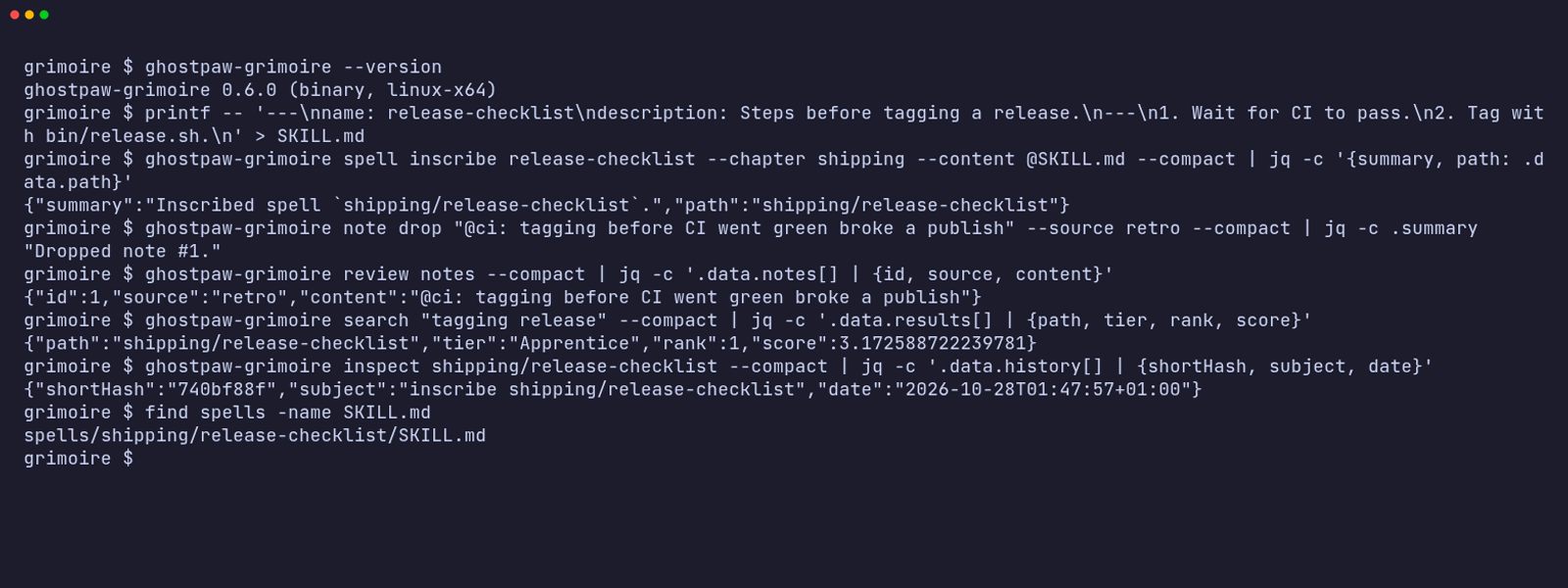
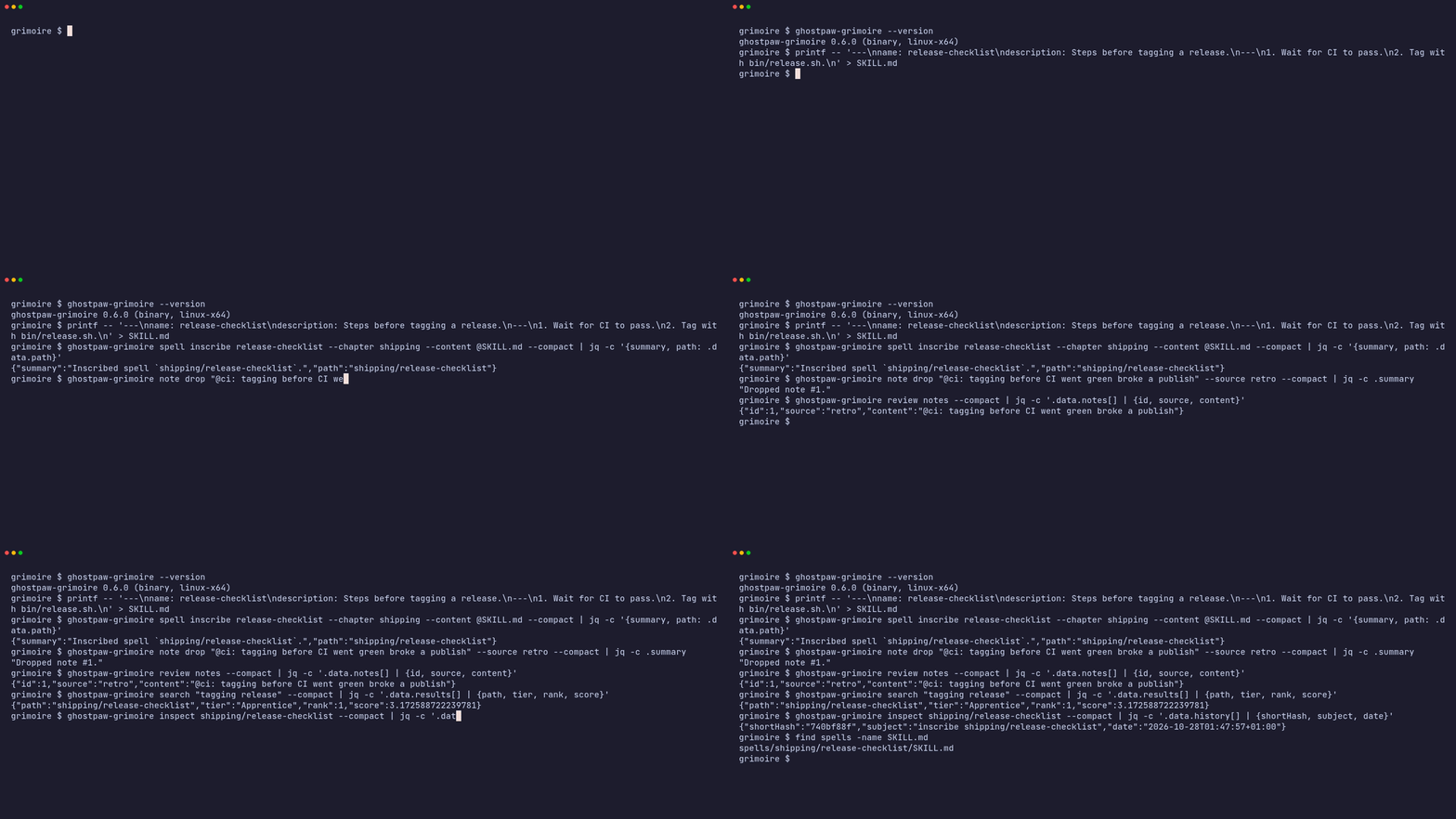
The same session as an animated GIF.
Other release installers:
mise use -g github:GhostPawJS/grimoire
ubi --project GhostPawJS/grimoire --exe ghostpaw-grimoire --in ~/.local/bin
eget GhostPawJS/grimoire
For aqua, define a
github_release package in aqua.yaml:
registries:
  - name: grimoire
    type: local
    path: grimoire-registry.yaml
packages:
  - name: GhostPawJS/grimoire@v0.4.3
    registry: grimoire
grimoire-registry.yaml:
packages:
  - type: github_release
    repo_owner: GhostPawJS
    repo_name: grimoire
    asset: ghostpaw-grimoire-{{trimV .Version}}-{{.OS}}-{{.Arch}}.tar.gz
    format: tar.gz
    replacements: { amd64: x64 }
    overrides:
      - goos: windows
        asset: ghostpaw-grimoire-{{trimV .Version}}-windows-{{.Arch}}.zip
        format: zip
    files:
      - name: ghostpaw-grimoire
Install scripts verify SHA256SUMS. To verify a downloaded archive's
build attestation:
gh attestation verify <archive> -R GhostPawJS/grimoire
Set GHOSTPAW_VERIFY=attestation for attestation verification in install.sh.
Binaries are unsigned; macOS binaries carry an ad-hoc signature. For a browser
download on macOS, remove quarantine with
xattr -d com.apple.quarantine /path/to/ghostpaw-grimoire.
Linux binaries require glibc 2.28+; use npx on Alpine.
See the binary build workflow.
Archive and binary sizes vary by release; see the assets on the release page.
The install check runs on ubuntu-24.04, macos-15 and windows-2025.
State
The database defaults to ~/.ghostpaw/grimoire.db; select it with --db or
GHOSTPAW_GRIMOIRE_DB. Spells default to ~/.ghostpaw/grimoire; select the root
with --root or GHOSTPAW_GRIMOIRE_ROOT. CLI flags take precedence over the environment.
Each root stores Git history in <ROOT>/.grimoire-git, excluded from discovery.
--git-dir overrides GHOSTPAW_GRIMOIRE_GIT_DIR, which overrides this default.
A legacy <parent>/.grimoire-git is copied into the root only when its configured
work tree or HEAD tree identifies this root. The original stays in place, with a
MIGRATED_TO marker. Shared or uncertain legacy repositories stay at their old
location and produce one shared_git_dir warning per result; new writes use
the root-local repository. Git writes use a per-repository advisory
lock and path-scoped commits. File databases use WAL and a five-second busy timeout.
Library callers supply their database and should configure those pragmas before use.
CLI
ghostpaw-grimoire search <query>
ghostpaw-grimoire review <chapters|health|resonance|notes|drafts|validation|provenance|index>
ghostpaw-grimoire inspect <path>
ghostpaw-grimoire spell inscribe <name> --content TEXT
ghostpaw-grimoire spell update|hone <path> [flags]
ghostpaw-grimoire spell shelve|unshelve|delete|repair <path>
ghostpaw-grimoire spell move <path> <target>
ghostpaw-grimoire spell rollback <path> <ref>
ghostpaw-grimoire spell repair-all
ghostpaw-grimoire note drop <content> --source SOURCE
ghostpaw-grimoire draft submit <title> --rationale TEXT --note-ids ID --chapter NAME
ghostpaw-grimoire draft approve|dismiss <draftId>
ghostpaw-grimoire catalogue run
ghostpaw-grimoire scout adopt <source>
ghostpaw-grimoire scout search <query>
ghostpaw-grimoire scout check-updates
ghostpaw-grimoire scout apply-update <path>
ghostpaw-grimoire mcp|skill|tools|describe|call|completions|version|help
Global flags can appear anywhere: --db <path>, --root <path>, --git-dir <path>, --json, --quiet,
--compact, --help/-h, --version/-V/-v, --no-color.
NO_COLOR is accepted; output uses no terminal colors.
Noun-verb commands print the full tool result as JSON with --json or when
stdout is piped. Write results contain compact metadata by default; --verbose includes full spell content.
--quiet suppresses stdout. --compact removes JSON indentation.
Use help spell, bare spell, or spell update --help for schema-derived help.
skill --list lists bundled guides; skill <guide> prints the guide.
Search tokenizes multiple terms, removes common English stopwords, stems common
suffixes, and scores name/description/body matches with weights 3/2/1 and inverse
document frequency. Trigram Jaccard similarity of at least 0.3 adds fuzzy metadata
matches. Results expose score and sort by score, rank, then path. Legacy name
and description substring matches remain supported. Uncheckpointed spells remain visible.
Inscribe conflicts unless --force is supplied; identical forced content returns
no_op when it also matches committed content. Hone accepts positional paths and
returns no_op without a diff; supplied note IDs are still marked distilled. --note-ids and --note_ids both work for hone and draft submit.
Inspect includes commit hashes, short hashes, subjects, and ISO dates for rollback.
--now accepts epoch milliseconds, ISO 8601 date-time, or YYYY-MM-DD. Values more
than one minute ahead return a projection with a projected warning and preserve
stored health and notes.
review index --format prompt returns only the formatted prompt block in data.
Catalogue health fields measure honing pressure, rather than a quality rating:
a fresh seal can have zero pressure. Dormancy has a 14-day grace period after
the first seal. Catalogue expires pending notes older than 90 days and keeps at
most 50 pending notes, expiring the oldest first with a notes_expired count warning. Deleting a spell purges its events.
Array flags repeat and a final - reads JSON stdin (spell inscribe <name> - is supported). Only spell --content reads files: @path reads the file, @- reads stdin, and @@text passes a literal @text. Every other value, including note text and positionals, is taken literally even if it starts with @.
Flags use kebab-case and override stdin fields. -- ends flags.
Database selection uses --db, GHOSTPAW_GRIMOIRE_DB, then ~/.ghostpaw/grimoire.db.
Spell files use --root, then GHOSTPAW_GRIMOIRE_ROOT (default ~/.ghostpaw/grimoire).
Context initialization may run Git. Scout remote operations need network access;
local sources can stay offline.
| 0 | Success, including no_op |
| 1 | Tool error |
| 2 | Usage or input validation error |
| 3 | Clarification needed or not found |
| 4 | Conflict or version mismatch |
| 70 | Internal error |
Errors go to stderr. With --json, usage and internal errors also print
{ok:false,error:{code,message}} to stdout. Tool results retain their full
shape. Legacy tools [--json], describe <tool>, call <tool> [JSON|-]
and <tool_name> --parameter value use the same exit codes.
completion aliases completions. Bash and Zsh scripts complete command groups,
verbs, and command flags for both ghostpaw-grimoire and grimoire.
completions fish prints a Fish script.
ghostpaw-grimoire note drop "Verify the build" --source practice --db /tmp/grimoire.db --json
ghostpaw-grimoire review notes --db /tmp/grimoire.db --json
ghostpaw-grimoire spell update --help
Set GHOSTPAW_GRIMOIRE_ROOT to a temporary directory for an isolated session.
Agent Skill: see SKILL.md or install the skills/grimoire directory with its references.
Quick Start
import { DatabaseSync } from 'node:sqlite';
import { init, read, write } from '@ghostpaw/grimoire';
const db = new DatabaseSync(':memory:');
const root = '/path/to/my-grimoire';
init(root, db);
const { spell } = write.inscribe(root, db, {
name: 'deploy-service',
chapter: 'engineering',
content: '---\nname: deploy-service\ndescription: Deploy a service to production\n---\n\n# deploy-service\n\n## Steps\n\n1. Run `npm run build`\n2. Push to registry\n3. Apply manifests\n',
});
write.dropNote(db, {
source: 'practice',
content: 'Build step fails if DOCKER_REGISTRY is not exported first.',
});
write.seal({ root }, db, [`engineering/${spell.name}`], 'Fix: document required env var for build step');
const detail = read.getSpell(root, 'engineering/deploy-service', db);
const chapters = read.listChapters(root);
Docs
The live demo runs the library in your browser against an in-memory SQLite database. Each view below opens a different part of it:
The Model
Eight concepts, strict separation of concerns:
| Spell | A learned procedure stored as SKILL.md with YAML frontmatter and a markdown body |
| Chapter | A folder grouping related spells into a focused collection |
| Seal | A git commit marking a verified improvement — rank equals seal count |
| Tier | Mastery level computed from rank: Uncheckpointed → Apprentice → Journeyman → Expert → Master |
| Note | Raw evidence (observation, failure path, correction) awaiting distillation into a spell |
| Resonance | Read-time signal indicating which spells have the highest return on honing effort |
| Draft | A proposed new spell submitted for review before inscription |
| Catalogue | A health snapshot: staleness, dormancy, oversizing, velocity, and clustering |
The model means each kind of truth has its own home:
| A how-to guide or runbook | A Spell |
| Related spells grouped by domain | A Chapter |
| "This procedure is proven — preserve it" | A Seal |
| "We got burned by this edge case" | A Note |
| "This spell hasn't been touched in months" | A Catalogue health signal |
| "This spell is ready to hone next" | Resonance |
State is derived, not hand-toggled. Tier, resonance color, staleness, dormancy,
and health scores are computed from evidence and commit history at read time,
never stored as caller-written flags.
Tier progression at a glance
Grimoire computes tier markers on every read. They advance as spells accumulate
sealed improvements:
Inscription
| $\color{Gray}{\textsf{◎}}$ | deploy-service | uncheckpointed · no seals yet |
| ↓ seal a validated improvement | |
Honing
| $\color{SteelBlue}{\textsf{◎}}$ | deploy-service | apprentice · rank 1–2 |
| $\color{MediumSeaGreen}{\textsf{◎}}$ | deploy-service | journeyman · rank 3–5 |
| $\color{Goldenrod}{\textsf{◎}}$ | deploy-service | expert · rank 6–9 |
| $\color{Orchid}{\textsf{◎}}$ | deploy-service | master · rank 10+ |
Attention signals
| $\color{OrangeRed}{\textsf{●}}$ | deploy-service | resonance · hone now |
| $\color{Gray}{\textsf{●}}$ | deploy-service | dormant · low return on effort |
Rank is the only experience counter. Each tier raises the validation bar:
from Journeyman on, a spell is expected to include failure and recovery paths;
from Expert on, edge cases; at Master, a compiled summary.
Two Audiences
Human developers
Use the read and write namespaces for direct-code access to the domain:
import { read, write } from '@ghostpaw/grimoire';
write.inscribe(root, db, { name: 'lint-fix', chapter: 'general', content: '---\nname: lint-fix\ndescription: Run lint with autofix\n---\n\n# lint-fix\n\nRun `npx biome check --fix .`\n' });
write.dropNote(db, { source: 'practice', content: 'Biome needs --unsafe for some rules.' });
write.seal({ root }, db, ['general/lint-fix'], 'Add note about unsafe flag');
const spell = read.getSpell(root, 'general/lint-fix', db);
const resonance = read.allResonance(db);
const catalogue = read.readCatalogue(db);
See HUMAN.md for the full direct-code guide with worked
examples and modeling boundaries.
LLM agents
Use the tools, skills, and soul namespaces for a structured runtime
surface designed to minimize LLM cognitive load:
import { tools, skills, soul } from '@ghostpaw/grimoire';
const allTools = tools.grimoireTools;
const searchTool = tools.getGrimoireToolByName('search_grimoire')!;
const result = await searchTool.handler({ root, db }, { query: 'deploy' });
const allSkills = skills.grimoireSkills;
const prompt = soul.renderGrimoireSoulPromptFoundation();
Every tool returns a discriminated result with outcome: 'success' | 'no_op' | 'needs_clarification' | 'error', structured entities, next-step hints, and
actionable recovery signals.
See LLM.md for the full AI-facing guide covering soul, tools,
and skills.
Tools
Eleven tools shaped around operator intent, not raw storage operations:
search_grimoire | Search spells by name or description |
review_grimoire | Dashboard views: chapters, health, resonance, notes, drafts, validation, provenance |
inspect_grimoire_item | Detailed inspection of one spell: tier, resonance, validation, provenance, history |
inscribe_spell | Create a new spell in the grimoire |
update_spell | Write new content to an existing spell, leaving it uncommitted for hone_spell |
hone_spell | Seal pending changes into a git commit, advancing rank; optionally distill absorbed notes |
manage_spell | Shelve, unshelve, move, delete, repair, or rollback a spell |
drop_note | Drop an observation note for later cataloguing |
manage_draft | Submit, approve, or dismiss proposed spells |
run_catalogue | Full maintenance pass: staleness, dormancy, oversizing, note routing, health |
scout_skills | Scout, search, adopt, and update spells from external sources |
Each tool exports runtime metadata, JSON Schema inputs, and structured outputs
so harnesses can wire them without parsing vague prose.
Key Properties
- Zero runtime dependencies. Only
node:sqlite (built into Node 24+) for the SQLite layer.
- Single prebundled blob. One ESM + one CJS entry in
dist/. No subpath exports, no code splitting.
- Three storage backends. Filesystem for spell content, git for versioning and rank, SQLite for metadata. Each is optional — the package degrades gracefully without any of them.
- Evidence-first progression. Rank is earned by sealing validated improvements. Speculative edits do not count as experience. Higher tiers raise what validation expects of a spell.
- Derived health signals. Resonance, staleness, dormancy, and health scores are computed at read time from evidence and commit history — never stored as flags.
- Intention-shaped writes.
inscribe, seal, hone, dropNote, distill, adoptSpell: operations that say what happened, not generic CRUD.
- Additive AI runtime.
soul for posture, tools for actions, skills for workflow guidance — layered over the same direct-code API.
- Colocated tests. Every non-type module has a colocated
.test.ts file. The documented behavior is backed by executable coverage.
Package Surface
import {
init,
initGrimoireTables,
read,
write,
tools,
skills,
soul,
} from '@ghostpaw/grimoire';
All domain and runtime types are also available at the root for TypeScript
consumers:
import type {
  GrimoireDb,
  GrimoireToolDefinition,
  GrimoireSkill,
  GrimoireSoul,
  GrimoireErrorCode,
} from '@ghostpaw/grimoire';
Documentation
| HUMAN.md | Human developers using the low-level read / write API |
| LLM.md | Agent builders wiring soul, tools, and skills into LLM systems |
| docs/README.md | Architecture overview: model, storage topology, and source layout |
| docs/entities/ | Per-concept manuals: spells, notes, events, health, drafts, provenance, registry |
Development
npm install
npm test
npm run typecheck
npm run lint
npm run build
npm run demo:serve
The repo is pinned to Node 24.14.0 via .nvmrc / .node-version /
.tool-versions / mise.toml / Volta. Use whichever version manager you
prefer.
Support
If this package helps your project, consider sponsoring its maintenance:

Anonyfox • MIT License