Google Maps ThreeJS Overlay View and Utilities








Description
Add three.js objects to Google Maps Platform JS. The library provides a ThreeJSOverlayView class extending google.maps.WebglOverlayView and utility functions such as latLngToMeters, latLngToVector3, and latLngToVector3Relative, for converting latitude and longitude to vectors in the mercator coordinate space.
Note: Thils library requires the beta version of Google Maps Platform JavaScript.
Install
Available via npm as the package @googlemaps/three.
npm i @googlemaps/three
Alternativly you may add the umd package directly to the html document using the unpkg link.
<script src="https://unpkg.com/@googlemaps/three/dist/index.min.js"></script>
When adding via unpkg, the package can be accessed at google.maps.plugins.three. A version can be specified by using https://unpkg.com/@googlemaps/three@VERSION/dist/....
Documentation
Checkout the the reference documentation.
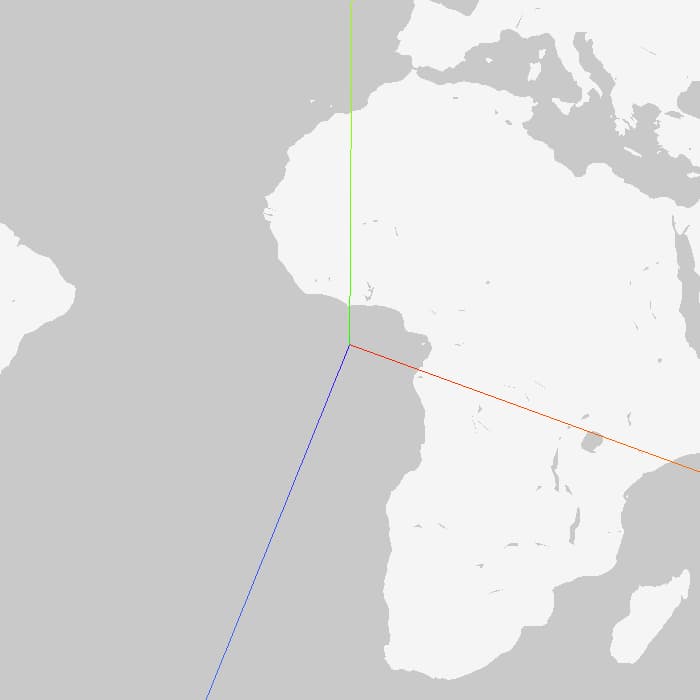
Note: All methods and objects in this library follow a default up axis of (0, 1, 0), y up, matching that of three.js.
Example
The following example provides a skeleton for adding objects to the map with this library.
const map = new google.maps.Map(document.getElementById("map"), mapOptions);
const scene = new Scene();
const box = new Mesh(
new BoxBufferGeometry(10, 50, 10),
new MeshNormalMaterial(),
);
box.position.copy(latLngToVector3(mapOptions.center));
box.position.setY(25);
scene.add(box);
new ThreeJSOverlayView({
scene,
map,
});
const animate = () => {
box.rotateY(MathUtils.degToRad(0.1));
requestAnimationFrame(animate);
};
requestAnimationFrame(animate);
This adds a box to the map.

Demos
View the package in action:




