🦞 Hanzo Bot — Personal AI Assistant




Hanzo Bot is a personal AI assistant you run on your own devices.
It answers you on the channels you already use (WhatsApp, Telegram, Slack, Discord, Google Chat, Signal, iMessage, BlueBubbles, IRC, Microsoft Teams, Matrix, Feishu, LINE, Mattermost, Nextcloud Talk, Nostr, Synology Chat, Tlon, Twitch, Zalo, Zalo Personal, WebChat). It can speak and listen on macOS/iOS/Android, and can render a live Canvas you control. The Gateway is just the control plane — the product is the assistant.
If you want a personal, single-user assistant that feels local, fast, and always-on, this is it.
Website · Docs · Vision · DeepWiki · Getting Started · Updating · Showcase · FAQ · Wizard · Nix · Docker · Discord
Preferred setup: run the onboarding wizard (hanzo-bot onboard) in your terminal.
The wizard guides you step by step through setting up the gateway, workspace, channels, and skills. The CLI wizard is the recommended path and works on macOS, Linux, and Windows (via WSL2; strongly recommended).
Works with npm, pnpm, or bun.
New install? Start here: Getting started
Model note: while many providers/models are supported, for the best experience and lower prompt-injection risk use the strongest latest-generation model available to you. See Onboarding.
Models (selection + auth)
Install (recommended)
Runtime: Node ≥22.
npm install -g hanzo-bot@latest
hanzo-bot onboard --install-daemon
The wizard installs the Gateway daemon (launchd/systemd user service) so it stays running.
Quick start (TL;DR)
Runtime: Node ≥22.
Full beginner guide (auth, pairing, channels): Getting started
hanzo-bot onboard --install-daemon
hanzo-bot gateway --port 18789 --verbose
hanzo-bot message send --to +1234567890 --message "Hello from Hanzo Bot"
hanzo-bot agent --message "Ship checklist" --thinking high
Upgrading? Updating guide (and run hanzo-bot doctor).
Development channels
- stable: tagged releases (
vYYYY.M.D or vYYYY.M.D-<patch>), npm dist-tag latest.
- beta: prerelease tags (
vYYYY.M.D-beta.N), npm dist-tag beta (macOS app may be missing).
- dev: moving head of
main, npm dist-tag dev (when published).
Switch channels (git + npm): hanzo-bot update --channel stable|beta|dev.
Details: Development channels.
From source (development)
Prefer pnpm for builds from source. Bun is optional for running TypeScript directly.
git clone https://github.com/hanzoai/bot.git
cd hanzo-bot
pnpm install
pnpm ui:build
pnpm build
pnpm hanzo-bot onboard --install-daemon
pnpm gateway:watch
Note: pnpm hanzo-bot ... runs TypeScript directly (via tsx). pnpm build produces dist/ for running via Node / the packaged hanzo-bot binary.
Security defaults (DM access)
Hanzo Bot connects to real messaging surfaces. Treat inbound DMs as untrusted input.
Full security guide: Security
Default behavior on Telegram/WhatsApp/Signal/iMessage/Microsoft Teams/Discord/Google Chat/Slack:
- DM pairing (
dmPolicy="pairing" / channels.discord.dmPolicy="pairing" / channels.slack.dmPolicy="pairing"; legacy: channels.discord.dm.policy, channels.slack.dm.policy): unknown senders receive a short pairing code and the bot does not process their message.
- Approve with:
hanzo-bot pairing approve <channel> <code> (then the sender is added to a local allowlist store).
- Public inbound DMs require an explicit opt-in: set
dmPolicy="open" and include "*" in the channel allowlist (allowFrom / channels.discord.allowFrom / channels.slack.allowFrom; legacy: channels.discord.dm.allowFrom, channels.slack.dm.allowFrom).
Run hanzo-bot doctor to surface risky/misconfigured DM policies.
Highlights
- Local-first Gateway — single control plane for sessions, channels, tools, and events.
- Multi-channel inbox — WhatsApp, Telegram, Slack, Discord, Google Chat, Signal, BlueBubbles (iMessage), iMessage (legacy), IRC, Microsoft Teams, Matrix, Feishu, LINE, Mattermost, Nextcloud Talk, Nostr, Synology Chat, Tlon, Twitch, Zalo, Zalo Personal, WebChat, macOS, iOS/Android.
- Multi-agent routing — route inbound channels/accounts/peers to isolated agents (workspaces + per-agent sessions).
- Voice Wake + Talk Mode — wake words on macOS/iOS and continuous voice on Android (ElevenLabs + system TTS fallback).
- Live Canvas — agent-driven visual workspace with A2UI.
- First-class tools — browser, canvas, nodes, cron, sessions, and Discord/Slack actions.
- Companion apps — macOS menu bar app + iOS/Android nodes.
- Onboarding + skills — wizard-driven setup with bundled/managed/workspace skills.
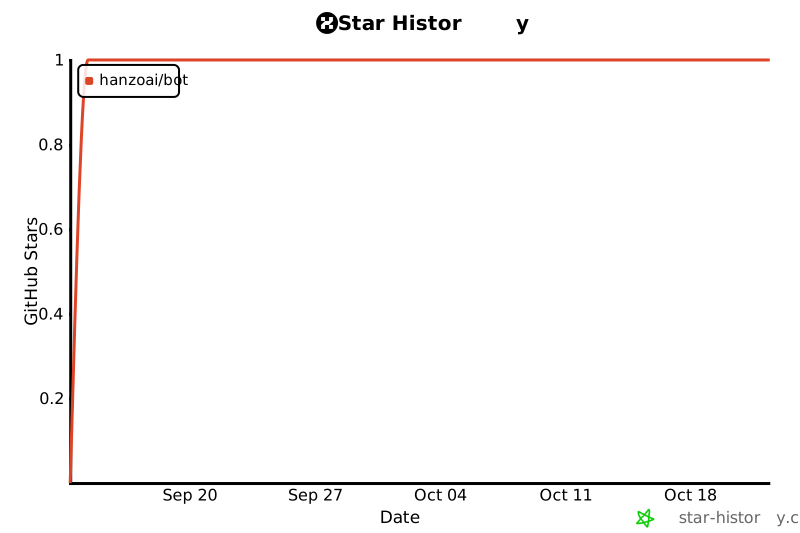
Star History
Everything we built so far
Core platform
- Gateway WS control plane with sessions, presence, config, cron, webhooks, Control UI, and Canvas host.
- CLI surface: gateway, agent, send, wizard, and doctor.
- Pi agent runtime in RPC mode with tool streaming and block streaming.
- Session model:
main for direct chats, group isolation, activation modes, queue modes, reply-back. Group rules: Groups.
- Media pipeline: images/audio/video, transcription hooks, size caps, temp file lifecycle. Audio details: Audio.
Channels
- Channels: WhatsApp (Baileys), Telegram (grammY), Slack (Bolt), Discord (discord.js), Google Chat (Chat API), Signal (signal-cli), BlueBubbles (iMessage, recommended), iMessage (legacy imsg), IRC, Microsoft Teams, Matrix, Feishu, LINE, Mattermost, Nextcloud Talk, Nostr, Synology Chat, Tlon, Twitch, Zalo, Zalo Personal, WebChat.
- Group routing: mention gating, reply tags, per-channel chunking and routing. Channel rules: Channels.
Apps + nodes
- macOS app: menu bar control plane, Voice Wake/PTT, Talk Mode overlay, WebChat, debug tools, remote gateway control.
- iOS node: Canvas, Voice Wake, Talk Mode, camera, screen recording, Bonjour + device pairing.
- Android node: Connect tab (setup code/manual), chat sessions, voice tab, Canvas, camera/screen recording, and Android device commands (notifications/location/SMS/photos/contacts/calendar/motion/app update).
- macOS node mode: system.run/notify + canvas/camera exposure.
Tools + automation
- Browser control: dedicated hanzo-bot Chrome/Chromium, snapshots, actions, uploads, profiles.
- Canvas: A2UI push/reset, eval, snapshot.
- Nodes: camera snap/clip, screen record, location.get, notifications.
- Cron + wakeups; webhooks; Gmail Pub/Sub.
- Skills platform: bundled, managed, and workspace skills with install gating + UI.
Runtime + safety
Ops + packaging
How it works (short)
WhatsApp / Telegram / Slack / Discord / Google Chat / Signal / iMessage / BlueBubbles / IRC / Microsoft Teams / Matrix / Feishu / LINE / Mattermost / Nextcloud Talk / Nostr / Synology Chat / Tlon / Twitch / Zalo / Zalo Personal / WebChat
               │
               ▼
┌───────────────────────────────┐
│            Gateway            │
│       (control plane)         │
│     ws://127.0.0.1:18789      │
└──────────────┬────────────────┘
               │
               ├─ Pi agent (RPC)
               ├─ CLI (hanzo-bot …)
               ├─ WebChat UI
               ├─ macOS app
               └─ iOS / Android nodes
Key subsystems
Tailscale access (Gateway dashboard)
Hanzo Bot can auto-configure Tailscale Serve (tailnet-only) or Funnel (public) while the Gateway stays bound to loopback. Configure gateway.tailscale.mode:
off: no Tailscale automation (default).serve: tailnet-only HTTPS via tailscale serve (uses Tailscale identity headers by default).funnel: public HTTPS via tailscale funnel (requires shared password auth).
Notes:
gateway.bind must stay loopback when Serve/Funnel is enabled (Hanzo Bot enforces this).- Serve can be forced to require a password by setting
gateway.auth.mode: "password" or gateway.auth.allowTailscale: false.
- Funnel refuses to start unless
gateway.auth.mode: "password" is set.
- Optional:
gateway.tailscale.resetOnExit to undo Serve/Funnel on shutdown.
Details: Tailscale guide · Web surfaces
Remote Gateway (Linux is great)
It’s perfectly fine to run the Gateway on a small Linux instance. Clients (macOS app, CLI, WebChat) can connect over Tailscale Serve/Funnel or SSH tunnels, and you can still pair device nodes (macOS/iOS/Android) to execute device‑local actions when needed.
- Gateway host runs the exec tool and channel connections by default.
- Device nodes run device‑local actions (
system.run, camera, screen recording, notifications) via node.invoke.
In short: exec runs where the Gateway lives; device actions run where the device lives.
Details: Remote access · Nodes · Security
macOS permissions via the Gateway protocol
The macOS app can run in node mode and advertises its capabilities + permission map over the Gateway WebSocket (node.list / node.describe). Clients can then execute local actions via node.invoke:
system.run runs a local command and returns stdout/stderr/exit code; set needsScreenRecording: true to require screen-recording permission (otherwise you’ll get PERMISSION_MISSING).system.notify posts a user notification and fails if notifications are denied.canvas.*, camera.*, screen.record, and location.get are also routed via node.invoke and follow TCC permission status.
Elevated bash (host permissions) is separate from macOS TCC:
- Use
/elevated on|off to toggle per‑session elevated access when enabled + allowlisted.
- Gateway persists the per‑session toggle via
sessions.patch (WS method) alongside thinkingLevel, verboseLevel, model, sendPolicy, and groupActivation.
Details: Nodes · macOS app · Gateway protocol
Agent to Agent (sessions_* tools)
- Use these to coordinate work across sessions without jumping between chat surfaces.
sessions_list — discover active sessions (agents) and their metadata.sessions_history — fetch transcript logs for a session.sessions_send — message another session; optional reply‑back ping‑pong + announce step (REPLY_SKIP, ANNOUNCE_SKIP).
Details: Session tools
Skills registry (ClawHub)
ClawHub is a minimal skill registry. With ClawHub enabled, the agent can search for skills automatically and pull in new ones as needed.
ClawHub
Chat commands
Send these in WhatsApp/Telegram/Slack/Google Chat/Microsoft Teams/WebChat (group commands are owner-only):
/status — compact session status (model + tokens, cost when available)/new or /reset — reset the session/compact — compact session context (summary)/think <level> — off|minimal|low|medium|high|xhigh (GPT-5.2 + Codex models only)/verbose on|off/usage off|tokens|full — per-response usage footer/restart — restart the gateway (owner-only in groups)/activation mention|always — group activation toggle (groups only)
Apps (optional)
The Gateway alone delivers a great experience. All apps are optional and add extra features.
If you plan to build/run companion apps, follow the platform runbooks below.
macOS (Hanzo Bot.app) (optional)
- Menu bar control for the Gateway and health.
- Voice Wake + push-to-talk overlay.
- WebChat + debug tools.
- Remote gateway control over SSH.
Note: signed builds required for macOS permissions to stick across rebuilds (see docs/mac/permissions.md).
iOS node (optional)
- Pairs as a node over the Gateway WebSocket (device pairing).
- Voice trigger forwarding + Canvas surface.
- Controlled via
hanzo-bot nodes ….
Runbook: iOS connect.
Android node (optional)
- Pairs as a WS node via device pairing (
hanzo-bot devices ...).
- Exposes Connect/Chat/Voice tabs plus Canvas, Camera, Screen capture, and Android device command families.
- Runbook: Android connect.
Agent workspace + skills
- Workspace root:
~/.hanzo-bot/workspace (configurable via agents.defaults.workspace).
- Injected prompt files:
AGENTS.md, SOUL.md, TOOLS.md.
- Skills:
~/.hanzo-bot/workspace/skills/<skill>/SKILL.md.
Configuration
Minimal ~/.hanzoai/bot.json (model + defaults):
{
  agent: {
    model: "anthropic/claude-opus-4-6",
  },
}
Full configuration reference (all keys + examples).
Security model (important)
- Default: tools run on the host for the main session, so the agent has full access when it’s just you.
- Group/channel safety: set
agents.defaults.sandbox.mode: "non-main" to run non‑main sessions (groups/channels) inside per‑session Docker sandboxes; bash then runs in Docker for those sessions.
- Sandbox defaults: allowlist
bash, process, read, write, edit, sessions_list, sessions_history, sessions_send, sessions_spawn; denylist browser, canvas, nodes, cron, discord, gateway.
Details: Security guide · Docker + sandboxing · Sandbox config
- Link the device:
pnpm hanzo-bot channels login (stores creds in ~/.hanzo-bot/credentials).
- Allowlist who can talk to the assistant via
channels.whatsapp.allowFrom.
- If
channels.whatsapp.groups is set, it becomes a group allowlist; include "*" to allow all.
- Set
TELEGRAM_BOT_TOKEN or channels.telegram.botToken (env wins).
- Optional: set
channels.telegram.groups (with channels.telegram.groups."*".requireMention); when set, it is a group allowlist (include "*" to allow all). Also channels.telegram.allowFrom or channels.telegram.webhookUrl + channels.telegram.webhookSecret as needed.
{
  channels: {
    telegram: {
      botToken: "123456:ABCDEF",
    },
  },
}
- Set
SLACK_BOT_TOKEN + SLACK_APP_TOKEN (or channels.slack.botToken + channels.slack.appToken).
- Set
DISCORD_BOT_TOKEN or channels.discord.token (env wins).
- Optional: set
commands.native, commands.text, or commands.useAccessGroups, plus channels.discord.allowFrom, channels.discord.guilds, or channels.discord.mediaMaxMb as needed.
{
  channels: {
    discord: {
      token: "1234abcd",
    },
  },
}
- Requires
signal-cli and a channels.signal config section.
- Recommended iMessage integration.
- Configure
channels.bluebubbles.serverUrl + channels.bluebubbles.password and a webhook (channels.bluebubbles.webhookPath).
- The BlueBubbles server runs on macOS; the Gateway can run on macOS or elsewhere.
- Legacy macOS-only integration via
imsg (Messages must be signed in).
- If
channels.imessage.groups is set, it becomes a group allowlist; include "*" to allow all.
- Configure a Teams app + Bot Framework, then add a
msteams config section.
- Allowlist who can talk via
msteams.allowFrom; group access via msteams.groupAllowFrom or msteams.groupPolicy: "open".
- Uses the Gateway WebSocket; no separate WebChat port/config.
Browser control (optional):
{
  browser: {
    enabled: true,
    color: "#FF4500",
  },
}
Docs
Use these when you’re past the onboarding flow and want the deeper reference.
Advanced docs (discovery + control)
Operations & troubleshooting
Deep dives
Workspace & skills
Platform internals
Email hooks (Gmail)
Molty
Hanzo Bot was built for Molty, a space lobster AI assistant. 🦞
by Peter Steinberger and the community.
See CONTRIBUTING.md for guidelines, maintainers, and how to submit PRs.
AI/vibe-coded PRs welcome! 🤖
Special thanks to Mario Zechner for his support and for
pi-mono.
Special thanks to Adam Doppelt for lobster.bot.
Thanks to all clawtributors:


![clawdinator[bot]](https://avatars.githubusercontent.com/in/2607181?v=4&s=48 "clawdinator[bot]")


![google-labs-jules[bot]](https://avatars.githubusercontent.com/in/842251?v=4&s=48 "google-labs-jules[bot]")




