
🔨 Harness Forge
Make AI coding agents actually useful in your repository.
One command to set up Codex, Claude Code, or both — with the right context, skills, and workflows for your codebase.




🚀 Get Started •
✨ What It Does •
⌨️ Commands •
💡 Scenarios •
🔄 Updating •
🎯 Targets •
❓ FAQ
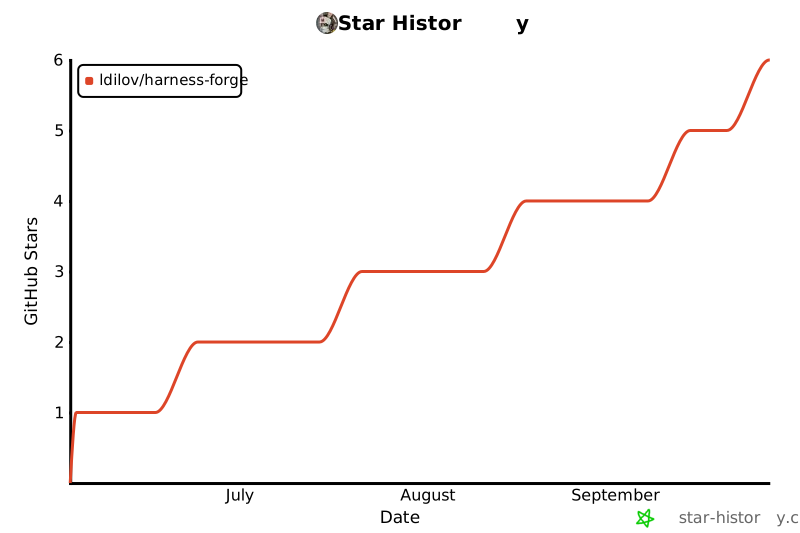
📈 Project Activity
💡 What is Harness Forge?
Harness Forge turns any repository into a well-equipped workspace for AI coding agents like Codex and Claude Code.
Think of it as a setup tool that:
- 🔍 Scans your repo and figures out what languages, frameworks, and tools you use
- 🧠 Recommends the right configuration for your AI agent
- 📦 Installs skills, knowledge packs, and workflows that make the agent more effective
- 🔧 Maintains everything organized and easy to update
| 🧠 Context | Agent guesses at project structure | Agent knows your languages, frameworks, boundaries |
| 🔧 Skills | Generic, one-size-fits-all | Tailored to your stack and workflow |
| 📋 Workflow | Ad hoc, inconsistent | Structured, repeatable, validated |
| 🔄 Continuity | Starts from scratch each session | Persistent runtime state across sessions |
| 🎯 Targeting | Same behavior for all tools | Codex, Claude Code, Cursor tuned separately |





🚀 Get Started in 60 Seconds
Install and set up your repo
npx @harness-forge/cli
That's it. The CLI walks you through:
- Which AI targets to set up (Codex, Claude Code, or both)
- How deep to go (
quick, recommended, or advanced)
- Which optional features to include
- A preview of exactly what files will be created
Tip: Already know what you want? Use the one-liner:
npx @harness-forge/cli init --root . --agent codex --setup-profile recommended --yes
Make hforge available everywhere
npx @harness-forge/cli shell setup --yes
Now you can use hforge directly instead of npx @harness-forge/cli.
Check that everything is healthy
hforge doctor --root . --json
✨ What Does It Do?
🔍 It understands your repo
hforge recommend . --json
hforge cartograph . --json
hforge scan . --json
Harness Forge scans your codebase and recommends the right targets, profiles, and skill packs — with evidence for each recommendation.
🧩 It equips your AI agent
After setup, your repo contains:
AGENTS.md | Entry point that tells the AI agent how your workspace is organized |
.agents/skills/ | Skills the agent can discover and use (code review, testing, debugging, etc.) |
.hforge/ | Hidden runtime with knowledge packs, rules, templates, and workspace state |
.codex/ or .claude/ | Target-specific configuration for your chosen AI agent |
🛡️ It keeps things healthy over time
hforge status --root . --json
hforge refresh --root . --json
hforge review --root . --json
hforge next --root .
⌨️ Everyday Commands
📥 Setup
| Set up a new repo (guided) | npx @harness-forge/cli |
| Set up a new repo (one-liner) | hforge init --root . --agent codex --setup-profile recommended --yes |
| Auto-detect and bootstrap | hforge bootstrap --root . --yes |
| Preview without writing files | hforge init --root . --agent codex --dry-run |
Enable hforge on your PATH | hforge shell setup --yes |
🔄 Daily use
| What should I do next? | hforge next --root . |
| Check workspace health | hforge doctor --root . --json |
| Refresh the runtime | hforge refresh --root . --json |
| Review install state | hforge status --root . --json |
| Check flow status | hforge flow status --root . --json |
| Inspect target details | hforge target inspect codex --root . |
| Compare Codex vs Claude Code | hforge target compare codex claude-code |
🔧 Maintenance
| Update Harness Forge in place | hforge update --root . --yes |
| Export runtime for handoff | hforge export --root . --json |
| Audit install integrity | hforge audit --root . --json |
| Check what drifted | hforge diff-install --root . --json |
| Validate locally before push | npm run validate:local |
| Validate for release | npm run validate:release |
| Dry-run a release | npm run release:dry-run |
💡 Real-World Scenarios
📂 Scenario 1: "I just cloned a repo and want AI help"
cd my-project
npx @harness-forge/cli
🤝 Scenario 2: "I use both Codex and Claude Code"
hforge init --root . --agent codex --agent claude-code --setup-profile recommended --yes
Both agents share the same hidden runtime (.hforge/) but get their own configuration bridges. Run hforge target compare codex claude-code to see the differences.
🔙 Scenario 3: "I come back to a repo after a while"
hforge next --root .
👥 Scenario 4: "I want to standardize AI setup across my team's repos"
hforge init --root . --agent codex --setup-profile recommended --yes
hforge doctor --root . --json
hforge export --root . --json
🧬 Scenario 5: "A task is really hard and needs structured recursive analysis"
Use structured recursive analysis to break down complex investigations:
hforge recursive plan "investigate the billing retry flow" --task-id TASK-001 --json
hforge recursive capabilities --root . --json
For a full walkthrough, see ./docs/recursive-rlm-guide.md.
Or let your AI agent decide when to escalate:
/hforge-recursive-investigate investigate the billing retry flow across API and worker boundaries
🔄 Updating
Update Harness Forge to the latest version
hforge update --root . --yes
This downloads the latest published version and refreshes all managed surfaces while keeping your workspace state (task artifacts, decision records, recursive sessions, and observability data).
Preview what an update would change
hforge update --root . --dry-run --yes
Update globally
npm install -g @harness-forge/cli@latest
🎯 Supported Targets
| Codex | Full | Default choice — full install, maintenance, and runtime support |
| Claude Code | Full | When you need native hooks and plugin support |
| Cursor | Partial | Docs and manifests work; runtime features are limited |
| OpenCode | Partial | Docs and manifests work; runtime features are limited |
⚖️ Codex vs Claude Code
Both are first-class targets. The main difference is hook support:
| Runtime | ✅ Full | ✅ Full |
| Maintenance | ✅ Full | ✅ Full |
| Hooks | 📄 Documentation-driven | ✅ Native |
| Plugins | 📄 Manual wiring | ✅ Native |
Shared .hforge/ | ✅ Yes | ✅ Yes |
Use both together when your team works with multiple tools. They share the same .hforge/ runtime.
hforge target compare codex claude-code
hforge target compare codex claude-code --json
📦 What's Included
🌐 Language packs (14 languages)
TypeScript, Python, Java, Go, Kotlin, Rust, C++, .NET, PHP, Perl, Swift, Shell, Lua, PowerShell
🏗️ Framework packs (12 frameworks)
React, Next.js, Vite, Express, FastAPI, Django, ASP.NET Core, Spring Boot, Laravel, Symfony, Gin, Ktor
🛠️ Skills (45+ packaged skills)
Language engineering, workflow orchestration, operational helpers, and specialized skills like incident triage, dependency upgrades, API contract review, database migration review, release readiness, and token-budget-optimizer for context-aware compaction.
⚙️ How It Works
Your Repo
  |
  |-- npx @harness-forge/cli
  |
  |-- Scans repo (languages, frameworks, targets)
  |-- Recommends setup (targets, profile, packs)
  |-- Installs runtime
  |       |
  |       |-- AGENTS.md              (visible to AI agents)
  |       |-- .agents/skills/        (discoverable skills)
  |       |-- .codex/ or .claude/    (target config)
  |       |-- .hforge/               (hidden canonical runtime)
  |              |-- library/        (skills, rules, knowledge)
  |              |-- runtime/        (state, indexes, findings)
  |              |-- generated/      (command catalog, launchers)
  |              |-- templates/      (workflow templates)
  |
  |-- hforge next                    (what to do now?)
  |-- hforge doctor                  (is everything healthy?)
  |-- hforge refresh                 (regenerate after changes)
The key idea: visible bridges where AI agents need discovery, hidden canonical layer where runtime content should stay authoritative.
🧪 Advanced Features
🧭 hforge next — Your daily starting point
Instead of wondering which command to run, just ask:
hforge next --root .
It checks your workspace state and recommends the single most useful action — with a reason and confidence level.
hforge next --root . --json
hforge next --root . --apply-safe-fixes
hforge next --root . --verbose
🧬 Recursive runtime — For hard problems
When a task is complex enough to need structured investigation:
hforge recursive plan "investigate billing retry behavior" --task-id TASK-001 --json
hforge recursive execute RS-123 --file bundle.json --json
hforge recursive score RS-123 --json
This creates a durable session with working memory, checkpoints, typed action bundles, and replay capability.
🔬 Repo intelligence
hforge recommend . --json
hforge cartograph . --json
hforge classify-boundaries . --json
hforge synthesize-instructions . --target codex --json
❓ FAQ
Do I need to install anything globally?
No. npx @harness-forge/cli works without any global install. Run hforge shell setup --yes if you want the shorter hforge command.
Does it modify my source code?
No. Harness Forge only creates its own managed files (AGENTS.md, .agents/, .hforge/, .codex/, .claude/). Your application code is never touched.
Can I use it in CI?
Yes. Use --yes and --json flags for non-interactive, machine-readable output:
hforge init --root . --agent codex --setup-profile recommended --yes
hforge doctor --root . --json
How do I remove it from a repo?
Delete the managed directories: .hforge/, .agents/, .codex/, .claude/, AGENTS.md.
Does it send telemetry?
No. All observability data stays local under .hforge/observability/. Nothing is sent anywhere.
What Node.js version do I need?
Node.js 22 or newer.
🤝 Contributing
See CONTRIBUTING.md for development setup and guidelines.
🙌 Acknowledgements
Harness Forge was inspired by github/spec-kit. Credit to the GitHub team for shaping cleaner workflow models.
📄 License
GPL-3.0 — see LICENSE.
Make your AI agents better at their job.
npx @harness-forge/cli



