
🔨 Harness Forge
Your AI coding agent is only as good as its harness.
One command to scan, equip, and continuously improve any AI coding agent in your repository.




🚀 Get Started •
🔄 Living Loop •
📊 Dashboard •
⌨️ Commands •
💡 Scenarios •
🎯 Targets •
❓ FAQ
🔍 Scans & Equips
Your AI agent gets your repo's languages,
frameworks, and patterns from the first prompt
|
🔄 Self-Improves
A closed feedback loop learns what works,
tunes itself, and gets smarter every session
|
📊 Full Visibility
Real-time dashboard shows every decision,
token spend, and compaction — no black boxes
|
| 🧠 Context | Agent guesses at project structure | Agent knows your languages, frameworks, boundaries |
| ⚡ Performance | Starts fresh every session | Self-improves over time via the Living Loop |
| 📊 Visibility | Black box — no idea what the agent decided | Real-time dashboard with 20 live panels |
| 💰 Cost | Wasted tokens on retries and wrong paths | Compaction + auto-tuning saves 20-40% |
| 📤 Portability | Stuck on one machine, one setup | Export & import learned patterns as .hfb bundles |








🔄 The Living Loop — Your Harness Gets Smarter
Most tools configure once and forget. Harness Forge keeps learning.
  ┌──────────┐    ┌──────────┐    ┌──────────┐    ┌──────────┐    ┌──────────┐
  │ 🔍       │    │ 🧠       │    │ ⚡       │    │ 📤       │    │ 📥       │
  │ OBSERVE  │───▶│  LEARN   │───▶│  ADAPT   │───▶│  SHARE   │───▶│  IMPORT  │
  │          │    │          │    │          │    │          │    │          │
  │ Tracks   │    │ Finds    │    │ Auto-    │    │ Export   │    │ Bootstrap│
  │ sessions │    │ patterns │    │ tunes    │    │ bundles  │    │ anywhere │
  └──────────┘    └──────────┘    └──────────┘    └──────────┘    └──────────┘
        ▲                                                              │
        └──────────────────────────────────────────────────────────────┘
📅 Day 1 — You install
npx @harness-forge/cli
Scans your repo. Installs skills, rules, knowledge packs.
Default settings. Everything works out of the box.
|
📅 Day 3 — After ~10 sessions
🧠 Pattern found: "Summarize" saves 40% more tokens
   than "Trim" in this repo (confidence: 82%)

⚡ Auto-tuned: compaction threshold 75% → 65%
   Result: 20% fewer budget warnings
|
📅 Day 5 — Share with your team
hforge export --bundle my-team.hfb
hforge import my-team.hfb
|
📅 Ongoing — Dashboard shows it all
hforge dashboard
Loop health ring, effectiveness scores,
pattern list, tuning log — live in your browser.
|
The more you use it, the better it gets. After ~10 sessions, Harness Forge has learned your repo's patterns and tuned itself for optimal performance. No manual configuration needed.
🛡️ Guardrails — auto-tuning is safe
- Every tunable parameter has hard min/max bounds — the tuner can't go wild
- Every change is logged with before/after values and the pattern that triggered it
- If the next 3 sessions score worse, the tuning is automatically reverted
- Your manual config overrides are sacred — the tuner won't touch them
- The dashboard shows every tuning with a one-click revert button
📊 Real-Time Dashboard
hforge dashboard — see everything, live in your browser.




🔄 Loop Ring
Live status of each loop
stage with health score
|
📈 Effectiveness
Session score trend —
are things getting better?
|
🧠 Insights
Discovered patterns with
confidence bars
|
⚡ Tuning Log
Policy changes with
one-click revert
|
📋 All 20 dashboard panels
| 🔢 KPI Cards | Total events, tokens, enforcement level, budget gauge |
| 📈 Event Timeline | Scatter plot of all events over time, color-coded by category |
| 💾 Memory Pressure | Token usage line chart with threshold marklines |
| 📊 Budget Breakdown | Donut chart of budget allocation (hot-path, output, tools, safety) |
| 📋 Live Event Feed | Searchable, expandable table of every harness decision |
| 🤖 Subagent Briefs | Delegated tasks, their context, and outcomes |
| 📊 Brief Metrics | Subagent activity summary and success rates |
| 🔇 Suppression Gauge | How many duplicate context items were removed |
| 🚪 Expansion Gate | History access requests — granted vs denied |
| ⚙️ Config Editor | Edit memory-policy, context-budget, load-order live |
| 🔄 Loop Health Ring | Self-improvement cycle status with stage counts |
| 📈 Effectiveness Trend | Session score sparkline (last 20 sessions) |
| 🧠 Insights Panel | Discovered patterns with confidence and "NEW" badges |
| ⚡ Tuning Log | Policy changes with before/after and revert button |
| 📊 Event Distribution | Bar chart of top event types |
| ⏱️ Event Rate | Events per minute over time |
| 🗺️ Event Heatmap | Category × time heatmap |
| 💰 Tokens Saved | Running counter of tokens saved by compaction |
| 📊 Profile Distribution | Output profile selection breakdown |
| ℹ️ Session Info | Session ID, uptime, version, connection status |
🔔 Desktop notifications for critical events — budget exceeded, memory rotation, tuning applied, pattern discovered.
🏢 Multi-project support — switch between projects in one dashboard. Your project list is saved in the browser.
🚀 Get Started in 60 Seconds
npx @harness-forge/cli
The CLI walks you through:
- 🎯 Which AI targets (Codex, Claude Code, or both)
- 📊 How deep (
quick / recommended / advanced)
- 👀 Preview of exactly what gets created
- ✅ One confirmation and you're done
Then make hforge available on your PATH:
npx @harness-forge/cli shell setup --yes
|
One-liner for CI / scripts:
hforge init \
  --root . \
  --agent codex \
  --agent claude-code \
  --setup-profile recommended \
  --yes
Verify everything is healthy:
hforge doctor --root . --json
|
⌨️ Your Daily Workflow
Commands organized by when you use them — not alphabetically.
🌅 Starting a session
| 💡 | hforge next | Recommends the single most useful action right now |
| 🏥 | hforge doctor | Full health check with evidence |
| 🔄 | hforge refresh | Regenerate runtime after code changes |
| 📋 | hforge status | Review what's installed |
🔄 While working
| 📊 | hforge dashboard | Open the real-time browser dashboard |
| 📈 | hforge score | Show recent session effectiveness scores |
| 🧠 | hforge insights | Browse learned patterns with confidence |
| ⚡ | hforge adapt | View/manage auto-tunings |
| 🔍 | hforge trace | View recent session traces |
| 🔄 | hforge loop | Living Loop health summary |
📤 Sharing & maintenance
| 📦 | hforge export --bundle team.hfb | Export tuned harness as portable bundle |
| 📥 | hforge import team.hfb | Bootstrap from a shared bundle |
| 🔧 | hforge update | Update harness to latest version in place |
| 🔬 | hforge audit | Verify install integrity |
| 🔎 | hforge diff-install | Check what drifted since last install |
| 🧹 | hforge prune | Clean up unused artifacts |
🧬 Advanced
| 🗺️ | hforge cartograph | Map repo structure and boundaries |
| 🔍 | hforge recommend | Evidence-backed setup recommendations |
| 🧬 | hforge recursive plan "..." | Structured recursive analysis for hard problems |
| 🎯 | hforge target compare codex claude-code | Side-by-side target comparison |
💡 Real-World Scenarios
📂 "Just cloned a repo, want AI help"
cd my-project
npx @harness-forge/cli
|
🤝 "I use both Codex and Claude Code"
hforge init --agent codex --agent claude-code --yes
hforge target compare codex claude-code
Both agents share .hforge/ but get their own config bridges.
|
🔙 "Coming back to a project after a break"
hforge next
|
👥 "Standardize AI setup across my team"
hforge export --bundle our-team.hfb
hforge import our-team.hfb
|
🎯 Supported Targets




| Runtime | ✅ Full | ✅ Full | | Maintenance | ✅ Full | ✅ Full | | Hooks | 📄 Docs-driven | ✅ Native | | Plugins | 📄 Manual | ✅ Native | Shared .hforge/ | ✅ Yes | ✅ Yes |
|
Use both together — they share the same .hforge/ runtime.
hforge target compare codex claude-code
|
📦 What's Included
🌐 14 Language packs
TypeScript, Python, Java, Go, Kotlin, Rust, C++, .NET, PHP, Perl, Swift, Shell, Lua, PowerShell
🏗️ 12 Framework packs
React, Next.js, Vite, Express, FastAPI, Django, ASP.NET Core, Spring Boot, Laravel, Symfony, Gin, Ktor
🛠️ 45+ Skills
Language engineering, workflow orchestration, operational helpers, and specialized skills like incident triage, dependency upgrades, API contract review, database migration review, release readiness, and token-budget-optimizer for context-aware compaction.
⚙️ How It Works Under the Hood
🗂️ What gets created in your repo
Your Repo
  │
  ├── AGENTS.md              ← AI agents read this first
  ├── .agents/skills/        ← Discoverable skills
  ├── .codex/ or .claude/    ← Target-specific config
  └── .hforge/               ← Hidden canonical runtime
         ├── library/        ← Skills, rules, knowledge packs
         ├── runtime/        ← State, indexes, traces, insights
         ├── generated/      ← Command catalog, launchers
         └── templates/      ← Workflow templates
Visible bridges where AI agents need discovery. Hidden canonical layer where runtime content stays authoritative.
❓ FAQ
Do I need to install anything globally?
No. npx @harness-forge/cli runs directly. For the shorter hforge command, run hforge shell setup --yes once.
Does it change my source code?
Never. Harness Forge only creates its own files (AGENTS.md, .agents/, .hforge/, .codex/, .claude/). Your application code is untouched.
Can I use it in CI/CD?
Yes. Add --yes for non-interactive and --json for machine-readable output:
hforge init --root . --agent codex --setup-profile recommended --yes
hforge doctor --root . --json
How do I remove it?
Delete: .hforge/, .agents/, .codex/, .claude/, AGENTS.md. Your project is back to normal.
Does it send data anywhere?
No. Everything stays local under .hforge/. Nothing is ever sent to the internet. Inspect, delete, or back up anytime.
What Node.js version?
Node.js 22 or newer. Check with node --version.
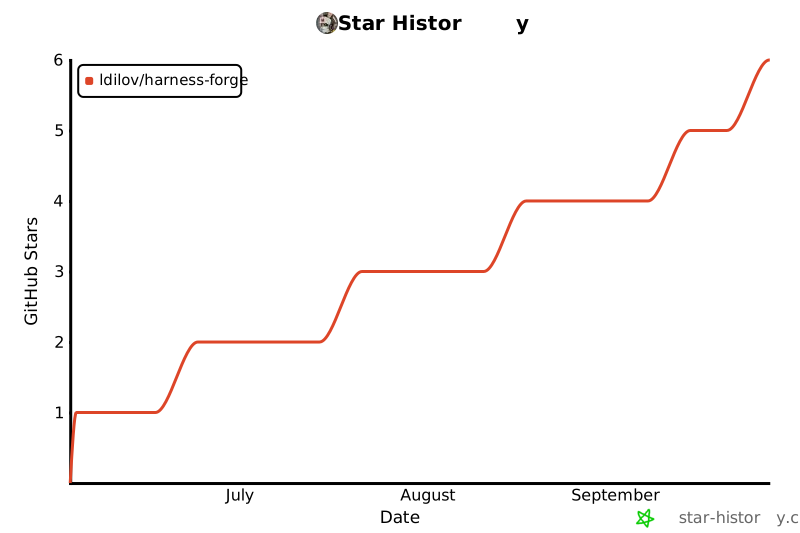
📈 Project Activity
🤝 Contributing
See CONTRIBUTING.md for development setup and guidelines.
🙌 Acknowledgements
Harness Forge was inspired by github/spec-kit. Credit to the GitHub team for shaping cleaner workflow models.
📄 License
GPL-3.0 — see LICENSE.
Your AI agent deserves a better harness.
npx @harness-forge/cli



