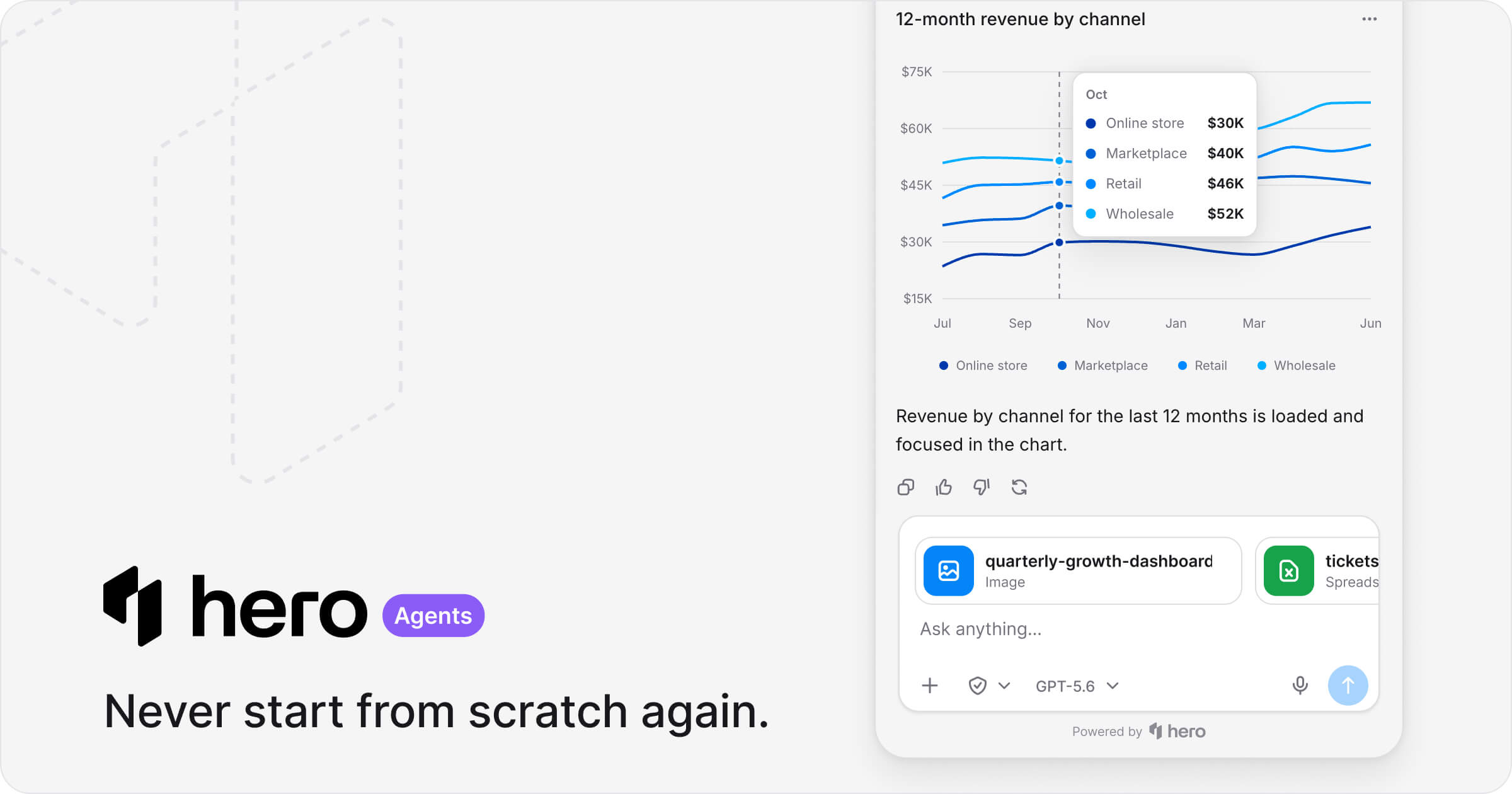
HeroUI Agents SDK
Embed a hosted generative-UI agent in any modern website. Use
@heroui/agent for typed React integrations, or the CDN loader with
vanilla JavaScript. The hosted runtime plans answers, runs calculations in a sandbox, and streams
back charts, tables, and metrics.
The npm package contains only the iframe bridge, public types, client-tool executor, and server
token helper. The full conversation UI lives in the private @heroui/agent-hosted-runtime workspace
package and is deployed through agent.heroui.pro.
React installation
npm install @heroui/agent@latest
React (Vite) usage
import {HeroUIAgent} from "@heroui/agent";

const agentId = process.env.HEROUI_AGENT_ID;

export function AppAgent() {
  return (
    <HeroUIAgent
      agentId={agentId!}
      getAuthToken={async (context) => {
        const response = await fetch("/api/heroui-agent/auth-token", {
          method: "POST",
          signal: context.signal,
          headers: {"Content-Type": "application/json"},
          body: JSON.stringify(context),
        });

        if (!response.ok) throw new Error("Agent authentication failed");

        return response.json();
      }}
    />
  );
}
Next.js usage
"use client";

import {HeroUIAgent} from "@heroui/agent/next";

export function AppAgent() {
  return (
    <HeroUIAgent
      agentId={process.env.NEXT_PUBLIC_HEROUI_AGENT_ID!}
      getAuthToken={async (context) => {
        const response = await fetch("/api/heroui-agent/auth-token", {
          method: "POST",
          signal: context.signal,
          headers: {"Content-Type": "application/json"},
          body: JSON.stringify(context),
        });

        if (!response.ok) throw new Error("Agent authentication failed");

        return response.json();
      }}
    />
  );
}
Mint the short-lived browser credential on your server — never expose the project API key to the client:
import {createAuthToken} from "@heroui/agent/server";

export async function POST(request: Request) {
  const {anonymousId, agentId} = await request.json();
  const configuredAgentId = process.env.HEROUI_AGENT_ID;

  if (!configuredAgentId || agentId !== configuredAgentId) {
    return Response.json({error: "Invalid agent"}, {status: 400});
  }

  return Response.json(
    await createAuthToken({
      anonymousId,
      apiKey: process.env.HEROUI_AGENT_API_KEY!,
      identity: {id: anonymousId, type: "anonymous"},
      agentId: configuredAgentId,
    }),
  );
}
Anonymous visitors keep an agent-specific ID in the host page's localStorage, so returning to
the same site reuses their identity until site storage is cleared or shutdown() resets it.
When storage is blocked, the SDK retains that ID in memory across widget remounts on the same page.
Short-lived authentication sessions can rotate without changing the visitor's identity.
The SDK keeps a signed, scoped session receipt in sessionStorage (or page memory when storage is
blocked). Reopening, refreshing, and remounting can resume that session during its original access
window. Each iframe retains a separate bridge ID. The API checks the current visitor, agent, API
key, and origins before accepting a receipt; it never extends the original InstantDB access expiry.
A new technical identity is required when that window expires or the authorization scope changes.
refreshAuth() rechecks the current application identity; shutdown() clears the anonymous ID and
receipt and requests revocation of the old session. Call shutdown() when the application logs out.
Revocation failures are reported through onError. The SDK retains the pending revocation and
retries it before exchanging another session; an unreachable API cannot confirm revocation.
Preloading downloads the chat engine and public presentation configuration while leaving
authentication and realtime disconnected. A closed launcher does not call getAuthToken or
create a visitor session. Opening the panel, starting a new conversation, or rendering the visible
chat bar initializes authentication once. After the first open, hidden panels keep active background
work connected and let idle credentials expire until the next open. Set preload={false} to defer
the chat engine download until an open operation, or call preload() to choose when assets warm.
This changes the earlier beta behavior where preload also authenticated. Integrations that used
getAuthToken as a preload side effect should move that work to their own application lifecycle;
the SDK now calls it only when the agent needs an authenticated operation.
ready and onReady describe the authenticated composer after opening. Custom launchers should
call show() immediately instead of waiting for ready before allowing the first open.
Vanilla JavaScript
No npm package or React dependency is required:
<script src="https://agent.heroui.pro/loader.js" defer></script>
<script>
  window.addEventListener("heroui-agent:loaded", () => {
    window.agent = window.HeroUIAgent.mount({
      agentId: "your_agent_id",
      getAuthToken: async (context) => {
        const response = await fetch("/api/heroui-agent/auth-token", {
          body: JSON.stringify(context),
          headers: {"Content-Type": "application/json"},
          method: "POST",
        });

        if (!response.ok) throw new Error("Agent authentication failed");

        return response.json();
      },
    });
  });
</script>
Vanilla client tools use raw JSON Schema for parameters. The returned controller exposes show,
hide, toggle, newConversation, preload, refreshAuth, shutdown, and destroy.
Overview
@heroui/agent provides a unified SDK for embedding HeroUI Agents into web applications.
Entrypoints
Package Details
@heroui/agent
The typed React bridge for embedding the hosted Agent iframe.
Features
- Generative UI — Charts, tables, metrics, and forms streamed from a validated component union
- Client tools — Typed browser functions that run with the signed-in user's session
- Dashboard-driven appearance — Theme, launcher, greeting, subtitle, and composer without a redeploy
- Anonymous → identified — Merge guest history when the user signs in
- Shared host core — React, Next.js, and the CDN loader use the same iframe bridge
Installation
npm install @heroui/agent@latest
@heroui/agent/next
Next.js App Router entry that mirrors the root export.
import {HeroUIAgent} from "@heroui/agent/next";
@heroui/agent/server
Server-only helpers for exchanging a project API key for a short-lived browser credential.
import {createAuthToken} from "@heroui/agent/server";
Client Tools
Client tools let the agent call into your application — fetch data, change filters, create records:
import {HeroUIAgent, createToolHelper} from "@heroui/agent";
import {z} from "@heroui/agent/zod";

const tool = createToolHelper<{apiClient: ApiClient}>();

const tools = [
  tool({
    name: "search_users",
    description: "Search for users by name or email",
    parameters: z.object({query: z.string()}),
    execute: ({query}, context) => context.apiClient.searchUsers(query),
  }),
];

<HeroUIAgent
  agentId={process.env.HEROUI_AGENT_ID!}
  getAuthToken={getAuthToken}
  context={{apiClient}}
  tools={tools}
/>;
Tool manifests, JSON-safe page context, and validated tool results cross the iframe boundary. Tool
implementations, API clients, routers, state setters, and the rest of context stay in the browser.
Image results
Any client tool can return a ClientToolVisualResult to send an image to the
model alongside JSON details. This works through the same result contract for
all agents; no particular tool name or agent ID is required.
import type {ClientToolVisualResult} from "@heroui/agent";
const result: ClientToolVisualResult = {
kind: "heroui-agent-visual-result",
image: {data: imageBase64, mediaType: "image/png"},
description: "The chart currently visible in the application",
};
Use JPEG or PNG base64 without a data-URL prefix, with at most 40,000 base64
characters. Additional JSON fields accompany the image as text. The complete
tool result must still fit the existing 64 KiB receipt limit. Use a model that
supports image input. Ordinary JSON results remain unchanged.
Validation failures return CLIENT_TOOL_INVALID_INPUT before execution. When
the schema provides issues, the result includes bounded field paths, error
codes, expected types, and numeric limits so the model can correct its input.
Submitted values and arbitrary exception messages are not included.
Learn more
Documentation
Projects and API keys are managed in the Agents dashboard.
What runs where
The npm package creates a cross-origin iframe at agent.heroui.pro and keeps the customer-product
trust boundary in the parent page. A versioned heroui-agent-bridge/v1 handshake exchanges the
browser credential for a short-lived iframe session bound to both origins. Credentials never appear
in the iframe URL.
| Client tool functions and product context | Panel, composer, Markdown, and generated UI |
| Navigation, mutations, and approval effects | Approval, progress, result, and error cards |
| Identity, drafts, attachments, durable outbox | Conversation Durable Object and model stream |
| Outside clicks, page margin, focus, z-index | Server tools, lazy MCP, PDF/XLSX, and sandbox |
Add the iframe origin to your Content Security Policy:
Content-Security-Policy: frame-src https://agent.heroui.pro
When using the CDN loader, allow the same origin in script-src:
Content-Security-Policy: frame-src https://agent.heroui.pro; script-src 'self' https://agent.heroui.pro
Compatibility
- Any modern website through
agent.heroui.pro/loader.js
- React 19+ only when using
@heroui/agent
- Next.js 15+ only when using
@heroui/agent/next
- Chrome/Edge 120+, Firefox 121+, Safari 17.2+
- ESM-only npm entry points; the CDN loader is a classic browser script
Support
License
MIT — see LICENSE.
Built by HeroUI
Status, recovery, and cancellation
Use onOpenChange(open) to observe visible panel opens and closes. Preloading
and onReady do not count as opening the panel.
Use onStatusChange(status) to observe startup, connection, generation, finishing, and recovery.
onError(error) receives a safe message, category, phase, retryable, and diagnosticId.
Use the diagnostic ID to correlate failures; keep prompts, form values, files, credentials, and tool
outputs out of telemetry. The hosted panel supplies recovery actions and preserves conversation drafts.
Pass context.signal from getAuthToken into your authentication fetch. Authentication expires
after 15 seconds and superseded attempts are cancelled. Client tools receive
execution.signal as their third argument; pass it into cancellable requests and use
execution.idempotencyKey for server mutations. Cancellation after dispatch can leave an unknown
outcome, so the runtime preserves a receipt and does not automatically repeat the effect.
Generated forms submit their validated values as a queued user message without changing the composer
draft. “Submitted to agent” confirms queue acceptance; action completion is reported separately.
The selected conversation stays connected while visible. Settled inactive conversations disconnect
after a grace period; closing the panel leaves active work running.
Language
Set the default language in the HeroUI Agents editor. Pass locale to override it for a user:
<HeroUIAgent agentId={agentId} getAuthToken={getAuthToken} locale="es" />
The vanilla integration accepts the same locale option. English (en) and neutral Latin American Spanish (es) are supported. Regional tags such as es-AR share Spanish text and use regional number and date formatting. Unsupported locales fall back to English.
Set locale="auto" (or choose Auto in the editor) to use the first supported language in the visitor’s browser preferences, with English as the fallback. Regional formatting is preserved. Auto updates when browser language preferences change.
The SDK locale takes precedence over the saved agent locale, then English. With remoteConfig={false}, only the SDK locale and English fallback apply. Update the prop when your application's language changes; existing messages stay intact and subsequent submissions capture the new locale.
Interface language and response language are separate: the AI follows the user's message, keeps the previous conversational language for ambiguous follow-ups, and otherwise uses the configured locale. Explicit translation requests are honored.
Edit English and Spanish greetings, subtitles, placeholders, disclaimers, and suggested prompts in the editor's Edit and preview tabs. Explicit SDK copy overrides the selected translation. With remoteConfig={false}, pass a translations object keyed by base language ({en: {greeting: "Hello"}, es: {greeting: "Hola"}}) to provide custom copy for Auto. Missing Spanish copy uses built-in Spanish defaults; untranslated suggested prompts are hidden. Empty values and disabled disclaimers are preserved. Legacy custom copy remains English.
Pasting images
Paste an image into the composer with Cmd+V or Ctrl+V. Pasted images use the same accepted file types, size limits, previews, and upload flow as the attachment button. Disabling attachments also disables image paste. Ordinary pasted text remains editable.



