@inquirer/input
Interactive free text input component for command line interfaces. Supports validation, filtering, transformation, etc.
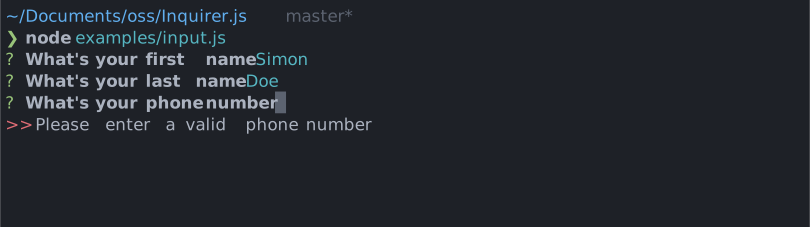
Installation
| yarn | pnpm |
|---|
yarn add @inquirer/prompts
|
pnpm add @inquirer/prompts
|
| bun | deno |
|---|
bun add @inquirer/prompts
|
deno add npm:@inquirer/prompts
|
| npm |
|---|
npm install @inquirer/prompts
|
| Or |
| yarn | pnpm |
|---|
yarn add @inquirer/input
|
pnpm add @inquirer/input
|
| bun | deno |
|---|
bun add @inquirer/input
|
deno add npm:@inquirer/input
|
| npm |
|---|
npm install @inquirer/input
|
On Deno, prompts detect the terminal's unicode and color support from the environment, so run your script with --allow-env.
Usage
import { input } from '@inquirer/prompts';
const answer = await input({ message: 'Enter your name' });
Options
| message | string | yes | The question to ask |
| default | string | no | Default value if no answer is provided; see the prefill option below for governing it's behaviour. |
| prefill | 'tab' | 'editable' | no | Defaults to 'tab'. If set to 'tab', pressing backspace will clear the default and pressing tab will inline the value for edits; If set to 'editable', the default value will already be inlined to edit. |
| required | boolean | no | Defaults to false. If set to true, undefined (empty) will not be accepted for this. |
| transformer | (string, { isFinal: boolean }) => string | no | Transform/Format the raw value entered by the user. Once the prompt is completed, isFinal will be true. This function is purely visual, modify the answer in your code if needed. |
| validate | string => boolean | string | Promise<boolean | string> | no | On submit, validate the filtered answered content. When returning a string, it'll be used as the error message displayed to the user. Note: returning a rejected promise, we'll assume a code error happened and crash. |
| pattern | RegExp | no | Regular expression to validate the input against. If the input doesn't match the pattern, validation will fail with the error message specified in patternError. |
| patternError | string | no | Error message to display when the input doesn't match the pattern. Defaults to 'Invalid input'. |
| theme | See Theming | no | Customize look of the prompt. |
Theming
You can theme a prompt by passing a theme object option. The theme object only need to includes the keys you wish to modify, we'll fallback on the defaults for the rest.
type Theme = {
  prefix: string | { idle: string; done: string };
  spinner: {
    interval: number;
    frames: string[];
  };
  style: {
    answer: (text: string) => string;
    message: (text: string, status: 'idle' | 'done' | 'loading') => string;
    error: (text: string) => string;
    defaultAnswer: (text: string) => string;
  };
  validationFailureMode: 'keep' | 'clear';
};
validationFailureMode defines the behavior of the prompt when the value submitted is invalid. By default, we'll keep the value allowing the user to edit it. When the theme option is set to clear, we'll remove and reset to an empty string.
License
Copyright (c) 2023 Simon Boudrias (twitter: @vaxilart)
Licensed under the MIT license.



