@inquirer/rawlist
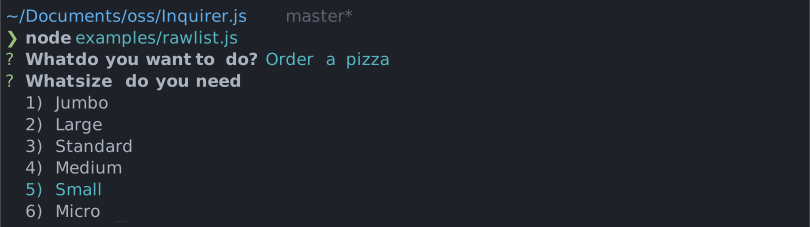
Simple interactive command line prompt to display a raw list of choices (single value select) with minimal interaction.
Installation
| yarn | pnpm |
|---|
yarn add @inquirer/prompts
|
pnpm add @inquirer/prompts
|
| bun | deno |
|---|
bun add @inquirer/prompts
|
deno add npm:@inquirer/prompts
|
| npm |
|---|
npm install @inquirer/prompts
|
| Or |
| yarn | pnpm |
|---|
yarn add @inquirer/rawlist
|
pnpm add @inquirer/rawlist
|
| bun | deno |
|---|
bun add @inquirer/rawlist
|
deno add npm:@inquirer/rawlist
|
| npm |
|---|
npm install @inquirer/rawlist
|
On Deno, prompts detect the terminal's unicode and color support from the environment, so run your script with --allow-env.
Usage
import { rawlist } from '@inquirer/prompts';
const answer = await rawlist({
message: 'Select a package manager',
choices: [
{ name: 'npm', value: 'npm' },
{ name: 'yarn', value: 'yarn' },
{ name: 'pnpm', value: 'pnpm' },
],
});
Options
| message | string | yes | The question to ask |
| choices | Choice[] | yes | List of the available choices. |
| loop | boolean | no | Defaults to true. When set to false, the cursor will be constrained to the top and bottom of the choice list without looping. |
| default | Value | no | The value of the choice to preselect. If the value is not found, no choice is preselected. |
| theme | See Theming | no | Customize look of the prompt. |
Separator objects can be used in the choices array to render non-selectable lines in the choice list. By default it'll render a line, but you can provide the text as argument (new Separator('-- Dependencies --')). This option is often used to add labels to groups within long list of options.
Choice object
The Choice object is typed as
type Choice<Value> = {
  value: Value;
  name?: string;
  short?: string;
  key?: string;
  description?: string;
};
Here's each property:
value: The value is what will be returned by await rawlist().name: This is the string displayed in the choice list.short: Once the prompt is done (press enter), we'll use short if defined to render next to the question. By default we'll use name.key: The key of the choice. Displayed as key) name.description: Option description which appears below the list when the choice is selected.
choices can also be an array of string, in which case the string will be used both as the value and the name.
Keybindings
Set INQUIRER_KEYBINDINGS=vim, INQUIRER_KEYBINDINGS=emacs, or INQUIRER_KEYBINDINGS=vim,emacs to enable alternative navigation keybindings globally.
You can override the environment setting per prompt with theme.keybindings.
Theming
You can theme a prompt by passing a theme object option. The theme object only need to includes the keys you wish to modify, we'll fallback on the defaults for the rest.
type Theme = {
  prefix: string | { idle: string; done: string };
  spinner: {
    interval: number;
    frames: string[];
  };
  style: {
    answer: (text: string) => string;
    message: (text: string, status: 'idle' | 'done' | 'loading') => string;
    error: (text: string) => string;
    highlight: (text: string) => string;
    description: (text: string) => string;
  };
  keybindings: readonly ('emacs' | 'vim')[];
};
License
Copyright (c) 2023 Simon Boudrias (twitter: @vaxilart)
Licensed under the MIT license.



