

Product
Introducing Repository Access Permissions and Custom Roles
Socket now supports Custom Roles and Repository Access Permissions so organizations can control who can access specific repositories and actions.
By Joe Werle - Jun 19, 2026
@mazli/pi-ask-user-question
Advanced tools
Claude Code-style AskUserQuestion tool for the pi coding agent.
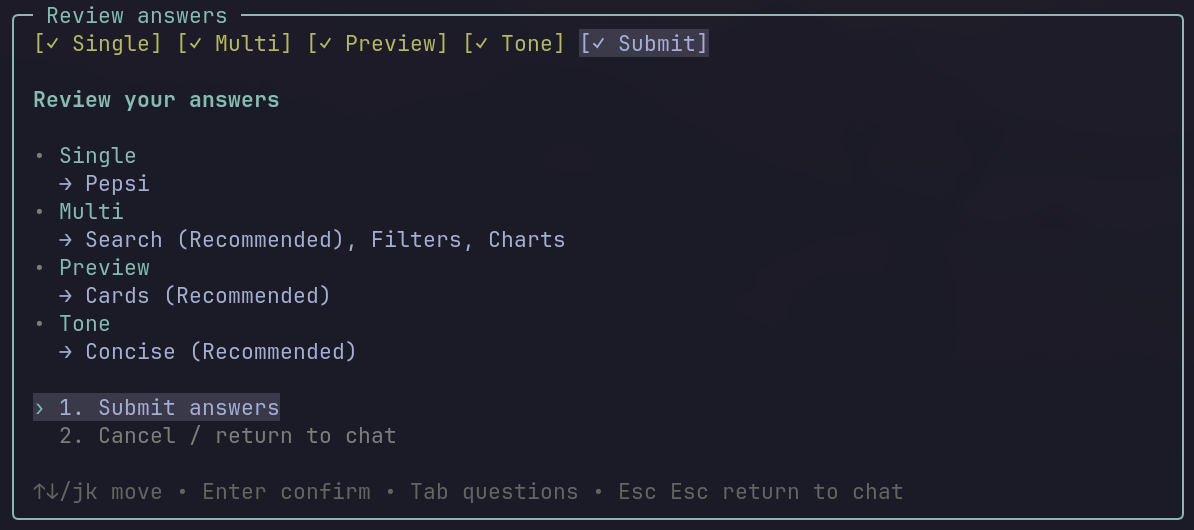
This package adds a global LLM-callable tool named AskUserQuestion. The tool lets the agent pause mid-task, ask structured questions in your terminal, and continue with your selected answers.
Other... custom text inputnj/kTab / Shift+Tab between questionsEsc then Esc dismisses the dialog and returns control to chatThese examples show the full multi-question flow rendered by the tool.
Other... answers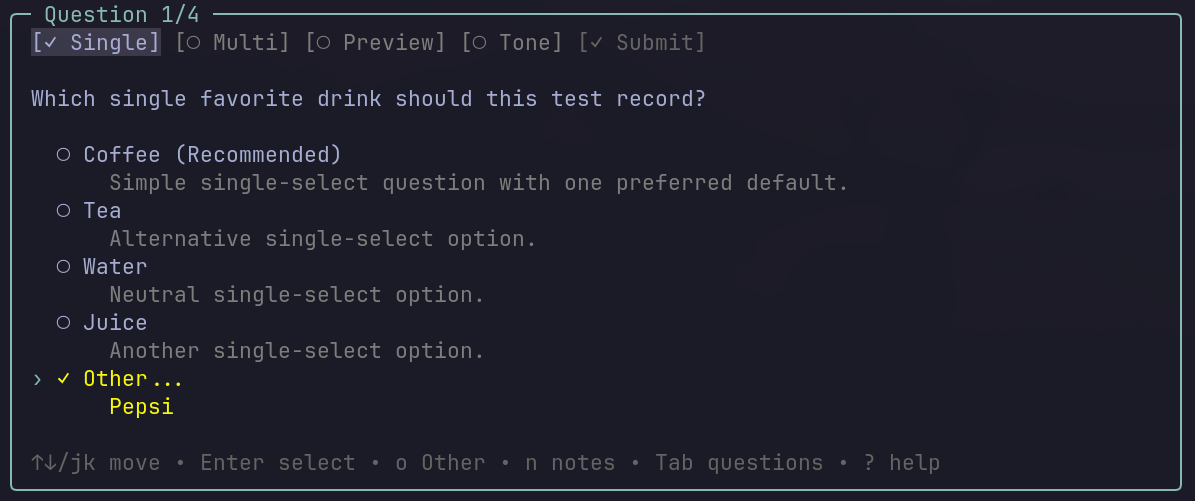
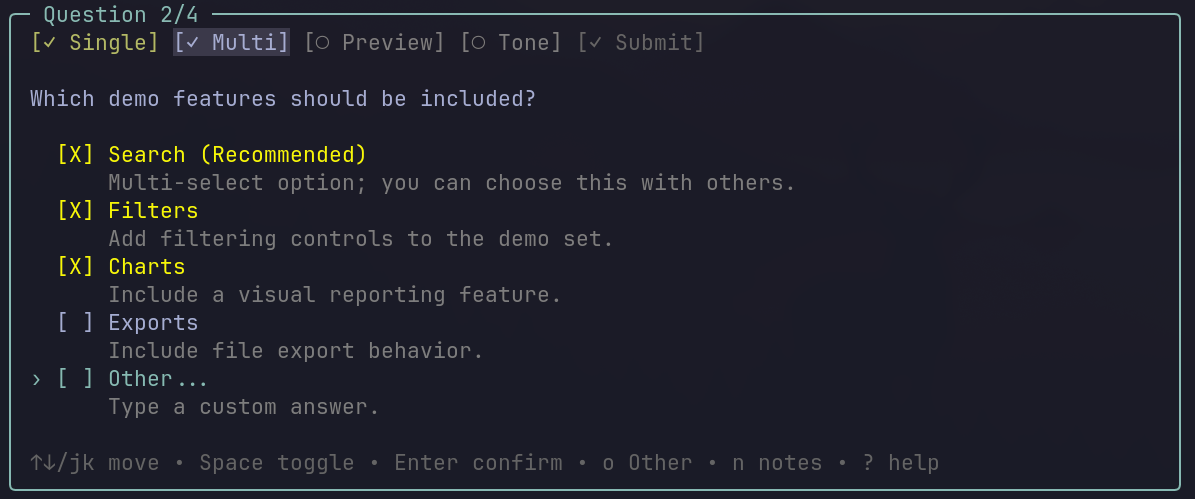
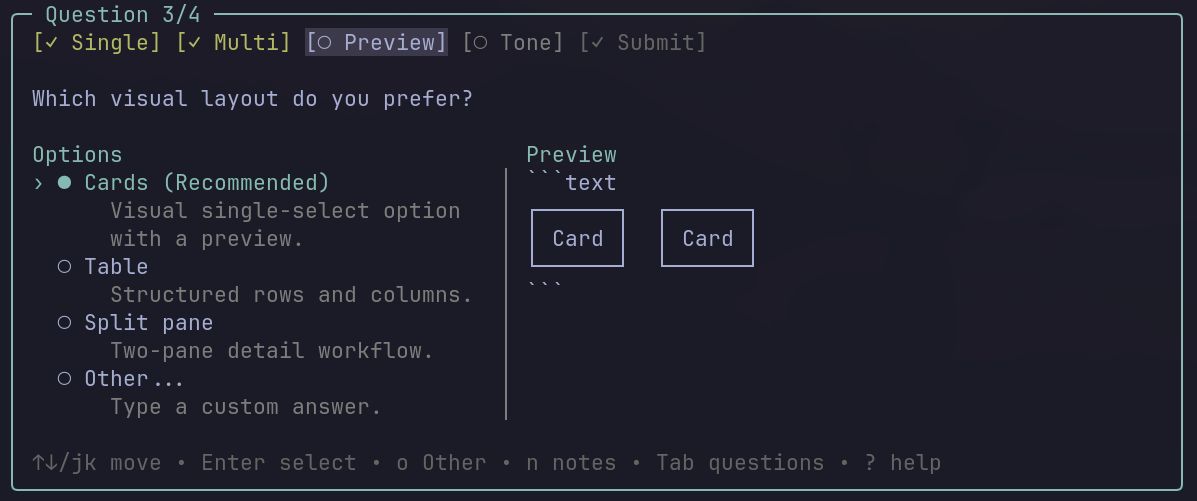
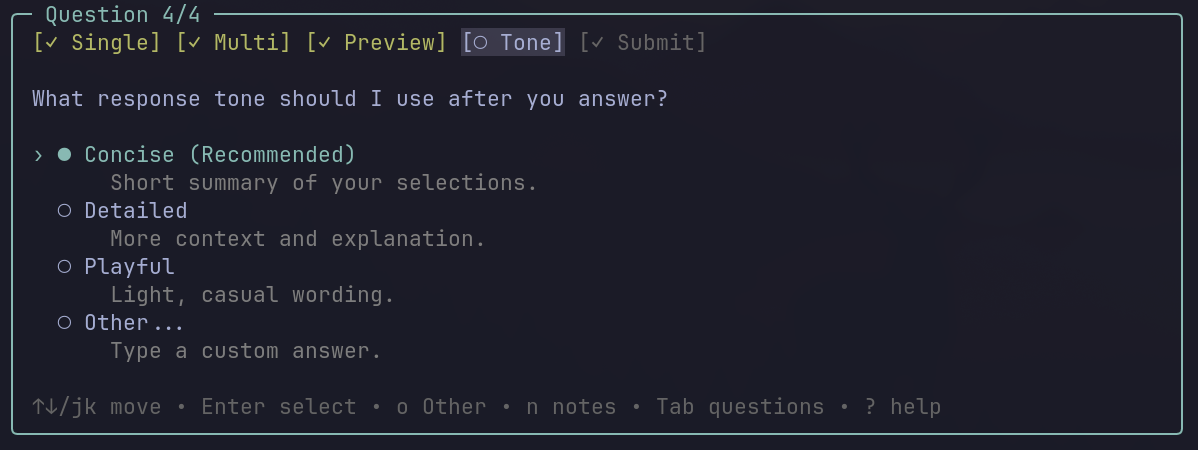
From npm:
pi install npm:@mazli/pi-ask-user-question
From GitHub:
pi install git:github.com/HamdiMaz/AskUserQuestion
Pinned to a release tag:
pi install git:github.com/HamdiMaz/AskUserQuestion@v1.3.3
For a one-off test without installing:
pi -e npm:@mazli/pi-ask-user-question
or:
pi -e git:github.com/HamdiMaz/AskUserQuestion
After installing, restart pi or run:
/reload
AskUserQuestion
Normal result:
{
  "cancelled": false,
  "answers": {
    "Which HTTP client should we use?": "fetch (Recommended)",
    "Which resilience features do you want?": "Retry, Timeout"
  }
}
Cancelled or dismissed result:
{
  "cancelled": true
}
When the dialog is dismissed with Esc then Esc, pi returns to the chatbox without an immediate model follow-up so you can steer the conversation.
Use AskUserQuestion when:
Do not use it for:
Batching guidance:
AskUserQuestion can ask one question or a batch of related questions in the same call.Authoring rules:
Other option; the tool adds it automatically. (Recommended).header at 12 characters or less.?.{
"questions": [
{
"question": "Which HTTP client should we use?",
"header": "HTTP",
"multiSelect": false,
"options": [
{
"label": "fetch (Recommended)",
"description": "Built-in and dependency-free."
},
{
"label": "axios",
"description": "Popular ecosystem and interceptor support."
},
{
"label": "got",
"description": "Node-focused with retry support."
}
]
},
{
"question": "Which resilience features do you want?",
"header": "Resilience",
"multiSelect": true,
"options": [
{
"label": "Retry",
"description": "Retry transient failures."
},
{
"label": "Timeout",
"description": "Apply a per-request timeout cap."
},
{
"label": "Cache",
"description": "Cache responses in memory."
}
]
}
],
"metadata": {
"source": "clarify"
}
}
Clone this repo, then run pi with the extension directly:
pi -e ./extensions/index.ts
Or install the local package:
pi install /absolute/path/to/AskUserQuestion
Then restart pi or run /reload.
Pi extensions run with your local user permissions. Review any extension source code before installing it.
MIT
FAQs
Claude Code-style AskUserQuestion tool for pi.
The npm package @mazli/pi-ask-user-question receives a total of 25 weekly downloads. As such, @mazli/pi-ask-user-question popularity was classified as not popular.
We found that @mazli/pi-ask-user-question demonstrated a healthy version release cadence and project activity because the last version was released less than a year ago. It has 1 open source maintainer collaborating on the project.
Did you know?

Socket for GitHub automatically highlights issues in each pull request and monitors the health of all your open source dependencies. Discover the contents of your packages and block harmful activity before you install or update your dependencies.
Product
Socket now supports Custom Roles and Repository Access Permissions so organizations can control who can access specific repositories and actions.

Product
Socket MCP now lets AI assistants review org alerts, investigate threats using the Socket threat feed, and inspect package files in addition to dependency scoring.

Product
Socket Firewall blocks malicious VS Code and Open VSX extensions before install, protecting developers from compromised editor marketplaces.