

Product
Introducing Repository Access Permissions and Custom Roles
Socket now supports Custom Roles and Repository Access Permissions so organizations can control who can access specific repositories and actions.
By Joe Werle - Jun 19, 2026
@mote-software/tinybase-persister-expo-file-system
Advanced tools
TinyBase persister for Expo FileSystem
A TinyBase persister that uses Expo FileSystem for persistent storage in React Native Expo apps.
Store and MergeableStoreTinyBase Stores exist only in memory by default. Persisters solve this by enabling you to save and load your Store data to various storage backends. This is essential for:
Learn more about TinyBase persistence.
Assumes your Expo app already has Tinybase installed.
# npm
npm install @mote-software/tinybase-persister-expo-file-system

# pnpm
pnpm add @mote-software/tinybase-persister-expo-file-system

# yarn
yarn add @mote-software/tinybase-persister-expo-file-system
This package requires:
tinybase ^6.0.0expo-file-system ^19.0.17import { createStore } from 'tinybase';
import { createExpoFileSystemPersister } from '@mote-software/tinybase-persister-expo-file-system';
import * as FileSystem from 'expo-file-system';
// Create a TinyBase store
const store = createStore();
// Define the file path (using Expo FileSystem v19+ API)
const filePath = `${new FileSystem.Directory(FileSystem.Paths.document).uri}/my-store.json`;
// Create the persister
const persister = createExpoFileSystemPersister(
store,
filePath,
(error) => {
console.error('Persister error:', error);
}
);
// Load existing data and start auto-saving
await persister.startAutoLoad();
await persister.startAutoSave();
// Now your store is automatically persisted!
store.setCell('pets', 'fido', 'species', 'dog');
// This change is automatically saved to the file system
createExpoFileSystemPersisterCreates a new persister instance that uses Expo FileSystem for storage.
function createExpoFileSystemPersister(
  store: Store | MergeableStore,
  filePath: string,
  onIgnoredError?: (error: any) => void
): ExpoFileSystemPersister
Parameters:
store - The TinyBase Store or MergeableStore to persistfilePath - Absolute path to the file (e.g., `${new FileSystem.Directory(FileSystem.Paths.document).uri}/store.json`)onIgnoredError - Optional callback for handling non-critical errorsReturns: An ExpoFileSystemPersister instance with all standard TinyBase Persister methods.
ExpoFileSystemPersisterExtends the standard TinyBase Persister interface with an additional method:
getFilePath()Returns the file path used by this persister.
const filePath = persister.getFilePath();
All standard TinyBase Persister methods are available:
// Manual operations
await persister.save();    // Manually save store to file
await persister.load();    // Manually load store from file

// Automatic synchronization
await persister.startAutoSave();  // Auto-save on store changes
await persister.startAutoLoad();  // Auto-load on file changes
await persister.stopAutoSave();
await persister.stopAutoLoad();

// Status
const stats = persister.getStats();  // Get persistence statistics
This persister uses a polling mechanism (checking every 1 second) to detect external file changes when startAutoLoad() is active. This enables synchronization between multiple app instances or external file modifications.
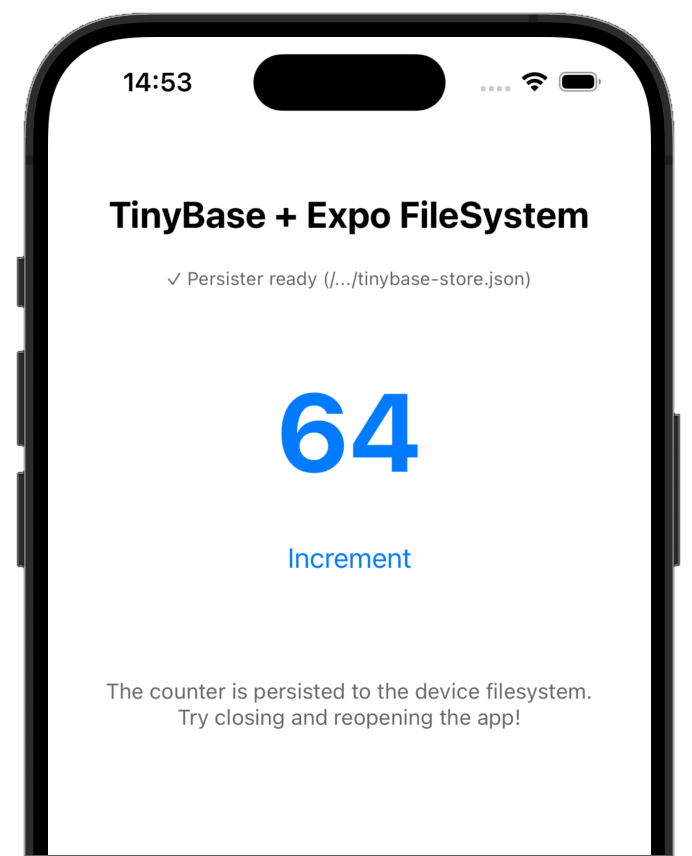
Check out the complete example app in the apps/example directory of this repository for a working demonstration with a persistent counter.
See CONTRIBUTORS.md for development setup, building, testing, and contribution guidelines.
MIT
FAQs
TinyBase persister for Expo FileSystem
We found that @mote-software/tinybase-persister-expo-file-system demonstrated a healthy version release cadence and project activity because the last version was released less than a year ago. It has 1 open source maintainer collaborating on the project.
Did you know?

Socket for GitHub automatically highlights issues in each pull request and monitors the health of all your open source dependencies. Discover the contents of your packages and block harmful activity before you install or update your dependencies.
Product
Socket now supports Custom Roles and Repository Access Permissions so organizations can control who can access specific repositories and actions.

Product
Socket MCP now lets AI assistants review org alerts, investigate threats using the Socket threat feed, and inspect package files in addition to dependency scoring.

Product
Socket Firewall blocks malicious VS Code and Open VSX extensions before install, protecting developers from compromised editor marketplaces.