OpenPrd
简体中文 | English
AI-native PRD workspace and lifecycle CLI for requirement clarification, HTML-first review surfaces, diagram confirmation, and handoff.



OpenPrd is a lightweight PRD harness for teams and agents that need more than “write a document”. It gives you a local workspace, a clarification-first workflow, policy-based review gates, diagram artifacts, and a structured change/spec/task workflow.
Instead of hiding key decisions in prompts or terminal logs, OpenPrd keeps people and agents aligned around stable HTML artifacts such as review.html, learning readers, and quality reports.
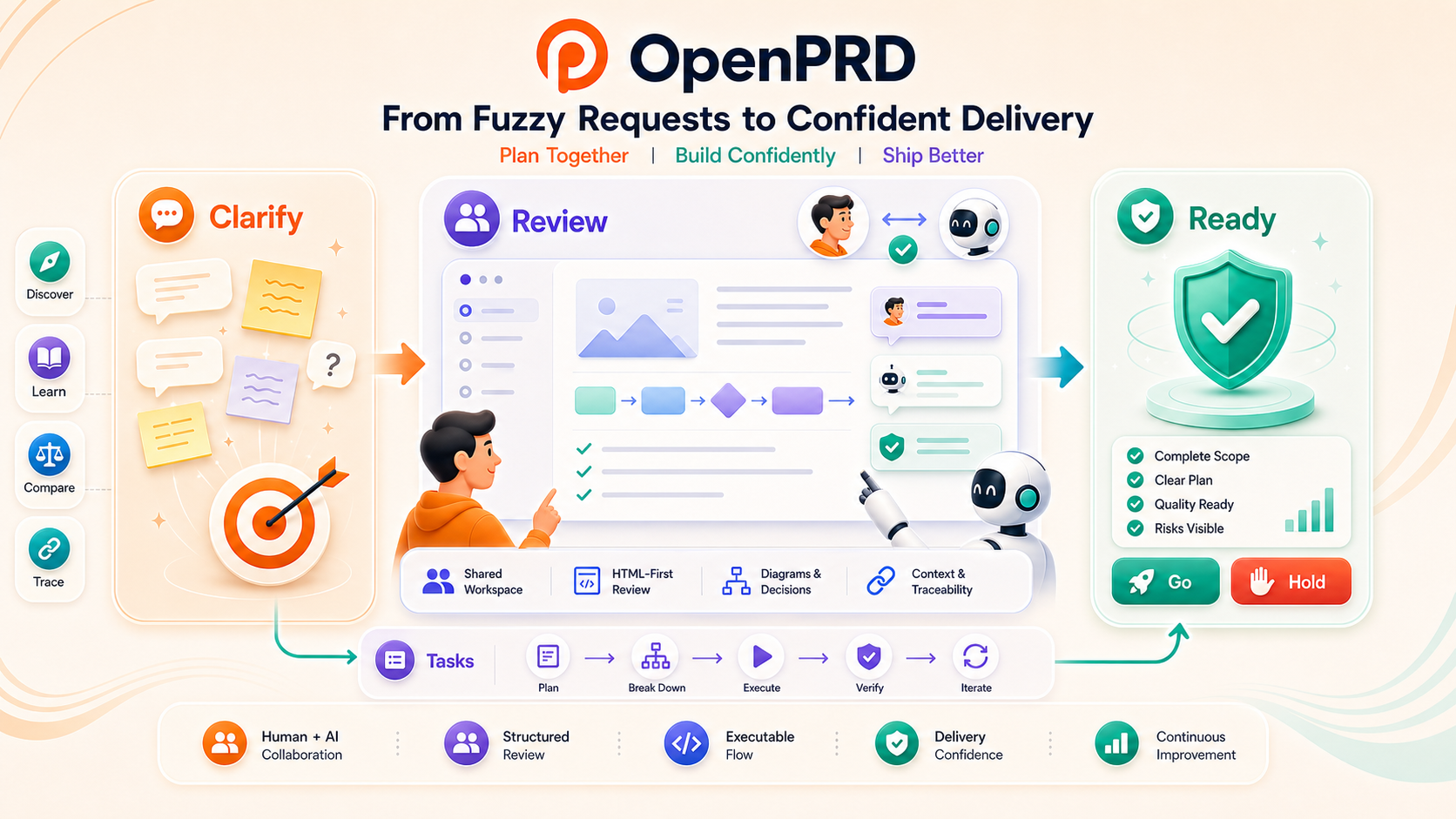
Why OpenPrd
OpenPrd is designed for the gap between:
- vague product ideas that need clarification
- agent-assisted requirement drafting
- human confirmation at the right decision points before implementation
- structured handoff into execution systems
It is especially useful when you want:
- clarify before drafting instead of jumping straight to implementation
- source-aware capture so user-confirmed facts stay separate from repo-derived, agent-inferred, or agent-normalized context
- policy-based review gates that keep stable artifacts without forcing the same stop every time
- agent-facing skills shipped with the tool, not hidden in a local environment
Where OpenPrd Is Different
OpenPrd lives in a different spot than tools that are centered only on spec files
or only on coding execution.
| OpenPrd | Requirement clarification, HTML-first collaboration, and delivery gates | review.html, learning readers, quality reports, diagrams, structured change/task state | Teams that need humans and agents to stay aligned through planning, review, execution, and ship decisions |
| OpenSpec | Spec and change lifecycle | Markdown proposals, specs, design docs, tasks | Teams that want disciplined spec deltas and a clean change-management workflow |
| Superpowers | Skill-driven coding execution | Skills, plans, worktree/subagent flows, code-review checkpoints | Engineering-heavy teams optimizing how AI agents plan, code, review, and finish branches |
OpenPrd is strongest when the hard part is not just "what code should be written,"
but "what should people confirm, what should stay visible, and what evidence is
enough to move forward."
Common Real-World Scenarios
Recent Codex project usage kept clustering around the same kinds of work: fuzzy
product requests, existing-product redesigns, release/publish flows, production
incident closure, and reusable learning handoff.
| Fuzzy product request before anyone codes | Clarify first, separate user-confirmed facts from agent inference, then turn the result into a stable review surface. | clarify, capture, synthesize, review.html |
| Existing flow or auth-entry redesign | Reconstruct current behavior from repo and runtime evidence before proposing the next change. | discovery, diagram, review.html, change |
| Visual or product-flow confirmation | Keep architecture, product flow, or UI replication reviewable instead of burying decisions in chat. | diagram, visual-compare, side-by-side JPG reviews |
| Long-running agent implementation chain | Turn accepted work into dependency-ready tasks and run one focused agent session per task with verify gates. | tasks, loop, prompts, progress logs, verification reports |
| Release, publish, or handoff readiness | Make "ready to ship" a visible decision with standards, regression evidence, abuse/cost guardrails, and workspace health. | quality, run --verify, doctor, handoff |
| Learning handoff after a fix or project | Package the final requirement, reasoning, and outcome into something new collaborators can actually study. | learning reader, .openprd/knowledge/skills/, docs sync |
HTML-First Collaboration Surfaces
OpenPrd produces stable, shareable HTML surfaces so product owners, engineers,
and agents can look at the same artifact before work moves forward.
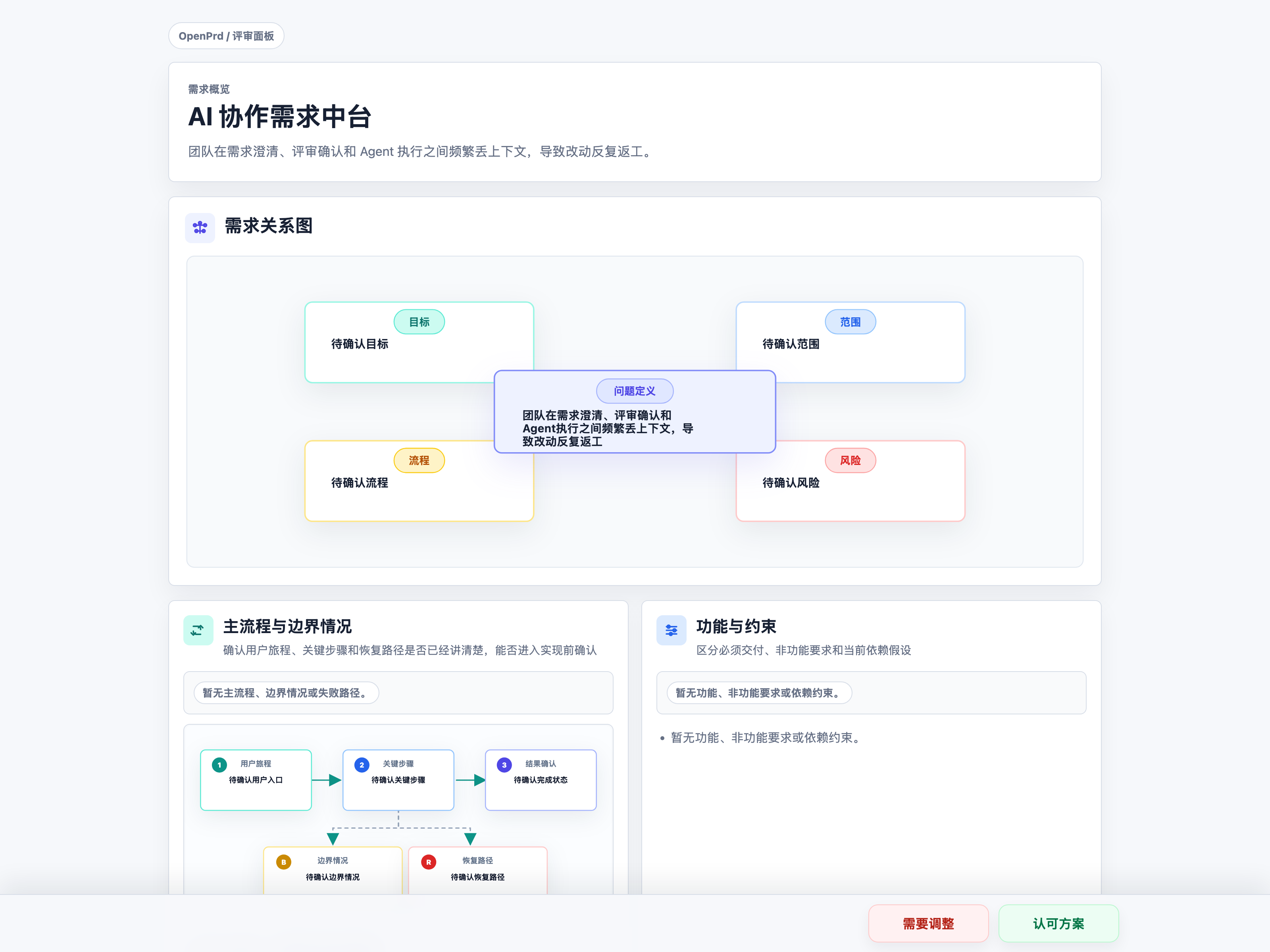
review.html
Use a review-ready PRD surface instead of asking teammates to reconstruct the
latest requirement state from chat history.
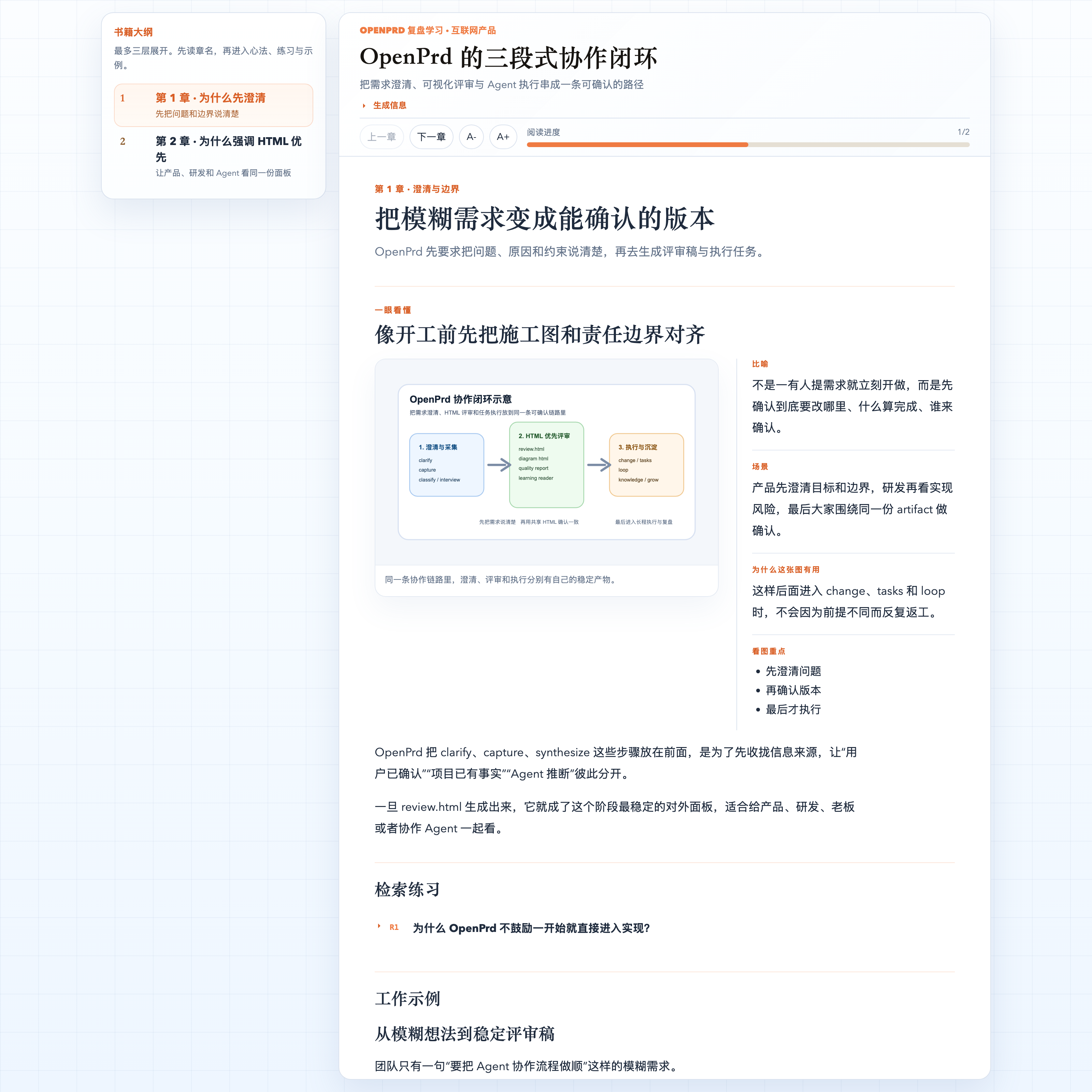
Learning reader
Turn a finished requirement, fix, or workflow into a readable learning package
that new collaborators can study without replaying the whole thread.
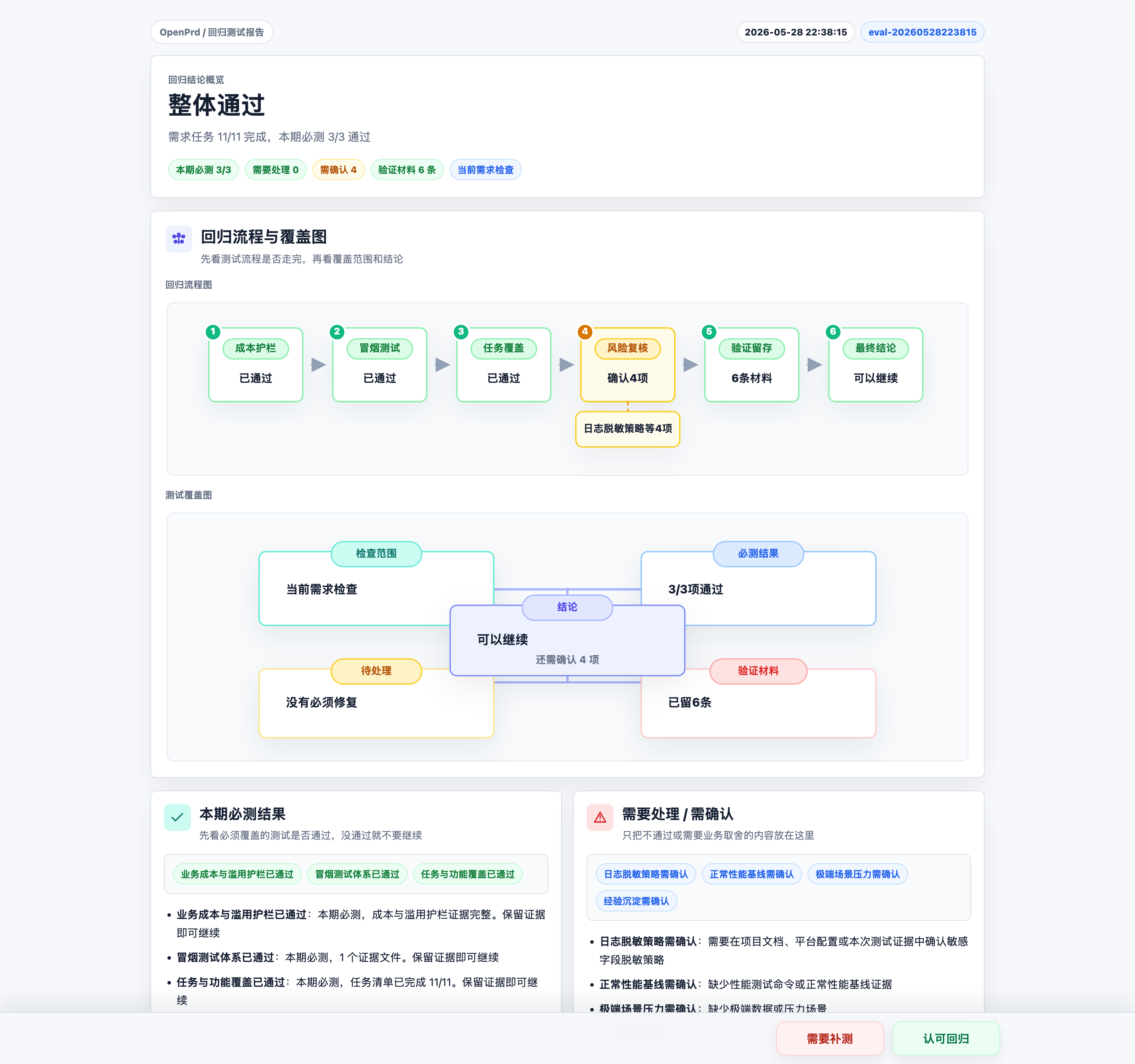
Quality regression report
Summarize readiness, required gates, evidence coverage, and manual decisions in
one human-readable quality surface before handoff, release, or publish.
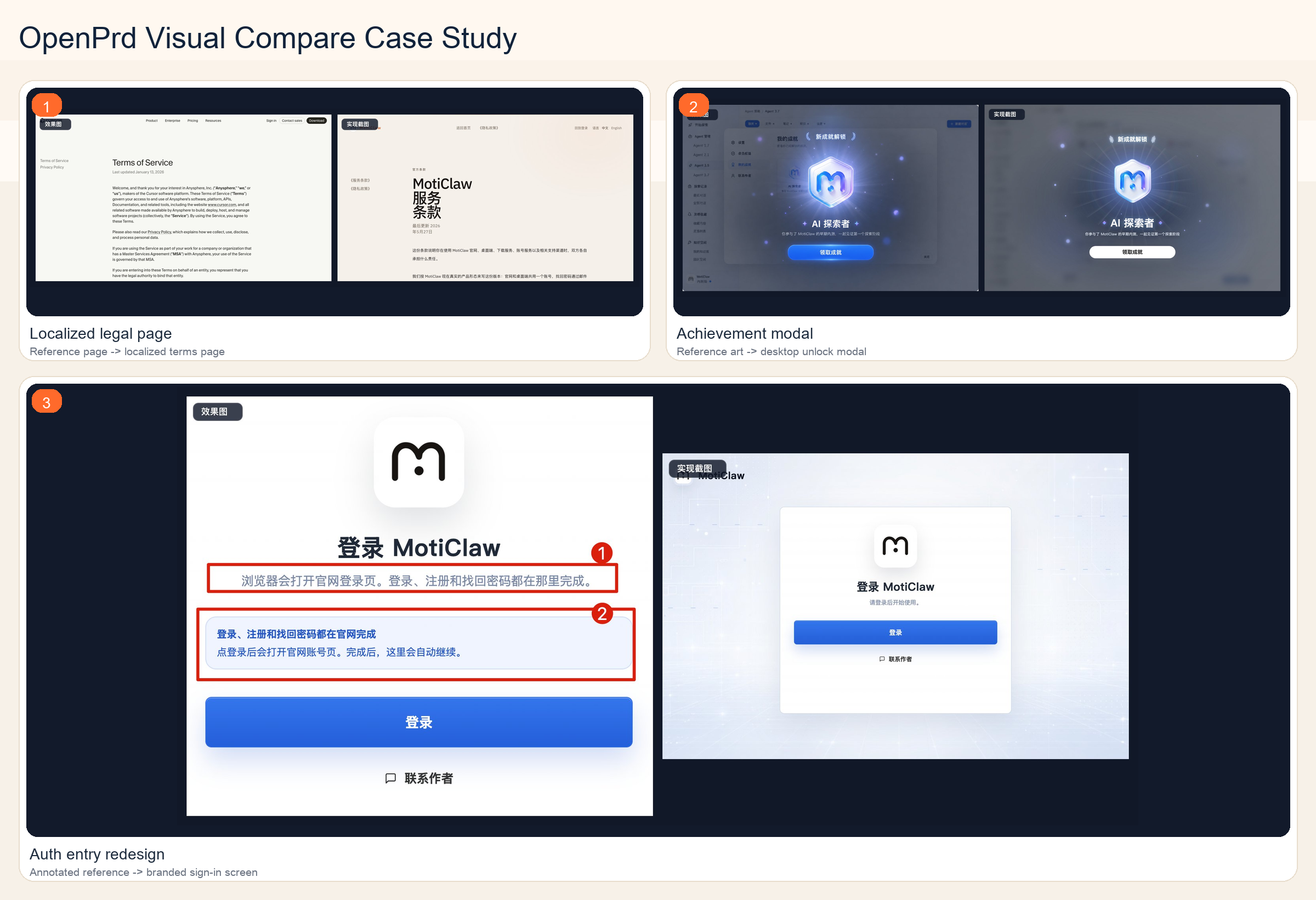
Auto-optimized reference-to-screenshot comparison
Put the reference and implementation into one side-by-side artifact for staged
UI review, especially for auth-entry redesign, localized legal pages, and modal
replication work.
Self-Evolving Collaboration
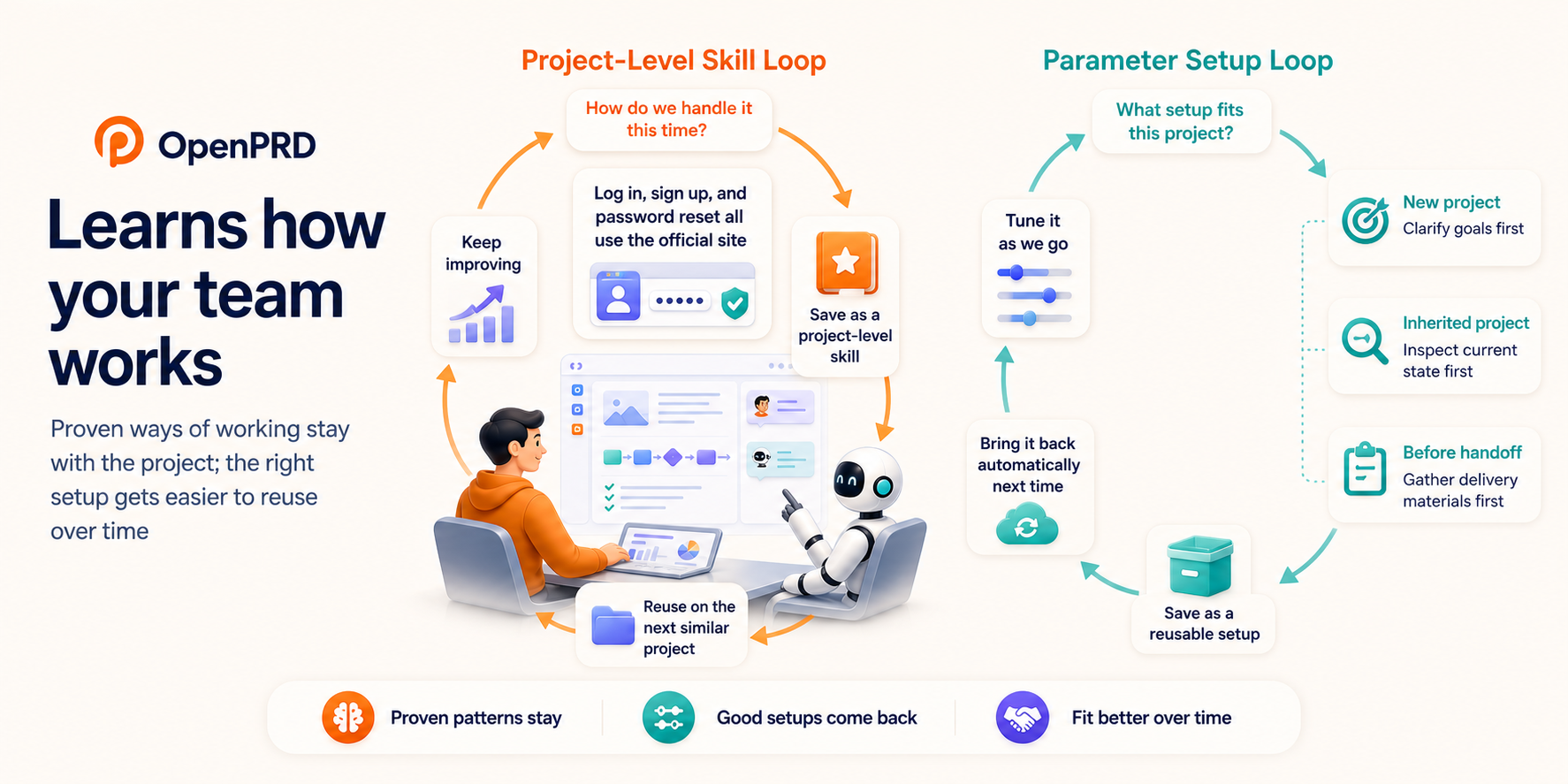
OpenPrd gets easier to work with over time through two visible loops. One loop
keeps proven team habits as reusable Project-Level Skills. The other keeps
Dynamic Parameter Config adaptive, so different project situations start with
different collaboration defaults instead of the same generic checklist.
Scenario 1: Project-Level Skill
When a team reaches the same conclusion in real work more than once, OpenPrd
can keep that conclusion close to the project instead of leaving it buried in
chat.
- Example: a login-entry redesign confirms that log in, sign up, and password reset should all stay on the official site.
- What gets reused next time: related page checks, release review points, and the preferred path through similar requests.
- Why it matters: the next similar request starts from a shared playbook, and new teammates can follow the same steps without retelling the whole history.
Scenario 2: Dynamic Parameter Config
Not every project should start the same way. OpenPrd can keep different
collaboration defaults for different situations and bring them back
automatically.
- Example: a greenfield request starts with goal clarification and scope alignment, while an inherited project starts with current-state reconstruction and boundary mapping.
- What changes automatically: what to ask first, what to inspect first, and what proof to gather before handoff.
- Why it matters: teams spend less time re-explaining how this kind of project should run and more time moving with the right setup from the start.
Features
- Clarification-first workflow:
clarify -> capture -> classify -> interview -> synthesize -> diagram -> freeze -> handoff
- Scenario-aware collaboration: distinguish greenfield cold start, existing-project cold start, and continuing workspaces
- Self-evolving collaboration: turn confirmed project habits into reusable
Project-Level Skills and adapt Dynamic Parameter Config by scenario
- Source-aware capture: mark inputs as
user-confirmed, project-derived, agent-inferred, or agent-normalized
- Diagram review artifacts: generate both architecture and product-flow diagrams
- UI visual comparison artifacts: combine reference images and implementation screenshots into side-by-side JPG reviews for visual replication work
- Contract-driven diagrams: render from validated JSON contracts
- Review status tracking: use
pending-confirmation, confirmed, and needs-revision
- OpenPrd discovery mode: initialize durable coverage runs for existing projects, reference projects, or unclear requirements
- Project standards: initialize and verify
docs/basic/, file manual templates, and folder README templates as part of execution quality gates
- Quality Regression Reports: review overall regression status, per-requirement module status, test-block results, observability, business cost and abuse guardrails, smoke coverage, performance baselines, and project knowledge through HTML reports
- Project knowledge skills: turn verified fixes and recurring diagnosis patterns into reusable
.openprd/knowledge/skills/ experience skills
- OpenPrd change and task execution: materialize PRD snapshots into change files, validate them, apply accepted specs, archive changes, and advance structured tasks by dependency order
- Long-running agent loop: turn accepted change tasks into one-task-per-session Codex or Claude execution prompts with verification, progress logs, and optional task commits
- Default agent integration: generate Codex, Claude, and Cursor guidance from one OpenPrd source, including Codex hooks with
codex_hooks = true
- Agent harness skills: repo-local skills for shared rules, workflow control, and diagram review
Tech Stack
| Runtime | Node.js 20+ |
| CLI | Native Node ESM |
| Config / state | JSON + YAML |
| Diagram renderer | Self-contained HTML + inline SVG |
| Image processing | sharp for JPG / PNG / WebP visual comparison artifacts |
| Testing | node --test |
| Agent guidance | Repo-local skills/ + AGENTS.md + Codex / Claude / Cursor generated adapters |
One-line Install
Install from npm:
npm install -g @openprd/cli
Then verify:
openprd --help
Update the installed CLI later with a dry-run first:
openprd self-update --dry-run
openprd self-update
Quick Start
1. Initialize a workspace
openprd init /path/to/project --template-pack agent
init creates .openprd/, docs/basic/, AGENTS.md, and generated Codex / Claude / Cursor guidance. Codex projects also get .codex/config.toml, .codex/hooks.json, .codex/hooks/openprd-hook.mjs, and user-level Codex codex_hooks = true.
Codex hooks default to lite: UserPromptSubmit, a lightweight PreToolUse
write gate, and a lightweight Stop end-of-turn review. Context is injected for prompts that explicitly mention OpenPrd,
PRD, deep research/benchmarking, replication, standards, fleet, documentation
standards, or look like new product/module/workflow requirements. The lite write
gate only matches direct editing tools so read-only shell exploration stays
quiet, while Stop reviews whether the current turn produced a reusable project
pattern; use guarded when shell commands should also pass through the write gate,
and full only for temporary deep diagnostics.
Concrete bugfix prompts with diagnostic evidence such as errors, logs, repro
steps, or root-cause investigation skip requirement intake when the user asks to
fix directly; confirmation wording also accepts phrases like "confirm the fix".
2. Check the current collaboration state
openprd status /path/to/project
openprd next /path/to/project
3. Clarify with the user
openprd clarify /path/to/project
Clarification stays in the conversation as an inline outline or short checklist. The formal HTML review surface is review.html after synthesis.
4. Capture answers back into the workspace
Single field:
openprd capture /path/to/project \
  --field problem.problemStatement \
  --value "Mobile users cannot efficiently manage agent sessions on the go" \
  --source user-confirmed
Batch capture:
openprd capture /path/to/project --json-file answers.json
If openprd synthesize reports that the generated spec.md would still fail the
Simplified Chinese preflight, normalize the wording with
--source agent-normalized before recording the current review.html artifact.
5. Draft and review
openprd synthesize /path/to/project \
  --title "Moticlaw Mobile" \
  --owner "Moticlaw" \
  --problem "Mobile users lack a direct-first client for node selection and agent interaction." \
  --why-now "The control plane already exists and the missing piece is a mobile entry point."

openprd review-presentation /path/to/project --template
openprd review-presentation /path/to/project \
  --presentation review-presentation.json \
  --write \
  --fail-on-violation

openprd diagram /path/to/project --type architecture --open
openprd diagram /path/to/project --type product-flow --open
openprd review /path/to/project --open
openprd review /path/to/project --mark confirmed --version <id> --digest <sha256> --work-unit <id>
review.html is the stable review artifact for the current PRD, but the default
approval policy is decision-points, not “always stop here”. In a normal lane,
the user reviews that stable artifact first and then the exact copied
--version, --digest, and --work-unit tuple is recorded. In a
silent-record lane, OpenPrd can record the exact current artifact without an
extra stop only when the user already made direct execution intent explicit and
explicitly opted out of additional review confirmation. Do not treat
implementation approval as permission to mark a different review artifact, and
do not treat review recording as execution authorization. After the current
artifact is recorded, generate the OpenPrd change and task breakdown. If the
user originally asked to implement, execution can continue once tasks are ready;
otherwise wait for an explicit execution request:
openprd change /path/to/project --generate --change <change-id>
openprd tasks /path/to/project --change <change-id>
6. Freeze and handoff
openprd freeze /path/to/project
openprd handoff /path/to/project --target openprd
7. Start OpenPrd discovery mode
Users can ask in natural language:
Use OpenPrd to deeply complete this project.
Use OpenPrd to comprehensively mine this reference project into the new project.
Keep digging into this requirement until OpenPrd coverage is complete.
Discovery and loop execution require explicit depth or execution intent. For
planning, architecture review, impact analysis, or "which files would change?"
questions, agents should inspect state and answer read-only instead of advancing
coverage or launching loop tasks.
Agents route those requests internally. The underlying command is:
openprd discovery /path/to/project --mode brownfield
openprd discovery /path/to/project --resume
openprd discovery /path/to/project --advance --claim "Users can start a session from the dashboard" --evidence src/app.ts
openprd discovery /path/to/project --verify
openprd change /path/to/project --generate --change <change-id>
openprd change /path/to/project --validate --change <change-id>
openprd standards /path/to/project --verify
openprd tasks /path/to/project --change <change-id>
openprd tasks /path/to/project --change <change-id> --advance --verify --item T001.01
openprd change /path/to/project --apply --change <change-id>
openprd change /path/to/project --archive --change <change-id>
openprd specs /path/to/project
openprd changes /path/to/project
Discovery verification also checks the active OpenPrd change structure, spec deltas,
docs/basic/ standards, and long-running task files. Keep tasks.md as the first
entry, cap each task file at 25 substantive checkbox tasks, and continue with
tasks-002.md, tasks-003.md, etc. The final checkbox in every non-final file
should hand off to the next file so agents can resume in order. A project can use
a stricter local cap with .openprd/discovery/config.json at
taskSharding.maxItemsPerFile.
That 25-item limit is only a sharding cap, not a decomposition target. Prefer task
titles that describe concrete implementation units, wiring boundaries, entry
surfaces, integration closures, and regression passes instead of mirroring PRD
section labels like "primary flow", "requirement", or "acceptance goal".
When a task needs a stable id for long-running execution, keep the metadata small:
- [ ] T009.07 Port legacy database import preview
  - type: implementation
  - deps: T001.14, T007.06
  - done: preview shows counts, conflicts, skipped items, warnings
  - verify: npm run test -- migration
  - oracle: compare sample import output against the legacy preview and record mismatches
Use type to distinguish implementation, verification, documentation, and
governance work. deps is only needed when the task depends on earlier task ids.
done is the completion condition, and verify is the command or review step
that proves it. For implementation, verification, and documentation tasks,
verify must exercise the real work, such as openprd run . --verify, test
commands, or an explicit manual review step; do not use openprd change . --validate
as the only proof. Use oracle when the task must compare against a reference
implementation, golden data set, screenshot baseline, or other explicit source
of truth; openprd loop --finish then requires --notes or --evidence so the
comparison result is recorded.
tasks lists the next dependency-ready task by default. --advance marks
one task complete, and --verify runs that task's verify command before marking
it complete. Execution events are stored outside the task files so the task metadata
stays small.
Project Standards
openprd init creates a project standards contract:
docs/basic/file-structure.mddocs/basic/app-flow.mddocs/basic/prd.mddocs/basic/frontend-guidelines.mddocs/basic/backend-structure.mddocs/basic/tech-stack.md.openprd/standards/file-manual-template.md.openprd/standards/folder-readme-template.md
Use:
openprd standards /path/to/project --verify
OpenPrd generated changes include standards maintenance tasks, and change validation
checks the standards contract. The canonical project docs path is only
docs/basic/.
During implementation, standards maintenance is an explicit impact check, not a
best-effort cleanup. For every added or modified source file, agents should check
whether docs/basic/, the file manual, or the containing folder README is missing
or stale. Missing docs must be created; existing docs should be updated whenever
the change affects responsibilities, flows, structure, dependencies, or product
behavior. If no documentation update is needed, agents should say the check was
performed and why the existing docs still match the code.
Auto-optimized reference-to-screenshot comparison
When UI work already has a reference effect image, design image, user-provided
screenshot, or agent-generated mock, the agent should capture the implemented
UI and generate a side-by-side review image before claiming visual completion:
openprd visual-compare /path/to/project \
  --reference effect-image.png \
  --actual implementation-screenshot.jpg
The default output is a compact JPG under
.openprd/harness/visual-reviews/. The left panel is labeled 效果图; the
right panel is labeled 实现截图. Inputs can be common image formats supported
by sharp. The output can be adjusted when needed:
openprd visual-compare /path/to/project \
  --reference effect-image.png \
  --actual implementation-screenshot.jpg \
  --out review.webp \
  --format webp \
  --quality 82 \
  --max-panel-width 1180
Agents should inspect the generated image and keep iterating until there are no
obvious visual differences. The final response for reference-driven UI work
should include the generated review image path and note whether differences
remain.
Quality Regression Reports
openprd init also creates a quality contract:
.openprd/quality/config.json.openprd/quality/reports/.openprd/knowledge/
Use:
openprd quality /path/to/project --verify
The command writes both JSON and HTML reports under .openprd/quality/reports/.
The HTML regression report is the human-readable quality surface: overall
regression status, per-requirement module status, test-block pass/fail results,
missing items, and the small set of gaps that need a person to decide whether
they are in scope for the current delivery. EVO is OpenPrd's internal shorthand
for the evaluation/verification quality layer; the visible report does not ask
users to know that acronym. A script or fixture being present only proves
capability; required gates need current evidence or an explicit waiver.
When a requirement involves free users, quotas, AI calls, third-party APIs,
generation, storage, downloads, or other metered costs, quality --verify
also checks for cost drivers, user-level limits, negative abuse-path
verification, usage/cost monitoring, alert thresholds, and stop-loss actions.
openprd quality --verify is blocking by default when required test blocks are
not production-ready. openprd run --verify repeats that quality gate so final
readiness cannot ignore the report. Agents should not claim readiness until
every required test block is either passing with evidence or explicitly out of
scope for the scenario.
For UI work with an existing reference image, visual readiness also requires a
current openprd visual-compare artifact under .openprd/harness/visual-reviews/.
If the combined image still shows obvious differences, the task should return to
implementation instead of treating the gap as ready.
After a fix has been verified and reviewed, promote the abstract pattern into
project knowledge:
openprd quality /path/to/project --learn --review --from .openprd/harness/turn-state.json
openprd quality /path/to/project --learn --from <report-id-or-json>
openprd quality /path/to/project --learn --from ./diagnostics/incident-2026-05-24
--learn --review first writes a pending knowledge candidate under
.openprd/knowledge/candidates/ plus a draft skill under
.openprd/knowledge/drafts/. Once the draft is worth keeping, --learn --from
promotes it into incident, pattern, and experience skill artifacts under
.openprd/knowledge/ so future tasks can retrieve the lesson instead of
rediscovering it. --from now accepts either a quality report JSON or an
extracted diagnostics directory / evidence file that already contains
diagnostic-report, runtime-events, timeline, or root-cause-candidates
artifacts, so a verified fix can be promoted directly into a reusable
troubleshooting skill.
Agent Setup
OpenPrd can install the project harness into the agent environment so users do not
need to remember which skill, command, or hook to invoke:
openprd setup /path/to/project
openprd doctor /path/to/project
openprd self-update --dry-run
openprd self-update
openprd update /path/to/project
openprd update /path/to/project --hook-profile lite
openprd upgrade /path/to/project --dry-run
openprd upgrade /path/to/project
openprd upgrade /path/to/projects --fleet --dry-run
openprd fleet /path/to/projects --dry-run
openprd fleet /path/to/projects --sync-registry
openprd fleet /path/to/projects --backfill-work-units
openprd run /path/to/project --context
openprd run /path/to/project --verify
openprd loop /path/to/project --plan --change <change-id>
openprd loop /path/to/project --run --agent codex --dry-run
Installing the CLI alone does not mutate a project or user config. The full
Codex/Claude/Cursor adapter set is installed when the user runs openprd init
or openprd setup inside a project.
setup and init generate:
AGENTS.md managed OpenPrd rules.codex/skills/, .codex/prompts/, .codex/config.toml, .codex/hooks.json, and .codex/hooks/openprd-hook.mjs- user-level Codex config with
features.codex_hooks = true
.claude/skills/, .claude/commands/openprd/, and CLAUDE.md.cursor/rules/openprd.mdc and .cursor/commands/.openprd/harness/install-manifest.json, hook-state.json, events.jsonl, drift-report.json, and visual-reviews/
doctor verifies that the generated rules, Codex hooks feature flag, standards,
and workspace validation are healthy. update refreshes the generated adapter
files from the canonical OpenPrd source while preserving unrelated user hook
groups.
self-update updates the OpenPrd CLI itself from the public npm package.
upgrade composes the two update layers: it first runs self-update, then
re-resolves the installed openprd executable and runs either update <project>
or, with --fleet, fleet <root> --update-openprd. Both commands support
--dry-run; dry-run prints the planned install and refresh commands without
modifying the CLI, project, registry, or harness state.
The harness is stateful, but hooks are proportional to the chosen profile.
Default lite keeps a lightweight PreToolUse write gate for requirement
intake and limits it to direct editing tools, while Stop performs a lightweight
end-of-turn knowledge review instead of full telemetry. This avoids read-only shell hook
noise while still nudging the agent to capture reusable project patterns. guarded also gates shell tools, while
full restores SessionStart/PreToolUse/PostToolUse/Stop telemetry for temporary
diagnostics. High-risk actions such as freeze, handoff, accepted spec
apply/archive, commit, push, release, or publish are gated by
openprd run . --verify, which covers standards, workspace validation, active
change validation, and active discovery verification.
openprd run . --context is the Ralph-style loop surface for agents. It selects
the next executable unit from active change tasks, discovery coverage, or normal
OpenPrd workflow state, and records hook turns in .openprd/harness/iterations.jsonl.
Long-Running Agent Loop
For implementation work that should behave like the harness pattern described by
Anthropic's long-running agent guidance, use openprd loop. The loop is stricter
than run --context: it creates a durable feature list, writes a single-task
prompt, starts a fresh Codex or Claude session for exactly one task, verifies the
task, and can commit that task before moving on.
For reference-driven UI tasks, the loop prompt and generated guidance require the
agent to capture an implementation screenshot, run openprd visual-compare, and
review the side-by-side JPG before finishing the task.
openprd run --context may surface loop commands as execution commands, but they
are not automatic instructions. Agents should run openprd loop --run,
openprd tasks --advance, openprd discovery --advance, or commit commands only
when the current user message explicitly asks for development, implementation,
task continuation, deep research/benchmarking, replication, or commit. Read-only
planning and review turns should stop at the module/file plan.
Loop is recommended from the substantive implementation task count, not from every
checkbox. When a change has 10 or more pending/total implementation tasks,
run --context recommends an isolated worktree or equivalent environment plus a
single-task Loop session.
openprd loop . --init
openprd loop . --plan --change <change-id>
openprd loop . --next
openprd loop . --prompt --agent codex
openprd loop . --run --agent codex --dry-run
openprd loop . --run --agent claude --dry-run
openprd loop . --verify --item T001.01
openprd loop . --finish --item T001.01 --commit --message "Complete T001.01"
The loop writes its durable state under .openprd/harness/:
feature-list.json is the ordered implementation task list.- Each loop task carries a human-readable
taskHandle such as
change-id:T001.01:task-title, so another conversation can continue the same
task without relying on a chat-specific UUID.
progress.md is the human-readable progress log.failed-approaches.md is the dead-end ledger for mismatches, rejected fixes,
and why they failed, so the next session does not retry the same path.agent-sessions.jsonl records each prompt/run/finish event, including the
task handle and task title for cross-session lookup.bootstrap.sh is the startup check each fresh agent session runs.loop-state.json stores the current task id, task handle, task title, and
the last agent session metadata.loop-prompts/ stores generated single-task prompts for audit and reuse.
Use --dry-run first when you want OpenPrd to prepare the prompt and exact command
without launching an agent. Use --agent codex or --agent claude for the default
CLI integrations. Use --agent-command "<custom command>" only when you want to
pipe the OpenPrd prompt into a project-specific wrapper.
For historical projects, use fleet instead of hand-writing shell loops. By
default it scans and reports only, while also telling you how many known
OpenPrd workspaces already exist in the global registry and how many are outside
the current root. --sync-registry backfills initialized .openprd/
workspaces into ~/.openprd/registry/workspaces.jsonl. --update-openprd
refreshes projects that already contain .openprd/ and also backfills
historical PRD work unit bindings. Project standards or validation gaps are
reported as health items, but they do not block generated guidance updates. Use
--backfill-work-units when you only want to refresh versioned review artifacts
and identity bindings, while agent-only or plain projects stay untouched unless
explicitly selected with --setup-missing.
How to Read status and next
OpenPrd is not just a command runner. It exposes collaboration state.
openprd status
Use it to understand:
- current scenario
- user participation mode
- current gate
- upcoming gate
Example signals:
Scenario: Cold start (existing project)User participation mode: context-plus-confirmationCurrent gate: clarify-userUpcoming gate: architecture diagram review
openprd next
Use it to understand:
- what should happen next
- why that step is recommended
- which questions should be asked now
Diagram Contracts
OpenPrd supports:
architectureproduct-flow
You can let the tool infer a draft from the current workspace, or supply an explicit contract:
openprd diagram /path/to/project \
  --type product-flow \
  --input ./product-flow-contract.json
The diagram contract is validated against built-in schema files in .openprd/schema/.
Agent Skills
This repository ships a repo-local skills/ directory modeled after the lark-shared + domain skills pattern used by larksuite/cli.
skills/openprd-shared/ — shared guardrails and language/review rulesskills/openprd-harness/ — main OpenPrd workflow sequencingskills/openprd-standards/ — project docs, file manual, and folder README standardsskills/openprd-diagram-review/ — diagram generation and review loop guidanceskills/openprd-discovery-loop/ — sustained OpenPrd coverage discovery
Agents entering this repository should read:
Project Structure
.
├── AGENTS.md
├── bin/
├── src/
├── skills/
├── test/
├── docs/
│   └── basic/
├── openprd/
│   ├── changes/
│   ├── specs/
│   └── archive/
└── .openprd/
    ├── schema/
    ├── templates/
    ├── engagements/
    ├── state/
    └── exports/
Key directories:
src/ — CLI logic, PRD core, diagram renderingdocs/basic/ — project-level baseline docs maintained by OpenPrd standardsskills/ — repo-local agent skill system.openprd/ — shipped workspace seedtest/ — regression coverage for clarify / capture / diagram / gate logic
Agent Prompt Examples
You can steer agents with prompts like:
Use $openprd-harness to initialize and advance an OpenPrd workspace for this product idea.
Use $openprd-diagram-review to generate a product-flow review artifact before freeze.
Contributing
See CONTRIBUTING.md.
Security
See SECURITY.md.
License
MIT — see LICENSE.
Author



