High Quality Terminal UI for TypeScript
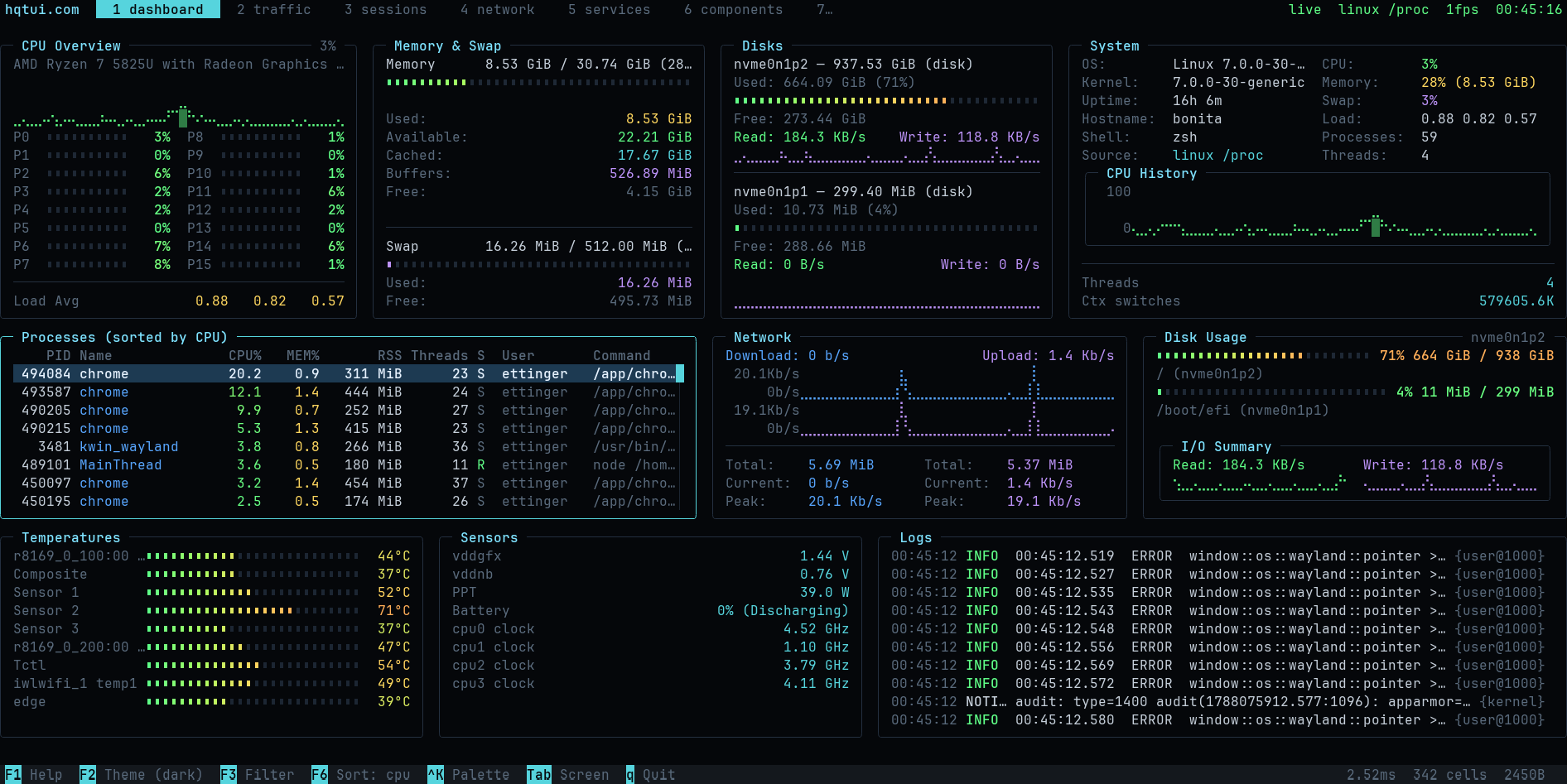
btop-grade dashboards with a one-import API, dark by default, zero runtime dependencies.
hqtui.com ·
npm ·
docs
Why
Terminal apps do not have to look like 1990s ncurses software. HQTUI owns the terminal
directly — ANSI/VT sequences, a typed-array framebuffer, differential rendering, Braille
graphics and truecolor — so a dashboard written in TypeScript can look and feel like a
modern desktop app while starting instantly and running fine over SSH.
No ncurses. No browser DOM. No React. No native addon. No network access. Ever.
Install
bun add @profullstack/hqtui
npm add @profullstack/hqtui
Hello, terminal
import { createApp } from "@profullstack/hqtui";

const app = await createApp();

app.render(({ ui }) => {
  ui.panel({ title: "Hello" }, (panel) => {
    panel.text("Hello, terminal.");
  });
});

await app.start();
That is the whole API surface you need to start. createApp() already gives you a dark
theme, truecolor with automatic 256/16-colour fallback, mouse tracking, the alternate
screen, resize handling, 30fps adaptive rendering (15 over SSH), and a terminal that is
restored no matter how the process dies — Ctrl+C, SIGTERM, or an uncaught exception.
A real dashboard
import { createApp } from "@profullstack/hqtui";

const app = await createApp({ fps: 30 });

app.render(({ ui, theme }) => {
  ui.grid({ columns: ["2fr", "1fr"], rows: [14, "1fr"], gap: 1 }, (grid) => {
    grid.panel({ title: "CPU" }, (p) => {
      p.graph({ values: cpuHistory, min: 0, max: 100, fill: true });
      p.meters(cores.map((value, i) => ({ label: `P${i}`, value })), { columns: 2 });
    });

    grid.panel({ title: "Memory" }, (p) => {
      p.meter({ label: "Used", value: 0.42, text: "6.7 GiB" });
      p.keyValues([{ label: "Cached", value: "4.0 GiB" }]);
    });

    grid.panel({ title: "Processes", colSpan: 2 }, (p) => {
      p.table({
        rows: processes,
        columns: [
          { key: "pid", title: "PID", width: 7, align: "right" },
          { key: "name", title: "Name" },
          { key: "cpu", title: "CPU%", width: 6, align: "right" },
        ],
      });
    });
  });
});

await app.start();
See it running
bunx @profullstack/hqtui-demo
bunx @profullstack/hqtui-demo --sim
hqtui doctor
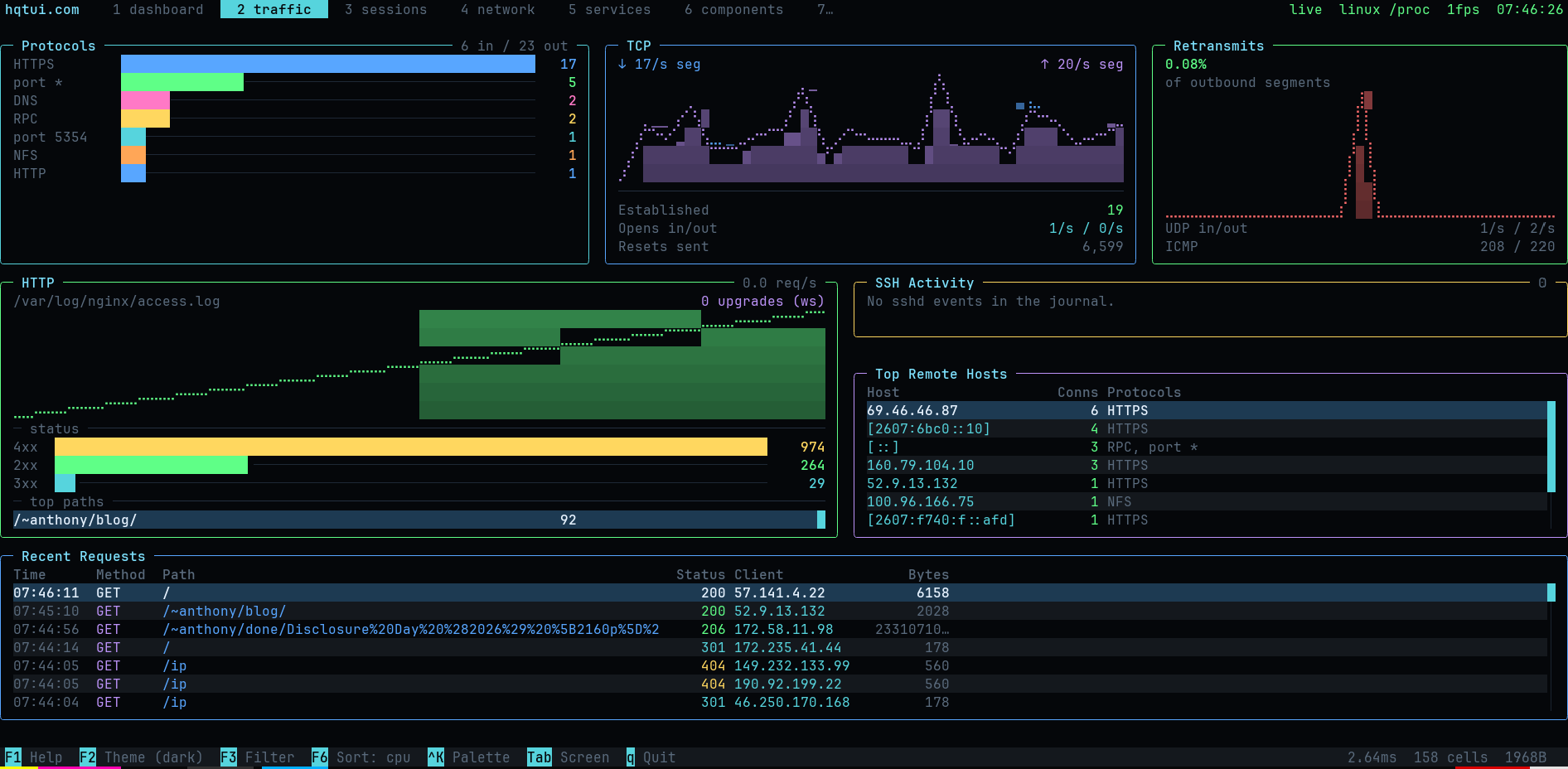
Ten screens covering system metrics, network traffic by protocol, HTTP requests, SSH
activity, sessions, services and the full widget catalogue.
What is in the box
| Layout | rows, columns, grid with spans, "40%", "2fr", auto, min/max, padding, gaps, clipping, responsive breakpoints |
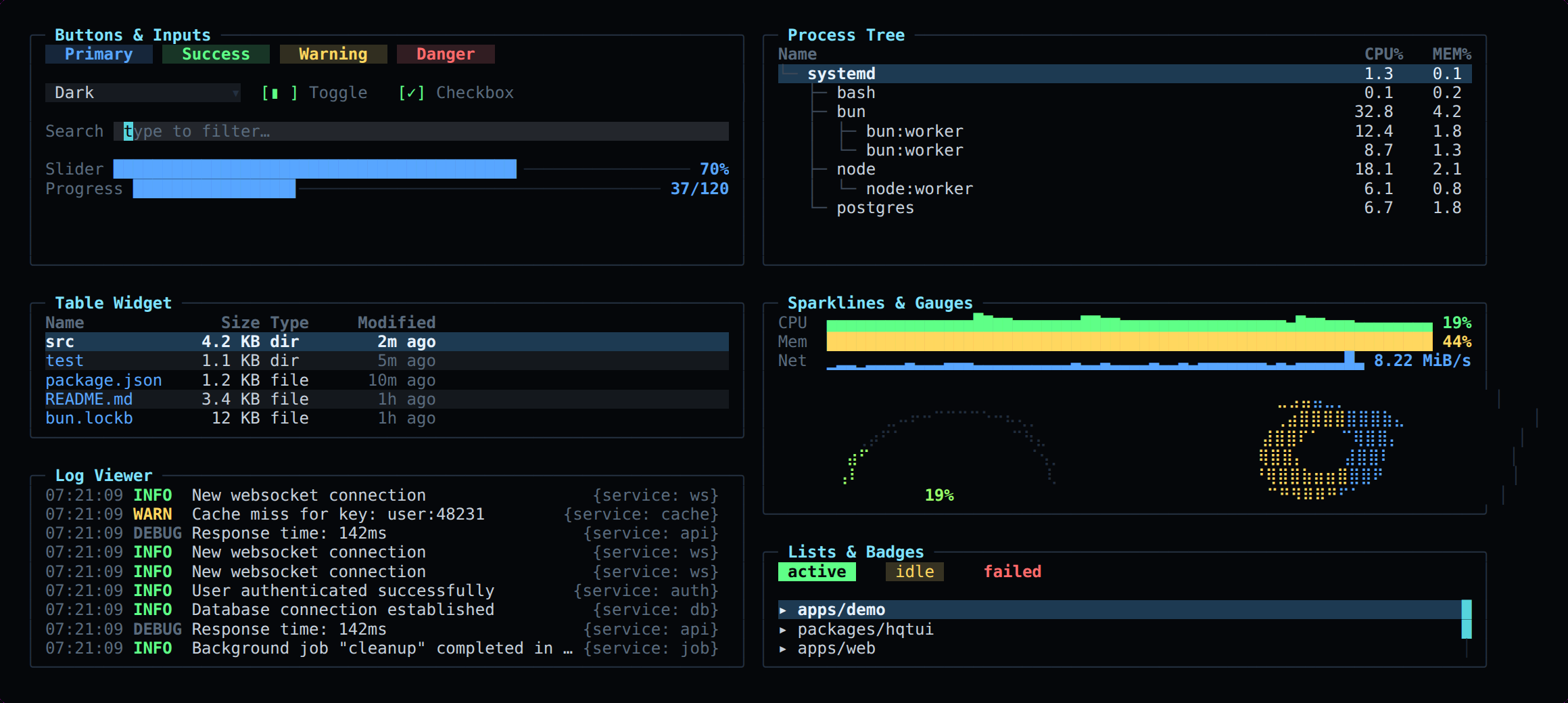
| Widgets | panel, table, tree, list, log viewer, key/values, meter, gauge, donut, progress, sparkline, line/area/multi-series graph, histogram, heat bar, tabs, status bar, button, checkbox, toggle, radio, select, text input, modal, command palette, tooltip, badge, divider |
| Graphics | Braille canvas (2×4 pixels per cell), block/half-block/quadrant/ASCII modes, gradients, software alpha blending |
| Color | 24-bit truecolor, automatic 256 and 16-colour quantization, NO_COLOR, monochrome and high-contrast modes |
| Themes | dark (default), dracula, nord, tokyo night, gruvbox, matrix, monochrome, high contrast, light — plus defineTheme() |
| Input | normalized keys with modifiers, SGR mouse (click, drag, scroll, move), bracketed paste, focus events, Tab focus traversal |
| Testing | headless renderer: renderToText, renderToScreen, renderToAnsi, renderToHtml — no TTY required |
Testing your TUI
Terminal apps are usually untestable. Here they are not:
import { renderToScreen } from "@profullstack/hqtui";

const screen = renderToScreen(({ ui }) => ui.panel({ title: "CPU" }, (p) => p.text("72%")), {
  width: 40,
  height: 6,
});

expect(screen.contains("72%")).toBe(true);
expect(screen.cell(2, 0).fg).toBe(theme.title);
Performance
The screen is one grid of cells in four typed arrays — no object is allocated per cell.
Each frame is diffed against the previous one and only the changed runs are written,
with a model of the terminal's pen so no redundant escape sequence is emitted.
Changing CPU 72% to CPU 73% writes a single character, not a screen.
bun run bench
Runtimes
Bun is the default. Node 22.6+ runs everything unchanged (it strips TypeScript natively).
Deno support is best-effort. Tested on Linux, macOS and Windows Terminal; degrades
gracefully on limited terminals (no mouse, quantized color, ASCII instead of Braille).
License
MIT.



