

Company News
Jerod Santo Joins Socket as Head of Media
Allow myself to introduce... myself.
By Jerod Santo - Sep 14, 2026
@profullstack/hqtui
Advanced tools
High Quality Terminal UI for TypeScript. btop-grade dashboards with a one-import API, dark by default, zero runtime dependencies.
High Quality Terminal UI for TypeScript
btop-grade dashboards with a one-import API, dark by default, zero runtime dependencies.
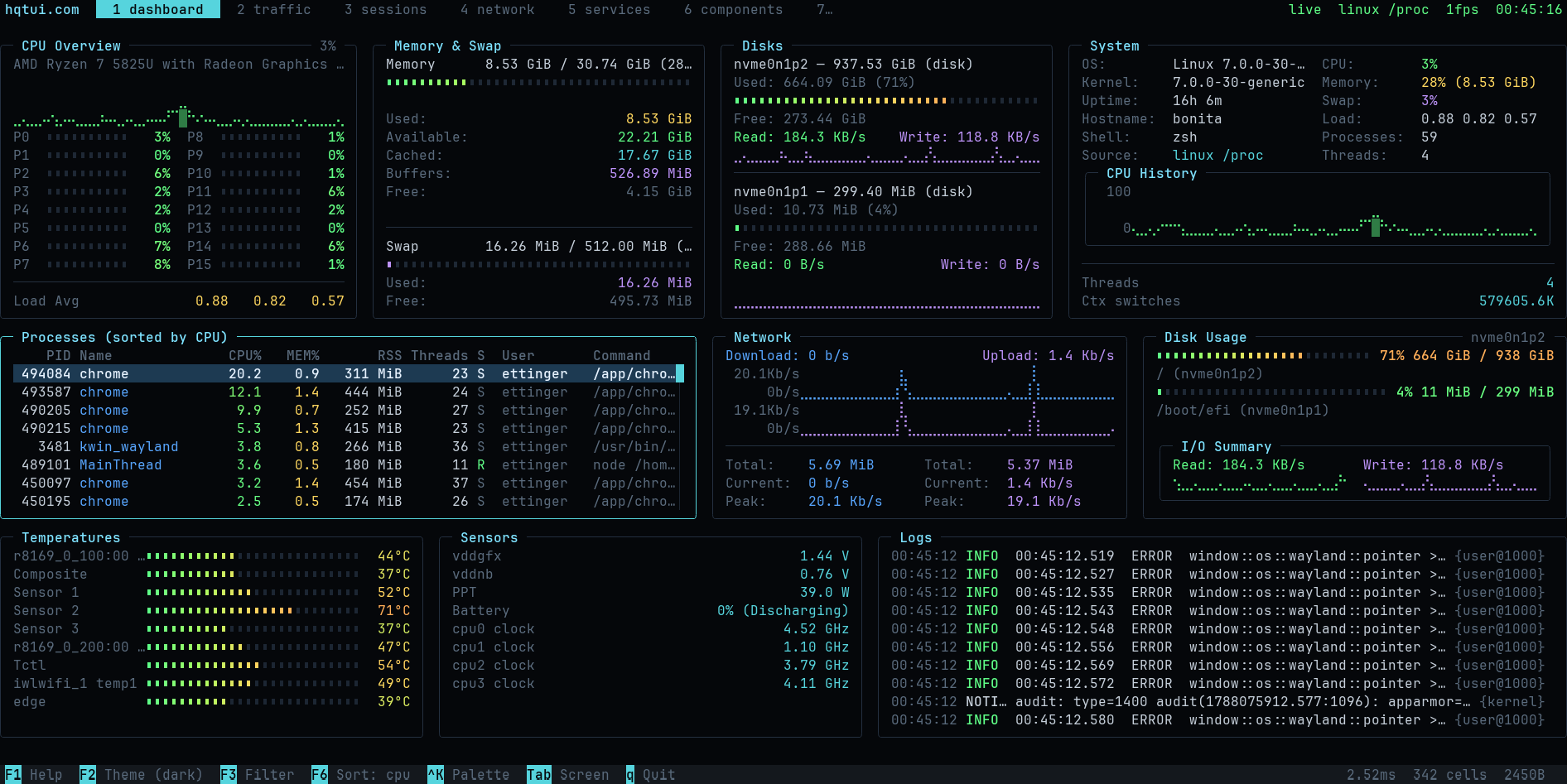
Terminal apps do not have to look like 1990s ncurses software. HQTUI owns the terminal directly — ANSI/VT sequences, a typed-array framebuffer, differential rendering, Braille graphics and truecolor — so a dashboard written in TypeScript can look and feel like a modern desktop app while starting instantly and running fine over SSH.
No ncurses. No browser DOM. No React. No native addon. No network access. Ever.
bun add @profullstack/hqtui # Bun is the default runtime
npm add @profullstack/hqtui # Node 22.6+ works too
import { createApp } from "@profullstack/hqtui";

const app = await createApp();

app.render(({ ui }) => {
  ui.panel({ title: "Hello" }, (panel) => {
    panel.text("Hello, terminal.");
  });
});

await app.start();
That is the whole API surface you need to start. createApp() already gives you a dark
theme, truecolor with automatic 256/16-colour fallback, mouse tracking, the alternate
screen, resize handling, 30fps adaptive rendering (15 over SSH), and a terminal that is
restored no matter how the process dies — Ctrl+C, SIGTERM, or an uncaught exception.
import { createApp } from "@profullstack/hqtui";

const app = await createApp({ fps: 30 });

app.render(({ ui, theme }) => {
  ui.grid({ columns: ["2fr", "1fr"], rows: [14, "1fr"], gap: 1 }, (grid) => {
    grid.panel({ title: "CPU" }, (p) => {
      p.graph({ values: cpuHistory, min: 0, max: 100, fill: true });
      p.meters(cores.map((value, i) => ({ label: `P${i}`, value })), { columns: 2 });
    });

    grid.panel({ title: "Memory" }, (p) => {
      p.meter({ label: "Used", value: 0.42, text: "6.7 GiB" });
      p.keyValues([{ label: "Cached", value: "4.0 GiB" }]);
    });

    grid.panel({ title: "Processes", colSpan: 2 }, (p) => {
      p.table({
        rows: processes,
        columns: [
          { key: "pid", title: "PID", width: 7, align: "right" },
          { key: "name", title: "Name" },
          { key: "cpu", title: "CPU%", width: 6, align: "right" },
        ],
      });
    });
  });
});

await app.start();
bunx @profullstack/hqtui-demo          # your real machine
bunx @profullstack/hqtui-demo --sim    # deterministic simulation
hqtui doctor                           # what your terminal supports
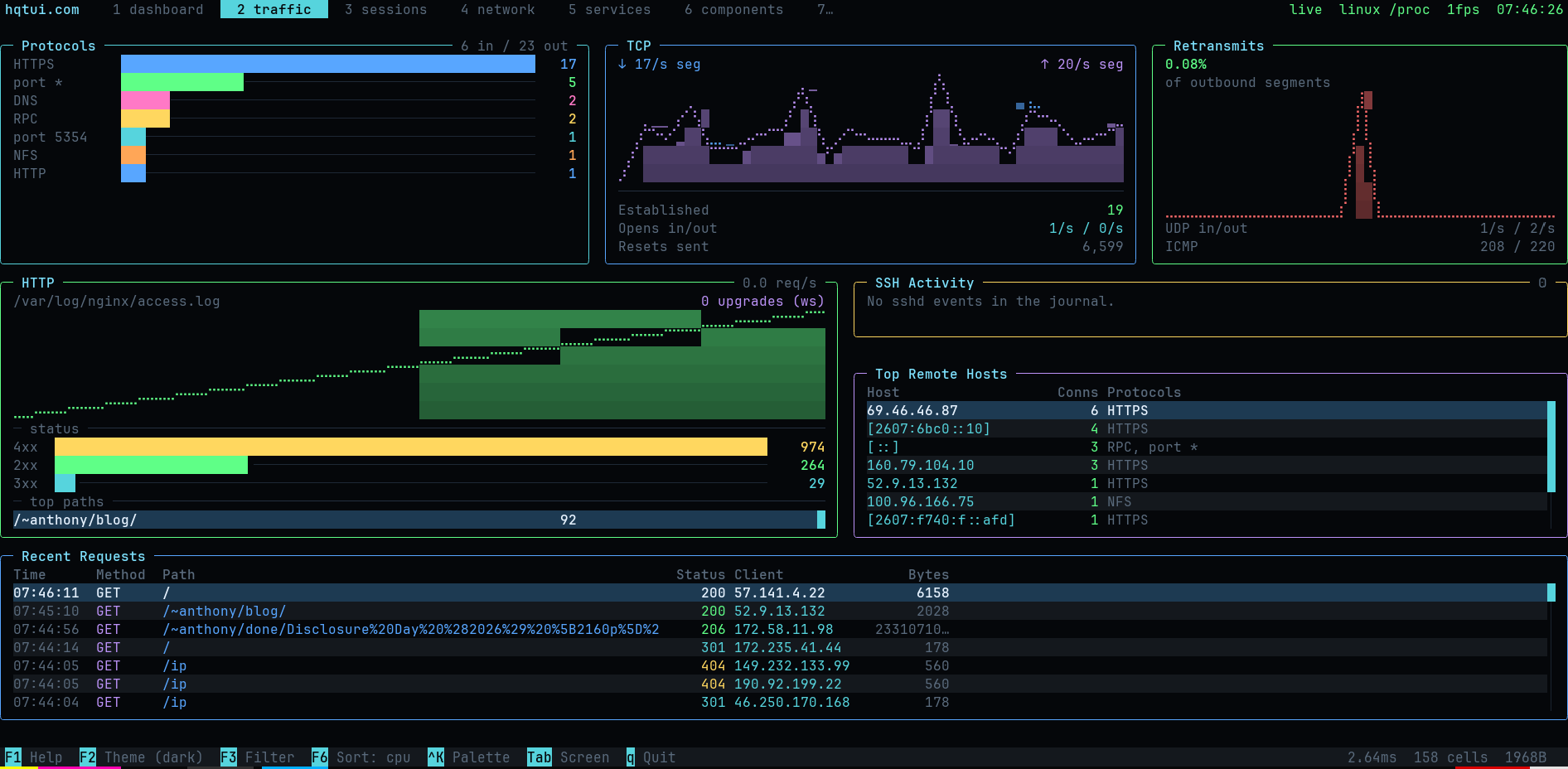
Ten screens covering system metrics, network traffic by protocol, HTTP requests, SSH activity, sessions, services and the full widget catalogue.
| Layout | rows, columns, grid with spans, "40%", "2fr", auto, min/max, padding, gaps, clipping, responsive breakpoints |
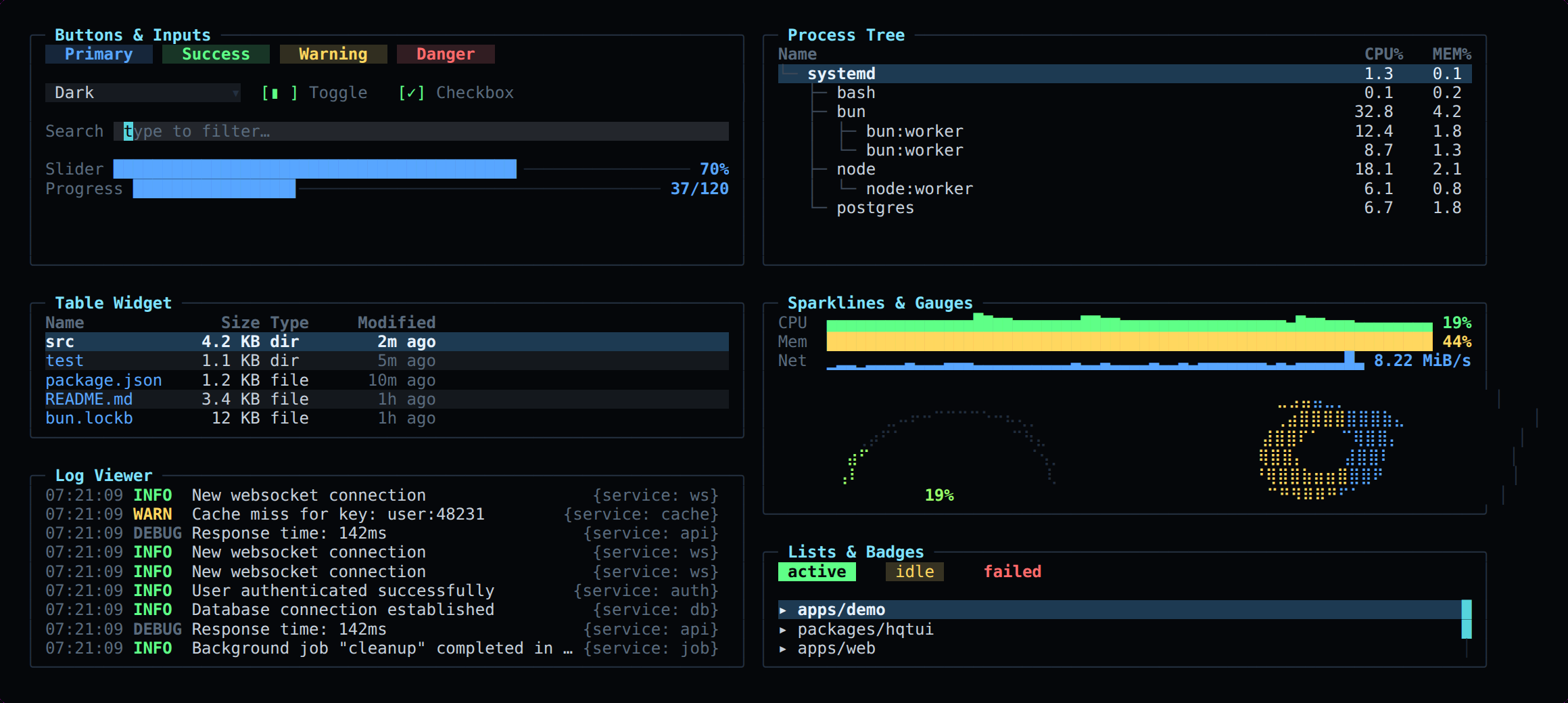
| Widgets | panel, table, tree, list, log viewer, key/values, meter, gauge, donut, progress, sparkline, line/area/multi-series graph, histogram, heat bar, tabs, status bar, button, checkbox, toggle, radio, select, text input, modal, command palette, tooltip, badge, spinner, divider |
| Graphics | Braille canvas (2×4 pixels per cell), block/half-block/quadrant/ASCII modes, gradients, software alpha blending |
| Color | 24-bit truecolor, automatic 256 and 16-colour quantization, NO_COLOR, monochrome and high-contrast modes |
| Themes | dark (default), dracula, nord, tokyo night, gruvbox, matrix, monochrome, high contrast, light — plus defineTheme() |
| Input | normalized keys with modifiers, SGR mouse (click, drag, scroll, move), bracketed paste, focus events, Tab focus traversal |
| Testing | headless renderer: renderToText, renderToScreen, renderToAnsi, renderToHtml — no TTY required |
Terminal apps are usually untestable. Here they are not:
import { renderToScreen } from "@profullstack/hqtui";

const screen = renderToScreen(({ ui }) => ui.panel({ title: "CPU" }, (p) => p.text("72%")), {
  width: 40,
  height: 6,
});

expect(screen.contains("72%")).toBe(true);
expect(screen.cell(2, 0).fg).toBe(theme.title);
The screen is one grid of cells in four typed arrays — no object is allocated per cell. Each frame is diffed against the previous one and only the changed runs are written, with a model of the terminal's pen so no redundant escape sequence is emitted.
Changing CPU 72% to CPU 73% writes a single character, not a screen.
bun run bench
Bun is the default. Node 22.6+ runs everything unchanged (it strips TypeScript natively). Deno support is best-effort. Tested on Linux, macOS and Windows Terminal; degrades gracefully on limited terminals (no mouse, quantized color, ASCII instead of Braille).
MIT.
Enable copy icons for summary panes throughout an app:
const app = await createApp({
  copyMarkdown: true,
  markdownContext: () => `Host: ${hostname}\nReporting period: ${period}`,
});

app.render(({ ui }) => {
  ui.panel({ title: "Status" }, (p) => {
    p.keyValues([{ label: "Connection", value: "Ready" }]);
  });
  ui.copyButton({ markdown: () => "## Status\n\nReady\n", width: 6 });
});
Click ⧉ MD, or Tab / Shift+Tab to focus a control and Enter / Space to copy.
Other navigation keys return focus to the app. ASCII terminals display C MD;
narrow panes show only the icon. A short notice confirms the clipboard request.
Automatic exports include the pane title, subtitle, context, text, labeled values, meters, progress, and graph summaries (latest/min/max/sample count). Values are captured before wrapping and clipping. Tables, lists, logs, trees, input fields, and raw drawing callbacks are excluded. Panels containing only data rows have no copy icon. Layout branches that the app does not build cannot be exported.
Set copyMarkdown: true on one panel or modal to enable it individually,
copyMarkdown: false to exclude it (including from parent exports), or provide
a Markdown string/callback for a custom summary. ui.copyButton() places the
same control in a status strip or custom layout. Custom Markdown is copied as
provided; markdownText(value) escapes plain values for interpolation.
The default clipboard writer uses OSC 52 through the terminal, including over
SSH, and wraps the sequence for tmux. Terminal clipboard support must be enabled;
“Markdown copy sent” confirms delivery of the request, since terminals do not
acknowledge clipboard writes. Oversized exports fail explicitly instead of being
truncated. Supply clipboard: (text) => ... on createApp() to use another writer.
No shell command is run. renderToScreen() records copies in screen.copied for
interaction tests without changing the clipboard.
FAQs
High Quality Terminal UI for TypeScript. btop-grade dashboards with a one-import API, dark by default, zero runtime dependencies.
The npm package @profullstack/hqtui receives a total of 5,142 weekly downloads. As such, @profullstack/hqtui popularity was classified as popular.
We found that @profullstack/hqtui demonstrated a healthy version release cadence and project activity because the last version was released less than a year ago. It has 2 open source maintainers collaborating on the project.
Company News
Allow myself to introduce... myself.

Research
/Security News
A Twitch browser extension on Chrome and Firefox forwards users’ live OAuth session tokens through proxies controlled by a Russian bot service.

Security News
Anthropic found biased reasoning and recklessness drove Claude Mythos 5 to publish malware on PyPI and compromise a security vendor.