

Security News
Deno Goes the Way of the Dinosaur
Cloudflare is acquiring Deno’s team, which will provide another year of bug fixes and security updates before ending support for the runtime.
By Sarah Gooding - Oct 16, 2026
@reportwright/svelte
Advanced tools
Svelte actions that mount the ReportWright report viewer and drag-and-drop designer on any element.


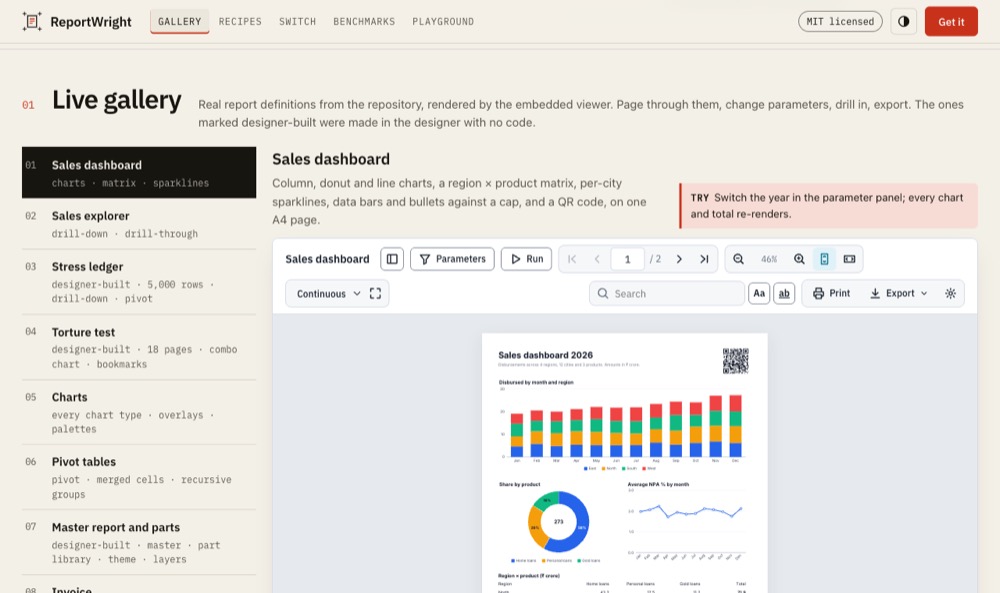
Live demo: mrarun005.github.io/reportwright-demo (Embed it shows the wrapper code; the designer playground is the designer this package mounts).
Plain JavaScript, so no compiler step and any Svelte version.
npm i @reportwright/svelte @reportwright/viewer @reportwright/fonts
cp -r node_modules/@reportwright/fonts/public public/pw # serve the fonts as static files
Vite 7: set worker: { format: 'es' } in vite.config.js (see @reportwright/viewer's bundler setup).
<script>
  import { reportWrightViewer } from '@reportwright/svelte';
  import definition from './orders.pw.json';   // the report from @reportwright/engine's README examples
  const orders = { rows: [{ customer: 'Asha Rao', amount: 1200.5 }, { customer: 'Ben Ode', amount: 80 }] };
</script>
<div style="height: 720px" use:reportWrightViewer={{ definition, data: { orders }, fontsUrl: '/pw/fonts/' }}></div>
The action was verified against this version with Vite 7 in Chromium (called directly, as Svelte calls it).
Get the handle, re-run with parameters, export:
<script>
  let viewer;
  const excel = async () => open(URL.createObjectURL(await viewer.export('xlsx')));
</script>
<button on:click={() => viewer.setParameters({ minAmount: 100 })}>Over 100</button>
<button on:click={excel}>Excel</button>
<div use:reportWrightViewer={{ definition, data: { orders }, fontsUrl: '/pw/fonts/', onReady: (h) => (viewer = h), onError: console.error }}></div>
Edit a report and save it to your own API:
<div use:reportWrightDesigner={{ definition, fontsUrl: '/pw/fonts/', onSave: (def) => fetch('/api/reports/orders', { method: 'PUT', body: JSON.stringify(def) }) }}></div>
With a self-hosted ReportWright server:
<div use:reportWrightViewer={{ server: 'https://reports.example.com', report: 'invoice', params: { id } }}></div>
<div use:reportWrightDesigner={{ server, definition, onSave: save }}></div>
A runnable app is in the repository's examples/svelte.
| Meaning | |
|---|---|
everything of mountViewer / mountDesigner | full table in @reportwright/viewer |
onReady(handle) | the ViewerHandle / DesignerHandle |
onError(error) | the viewer's code did not load (the element shows the message) |
When the options change, the viewer remounts only if what it shows changed (compared by content, callbacks ignored); the designer only for another server, report, readOnly or definition content, so it keeps its edits. destroy unmounts.
Any Svelte version (peer svelte >= 3). Browsers and limits are the viewer's: see @reportwright/viewer.
No server needed: pass definition, data (JSON by data source name) and fontsUrl (a copy of @reportwright/fonts/public/fonts). server (the self-hosted ReportWright server) is optional: see what works standalone.
@reportwright/viewer (what this wraps), @reportwright/engine, @reportwright/fonts, and the react, vue and angular wrappers.
MIT.
FAQs
Svelte actions for the ReportWright report viewer and designer.
The npm package @reportwright/svelte receives a total of 0 weekly downloads. As such, @reportwright/svelte popularity was classified as not popular.
We found that @reportwright/svelte demonstrated a healthy version release cadence and project activity because the last version was released less than a year ago. It has 1 open source maintainer collaborating on the project.
Security News
Cloudflare is acquiring Deno’s team, which will provide another year of bug fixes and security updates before ending support for the runtime.

Security News
Anthropic’s free OSS Scanner uses Mythos and other Claude models to find open source vulnerabilities and send maintainers reports with proposed fixes.

Security News
On Front Lines’ Early Adopters: CISO podcast, Andrew Becherer shares lessons from Datadog, weighs the long-term costs of AI-built tools, and explains how founders can actually gain a CISO’s trust.