

Product
Socket for Asana Is Now Available
Create and manage Asana tasks directly from Socket alerts, with manual task creation, automated ticketing rules, and two-way sync.
By Jeppe Hasseriis - Aug 25, 2026
@rnaga/wp-next-cli
Advanced tools
WP-Next is built with Next.js and WP-Node. It provides two complementary products for building WordPress-powered applications where every layer is written from scratch in TypeScript and React — no PHP involved.
For guides, concepts, and examples, the documentation site is the best starting point.
WP-Next Editor is a visual, drag-and-drop page editor for building public-facing pages directly connected to your WordPress database. Pages are stored as structured Lexical JSON in the WordPress database — making them version-controllable, programmatically manipulable, and AI-ready.
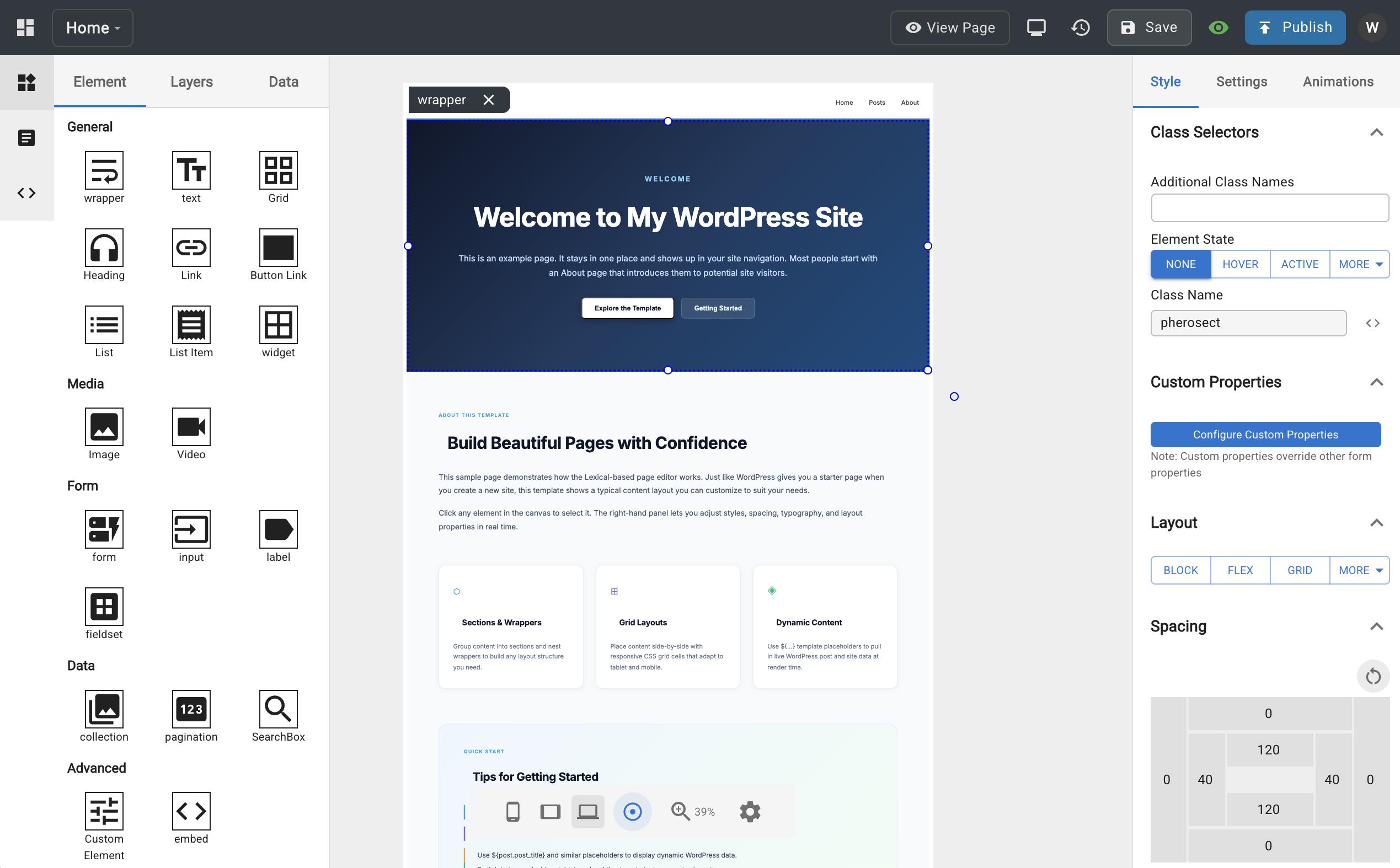
@media query at render time.Run a ready-made WP-Next Editor example using Docker:
docker run --rm --init -it --name wp-next-editor-example -p 3000:3000 \
  -v wp-next-editor_public:/app/editor/public \
  -v wp-next-editor_db:/var/lib/mysql \
  rnagat/wp-next-editor-example:latest
Log in with:
Username: wp
Password: wp
To stop the container:
docker stop wp-next-editor-example
npx @rnaga/wp-next-cli -- initEditor
See the Editor Installation guide for the full setup walkthrough.
wp-next-editorincludeswp-next-adminout of the box. See WP-Next Admin below for what it provides.
WP-Next Editor ships with a built-in Agent Skill (/wp-next-editor-template) that lets you build and modify templates using natural-language prompts. All templates are stored as Lexical JSON, so AI agents can read, write, and transform them directly.
Agent Skills is an open standard supported by Claude Code, OpenAI Codex, GitHub Copilot, Cursor, Gemini CLI, VS Code, and more. Install the skill once and use it with whichever coding agent you prefer.
The skill supports four modes:
| Mode | What it does |
|---|---|
create | Scaffold a new template from a natural-language description |
update | Modify an existing template based on a prompt |
convert | Convert HTML/CSS into a Lexical JSON template |
help | Describe available nodes, styles, and patterns |
Install the skill with:
npx @rnaga/wp-next-cli -- editor agentSkills add
Example prompt:
/wp-next-editor-template create src/templates/home.json "A hero section with a full-width background image, centered headline, subtitle, and a CTA button"
See Using AI for installation details and more examples.
WP-Next Admin is a React-based Admin Dashboard — a headless CMS that serves as a modern alternative to the traditional WordPress Admin Dashboard.
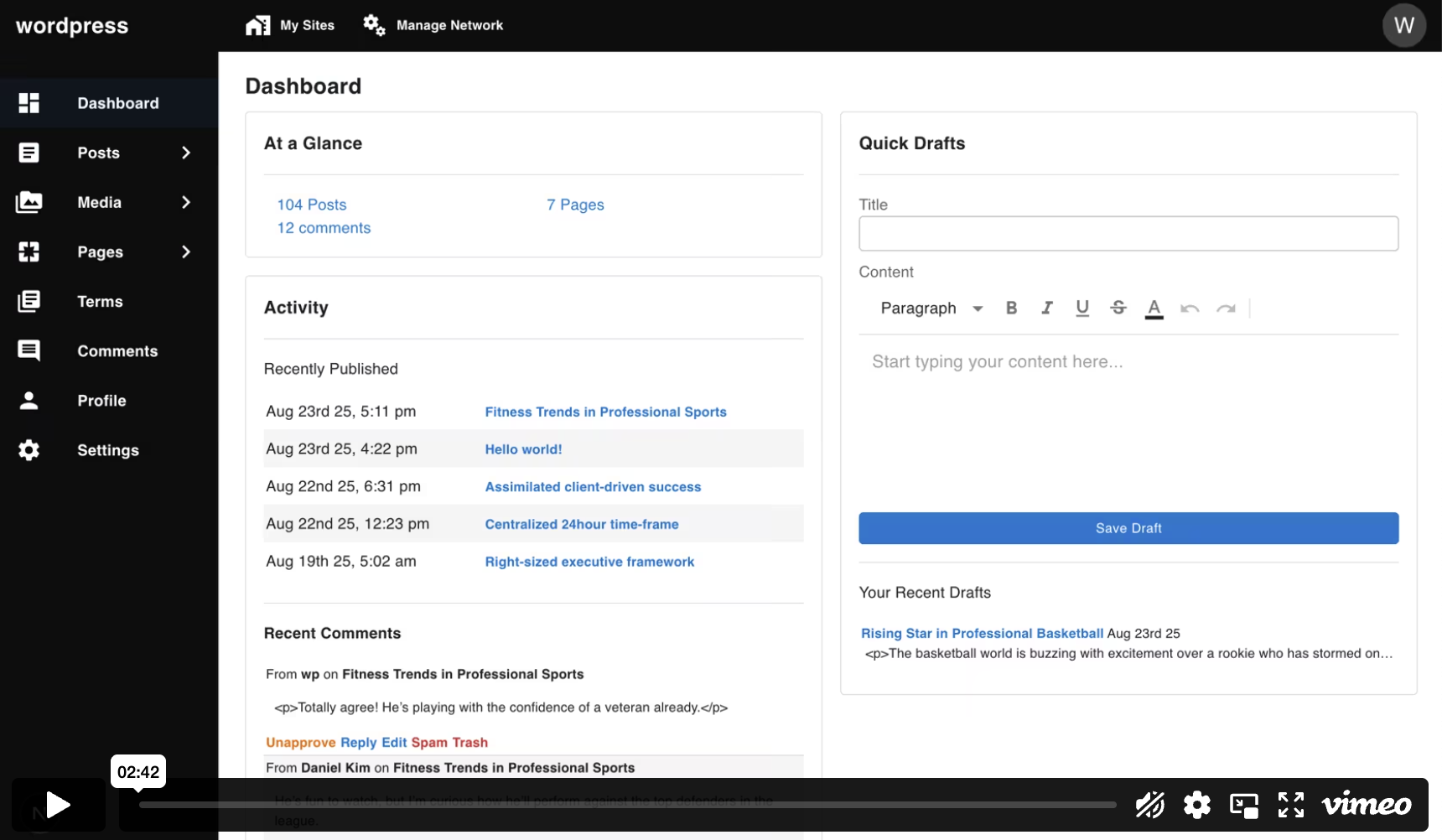
Out of the box, it includes:
In multisite mode, it also supports:
Run a ready-made WP-Next example using Docker:
docker run --rm --init -it --name wp-next-example -p 3000:3000 \
  -v wp-next-example_public:/app/admin/public \
  -v wp-next-example_db:/var/lib/mysql \
  -v wp-next-example_html:/app/html \
  rnagat/wp-next-example:latest
Visit http://localhost:3000/admin and log in with:
Username: wp
Password: wp
To stop the container:
docker stop wp-next-example
npx @rnaga/wp-next-cli -- initAdmin
See the Admin Getting Started guide for the full setup walkthrough.
WP-Next Admin supports custom pages and a hook system (filters and actions) inspired by WordPress hooks but built for TypeScript and Node.js. Frontend hooks extend the Admin UI in the browser; backend hooks handle server-side concerns such as authentication, media uploads, and integrations.
See Hooks and Custom Admin Pages in the documentation.
Both products require a running WordPress database. If you don't already have WordPress installed, see the WP-Node installation guide for instructions on running it with Docker.
MIT
FAQs
A command-line interface for managing WP Next projects
The npm package @rnaga/wp-next-cli receives a total of 11 weekly downloads. As such, @rnaga/wp-next-cli popularity was classified as not popular.
We found that @rnaga/wp-next-cli demonstrated a healthy version release cadence and project activity because the last version was released less than a year ago. It has 1 open source maintainer collaborating on the project.
Product
Create and manage Asana tasks directly from Socket alerts, with manual task creation, automated ticketing rules, and two-way sync.

Security News
Open VSX has removed three extension IDs from its malicious-extension list as the legitimate publishers they impersonated move to claim the names for themselves.

Product
Socket’s PHP and Composer support is now in Beta for all customers, with PHP reachability analysis generally available.