

Research
/Security News
Miasma Mini Shai-Hulud Hits ImmobiliareLabs npm Packages
Miasma Mini Shai-Hulud hits @immobiliarelabs Backstage plugins, targeting GitLab and LDAP auth packages on npm.
By Socket Research Team - Jun 26, 2026
@sendly/cli
Advanced tools
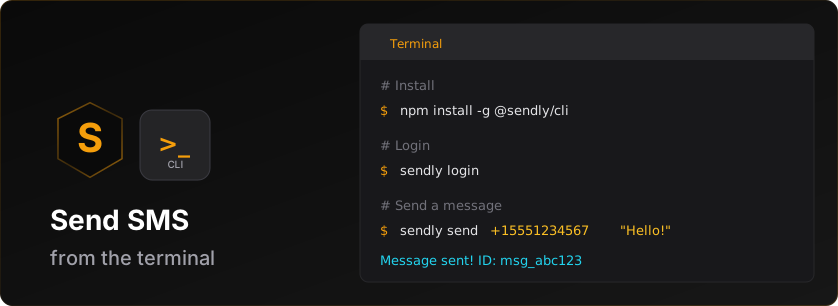


Official command-line interface for the Sendly SMS API.
npm install -g @sendly/cli
# Login to your Sendly account
sendly login

# Send an SMS
sendly sms send --to "+15551234567" --text "Hello from Sendly CLI!"

# Check your credit balance
sendly credits balance
The CLI supports two authentication methods:
sendly login
This opens your browser to authenticate via Sendly's secure login flow. After authorization, your credentials are stored locally.
sendly login --api-key sk_test_v1_your_key
Or interactively:
sendly login -i
sendly whoami
sendly logout
sendly sms send --to "+15551234567" --text "Hello!"

# With sender ID (international)
sendly sms send --to "+447700900000" --text "Hello!" --from "MyBrand"
sendly sms list

# Filter by status
sendly sms list --status delivered

# Limit results
sendly sms list --limit 10
sendly sms get msg_abc123
# From a JSON file
sendly sms batch --file messages.json

# From a CSV file (phone-only with shared text)
sendly sms batch --file phones.csv --text "Your order is ready!"

# Multiple recipients inline
sendly sms batch --to "+15551234567,+15559876543" --text "Hello everyone!"

# Preview before sending (dry run) - validates without sending
sendly sms batch --file messages.json --dry-run

# Dry run output includes:
# - Per-country breakdown with credit costs
# - Blocked messages and reasons
# - Your messaging access (domestic/international)
# - Credit balance check
sendly sms schedule --to "+15551234567" --text "Reminder!" --at "2025-12-25T10:00:00Z"
sendly sms scheduled
sendly sms cancel sched_abc123
sendly keys list
sendly keys create --name "Production Key" --type live
sendly keys revoke key_abc123
sendly credits balance
Output includes:
sendly credits history

# Limit results
sendly credits history --limit 20
sendly webhooks list
Start a local tunnel to receive webhook events during development (similar to Stripe CLI):
sendly webhooks listen

# Forward to a specific URL
sendly webhooks listen --forward http://localhost:3000/webhook

# Listen for specific events
sendly webhooks listen --events message.delivered,message.failed
This creates a secure tunnel and displays:
sendly webhooks create --url https://myapp.com/webhook --events message.delivered,message.failed

# With description and mode
sendly webhooks create \
  --url https://myapp.com/webhook \
  --events message.delivered,message.failed,message.bounced \
  --description "Production webhook" \
  --mode live
sendly webhooks get whk_abc123
sendly webhooks update whk_abc123 --url https://newdomain.com/webhook

# Update events
sendly webhooks update whk_abc123 --events message.delivered,message.bounced

# Disable webhook
sendly webhooks update whk_abc123 --active false
sendly webhooks delete whk_abc123

# Skip confirmation
sendly webhooks delete whk_abc123 --yes
sendly webhooks test whk_abc123
sendly webhooks deliveries whk_abc123

# Show only failed deliveries
sendly webhooks deliveries whk_abc123 --failed-only --limit 20
sendly webhooks rotate-secret whk_abc123
Note: Old secret remains valid for 24 hours during migration.
sendly verify send --to "+15551234567"

# With custom app name
sendly verify send --to "+15551234567" --app-name "MyApp"

# With template
sendly verify send --to "+15551234567" --template tpl_preset_2fa

# Custom code length and timeout
sendly verify send --to "+15551234567" --code-length 6 --timeout 300
sendly verify check ver_abc123 --code 123456
sendly verify status ver_abc123
sendly verify list

# Limit results
sendly verify list --limit 10
sendly verify resend ver_abc123
sendly templates list
sendly templates get tpl_abc123

# Get a preset template
sendly templates get tpl_preset_2fa
sendly templates create --name "My OTP" --text "Your code is {{code}}"
Supported variables: {{code}}, {{app_name}}
sendly templates publish tpl_abc123
sendly templates delete tpl_abc123

# Skip confirmation
sendly templates delete tpl_abc123 --force
sendly templates presets
Stream real-time API activity:
sendly logs tail

# Filter by status
sendly logs tail --status error
sendly config get baseUrl
sendly config set baseUrl https://sendly.live
sendly config list
Run diagnostics to check your setup:
sendly doctor
This checks:
sendly status
Shows account overview including:
For testing with webhooks listen:
sendly trigger message.delivered
sendly trigger message.bounced
Override CLI configuration with environment variables:
| Variable | Description |
|---|---|
SENDLY_API_KEY | API key for authentication |
SENDLY_BASE_URL | API base URL (default: https://sendly.live) |
SENDLY_OUTPUT_FORMAT | Output format: text or json |
SENDLY_NO_COLOR | Disable colored output |
SENDLY_TIMEOUT | Request timeout in milliseconds |
SENDLY_MAX_RETRIES | Maximum retry attempts |
Human-readable formatted output with colors.
Machine-readable JSON output for scripting:
sendly sms list --json
sendly credits balance --json
For non-interactive environments:
# Set API key via environment variable
export SENDLY_API_KEY=sk_live_v1_your_key

# Or pass directly
sendly sms send --api-key sk_live_v1_your_key --to "+15551234567" --text "Hello!"

# Use JSON output for parsing
sendly credits balance --json | jq '.balance'
Configuration is stored in:
~/.sendly/config.json%USERPROFILE%\.sendly\config.jsonWhen using sendly webhooks listen, verify signatures in your app:
import crypto from 'crypto';

function verifyWebhook(payload, signature, secret) {
  const expectedSig = 'v1=' + crypto
    .createHmac('sha256', secret)
    .update(payload)
    .digest('hex');

  return crypto.timingSafeEqual(
    Buffer.from(signature),
    Buffer.from(expectedSig)
  );
}
MIT
FAQs
Sendly CLI - Send SMS from your terminal
The npm package @sendly/cli receives a total of 107 weekly downloads. As such, @sendly/cli popularity was classified as not popular.
We found that @sendly/cli demonstrated a healthy version release cadence and project activity because the last version was released less than a year ago. It has 1 open source maintainer collaborating on the project.
Did you know?

Socket for GitHub automatically highlights issues in each pull request and monitors the health of all your open source dependencies. Discover the contents of your packages and block harmful activity before you install or update your dependencies.
Research
/Security News
Miasma Mini Shai-Hulud hits @immobiliarelabs Backstage plugins, targeting GitLab and LDAP auth packages on npm.

Security News
Rolldown paused Rust React Compiler integration after a 5MB binary size increase raised concerns about shipping React-specific code to all Vite users.

Security News
/Research
Mini Shai-Hulud expands into the Go ecosystem after hitting LeoPlatform npm packages and targeting GitHub Actions workflows.