React Native perspective image cropper 📐🖼
A component that allows you to perform custom image crop and perspective correction !

Designed to work with React Native Document Scanner
https://github.com/Michaelvilleneuve/react-native-document-scanner
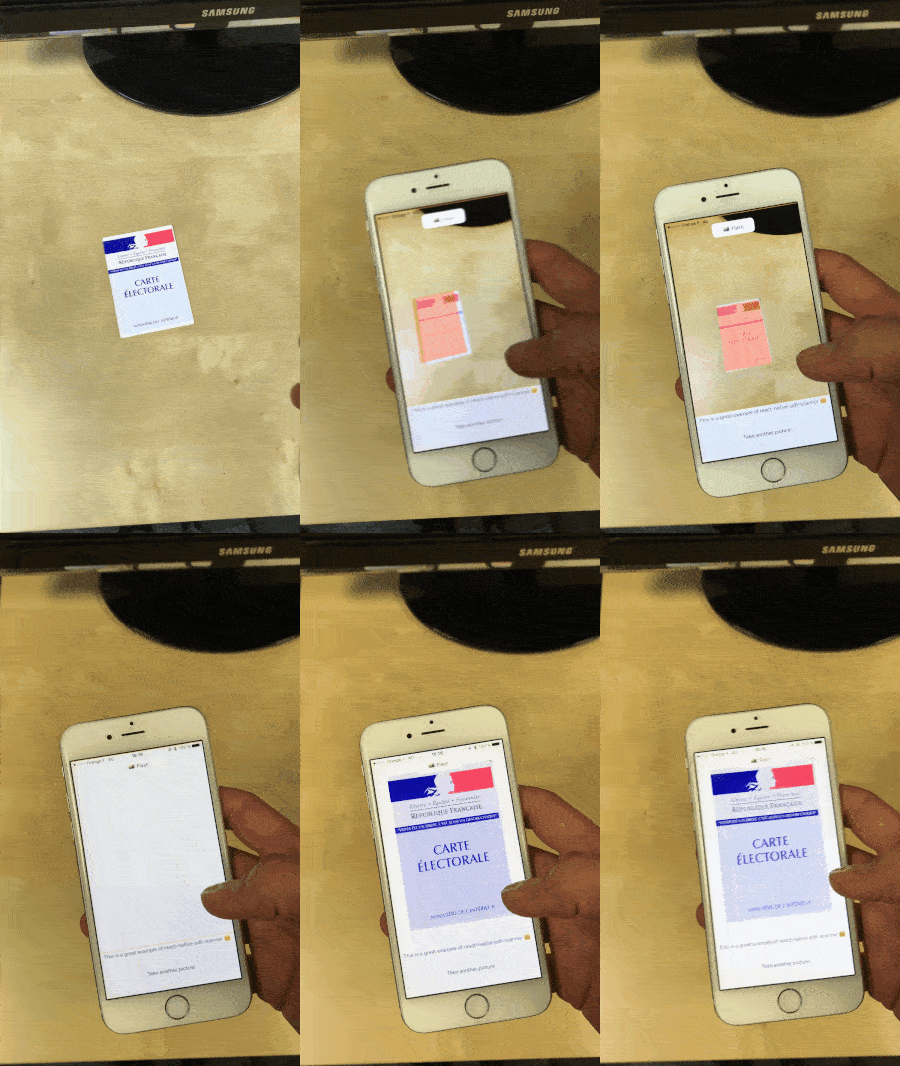
Installation 🚀🚀
$ npm install react-native-perspective-image-cropper --save
$ react-native link react-native-perspective-image-cropper
This library uses react-native-svg, you must install it too. See https://github.com/react-native-community/react-native-svg for more infos.
Android Only
If you do not already have openCV installed in your project, add this line to your settings.gradle
include ':openCVLibrary310'
project(':openCVLibrary310').projectDir = new File(rootProject.projectDir,'../node_modules/react-native-perspective-image-cropper/android/openCVLibrary310')
Crop image
<CustomCrop ref={ref => (this.customCrop = ref)} />
this.customCrop.crop();
Props
updateImage | Func | Yes | Returns the cropped image and the coordinates of the cropped image in the initial photo |
rectangleCoordinates | Object see usage | No | Object to predefine an area to crop (an already detected image for example) |
initialImage | String | Yes | Base64 encoded image you want to be cropped |
height | Number | Yes | Height of the image (will probably disappear in the future |
width | Number | Yes | Width of the image (will probably disappear in the future |
overlayColor | String | No | Color of the cropping area overlay |
overlayStrokeColor | String | No | Color of the cropping area stroke |
overlayStrokeWidth | Number | No | Width of the cropping area stroke |
handlerColor | String | No | Color of the handlers |
enablePanStrict | Bool | No | Enable pan on X axis, and Y axis |
Usage
import CustomCrop from "react-native-perspective-image-cropper";

class CropView extends Component {
  componentWillMount() {
    Image.getSize(image, (width, height) => {
      this.setState({
        imageWidth: width,
        imageHeight: height,
        initialImage: image,
        rectangleCoordinates: {
          topLeft: { x: 10, y: 10 },
          topRight: { x: 10, y: 10 },
          bottomRight: { x: 10, y: 10 },
          bottomLeft: { x: 10, y: 10 }
        }
      });
    });
  }

  updateImage(image, newCoordinates) {
    this.setState({
      image,
      rectangleCoordinates: newCoordinates
    });
  }

  crop() {
    this.customCrop.crop();
  }

  render() {
    return (
      <View>
        <CustomCrop
          updateImage={this.updateImage.bind(this)}
          rectangleCoordinates={this.state.rectangleCoordinates}
          initialImage={this.state.initialImage}
          height={this.state.imageHeight}
          width={this.state.imageWidth}
          ref={ref => (this.customCrop = ref)}
          overlayColor="rgba(18,190,210, 1)"
          overlayStrokeColor="rgba(20,190,210, 1)"
          handlerColor="rgba(20,150,160, 1)"
          enablePanStrict={false}
        />
        <TouchableOpacity onPress={this.crop.bind(this)}>
          <Text>CROP IMAGE</Text>
        </TouchableOpacity>
      </View>
    );
  }
}



