Website ·
CLI docs ·
CI setup ·
Desktop app ·
Release notes


Free of charge · no account · no import step, no export step — your files stay where they are
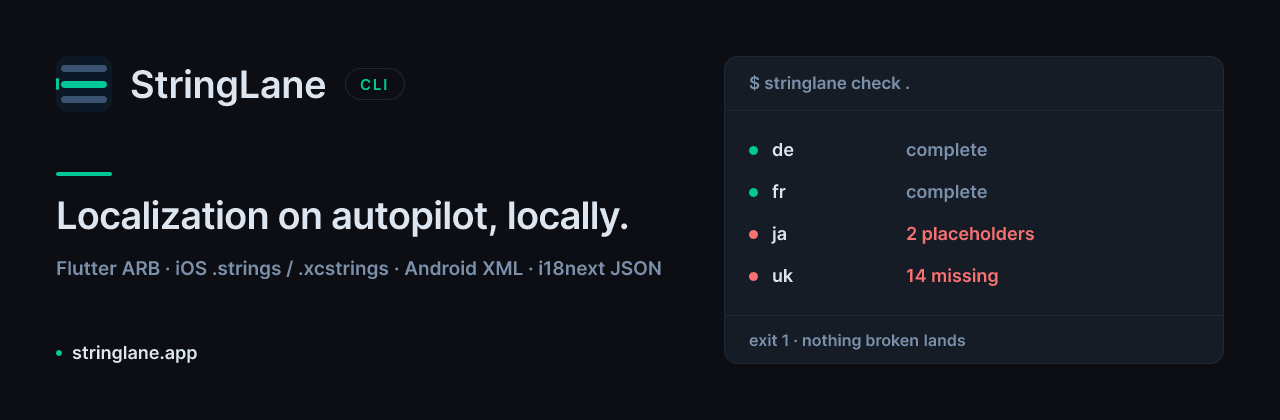
Localization checks for your terminal and CI. Point it at a project folder; it
tells you what is missing, what is broken, and sets an exit code CI can branch
on.
Nothing writes without asking you first. inspect, check, plan and
validate are read-only, and that is enforced rather than promised: a test suite
snapshots every file's contents, size and modification time before and after each
command and fails if anything moved. The commands that do write — init,
apply, update, describe, add-locale, context --from, baseline write —
each ask for confirmation, and refuse outright when there is no terminal to ask
unless you pass --yes. A run that cannot ask does not guess.
Supports ARB (Flutter), iOS .strings / .stringsdict / .xcstrings, Android
XML, and i18next JSON.
Install
npm i -g @stringlane/cli
Or run it without installing:
npx @stringlane/cli check .
The binary is stringlane. One bundled file, no runtime dependencies, Node 22
or newer. The tarball carries dist/stringlane.js, LICENSE,
THIRD-PARTY-NOTICES.md and package.json — no sourcemap, deliberately.
Commands
stringlane <command> [project] [flags]
[project] defaults to the current directory.
Reading your project
inspect | Reports what the project holds and what is missing | no |
check | Validates and sets an exit code for CI | no |
scan | Finds keys your code no longer calls, and keys it calls that do not exist. --ignore-key-pattern / --ignore-file (repeatable) silence a family; stringlane.yaml's ignoreKeyPatterns / ignoreFilePatterns make it permanent, and the flags add to that list | no |
plan | Lists what needs translating, for an agent to work from | no |
validate | Checks an agent's translations without touching your files | no |
Changing your project — every one of these asks first, or refuses without a
terminal unless you pass --yes.
init | Detects the project and writes stringlane.yaml |
apply | Writes an agent's translations into your locale files |
update | Translates the missing strings with your own AI provider, then writes them |
describe | Writes key descriptions, so translations are made with context |
add-locale | Creates the file for a locale the project does not have yet |
context | Shows the product and terminology context; writes it with --from |
baseline write | Records today's issues so CI can start clean |
For AI agents
mcp | Serves this project to an agent over MCP (stdio) |
setup mcp | Shows — or with --apply, writes — your agent's MCP config |
setup hooks | Shows — or with --apply, writes — the write guard in your agent's settings |
hook | Answers an agent host's pre-write hook (reads stdin; not run by hand) |
Settings
telemetry status|on|off | Shows or changes whether usage data is sent |
stringlane --help lists every flag, and stringlane <command> --help lists the
ones a single command takes.
Flags
The ones worth knowing before you read --help:
--json | inspect, check, plan, … | Emit the raw result envelope instead of human text |
--output <file> | report commands | Write the report to a file rather than stdout |
--fail-on <codes> | check | Only these issue codes set exit 1 (comma-separated) |
--target <locales> | plan | Only plan these locales (comma-separated) |
--yes | every writing command | Skip the confirmation prompt |
--force | init, setup mcp | Overwrite what is already there |
--apply | setup mcp, setup hooks | Write the change instead of printing it |
--provider, --model | update | AI provider and model; default to $STRINGLANE_AI_PROVIDER / $STRINGLANE_AI_MODEL |
--help, --version | all | Show help; print the version |
--fail-on decides which findings the exit code is computed from, in both
directions: naming a code that is present exits 1 — including an informational
finding that would not have failed on its own — and naming codes that are all
absent exits 0. Nothing moves unless you ask twice, by passing the flag and
naming the code; a run without --fail-on behaves exactly as it always has. A
run that could not read your project still exits 2 no matter what you pass.
Bring your own key. update is the only command that talks to an AI
provider, and it uses your key from your environment. StringLane never has one
of its own, never writes yours anywhere, and never puts it in a plan, a report,
or a log.
Exit codes
0 | No issues |
1 | The project has localization issues |
2 | The command could not run |
A broken gate and a failing gate are different things. 2 means
stringlane never got far enough to have an opinion — a folder that is not a
project, a config pointing outside the repository, a flag it does not
recognise. A CI job that treats "non-zero" as "translations are missing" will
report the wrong problem on the day it matters most.
In CI
- uses: actions/setup-node@v7
  with: { node-version: 22 }
- run: npm i -g @stringlane/cli
- run: stringlane check .
That is the whole integration. There is no packaged Action yet — deliberately,
until there is evidence anyone wants one.
For a report your team can read on the PR:
stringlane check . --json --output stringlane-report.json
The JSON is the engine's own envelope, verbatim: protocolVersion, command,
status, result, warnings, error. Switch on error.code, not on the
message — the codes are stable and the prose is not.
Adopting on a project that is not clean
Most real projects fail check on day one, with hundreds of pre-existing
issues. That is the point at which a gate normally gets switched off. Instead:
stringlane baseline write . --yes
git add .stringlane/baseline.yaml
stringlane check .
From then on, check fails on issues that are new since the baseline.
Recorded issues are reported as accepted rather than hidden, so the debt stays
visible. When a recorded issue is fixed, its entry goes stale — it is
reported, it still suppresses, and it clears the next time you run
baseline write. Nothing expires on a timer: a gate that quietly starts failing
because a date passed is a gate people turn off.
Telemetry
This tool sends usage data by default, tagged with a random install ID. It
prints a notice saying so the first time you run it on a machine, before
anything is sent.
What is sent: which command you ran, whether it succeeded, roughly how long
it took, your project's format, and how many issues were found as a range
("11–50") rather than an exact number. For the MCP server it is one summary per
session: how many times each tool was used, again as ranges. A random identifier
generated on your machine ties runs together so we can tell one person running
ten commands from ten people running one.
What is never sent: your translation keys or values, any text from your
localization files, file paths, folder names, project names, the arguments you
passed, anything to or from an AI provider including your API keys, error
messages, and stack traces.
Turning it off — any one of these is enough:
stringlane telemetry off
STRINGLANE_TELEMETRY=0
DO_NOT_TRACK=1
stringlane telemetry status shows the current state, the install ID, and
whichever environment variable is deciding it. Nothing is sent from CI — a
continuous-integration environment disables it outright, without asking. It is
detected by any of CI, TF_BUILD (Azure Pipelines), BUILDKITE,
TEAMCITY_VERSION, CODEBUILD_BUILD_ID, JENKINS_URL or bamboo_buildKey; on
another runner, set DO_NOT_TRACK=1.
Data goes to our own service, which forwards it to Mixpanel's EU region under a
one-way derived identifier and discards the network address it arrived from.
Full detail: https://stringlane.app/privacy.
What it will not do
- It will not write over a translation file.
--output pointed at a file the
project loaded is refused.
- It will not follow a symlink out of your repository — not for
--output, not
for stringlane.yaml, not for the baseline. A repository that ships a
redirect does not get to choose where a report lands.
- It will not overwrite an existing
stringlane.yaml without --force, and
will not write anything at all without a terminal or --yes.
- It holds no credential of ours and never writes one of yours. The environment
variables it does read are listed under Telemetry above.



