react-native-floating-labels 



A <FloatingLabel> component for react-native. This is still very much a work
in progress and only handles the simplest of cases, ideas and
contributions are very welcome.
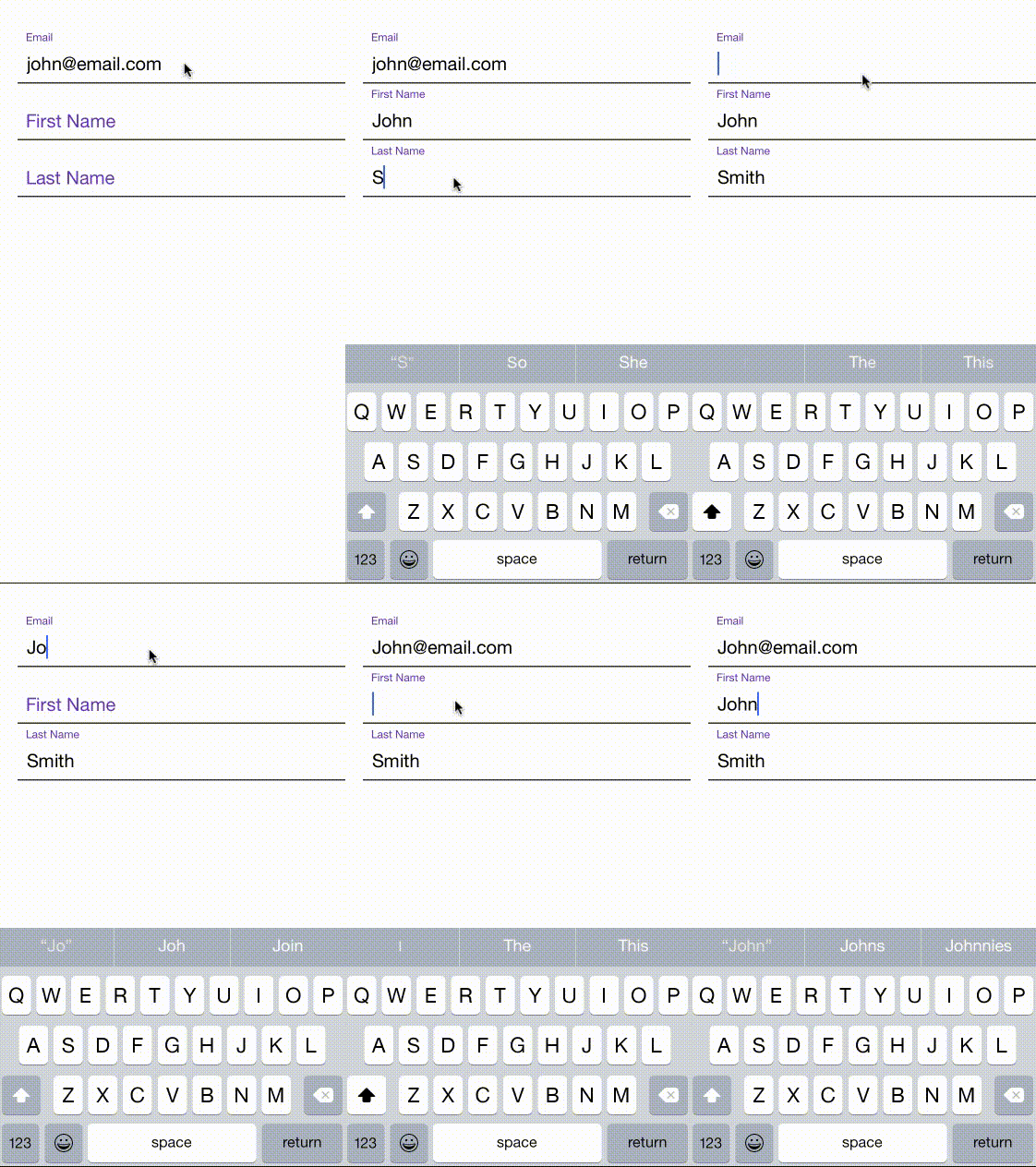
Add it to your project
- Run
npm install react-native-floating-labels --save
var FloatingLabel = require('react-native-floating-labels');
Usage
'use strict';

var React = require('react-native');

var FloatingLabel = require('react-native-floating-labels');

var {
  AppRegistry,
  StyleSheet,
  View,
} = React;

class form extends React.Component {

  constructor(props, context) {
    super(props, context);

    this.state = {
      dirty: false,
    };
  }

  onBlur() {
    console.log('#####: onBlur');
  }

  render() {
    return (
      <View style={styles.container}>
        <FloatingLabel
            labelStyle={styles.labelInput}
            inputStyle={styles.input}
            style={styles.formInput}
            value='john@email.com'
            onBlur={this.onBlur}
          >Email</FloatingLabel>
        <FloatingLabel
            labelStyle={styles.labelInput}
            inputStyle={styles.input}

            style={styles.formInput}
          >First Name</FloatingLabel>
        <FloatingLabel
            labelStyle={styles.labelInput}
            inputStyle={styles.input}
            style={styles.formInput}
          >Last Name</FloatingLabel>
      </View>
    );
  }
};

var styles = StyleSheet.create({
  container: {
    flex: 1,
    paddingTop: 65,
    backgroundColor: 'white',
  },
  labelInput: {
    color: '#673AB7',
  },
  formInput: {
    borderBottomWidth: 1.5,
    marginLeft: 20,
    borderColor: '#333',
  },
  input: {
    borderWidth: 0
  }
});

AppRegistry.registerComponent('form', () => form);
Additional Props:
FloatingLabel is just like any TextInput. It supports the below mentioned events handlers:
Following properties of TextInput are supported:

- autoCapitalize
- autoCorrect
- autoFocus
- bufferDelay
- clearButtonMode
- clearTextOnFocus
- controlled
- editable
- enablesReturnKeyAutomatically
- keyboardType
- multiline
- password
- returnKeyType
- selectTextOnFocus
- selectionState
- style
- testID
- value

Following events are supported:

- onBlur
- onChange
- onChangeText
- onEndEditing
- onFocus
- onSubmitEditing
MIT Licensed




