⚠️ Disclaimer & Liability
This library is a community-driven project and is in no way affiliated with, endorsed by, or sponsored by WhatsApp Inc. Use at your own discretion.
Important Guidelines:
- Do not use this library for spamming, bulk messaging, or stalkerware activities.
- The developers are not liable for any misuse of this software. Please refer to the MIT License for details.
- Users are responsible for ensuring their usage complies with WhatsApp's Terms of Service.
🚀 Features
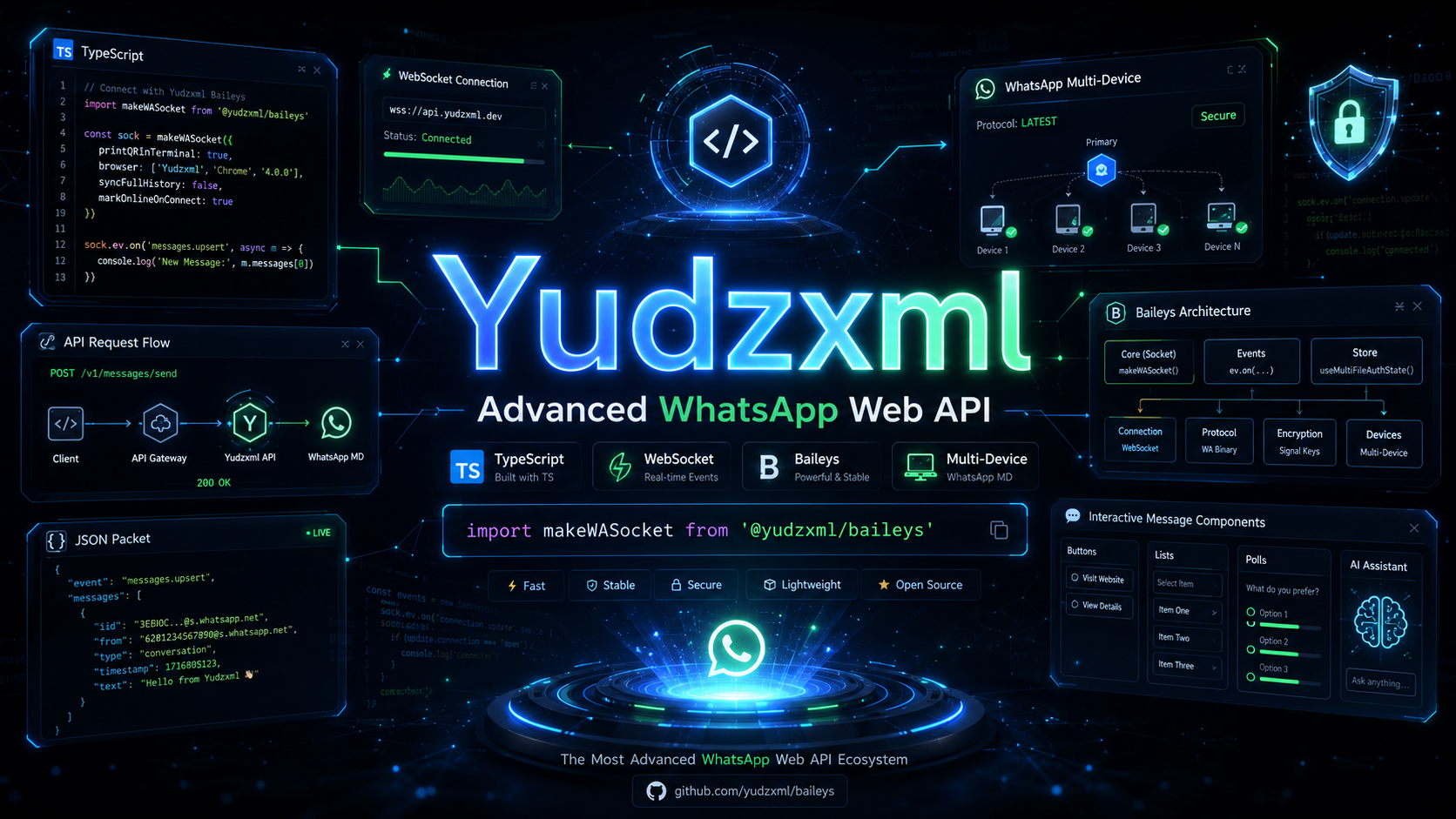
- Lightweight: No Selenium or Chromium required. Uses direct WebSocket connections.
- Efficient: Saves significant RAM usage compared to browser-based automation.
- Multi-Device Support: Full support for WhatsApp Multi-Device (MD) protocols.
- Advanced Message Types: Support for Buttons, Lists, Interactive Messages, AI Icons, Polls, and more.
- Type-Safe: Written in TypeScript with full IntelliSense support.
📦 Installation
Stable Version
yarn add @yudzxml/baileys
npm install @yudzxml/baileys
Edge Version (Latest Features)
yarn add github:Yudzxml/baileys
Basic Import
import makeWASocket from '@yudzxml/baileys'
📚 Documentation
🔗 Table of Contents
Quick Start
To get started quickly, clone the repository and run the example script:
git clone https://github.com/Yudzxml/baileys.git
cd baileys
yarn install
yarn example
Basic Connection Example
import makeWASocket, { DisconnectReason, useMultiFileAuthState } from '@yudzxml/baileys'
import { Boom } from '@hapi/boom'

async function startConnection() {
    const { state, saveCreds } = await useMultiFileAuthState('auth_info')
    const sock = makeWASocket({
        auth: state,
        printQRInTerminal: true
    })

    sock.ev.on('connection.update', (update) => {
        const { connection, lastDisconnect } = update
        if (connection === 'close') {
            const shouldReconnect = (lastDisconnect.error as Boom)?.output?.statusCode !== DisconnectReason.loggedOut
            console.log('Connection closed. Reconnecting:', shouldReconnect)
            if (shouldReconnect) startConnection()
        } else if (connection === 'open') {
            console.log('Connection opened successfully!')
        }
    })

    sock.ev.on('creds.update', saveCreds)
}

startConnection()
Configuration
Connecting Account
1. Using QR Code
import makeWASocket, { Browsers } from '@yudzxml/baileys'

const sock = makeWASocket({
    browser: Browsers.ubuntu('Yudzxml Bot'),
    printQRInTerminal: true
})
2. Using Pairing Code (Mobile)
Note: Ensure printQRInTerminal is set to false.
const sock = makeWASocket({ printQRInTerminal: false })
if (!sock.authState.creds.registered) {
const phoneNumber = '6281234567890'
const code = await sock.requestPairingCode(phoneNumber)
console.log('Pairing Code:', code)
}
Important Notes About Socket Config
Caching Group Metadata (Recommended)
Optimize performance by caching group metadata to reduce API calls.
const groupCache = new NodeCache({ stdTTL: 5 * 60, useClones: false })

const sock = makeWASocket({
    cachedGroupMetadata: async (jid) => groupCache.get(jid)
})

sock.ev.on('groups.update', async (events) => {
    for (const event of events) {
        const metadata = await sock.groupMetadata(event.id)
        groupCache.set(event.id, metadata)
    }
})
Handling Events
Yudzxml (Baileys) uses an Event-Driven architecture.
Listening to Messages
sock.ev.on('messages.upsert', ({ messages, type }) => {
    if (type === 'notify') {
        for (const msg of messages) {
            if (!msg.key.fromMe) {
                console.log('Received:', msg.message?.conversation)
            }
        }
    }
})
Decrypting Poll Votes
import { getAggregateVotesInPollMessage } from '@yudzxml/baileys'

sock.ev.on("messages.update", async (updates) => {
    for (const { key, update } of updates) {
        if (update.pollUpdates) {
            const pollCreation = await getMessageFromStore(key)
            if (pollCreation) {
                const pollUpdate = await getAggregateVotesInPollMessage({
                    message: pollCreation,
                    pollUpdates: update.pollUpdates,
                })
                console.log('Poll Results:', pollUpdate)
            }
        }
    }
})
Sending Messages
Yudzxml unifies message sending into a single sendMessage function.
Text & Mentions
await sock.sendMessage(jid, {
    text: 'Hello @user!',
    mentions: ['6281234567890@s.whatsapp.net']
})
Media Messages
await sock.sendMessage(jid, {
image: { url: 'https://example.com/image.jpg' },
caption: 'Here is the image'
})
await sock.sendMessage(jid, {
video: { url: 'https://example.com/video.mp4' },
gifPlayback: true,
caption: 'GIF'
})
Interactive Buttons
await sock.sendMessage(jid, {
    text: 'Select an option:',
    footer: 'Powered by Yudzxml',
    buttons: [
        { buttonId: 'id1', buttonText: { displayText: 'Option 1' }, type: 1 },
        { buttonId: 'id2', buttonText: { displayText: 'Option 2' }, type: 1 }
    ]
})
List Messages
await sock.sendMessage(jid, {
    text: 'Here is our menu:',
    buttonText: 'View Menu',
    sections: [
        {
            title: 'Category 1',
            rows: [
                { title: 'Item 1', rowId: 'row1', description: 'Description 1' },
                { title: 'Item 2', rowId: 'row2', description: 'Description 2' }
            ]
        }
    ]
})
AI Icon Feature
await sock.sendMessage(jid, {
text: 'AI Generated Message'
}, {
ai: true
})
Advanced Features
Custom Interactive Messages (Flows)
Support for complex native flows (URL, Copy, Call, Catalog, etc.).
await sock.sendMessage(jid, {
    text: 'Interactive Body',
    footer: 'Footer',
    title: 'Title',
    interactiveButtons: [
        {
            name: 'cta_url',
            buttonParamsJson: JSON.stringify({
                display_text: 'Visit Website',
                url: 'https://yudzxml.com'
            })
        },
        {
            name: 'quick_reply',
            buttonParamsJson: JSON.stringify({
                display_text: 'Confirm',
                id: 'confirm_id'
            })
        }
    ]
})
Shop & Collection Messages
Support for Business API features like Shops and Collections.
await sock.sendMessage(jid, {
    text: 'Check out our collection',
    title: 'New Arrivals',
    shop: {
        surface: 1,
        id: 'https://example.com/shop'
    }
})
Status Mentions
Send Status updates with mentions (Limit: 5 mentions).
await sock.sendStatusMentions({
    text: 'Hello everyone!',
    font: 2,
    backgroundColor: '#000000'
}, ['user1@s.whatsapp.net', 'user2@s.whatsapp.net'])
Groups & Privacy
Group Management
const group = await sock.groupCreate('Yudzxml Dev', ['628xxx@s.whatsapp.net'])
await sock.groupSettingUpdate(jid, 'announcement')
await sock.groupUpdateSubject(jid, 'New Subject')
Privacy Settings
await sock.updateBlockStatus(jid, 'block')
await sock.updateLastSeenPrivacy('contacts')
await sock.updateProfilePicturePrivacy('none')
Utilities
Helper Functions
getContentType(message): Extract the type of message content.downloadMediaMessage(message): Download media (Buffer/Stream).getDevice(message): Get device type of sender.
Contributing
Contributions are welcome! Please feel free to submit a Pull Request.
License
MIT - Copyright (c) 2026 Yudzxml
Made with ❤️ by Yudzxml