

Product
Introducing Repository Access Permissions and Custom Roles
Socket now supports Custom Roles and Repository Access Permissions so organizations can control who can access specific repositories and actions.
By Joe Werle - Jun 19, 2026
active-page-vue
Advanced tools
基于 Vue 2.x 的可视化页面编辑器组件。提升前端开发效率,可集成至移动端项目作为通过定义 JSON 直接生成 UI 界面的组件。
文档地址:http://qiniu-program.juroom.cn
在线体验:http://qiniu-plat.juroom.cn
npm install active-page-vue --save
import Vue from 'vue'
import ActivePageVue from 'active-page-vue'

Vue.use(ActivePageVue)
import { ActivePage } from 'active-page-vue'

export default {
  components: {
    ActivePage
  }
}
<template>
  <div class="app-container">
    <active-page
      :enable-transition="true"
      :transition-name="'slide'"
      @mounted="handleMounted"
      @reloaded="handleReloaded"
    >
      <template #before-content>
        <!-- 在路由视图前插入内容 -->
        <div class="header">页面头部</div>
      </template>

      <template #after-content>
        <!-- 在路由视图后插入内容 -->
        <div class="footer">页面底部</div>
      </template>
    </active-page>
  </div>
</template>

<script>
export default {
  methods: {
    handleMounted() {
      console.log('ActivePage组件已挂载')
    },
    handleReloaded() {
      console.log('ActivePage组件已重新加载')
    }
  }
}
</script>
| 参数 | 说明 | 类型 | 默认值 |
|---|---|---|---|
| enableTransition | 是否启用页面过渡动画 | Boolean | false |
| transitionName | 过渡动画名称 | String | 'fade' |
| containerClass | 自定义容器类名 | String/Object/Array | '' |
| 事件名称 | 说明 | 回调参数 |
|---|---|---|
| mounted | 组件挂载完成时触发 | - |
| reloaded | 页面重新加载完成时触发 | - |
| 插槽名称 | 说明 |
|---|---|
| before-content | 路由视图前的内容 |
| after-content | 路由视图后的内容 |
通过 ref 可以获取到 ActivePage 实例并调用实例方法
this.$refs.activePage.reload() // 重新加载页面内容
| 方法名 | 说明 | 参数 |
|---|---|---|
| reload | 重新加载页面内容 | - |
注:在新版本的npm中,默认情况下,npm install遇到冲突的peerDependencies时将失败。 可使用:npm install --legacy-peer-deps
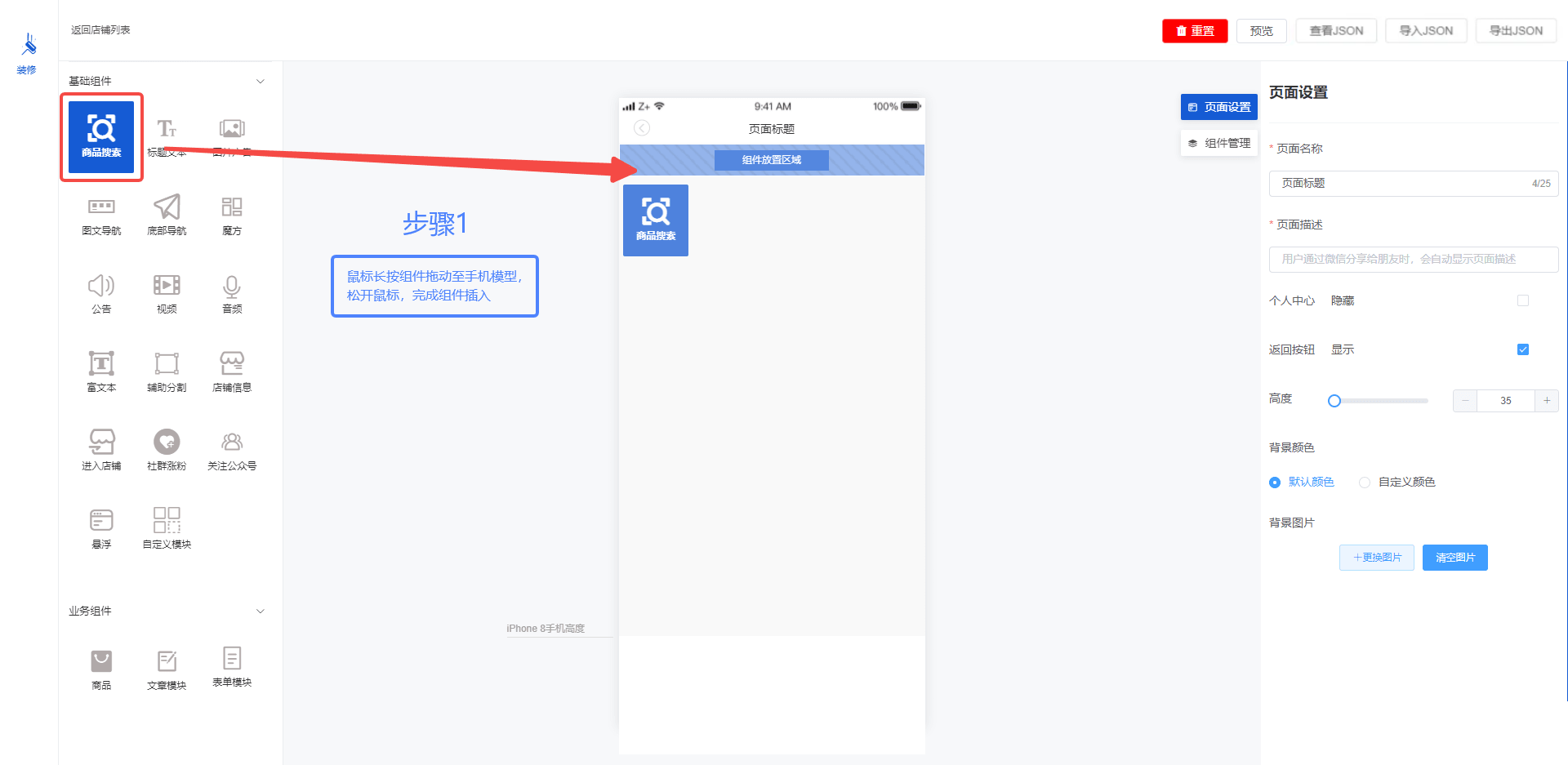
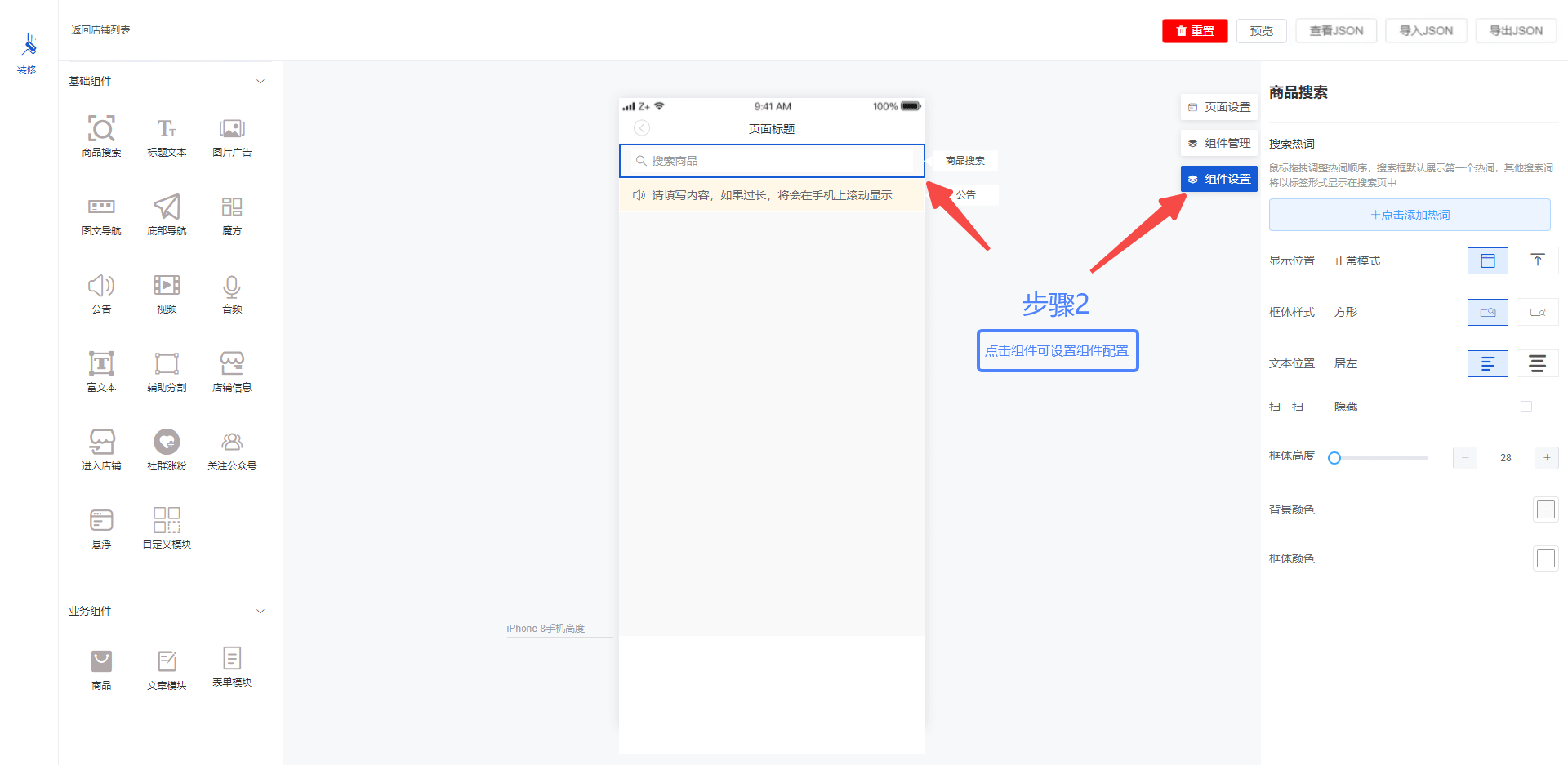
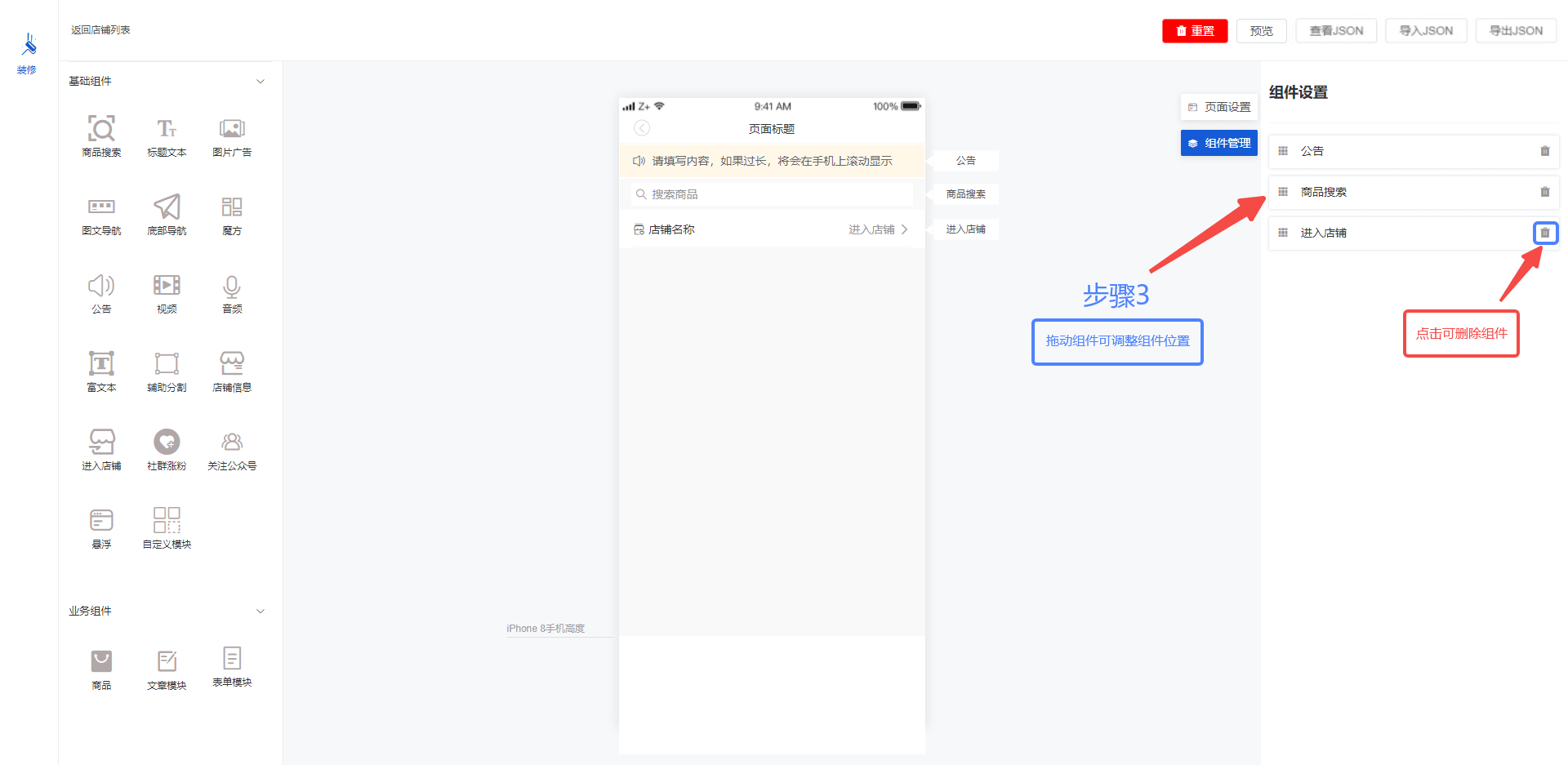
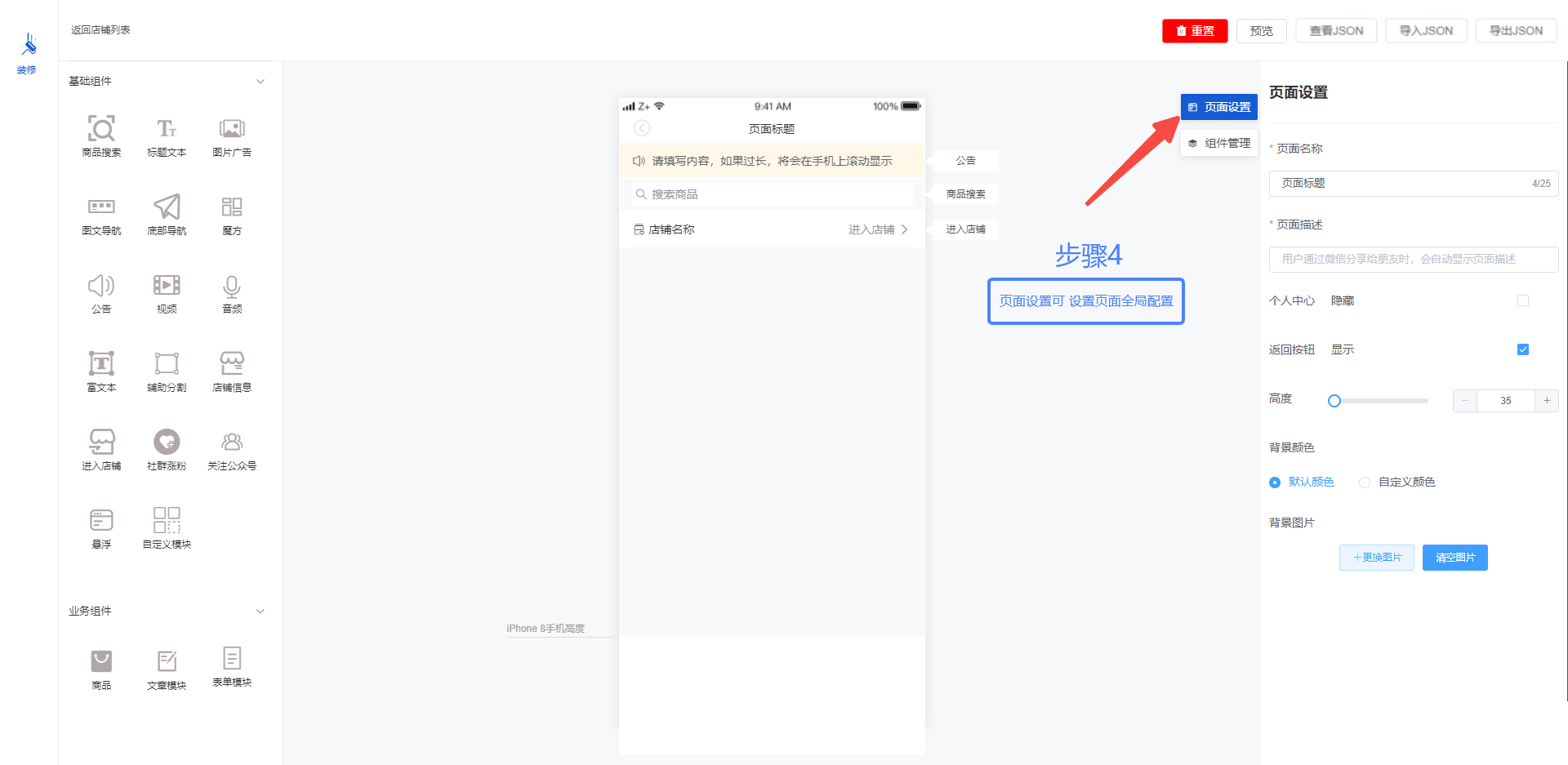
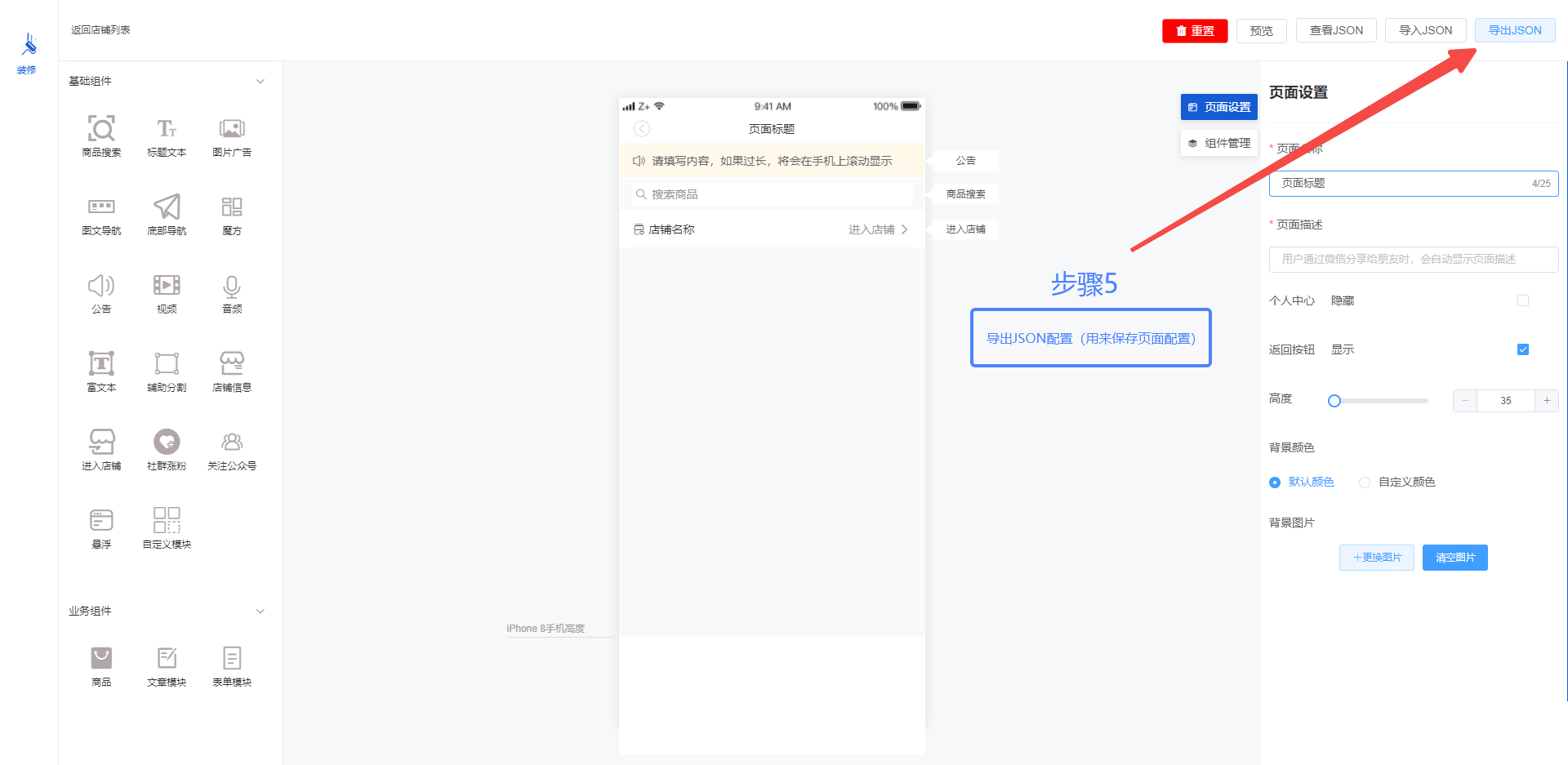
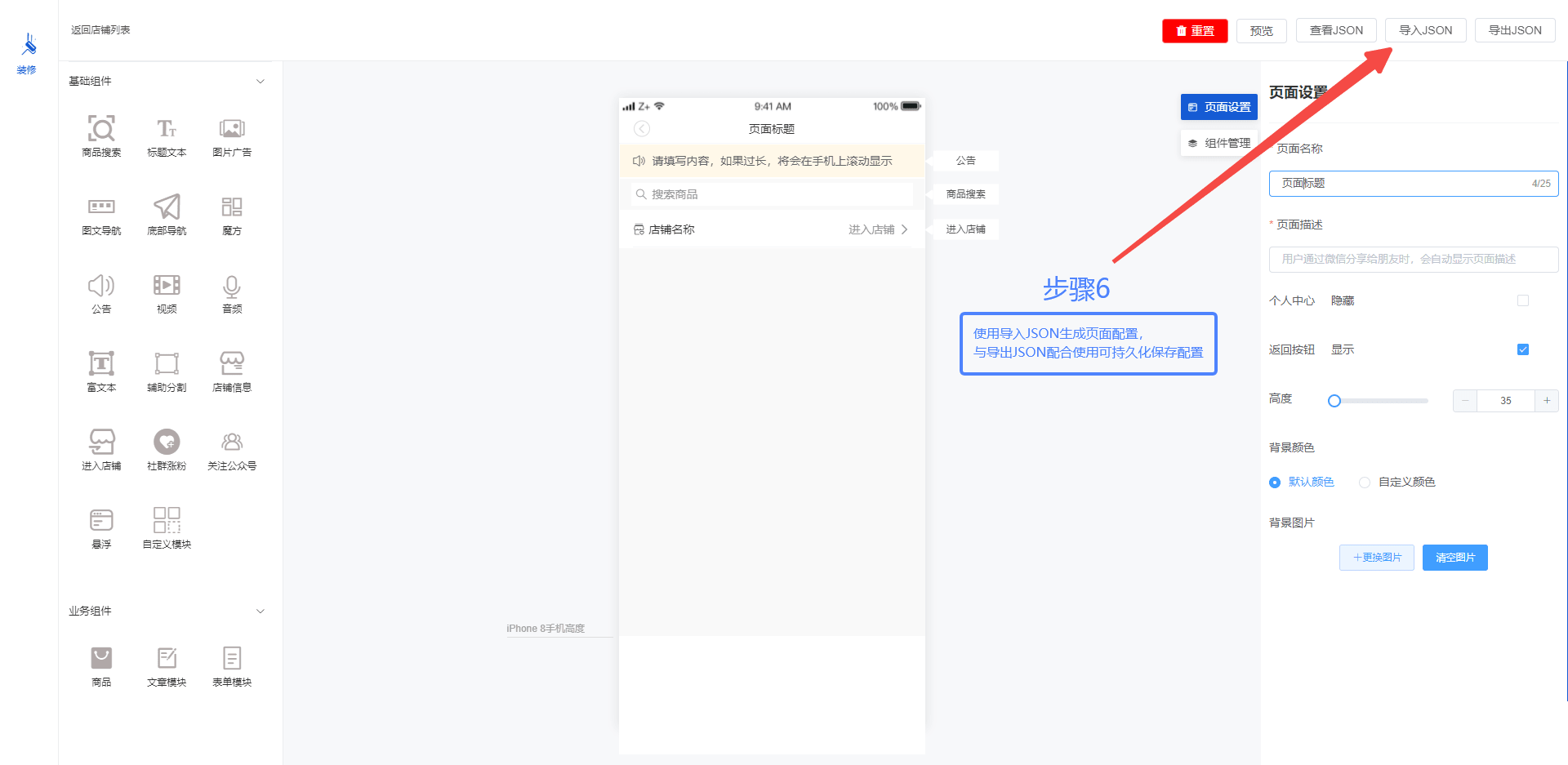
src / layout / home / index.vue                 // 编辑页面文件
src / components / sliderassembly / index.vue   // 左侧组件大全文件
src / components / componentscom                // 左侧组件目录
src / components / rightslider                  // 右侧组件目录
src / utils / componentProperties.js            // 组件数据
{
  component: 'custommodule',    // 中间部分手机组件的name
  text: '自定义模块',            // 组件文字描述
  type: '1-14',                 // data-tpye
  active: true,                 // 是否选中
  style: 'custommodulestyle',   // 右边组件设置的name
  setStyle: {}                  // 组件动态数据
}
| 项目 | 描述 |
|---|---|
| AS-Editor Vue2版 | 基于 Vue2 的 AS-Editor |
| AS-Editor Vue3版 | 基于 Vue3 的 AS-Editor |
| AS-Editor-H5 | AS-Editor-H5 是移动端 Vue 模版,可以通过定义的 JSON 生成 Vue 页面 |
| 有育哥 | 邓跃辉 | hackchen | 狼牙 | 许中杰 | RainbowParadise | 神秘的凯 |
|---|
FAQs
A Vue-based visual page editor component
The npm package active-page-vue receives a total of 26 weekly downloads. As such, active-page-vue popularity was classified as not popular.
We found that active-page-vue demonstrated a healthy version release cadence and project activity because the last version was released less than a year ago. It has 1 open source maintainer collaborating on the project.
Did you know?

Socket for GitHub automatically highlights issues in each pull request and monitors the health of all your open source dependencies. Discover the contents of your packages and block harmful activity before you install or update your dependencies.
Product
Socket now supports Custom Roles and Repository Access Permissions so organizations can control who can access specific repositories and actions.

Product
Socket MCP now lets AI assistants review org alerts, investigate threats using the Socket threat feed, and inspect package files in addition to dependency scoring.

Product
Socket Firewall blocks malicious VS Code and Open VSX extensions before install, protecting developers from compromised editor marketplaces.