

Product
Microsoft Teams Notifications Are Now Available in Socket
Socket can now send alerts and supply chain attack notifications to Microsoft Teams, with filters that route the right updates to each channel.
By Jeppe Hasseriis - Sep 01, 2026
activitysmith-cli
Advanced tools
Command-line interface for ActivitySmith. Send push notifications, start, update and end live activities directly from your terminal.
CLI wrapper for the ActivitySmith API using the official Node SDK.
npm install -g activitysmith-cli
Install the public skill from this repo:
npx skills add ActivitySmithHQ/activitysmith-cli --skill activitysmith
Skill path in this repo:
skills/activitysmith
The skill is agent-neutral and uses ACTIVITYSMITH_API_KEY auth plus the same CLI commands shown below.
Set ACTIVITYSMITH_API_KEY or pass --api-key.
For the skill scripts, you can also copy skills/activitysmith/.env.example to skills/activitysmith/.env.
Run activitysmith --help to inspect available commands.
activitysmith push \
  --title "Build Failed 🚨" \
  --message "CI pipeline failed on main branch"
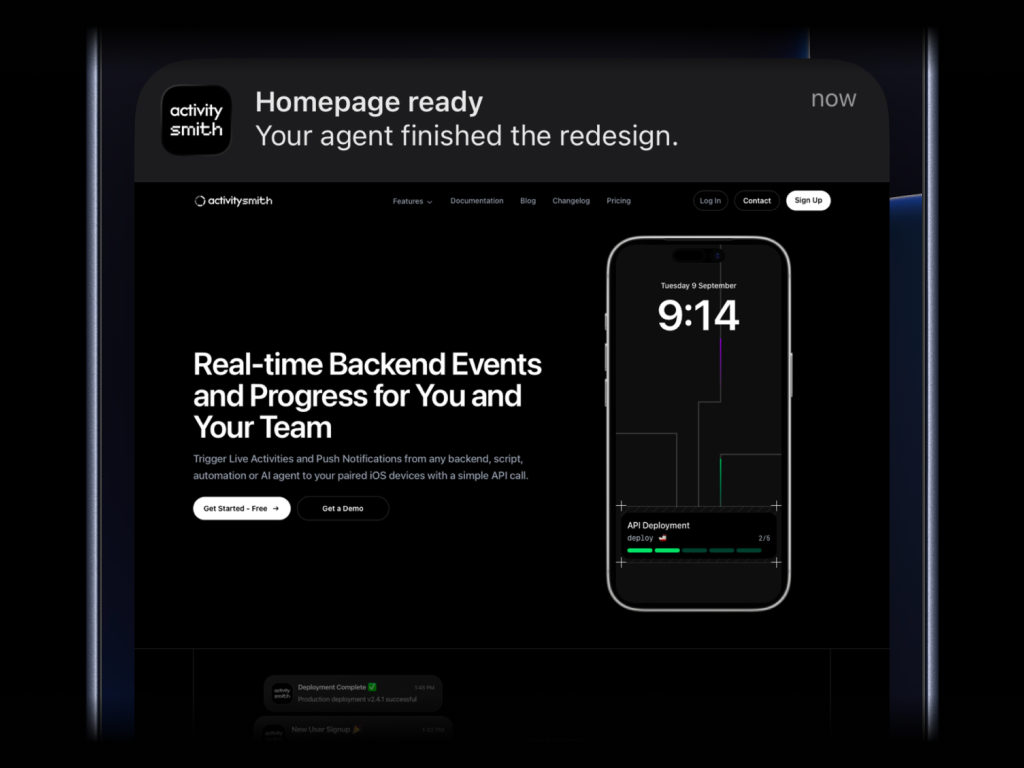
activitysmith push \
  --title "Homepage ready" \
  --message "Your agent finished the redesign." \
  --media "https://cdn.example.com/output/homepage-v2.png" \
  --redirection "https://github.com/acme/web/pull/482"
Send images, videos, or audio with your push notifications, press and hold to preview media directly from the notification, then tap through to open the linked content.
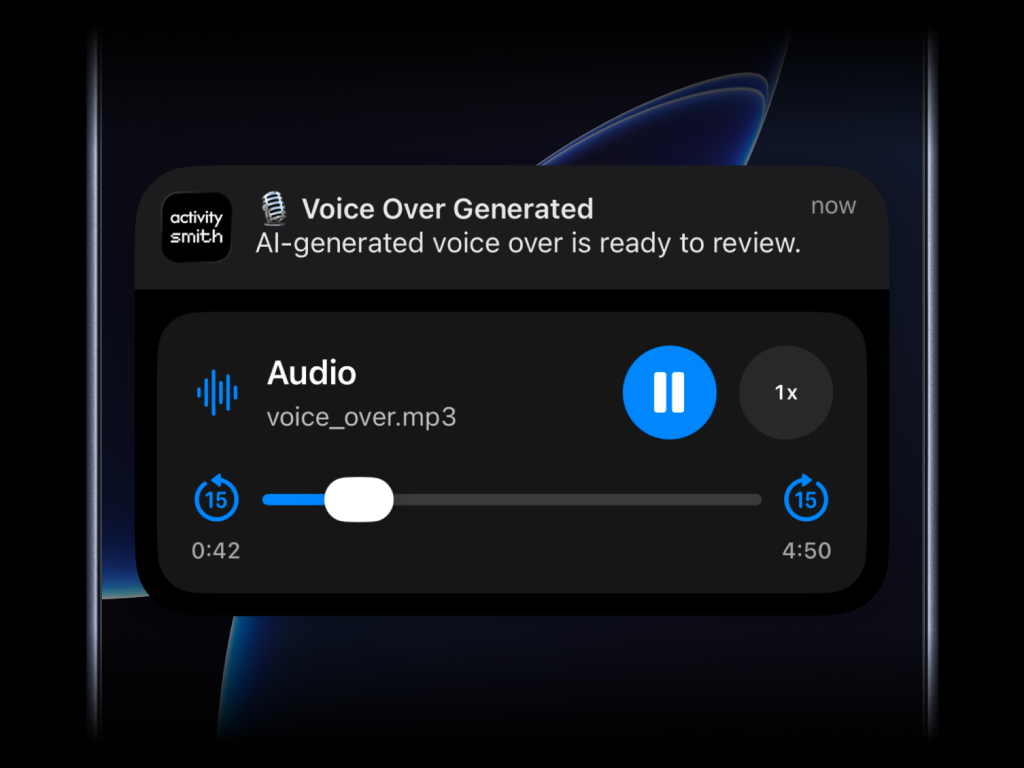
What will work:
.jpg, .png, .gif, etc..mp3, .m4a, etc..mp4, .mov, etc.Content-Type, even if the path has no extension--media can be combined with --redirection, but not with --actions or --actions-file.
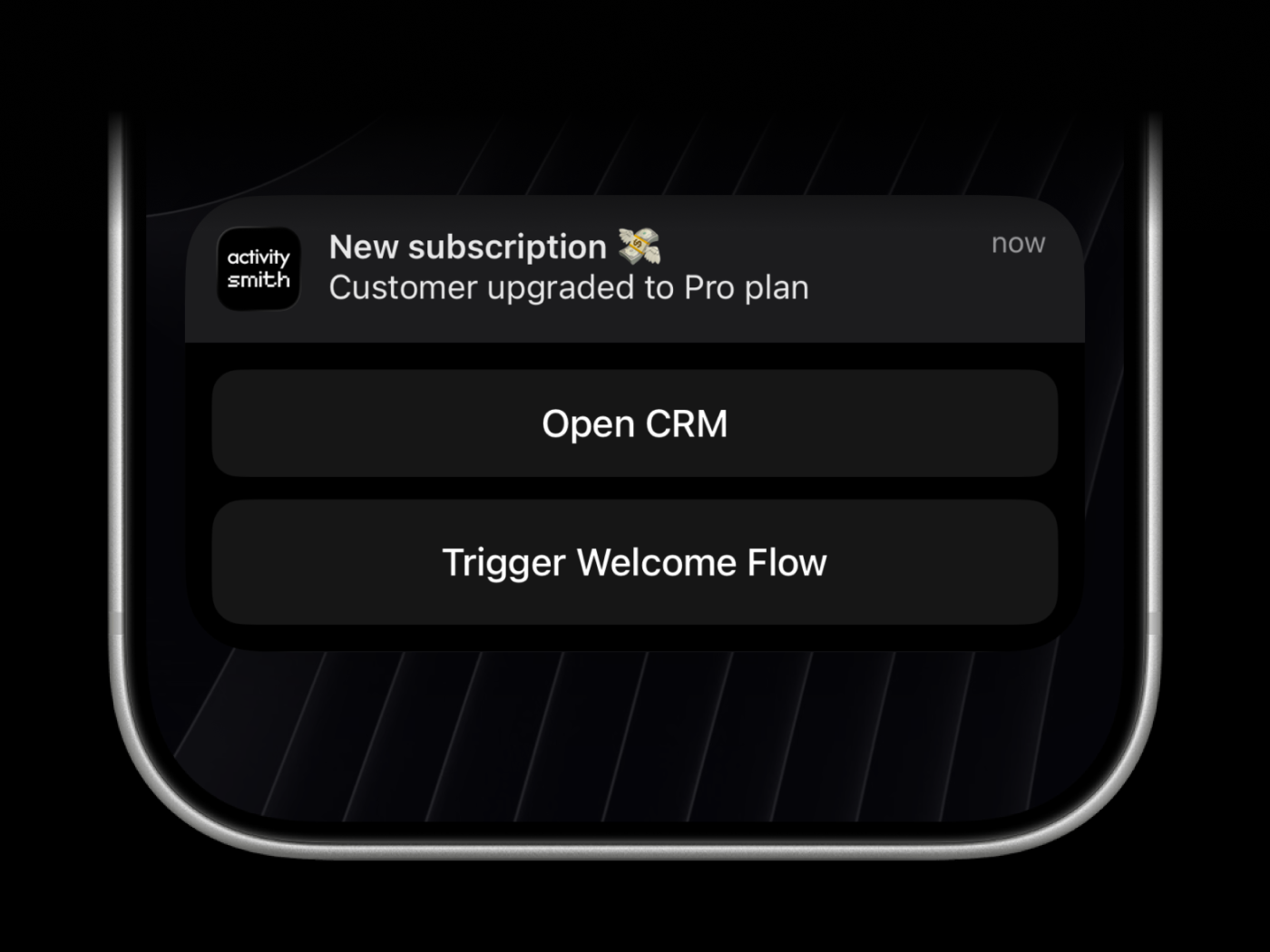
Actionable push notifications can open a URL on tap or trigger actions when someone long-presses the notification. Webhooks are executed by the ActivitySmith backend.
activitysmith push \
  --title "Build Failed 🚨" \
  --message "CI pipeline failed on main branch" \
  --redirection "https://github.com/org/repo/actions/runs/123456789" \
  --actions '[{"title":"Open Failing Run","type":"open_url","url":"https://github.com/org/repo/actions/runs/123456789"},{"title":"Create Incident","type":"webhook","url":"https://hooks.example.com/incidents/create","method":"POST","body":{"service":"payments-api","severity":"high","source":"activitysmith-cli"}}]'
You can also load actions from a file:
activitysmith push \
  --title "Build Failed 🚨" \
  --message "CI pipeline failed on main branch" \
  --actions-file "./actions.json"
Live Activities come in two UI types, but the lifecycle stays the same:
start the activity, keep the returned activity_id, update it as state
changes, then end it when the work is done.
segmented_progress: best for jobs tracked in stepsprogress: best for jobs tracked as a percentage or numeric rangeactivitysmith activity start ....activity_id.activitysmith activity update ... as progress changes.activitysmith activity end ... when the work is finished.You can use --content-state <json> for the examples below, or build the same
payload with flags as documented in Content State Options.
Use segmented_progress when progress is easier to follow as steps instead of a
raw percentage. It fits jobs like deployments, backups, ETL pipelines, and
checklists where "step 2 of 3" is more useful than "67%".
numberOfSteps is dynamic, so you can increase or decrease it later if the
workflow changes.
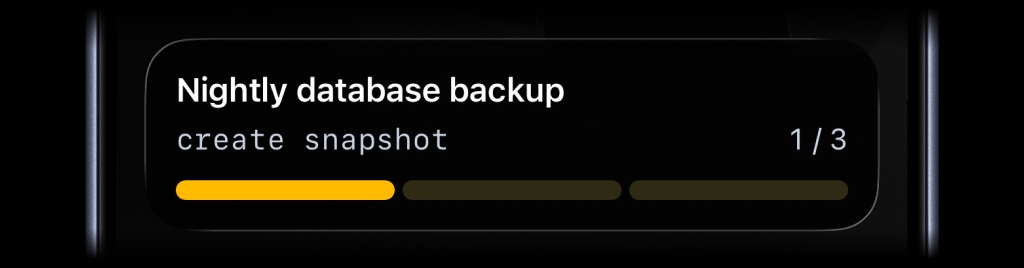
activitysmith activity start \
  --content-state '{"title":"Nightly database backup","subtitle":"create snapshot","numberOfSteps":3,"currentStep":1,"type":"segmented_progress","color":"yellow"}' \
  --channels "devs,ops"
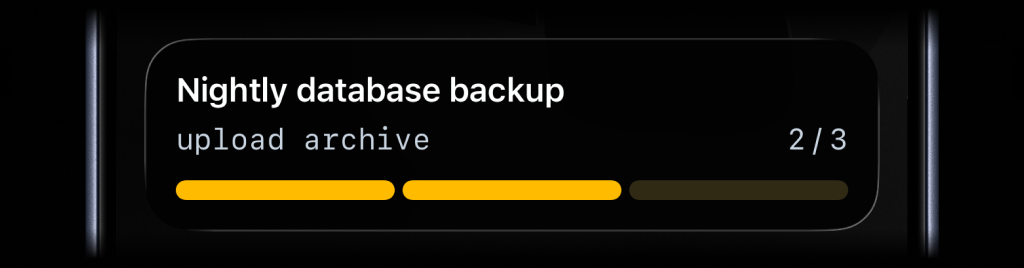
activitysmith activity update \
  --activity-id "<activityId>" \
  --content-state '{"title":"Nightly database backup","subtitle":"upload archive","numberOfSteps":4,"currentStep":2}'
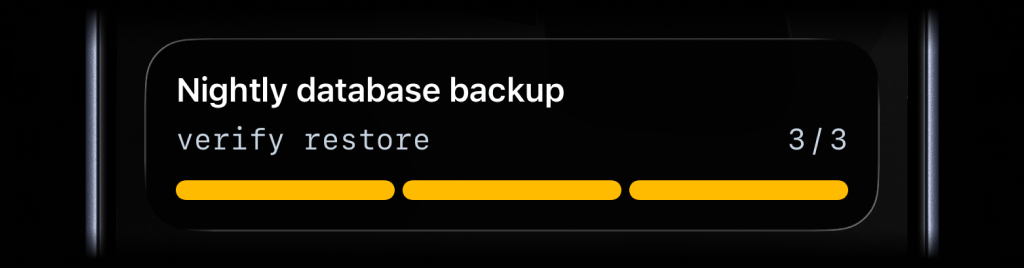
activitysmith activity end \
  --activity-id "<activityId>" \
  --content-state '{"title":"Nightly database backup","subtitle":"verify restore","numberOfSteps":4,"currentStep":4,"autoDismissMinutes":2}'
Use progress when the state is naturally continuous. It fits charging,
downloads, sync jobs, uploads, timers, and any flow where a percentage or
numeric range is the clearest signal.
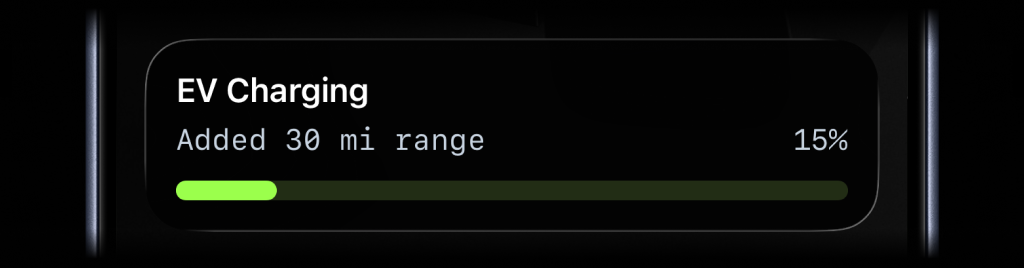
activitysmith activity start \
  --content-state '{"title":"EV Charging","subtitle":"Added 30 mi range","percentage":15,"type":"progress","color":"lime"}'
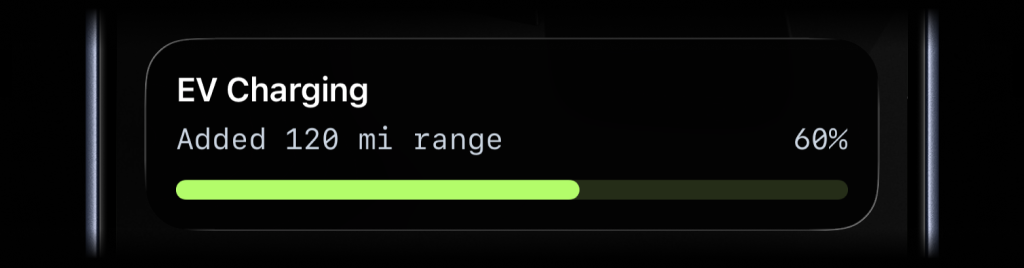
activitysmith activity update \
  --activity-id "<activityId>" \
  --content-state '{"title":"EV Charging","subtitle":"Added 120 mi range","percentage":60}'
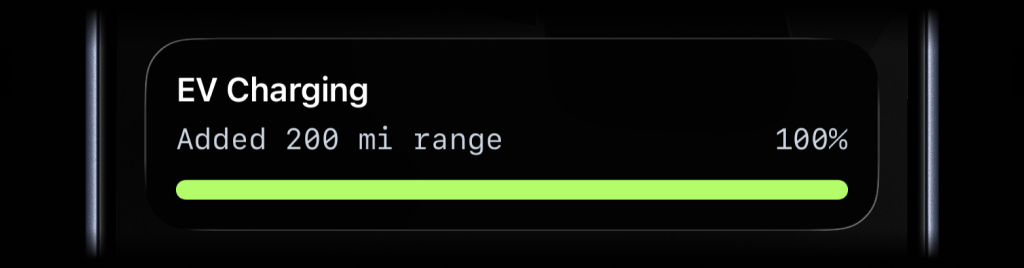
activitysmith activity end \
  --activity-id "<activityId>" \
  --content-state '{"title":"EV Charging","subtitle":"Added 200 mi range","percentage":100,"autoDismissMinutes":2}'
Just like Actionable Push Notifications, Live Activities can have a button that opens provided URL in a browser or triggers a webhook. Webhooks are executed by the ActivitySmith backend.
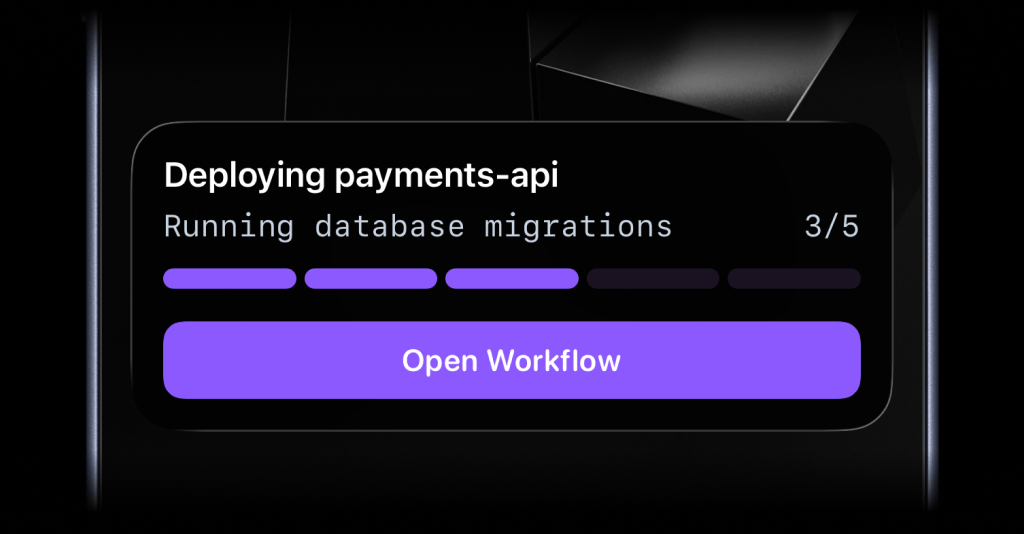
activitysmith activity start \
  --content-state '{"title":"Deploying payments-api","subtitle":"Running database migrations","numberOfSteps":5,"currentStep":3,"type":"segmented_progress"}' \
  --action '{"title":"Open Workflow","type":"open_url","url":"https://github.com/acme/payments-api/actions/runs/1234567890"}'
activitysmith activity update \
  --activity-id "<activityId>" \
  --content-state '{"title":"Reindexing product search","subtitle":"Shard 7 of 12","numberOfSteps":12,"currentStep":7}' \
  --action '{"title":"Pause Reindex","type":"webhook","url":"https://ops.example.com/hooks/search/reindex/pause","method":"POST","body":{"job_id":"reindex-2026-03-19","requested_by":"activitysmith-cli"}}'
Channels are used to target specific team members or devices. Can be used for both push notifications and live activities.
activitysmith push \
  --title "Build Failed 🚨" \
  --message "CI pipeline failed on main branch" \
  --channels "devs,ops"
The CLI installs two bin names:
activitysmith (recommended)activitysmith-cli (alias)For activity start|update|end, you can pass content state via JSON:
--content-state <json>--content-state-file <path>Or use flags to build the payload:
--title <title>--subtitle <subtitle>--type <type>--number-of-steps <number>--current-step <number>--percentage <number>--value <number>--upper-limit <number>--color <color>--step-color <color>--auto-dismiss-minutes <number>Live Activity action options:
--action <json>--action-file <path>Targeting options:
--channels <comma-separated-slugs> (for push and activity start)Required fields:
activity start: --title, --type, plus either --number-of-steps and --current-step, or --percentage, or --value with --upper-limitactivity update: --title, plus either --current-step, or --percentage, or --value with --upper-limitactivity end: --title, plus either --current-step, or --percentage, or --value with --upper-limitUse --json for machine-readable output.
activitysmith push --title "Hello" --json
FAQs
Command-line interface for ActivitySmith. Send push notifications, manage Live Activities, and set App Icon Badge Counts from your terminal.
The npm package activitysmith-cli receives a total of 17 weekly downloads. As such, activitysmith-cli popularity was classified as not popular.
We found that activitysmith-cli demonstrated a healthy version release cadence and project activity because the last version was released less than a year ago. It has 1 open source maintainer collaborating on the project.
Product
Socket can now send alerts and supply chain attack notifications to Microsoft Teams, with filters that route the right updates to each channel.

Security News
pnpm 12 rewrites the package manager in Rust, cutting install times by up to 90% while preserving pnpm 11 workflows and lockfiles.

Security News
Socket CTO Ahmad Nassri joins AppSec leaders at Black Hat to discuss active malware, package manager risks, and software supply chain defense.