ActivitySmith CLI
CLI wrapper for the ActivitySmith API using the official Node SDK.
Install
npm install -g activitysmith-cli
Install Skill (Codex/Claude/Other Skills-Compatible Agents)
Install the public skill from this repo:
npx skills add ActivitySmithHQ/activitysmith-cli --skill activitysmith
Skill path in this repo:
skills/activitysmith
The skill is agent-neutral and uses ACTIVITYSMITH_API_KEY auth plus the same CLI commands shown below.
Auth
Set ACTIVITYSMITH_API_KEY or pass --api-key.
For the skill scripts, you can also copy skills/activitysmith/.env.example to skills/activitysmith/.env.
Push Notifications
Run activitysmith --help to inspect available commands.
Send Push Notification
activitysmith push \
  --title "Build Failed 🚨" \
  --message "CI pipeline failed on main branch"
Rich Push Notifications with Media
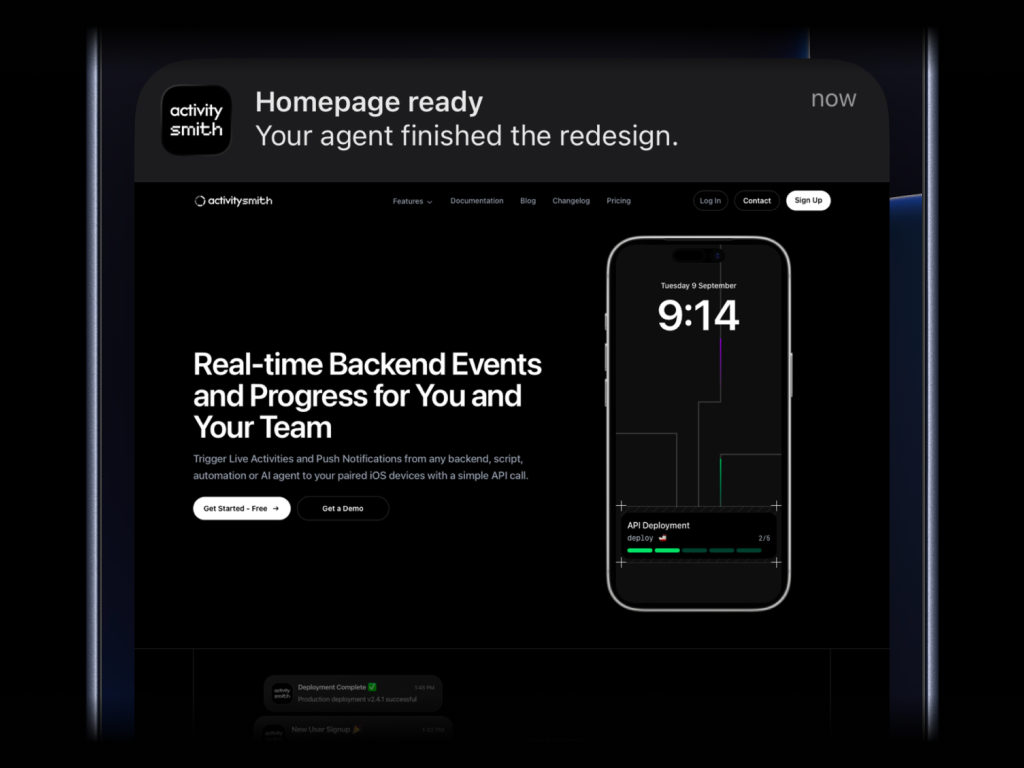
activitysmith push \
  --title "Homepage ready" \
  --message "Your agent finished the redesign." \
  --media "https://cdn.example.com/output/homepage-v2.png" \
  --redirection "https://github.com/acme/web/pull/482"
Send images, videos, or audio with your push notifications, press and hold to preview media directly from the notification, then tap through to open the linked content.
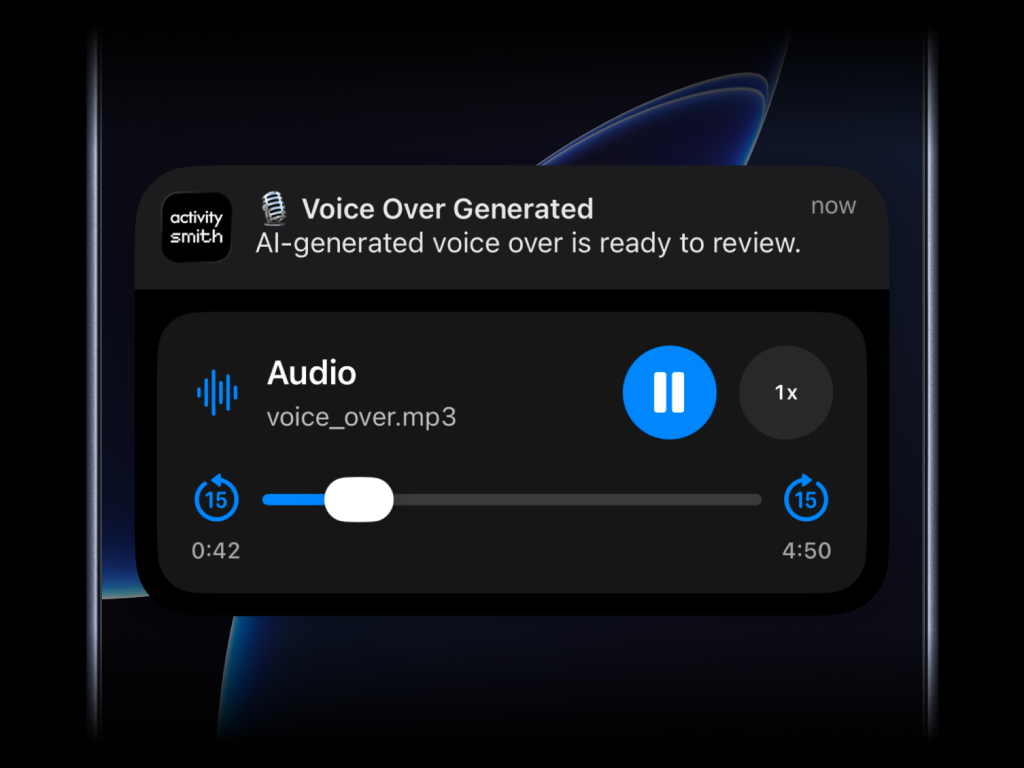
What will work:
- direct image URL:
.jpg, .png, .gif, etc.
- direct audio file URL:
.mp3, .m4a, etc.
- direct video file URL:
.mp4, .mov, etc.
- URL that responds with a proper media
Content-Type, even if the path has no extension
--media can be combined with --redirection, but not with --actions or --actions-file.
Actionable Push Notifications
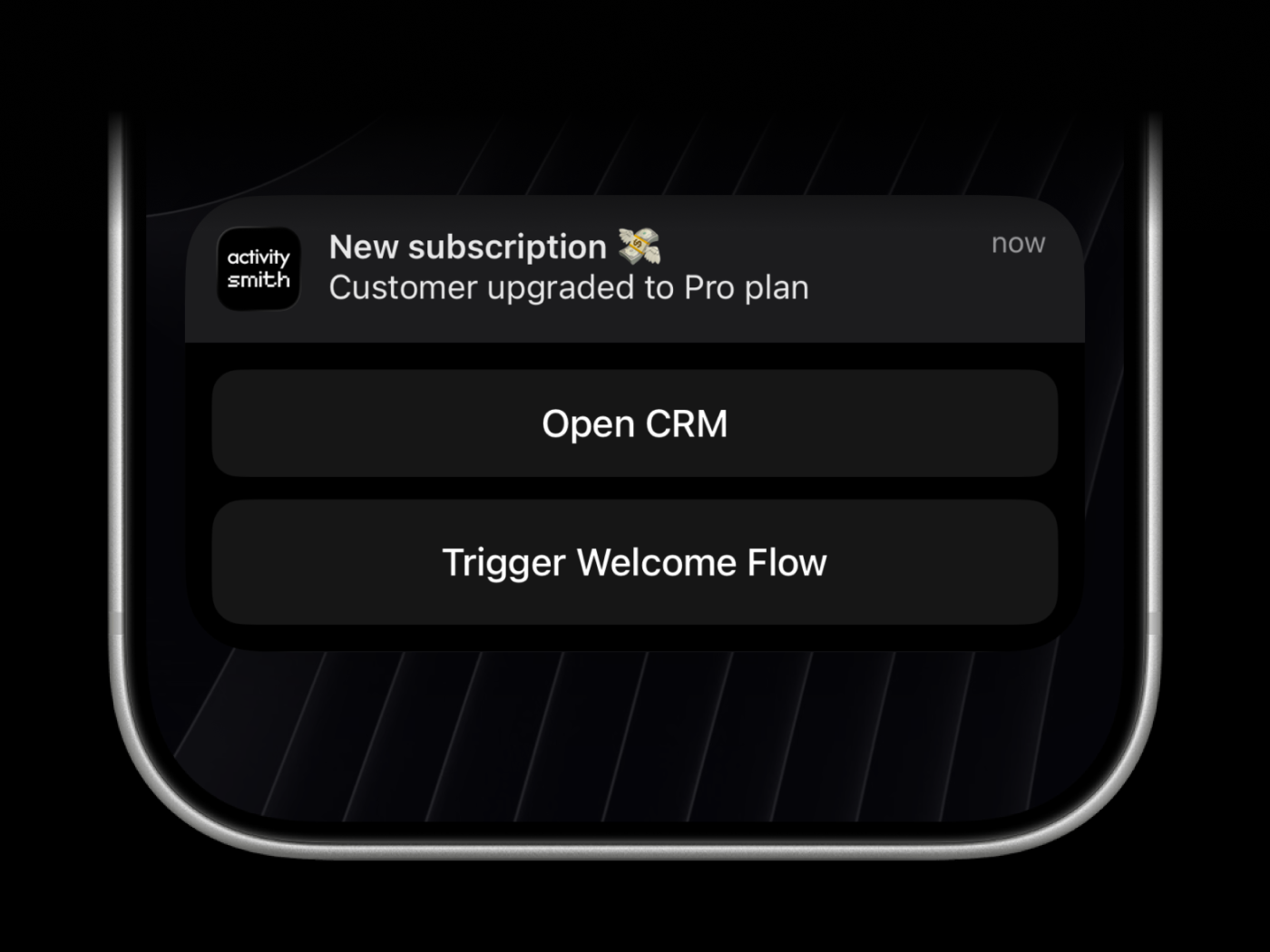
Actionable push notifications can open a URL on tap or trigger actions when someone long-presses the notification.
Webhooks are executed by the ActivitySmith backend.
activitysmith push \
  --title "Build Failed 🚨" \
  --message "CI pipeline failed on main branch" \
  --redirection "https://github.com/org/repo/actions/runs/123456789" \
  --actions '[
    {
      "title": "Open Failing Run",
      "type": "open_url",
      "url": "https://github.com/org/repo/actions/runs/123456789"
    },
    {
      "title": "Create Incident",
      "type": "webhook",
      "url": "https://hooks.example.com/incidents/create",
      "method": "POST",
      "body": {
        "service": "payments-api",
        "severity": "high",
        "source": "activitysmith-cli"
      }
    }
  ]'
You can also load actions from a file:
activitysmith push \
  --title "Build Failed 🚨" \
  --message "CI pipeline failed on main branch" \
  --actions-file "./actions.json"
Live Activities
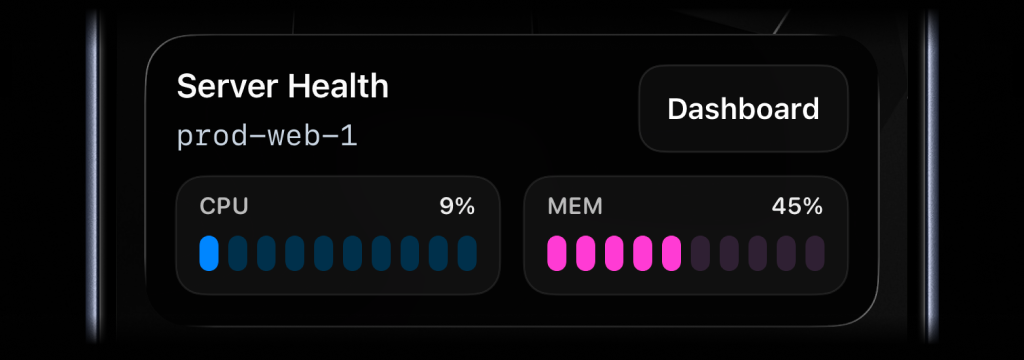
ActivitySmith supports two ways to drive Live Activities:
- Recommended: stream updates with
activitysmith activity stream ...
- Advanced: manual lifecycle control with
activity start, activity update, and activity end
Use stream updates when you want the easiest, stateless flow. You do not need to
store activity_id or manage lifecycle state yourself. Send the latest state
for a stable stream_key and ActivitySmith will start or update the Live
Activity for you. When the tracked process is over, call activity end-stream.
Use the manual lifecycle commands when you need direct control over a specific
Live Activity instance.
Live Activity UI types:
metrics: best for live operational stats like server CPU and memory, queue depth, or replica lagsegmented_progress: best for step-based workflows like deployments, backups, and ETL pipelinesprogress: best for continuous jobs like uploads, reindexes, and long-running migrations tracked as a percentage
Recommended: Stream updates
Use a stable stream_key to identify the system or workflow you are tracking,
such as a server, deployment, build pipeline, cron job, or charging session.
This is especially useful for cron jobs and other scheduled tasks where you do
not want to store activity_id between runs.
Metrics
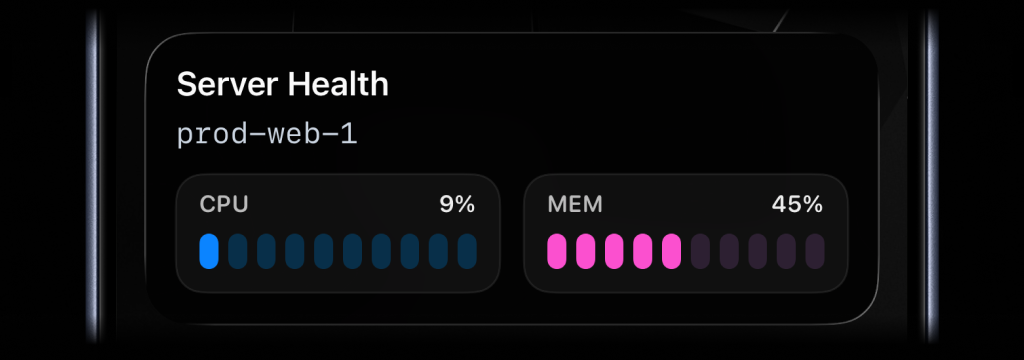
activitysmith activity stream prod-web-1 \
  --content-state '{
    "title": "Server Health",
    "subtitle": "prod-web-1",
    "type": "metrics",
    "metrics": [
      { "label": "CPU", "value": 9, "unit": "%" },
      { "label": "MEM", "value": 45, "unit": "%" }
    ]
  }'
Segmented progress
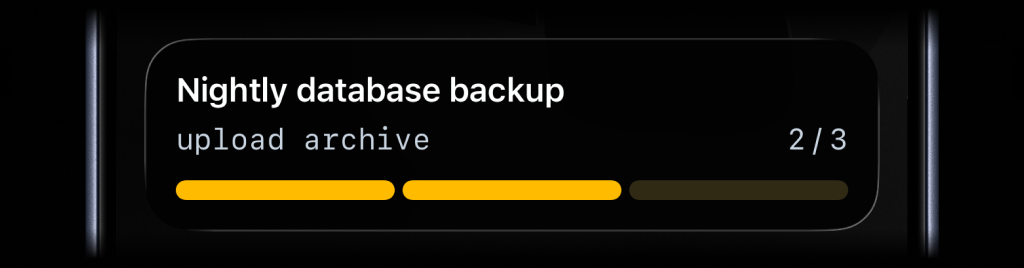
activitysmith activity stream nightly-backup \
  --content-state '{
    "title": "Nightly Backup",
    "subtitle": "upload archive",
    "type": "segmented_progress",
    "numberOfSteps": 3,
    "currentStep": 2
  }'
Progress
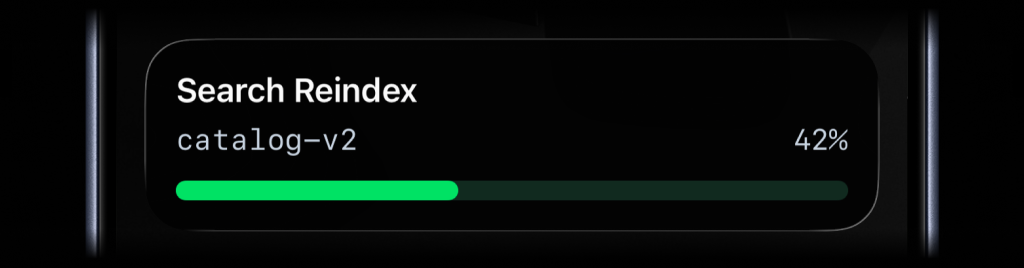
activitysmith activity stream search-reindex \
  --content-state '{
    "title": "Search Reindex",
    "subtitle": "catalog-v2",
    "type": "progress",
    "percentage": 42
  }'
Run activitysmith activity stream <stream-key> ... again with the same
stream_key whenever the state changes.
End a stream
Use this when the tracked process is finished and you no longer want the Live
Activity on devices. content_state is optional here; include it if you want
to end the stream with a final state.
activitysmith activity end-stream prod-web-1 \
  --content-state '{
    "title": "Server Health",
    "subtitle": "prod-web-1",
    "type": "metrics",
    "metrics": [
      { "label": "CPU", "value": 7, "unit": "%" },
      { "label": "MEM", "value": 38, "unit": "%" }
    ]
  }'
If you later send another activity stream request with the same stream_key,
ActivitySmith starts a new Live Activity for that stream again.
Stream responses include an operation field:
started: ActivitySmith started a new Live Activity for this stream_keyupdated: ActivitySmith updated the current Live Activityrotated: ActivitySmith ended the previous Live Activity and started a new onenoop: the incoming state matched the current state, so no update was sentpaused: the stream is paused, so no Live Activity was started or updatedended: returned by activity end-stream after the stream is ended
Advanced: Manual lifecycle control
Use these commands when you want to manage the Live Activity lifecycle yourself.
Shared flow
- Run
activitysmith activity start ....
- Save the returned
activity_id.
- Run
activitysmith activity update ... as progress changes.
- Run
activitysmith activity end ... when the work is finished.
You can use --content-state <json> for the examples below, or build the same
payload with flags as documented in Content State Options.
Metrics Type
Use metrics when you want to keep a small set of live stats visible, such as
server health, queue pressure, or database load.
Start
activitysmith activity start \
  --content-state '{
    "title": "Server Health",
    "subtitle": "prod-web-1",
    "type": "metrics",
    "metrics": [
      { "label": "CPU", "value": 9, "unit": "%" },
      { "label": "MEM", "value": 45, "unit": "%" }
    ]
  }'
Update
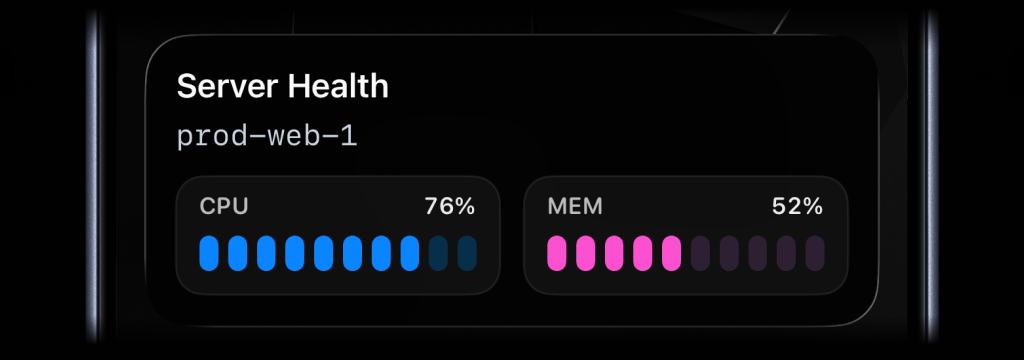
activitysmith activity update \
  --activity-id "<activityId>" \
  --content-state '{
    "title": "Server Health",
    "subtitle": "prod-web-1",
    "type": "metrics",
    "metrics": [
      { "label": "CPU", "value": 76, "unit": "%" },
      { "label": "MEM", "value": 52, "unit": "%" }
    ]
  }'
End
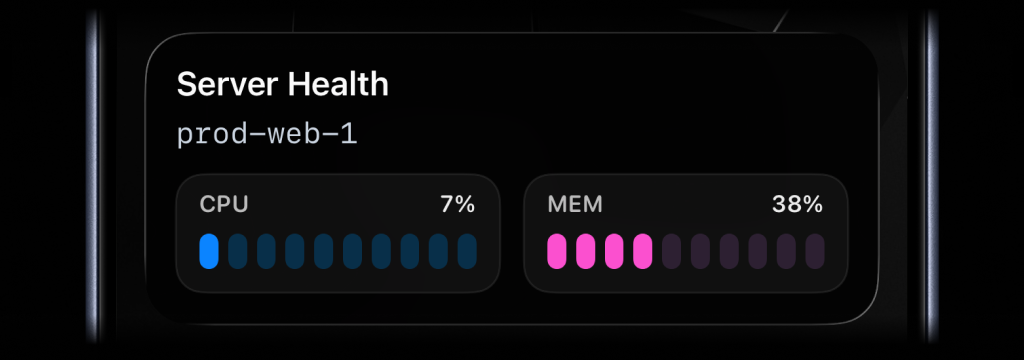
activitysmith activity end \
  --activity-id "<activityId>" \
  --content-state '{
    "title": "Server Health",
    "subtitle": "prod-web-1",
    "type": "metrics",
    "metrics": [
      { "label": "CPU", "value": 7, "unit": "%" },
      { "label": "MEM", "value": 38, "unit": "%" }
    ],
    "autoDismissMinutes": 2
  }'
Segmented Progress Type
Use segmented_progress when progress is easier to follow as steps instead of a
raw percentage. It fits jobs like deployments, backups, ETL pipelines, and
checklists where "step 2 of 3" is more useful than "67%". numberOfSteps is
dynamic, so you can increase or decrease it later if the workflow changes.
Start
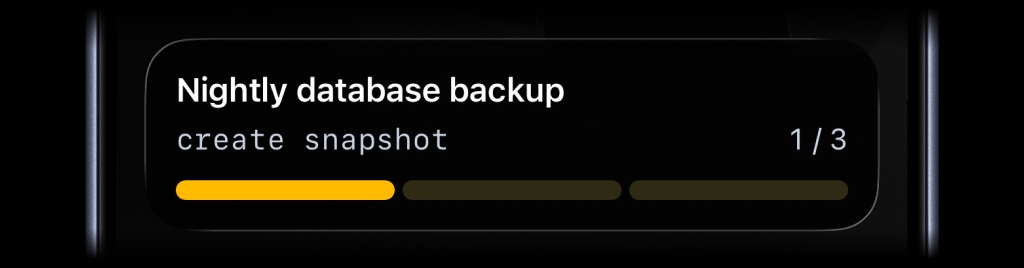
activitysmith activity start \
  --content-state '{
    "title": "Nightly database backup",
    "subtitle": "create snapshot",
    "numberOfSteps": 3,
    "currentStep": 1,
    "type": "segmented_progress",
    "color": "yellow"
  }'
Update
activitysmith activity update \
  --activity-id "<activityId>" \
  --content-state '{
    "title": "Nightly database backup",
    "subtitle": "upload archive",
    "numberOfSteps": 3,
    "currentStep": 2
  }'
End
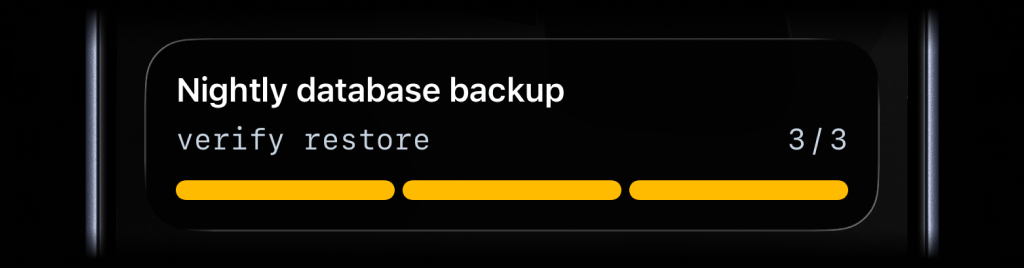
activitysmith activity end \
  --activity-id "<activityId>" \
  --content-state '{
    "title": "Nightly database backup",
    "subtitle": "verify restore",
    "numberOfSteps": 3,
    "currentStep": 3,
    "autoDismissMinutes": 2
  }'
Progress Type
Use progress when the state is naturally continuous. It fits charging,
downloads, sync jobs, uploads, timers, and any flow where a percentage or
numeric range is the clearest signal.
Start
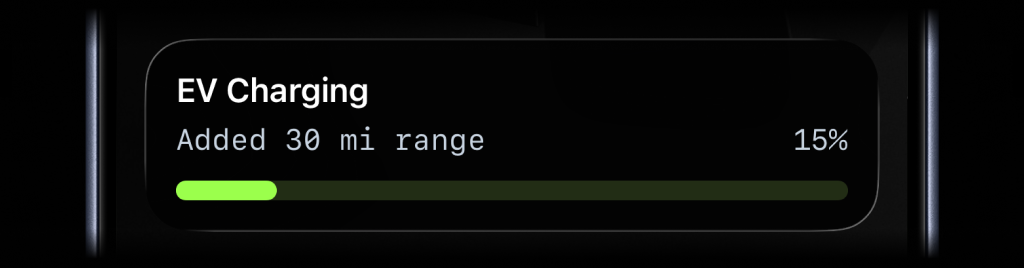
activitysmith activity start \
  --content-state '{
    "title": "EV Charging",
    "subtitle": "Added 30 mi range",
    "type": "progress",
    "percentage": 15
  }'
Update
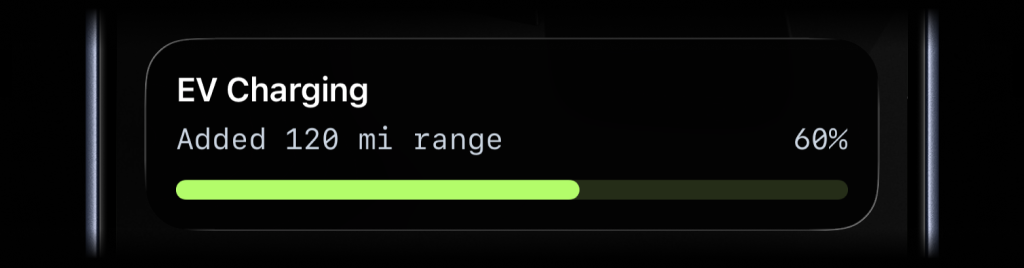
activitysmith activity update \
  --activity-id "<activityId>" \
  --content-state '{
    "title": "EV Charging",
    "subtitle": "Added 120 mi range",
    "percentage": 60
  }'
End
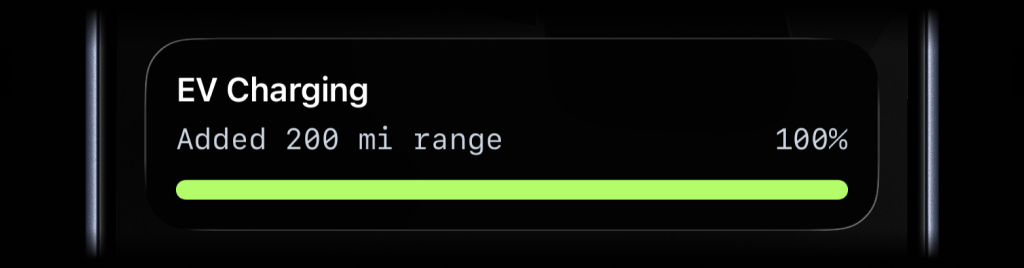
activitysmith activity end \
  --activity-id "<activityId>" \
  --content-state '{
    "title": "EV Charging",
    "subtitle": "Added 200 mi range",
    "percentage": 100,
    "autoDismissMinutes": 2
  }'
Live Activity Action
Just like Actionable Push Notifications, Live Activities can have a button that opens a URL in a browser or triggers a webhook. Webhooks are executed by the ActivitySmith backend.
Open URL action
activitysmith activity start \
  --content-state '{
    "title": "Server Health",
    "subtitle": "prod-web-1",
    "type": "metrics",
    "metrics": [
      { "label": "CPU", "value": 76, "unit": "%" },
      { "label": "MEM", "value": 52, "unit": "%" }
    ]
  }' \
  --action '{
    "title": "Open Dashboard",
    "type": "open_url",
    "url": "https://ops.example.com/servers/prod-web-1"
  }'
Webhook action
activitysmith activity update \
  --activity-id "<activityId>" \
  --content-state '{
    "title": "Server Health",
    "subtitle": "prod-web-1",
    "type": "metrics",
    "metrics": [
      { "label": "CPU", "value": 91, "unit": "%" },
      { "label": "MEM", "value": 57, "unit": "%" }
    ]
  }' \
  --action '{
    "title": "Restart Service",
    "type": "webhook",
    "url": "https://ops.example.com/hooks/servers/prod-web-1/restart",
    "method": "POST",
    "body": {
      "server_id": "prod-web-1",
      "requested_by": "activitysmith-cli"
    }
  }'
Channels
Channels are used to target specific team members or devices. Can be used for both push notifications and live activities.
activitysmith push \
  --title "Build Failed 🚨" \
  --message "CI pipeline failed on main branch" \
  --channels "devs,ops"
Aliases
The CLI installs two bin names:
activitysmith (recommended)activitysmith-cli (alias)
Content State Options
For activity stream|start|update|end|end-stream, you can pass content state via JSON:
--content-state <json>--content-state-file <path>
For metrics, you can also pass the metrics array directly:
--metrics <json-array>--metrics-file <path>
Or use flags to build the rest of the payload:
--title <title>--subtitle <subtitle>--type <type>--number-of-steps <number>--current-step <number>--percentage <number>--value <number>--upper-limit <number>--color <color>--step-color <color>--auto-dismiss-minutes <number>
Live Activity action options:
--action <json>--action-file <path>
Targeting options:
--channels <comma-separated-slugs> (for push, activity stream, and activity start)
Required fields:
activity stream: --title, --type, plus --metrics, --number-of-steps and --current-step, --percentage, or --value with --upper-limitactivity start: --title, --type, plus --metrics, --number-of-steps and --current-step, --percentage, or --value with --upper-limitactivity update: --title, plus --metrics, --current-step, --percentage, or --value with --upper-limitactivity end: --title, plus --metrics, --current-step, --percentage, or --value with --upper-limitactivity end-stream: no content state is required, but if you provide one it follows the same rules as activity end
Output
Use --json for machine-readable output.
activitysmith push --title "Hello" --json



