ActivitySmith CLI
CLI wrapper for the ActivitySmith API using the official Node SDK.
Table of Contents
Install
npm install -g activitysmith-cli
Install Skill (Codex/Claude/Other Skills-Compatible Agents)
Install the public skill from this repo:
npx skills add ActivitySmithHQ/activitysmith-cli --skill activitysmith
Skill path in this repo:
skills/activitysmith
The skill is agent-neutral and uses ACTIVITYSMITH_API_KEY auth plus the same CLI commands shown below.
Auth
Set ACTIVITYSMITH_API_KEY or pass --api-key.
For the skill scripts, you can also copy skills/activitysmith/.env.example to skills/activitysmith/.env.
Push Notifications
Run activitysmith --help to inspect available commands.
Send Push Notification
activitysmith push \
  --title "Build Failed 🚨" \
  --message "CI pipeline failed on main branch"
Rich Push Notifications with Media
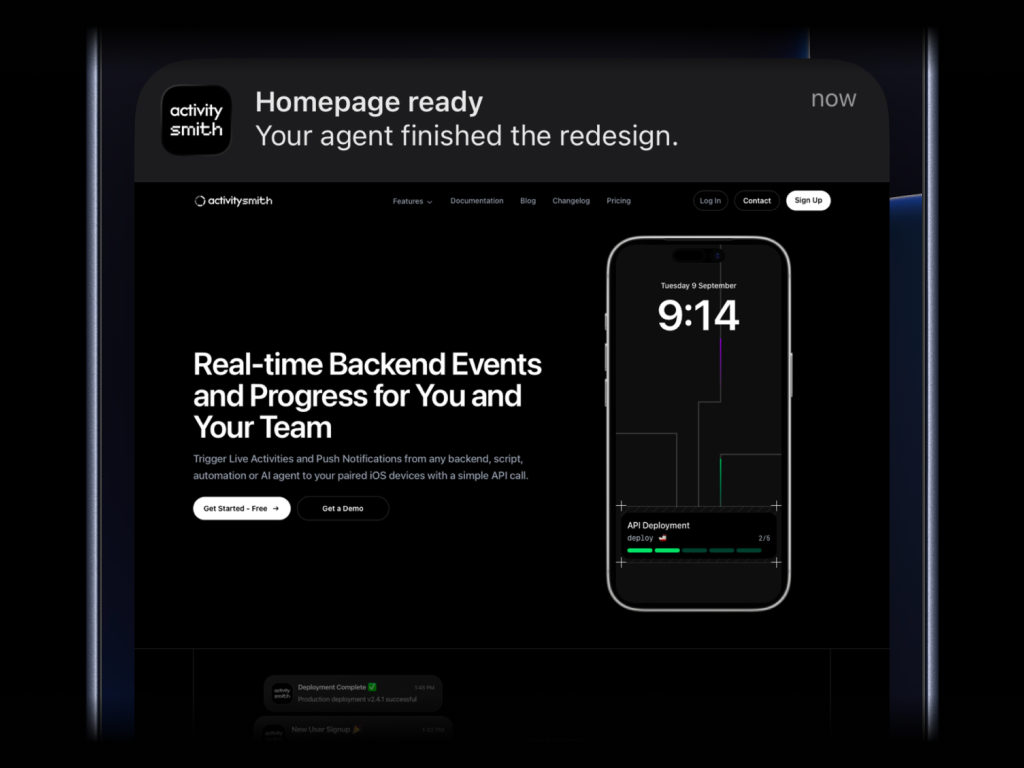
activitysmith push \
  --title "Homepage ready" \
  --message "Your agent finished the redesign." \
  --media "https://cdn.example.com/output/homepage-v2.png" \
  --redirection "https://github.com/acme/web/pull/482"
Send images, videos, or audio with your push notifications, press and hold to preview media directly from the notification, then tap through to open the linked content.
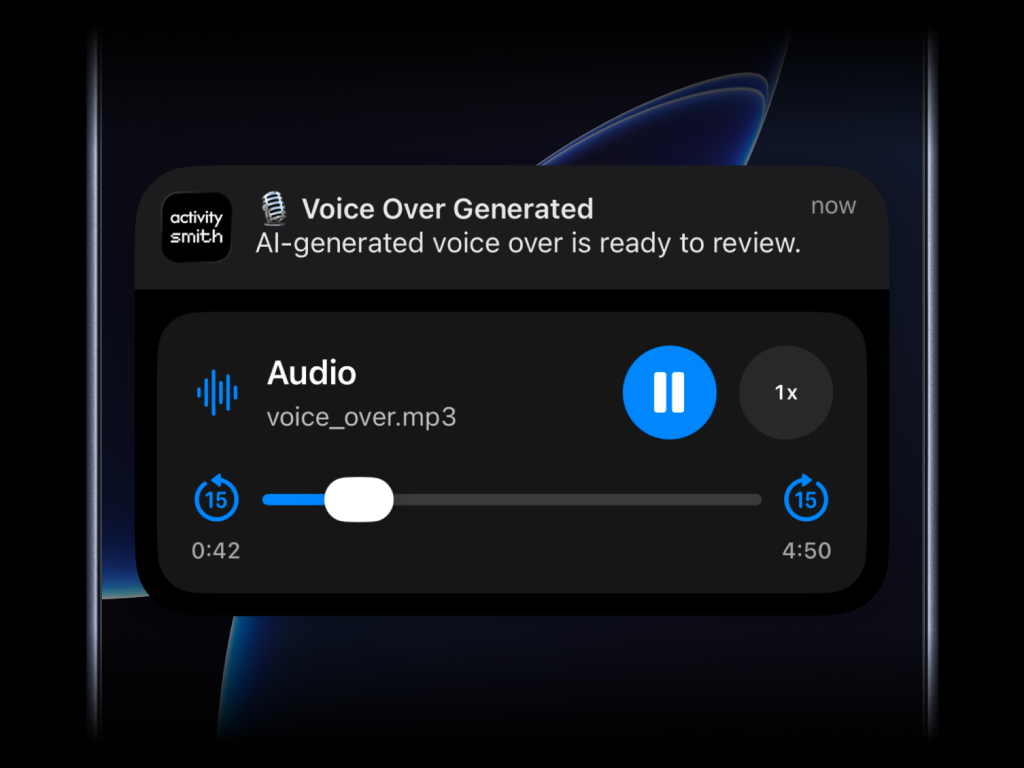
What will work:
- direct image URL:
.jpg, .png, .gif, etc.
- direct audio file URL:
.mp3, .m4a, etc.
- direct video file URL:
.mp4, .mov, etc.
- URL that responds with a proper media
Content-Type, even if the path has no extension
--media can be combined with --redirection, but not with --actions or --actions-file.
Actionable Push Notifications
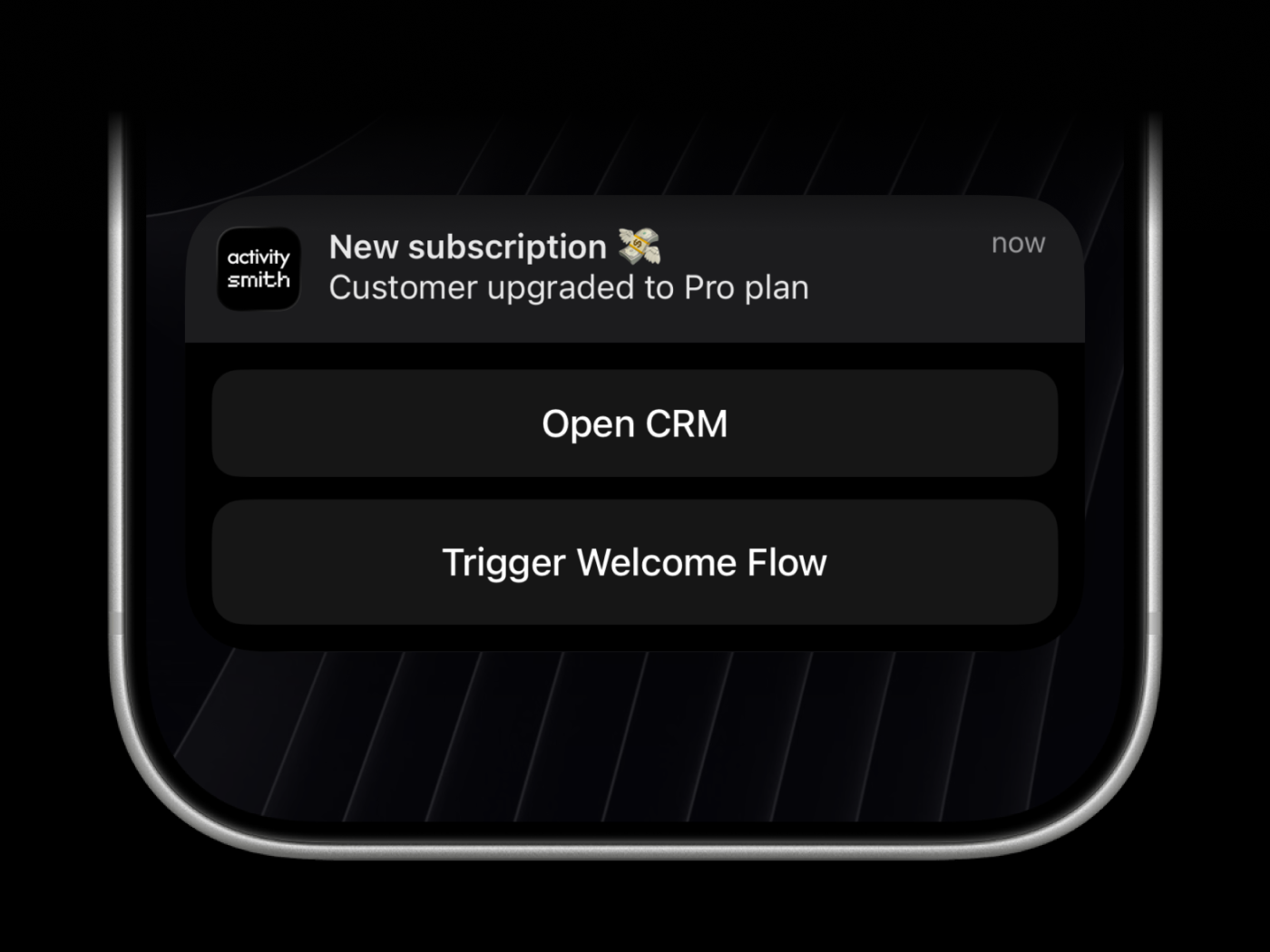
Actionable push notifications can open a URL on tap or trigger actions when someone long-presses the notification.
Webhooks are executed by the ActivitySmith backend.
activitysmith push \
  --title "Build Failed 🚨" \
  --message "CI pipeline failed on main branch" \
  --redirection "https://github.com/org/repo/actions/runs/123456789" \
  --actions '[
    {
      "title": "Open Failing Run",
      "type": "open_url",
      "url": "https://github.com/org/repo/actions/runs/123456789"
    },
    {
      "title": "Create Incident",
      "type": "webhook",
      "url": "https://hooks.example.com/incidents/create",
      "method": "POST",
      "body": {
        "service": "payments-api",
        "severity": "high",
        "source": "activitysmith-cli"
      }
    }
  ]'
You can also load actions from a file:
activitysmith push \
  --title "Build Failed 🚨" \
  --message "CI pipeline failed on main branch" \
  --actions-file "./actions.json"
Live Activities
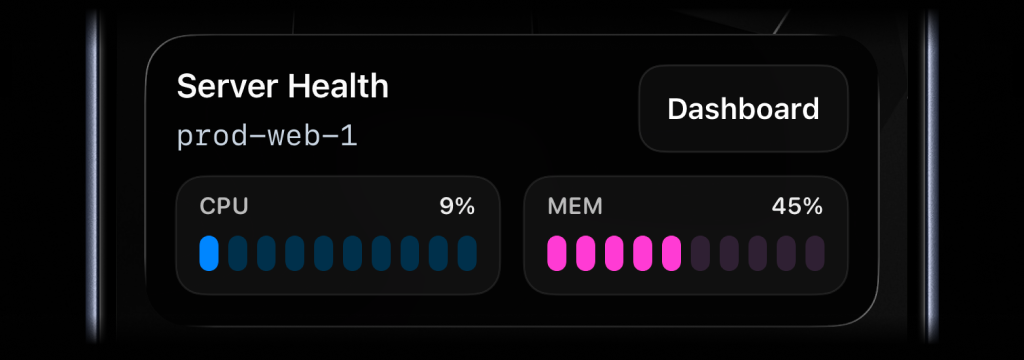
There are four types of Live Activities:
stats: best for compact business or product stats like revenue, orders, conversion, and average order valuemetrics: best for live operational stats like server CPU and memory, queue depth, or replica lagsegmented_progress: best for step-based workflows like deployments, backups, and ETL pipelinesprogress: best for continuous jobs like uploads, reindexes, and long-running migrations tracked as a percentage
When working with Live Activities via our API, you have two approaches tailored
to different needs. First, the stateless mode is the simplest path - one API
call can initiate or update an activity, and another ends it - no state
tracking on your side.
This is ideal if you want minimal complexity, perfect for automated workflows
like cron jobs.
In contrast, if you need precise lifecycle control, the classic approach offers
distinct calls for start, updates, and end, giving you full control over the
activity's state.
In the following sections, we'll break down how to implement each method so you
can choose what fits your use case best.
Simple: Let ActivitySmith manage the Live Activity for you
Use a stable stream_key to identify the system or workflow you are tracking,
such as a server, deployment, build pipeline, cron job, or charging session.
This is especially useful for cron jobs and other scheduled tasks where you do
not want to store activity_id between runs.
Stats
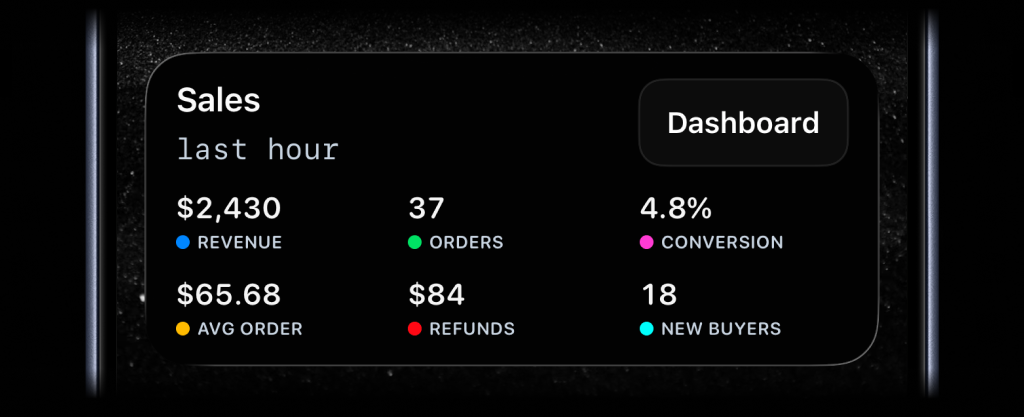
activitysmith activity stream sales-hourly \
  --content-state '{
    "title": "Sales",
    "subtitle": "last hour",
    "type": "stats",
    "metrics": [
      { "label": "Revenue", "value": "$2430", "color": "blue" },
      { "label": "Orders", "value": "37", "color": "green" },
      { "label": "Conversion", "value": "4.8%", "color": "magenta" },
      { "label": "Avg Order", "value": "$65.68", "color": "yellow" },
      { "label": "Refunds", "value": "$84", "color": "red" },
      { "label": "New Buyers", "value": "18", "color": "cyan" }
    ]
  }'
Metrics
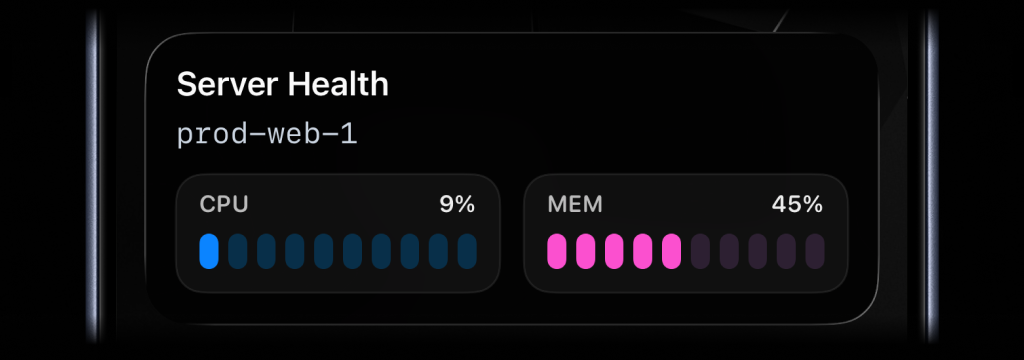
activitysmith activity stream prod-web-1 \
  --content-state '{
    "title": "Server Health",
    "subtitle": "prod-web-1",
    "type": "metrics",
    "metrics": [
      { "label": "CPU", "value": 9, "unit": "%" },
      { "label": "MEM", "value": 45, "unit": "%" }
    ]
  }'
Segmented progress
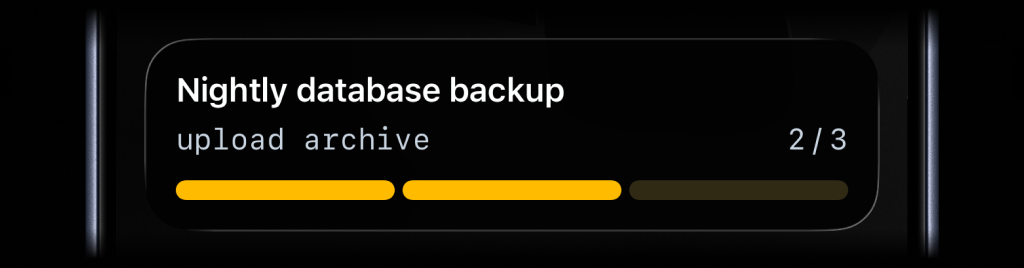
activitysmith activity stream nightly-backup \
  --content-state '{
    "title": "Nightly Backup",
    "subtitle": "upload archive",
    "type": "segmented_progress",
    "numberOfSteps": 3,
    "currentStep": 2
  }'
Progress
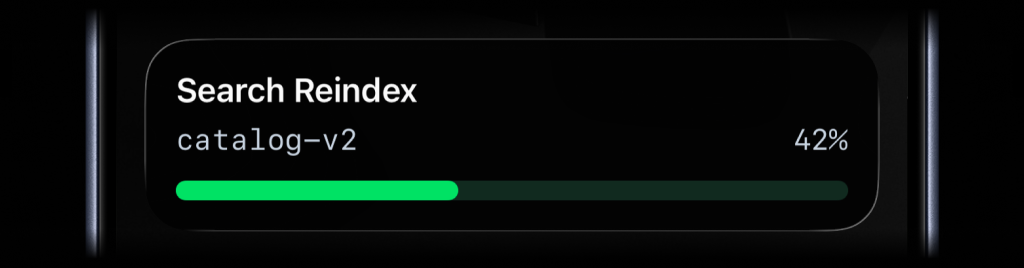
activitysmith activity stream search-reindex \
  --content-state '{
    "title": "Search Reindex",
    "subtitle": "catalog-v2",
    "type": "progress",
    "percentage": 42
  }'
Run activitysmith activity stream <stream-key> ... again with the same
stream_key whenever the state changes.
End a stream
Use this when the tracked process is finished and you no longer want the Live
Activity on devices. content_state is optional here; include it if you want
to end the stream with a final state.
activitysmith activity end-stream prod-web-1 \
  --content-state '{
    "title": "Server Health",
    "subtitle": "prod-web-1",
    "type": "metrics",
    "metrics": [
      { "label": "CPU", "value": 7, "unit": "%" },
      { "label": "MEM", "value": 38, "unit": "%" }
    ]
  }'
If you later send another activity stream request with the same stream_key,
ActivitySmith starts a new Live Activity for that stream again.
Stream responses include an operation field:
started: ActivitySmith started a new Live Activity for this stream_keyupdated: ActivitySmith updated the current Live Activityrotated: ActivitySmith ended the previous Live Activity and started a new onenoop: the incoming state matched the current state, so no update was sentpaused: the stream is paused, so no Live Activity was started or updatedended: returned by activity end-stream after the stream is ended
Advanced: Full lifecycle control
Use these commands when you want to manage the Live Activity lifecycle yourself:
- Run
activitysmith activity start ....
- Save the returned
activity_id.
- Run
activitysmith activity update ... as progress changes.
- Run
activitysmith activity end ... when the work is finished.
You can use --content-state <json> for the examples below, or build the same
payload with flags as documented in Content State Options.
Stats
Keep your key numbers on your Lock Screen. stats fits up to 8 labeled values,
such as revenue, orders, conversion, uptime, or any other business metric you
want visible at a glance. Each metric can use a formatted string or number as
its value. Add color to a metric to show an accent dot next to its label;
omit color to show the label without a dot.
Start
activitysmith activity start \
  --content-state '{
    "title": "Sales",
    "subtitle": "last hour",
    "type": "stats",
    "metrics": [
      { "label": "Revenue", "value": "$2430", "color": "blue" },
      { "label": "Orders", "value": "37", "color": "green" },
      { "label": "Conversion", "value": "4.8%", "color": "magenta" },
      { "label": "Avg Order", "value": "$65.68", "color": "yellow" },
      { "label": "Refunds", "value": "$84", "color": "red" },
      { "label": "New Buyers", "value": "18", "color": "cyan" }
    ]
  }'
Update
activitysmith activity update \
  --activity-id "<activityId>" \
  --content-state '{
    "title": "Sales",
    "subtitle": "last hour",
    "type": "stats",
    "metrics": [
      { "label": "Revenue", "value": "$3180", "color": "blue" },
      { "label": "Orders", "value": "51", "color": "green" },
      { "label": "Conversion", "value": "5.2%", "color": "magenta" },
      { "label": "Avg Order", "value": "$62.35", "color": "yellow" },
      { "label": "Refunds", "value": "$126", "color": "red" },
      { "label": "New Buyers", "value": "24", "color": "cyan" }
    ]
  }'
End
activitysmith activity end \
  --activity-id "<activityId>" \
  --content-state '{
    "title": "Sales",
    "subtitle": "last hour",
    "type": "stats",
    "metrics": [
      { "label": "Revenue", "value": "$3460", "color": "blue" },
      { "label": "Orders", "value": "58", "color": "green" },
      { "label": "Conversion", "value": "5.4%", "color": "magenta" },
      { "label": "Avg Order", "value": "$59.66", "color": "yellow" },
      { "label": "Refunds", "value": "$92", "color": "red" },
      { "label": "New Buyers", "value": "31", "color": "cyan" }
    ],
    "autoDismissMinutes": 2
  }'
Metrics Type
Use metrics when you want to keep a small set of live stats visible, such as
server health, queue pressure, or database load.
Start
activitysmith activity start \
  --content-state '{
    "title": "Server Health",
    "subtitle": "prod-web-1",
    "type": "metrics",
    "metrics": [
      { "label": "CPU", "value": 9, "unit": "%" },
      { "label": "MEM", "value": 45, "unit": "%" }
    ]
  }'
Update
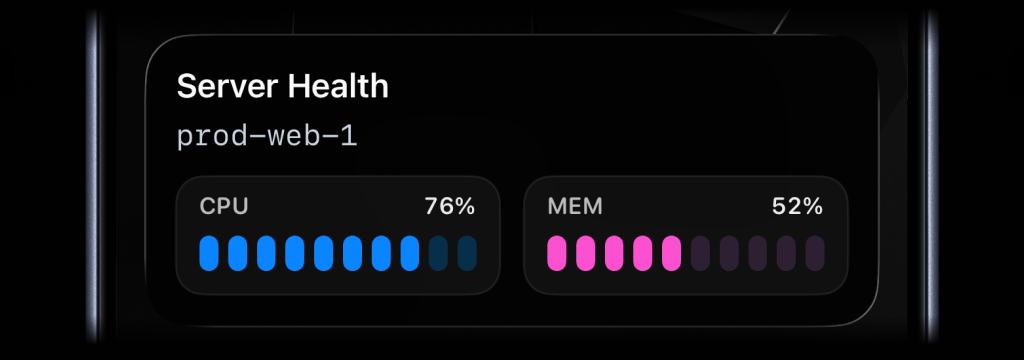
activitysmith activity update \
  --activity-id "<activityId>" \
  --content-state '{
    "title": "Server Health",
    "subtitle": "prod-web-1",
    "type": "metrics",
    "metrics": [
      { "label": "CPU", "value": 76, "unit": "%" },
      { "label": "MEM", "value": 52, "unit": "%" }
    ]
  }'
End
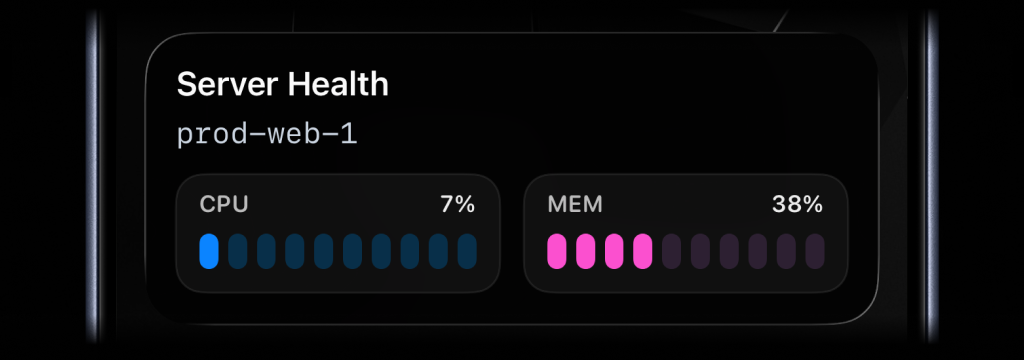
activitysmith activity end \
  --activity-id "<activityId>" \
  --content-state '{
    "title": "Server Health",
    "subtitle": "prod-web-1",
    "type": "metrics",
    "metrics": [
      { "label": "CPU", "value": 7, "unit": "%" },
      { "label": "MEM", "value": 38, "unit": "%" }
    ],
    "autoDismissMinutes": 2
  }'
Segmented Progress Type
Use segmented_progress for jobs and workflows that move through clear steps or
phases. It fits jobs like deployments, backups, ETL pipelines, and checklists.
numberOfSteps is dynamic, so you can increase or decrease it later if the
workflow changes.
Start
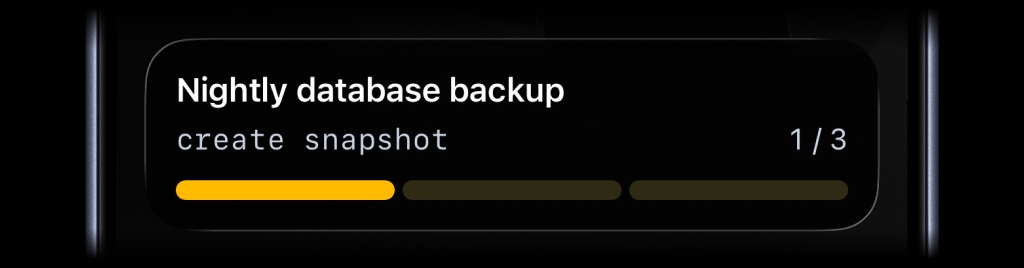
activitysmith activity start \
  --content-state '{
    "title": "Nightly database backup",
    "subtitle": "create snapshot",
    "numberOfSteps": 3,
    "currentStep": 1,
    "type": "segmented_progress",
    "color": "yellow"
  }'
Update
activitysmith activity update \
  --activity-id "<activityId>" \
  --content-state '{
    "title": "Nightly database backup",
    "subtitle": "upload archive",
    "numberOfSteps": 3,
    "currentStep": 2
  }'
End
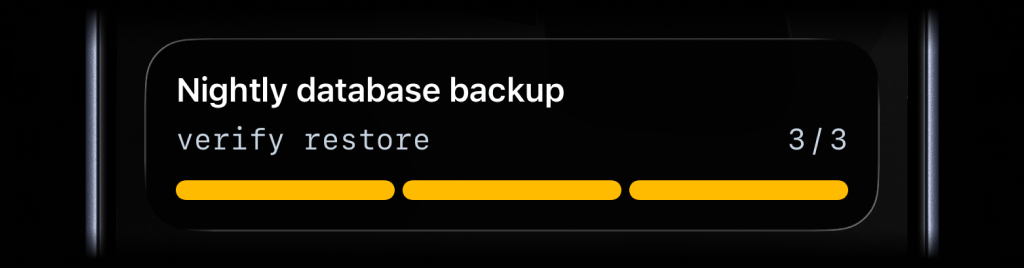
activitysmith activity end \
  --activity-id "<activityId>" \
  --content-state '{
    "title": "Nightly database backup",
    "subtitle": "verify restore",
    "numberOfSteps": 3,
    "currentStep": 3,
    "autoDismissMinutes": 2
  }'
Progress Type
Use progress when the state is naturally continuous. It fits charging,
downloads, sync jobs, uploads, timers, and any flow where a percentage or
numeric range is the clearest signal.
Start
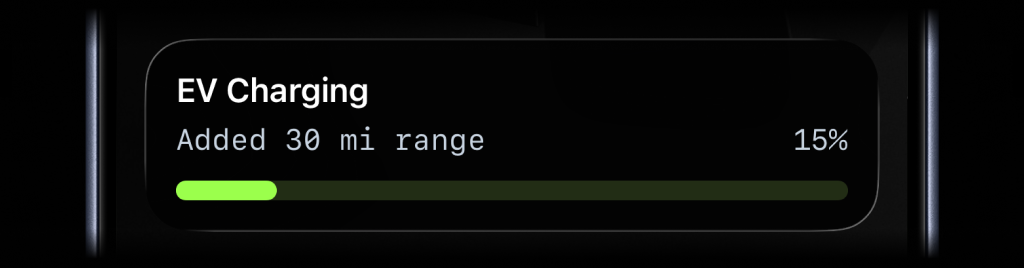
activitysmith activity start \
  --content-state '{
    "title": "EV Charging",
    "subtitle": "Added 30 mi range",
    "type": "progress",
    "percentage": 15
  }'
Update
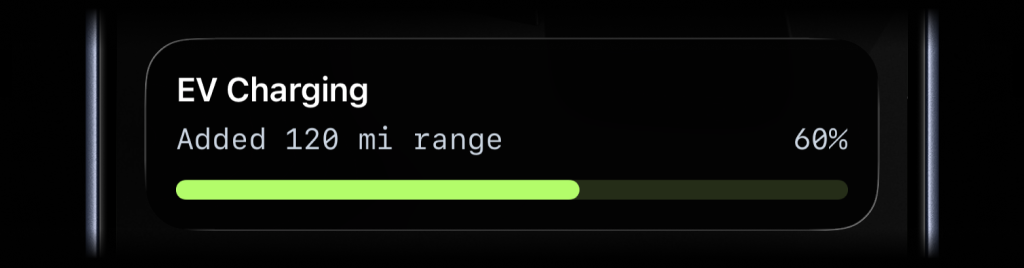
activitysmith activity update \
  --activity-id "<activityId>" \
  --content-state '{
    "title": "EV Charging",
    "subtitle": "Added 120 mi range",
    "percentage": 60
  }'
End
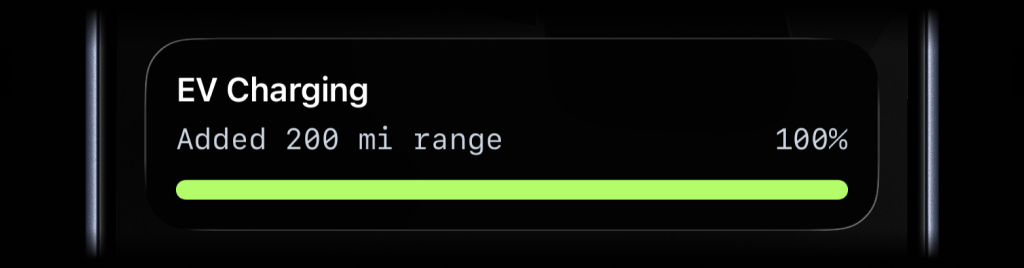
activitysmith activity end \
  --activity-id "<activityId>" \
  --content-state '{
    "title": "EV Charging",
    "subtitle": "Added 200 mi range",
    "percentage": 100,
    "autoDismissMinutes": 2
  }'
Live Activity Action
Just like Actionable Push Notifications, Live Activities can have a button that opens provided URL in a browser or triggers a webhook. Webhooks are executed by the ActivitySmith backend.
Open URL action
activitysmith activity start \
  --content-state '{
    "title": "Server Health",
    "subtitle": "prod-web-1",
    "type": "metrics",
    "metrics": [
      { "label": "CPU", "value": 76, "unit": "%" },
      { "label": "MEM", "value": 52, "unit": "%" }
    ]
  }' \
  --action '{
    "title": "Open Dashboard",
    "type": "open_url",
    "url": "https://ops.example.com/servers/prod-web-1"
  }'
Webhook action
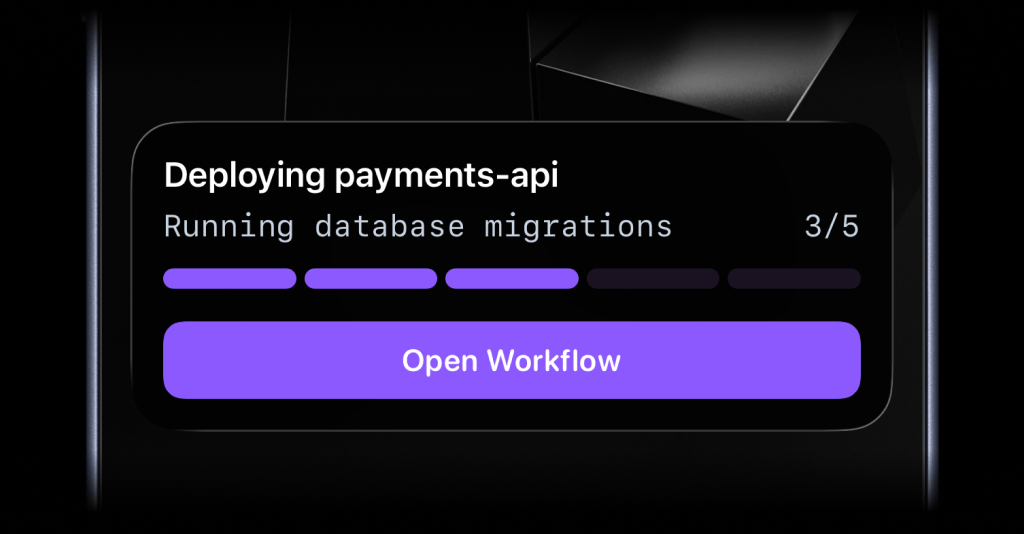
activitysmith activity update \
  --activity-id "<activityId>" \
  --content-state '{
    "title": "Reindexing product search",
    "subtitle": "Shard 7 of 12",
    "numberOfSteps": 12,
    "currentStep": 7
  }' \
  --action '{
    "title": "Pause Reindex",
    "type": "webhook",
    "url": "https://ops.example.com/hooks/search/reindex/pause",
    "method": "POST",
    "body": {
      "job_id": "reindex-2026-03-19",
      "requested_by": "activitysmith-cli"
    }
  }'
Channels
Channels are used to target specific team members or devices. Can be used for both push notifications and live activities.
activitysmith push \
  --title "Build Failed 🚨" \
  --message "CI pipeline failed on main branch" \
  --channels "devs,ops"
Widgets
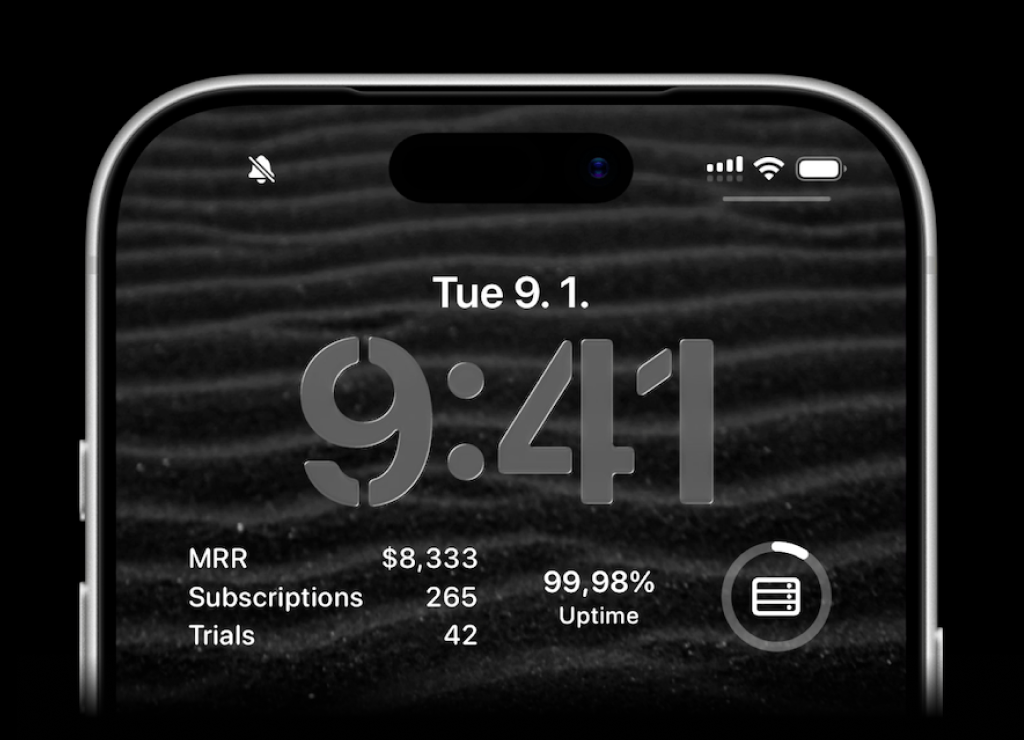
ActivitySmith lets you display any value on your Lock Screen with widgets - SaaS metrics, revenue, signups, uptime, habits, or anything else you want to track. Create a metric in the web app, then update the metric value using our API, add a widget to your lock screen and it will fetch the latest update automatically.
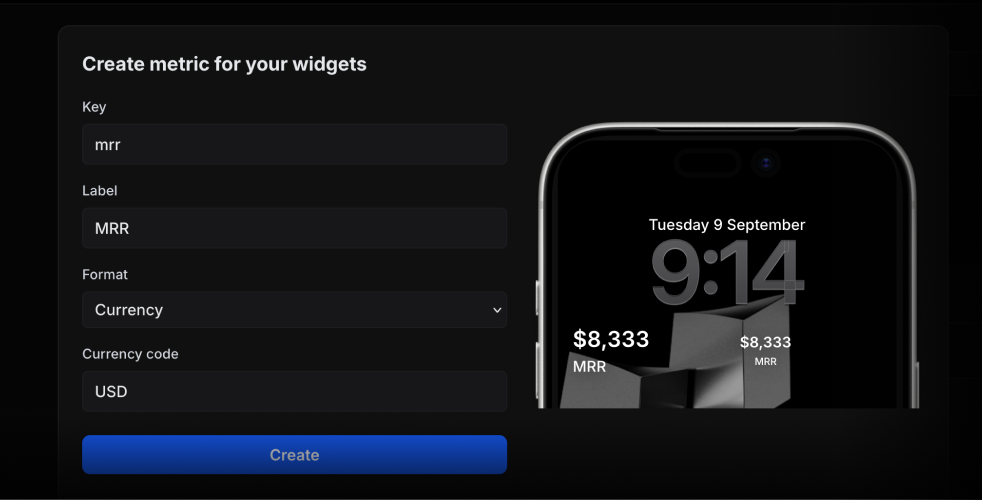
Use the metric key to update its value.
activitysmith metrics update deploy.success_rate 99.9
String metric values work too.
activitysmith metrics update prod.status healthy
Aliases
The CLI installs two bin names:
activitysmith (recommended)activitysmith-cli (alias)
Content State Options
For activity stream|start|update|end|end-stream, you can pass content state via JSON:
--content-state <json>--content-state-file <path>
For metrics and stats, you can also pass the metrics array directly:
--metrics <json-array>--metrics-file <path>
Or use flags to build the rest of the payload:
--title <title>--subtitle <subtitle>--type <type>--number-of-steps <number>--current-step <number>--percentage <number>--value <number>--upper-limit <number>--color <color>--step-color <color>--auto-dismiss-minutes <number>
Live Activity action options:
--action <json>--action-file <path>
Targeting options:
--channels <comma-separated-slugs> (for push, activity stream, and activity start)
Widget metric options:
activitysmith metrics update <metric-key> <value>activitysmith metric update <metric-key> <value> (alias)
Required fields:
activity stream: --title, --type, plus --metrics, --number-of-steps and --current-step, --percentage, or --value with --upper-limitactivity start: --title, --type, plus --metrics, --number-of-steps and --current-step, --percentage, or --value with --upper-limitactivity update: --title, plus --metrics, --current-step, --percentage, or --value with --upper-limitactivity end: --title, plus --metrics, --current-step, --percentage, or --value with --upper-limitactivity end-stream: no content state is required, but if you provide one it follows the same rules as activity end
Output
Use --json for machine-readable output.
activitysmith push --title "Hello" --json



