ActivitySmith CLI
CLI wrapper for the ActivitySmith API using the official Node SDK.
Table of Contents
Install
npm install -g activitysmith-cli
Agent Skill
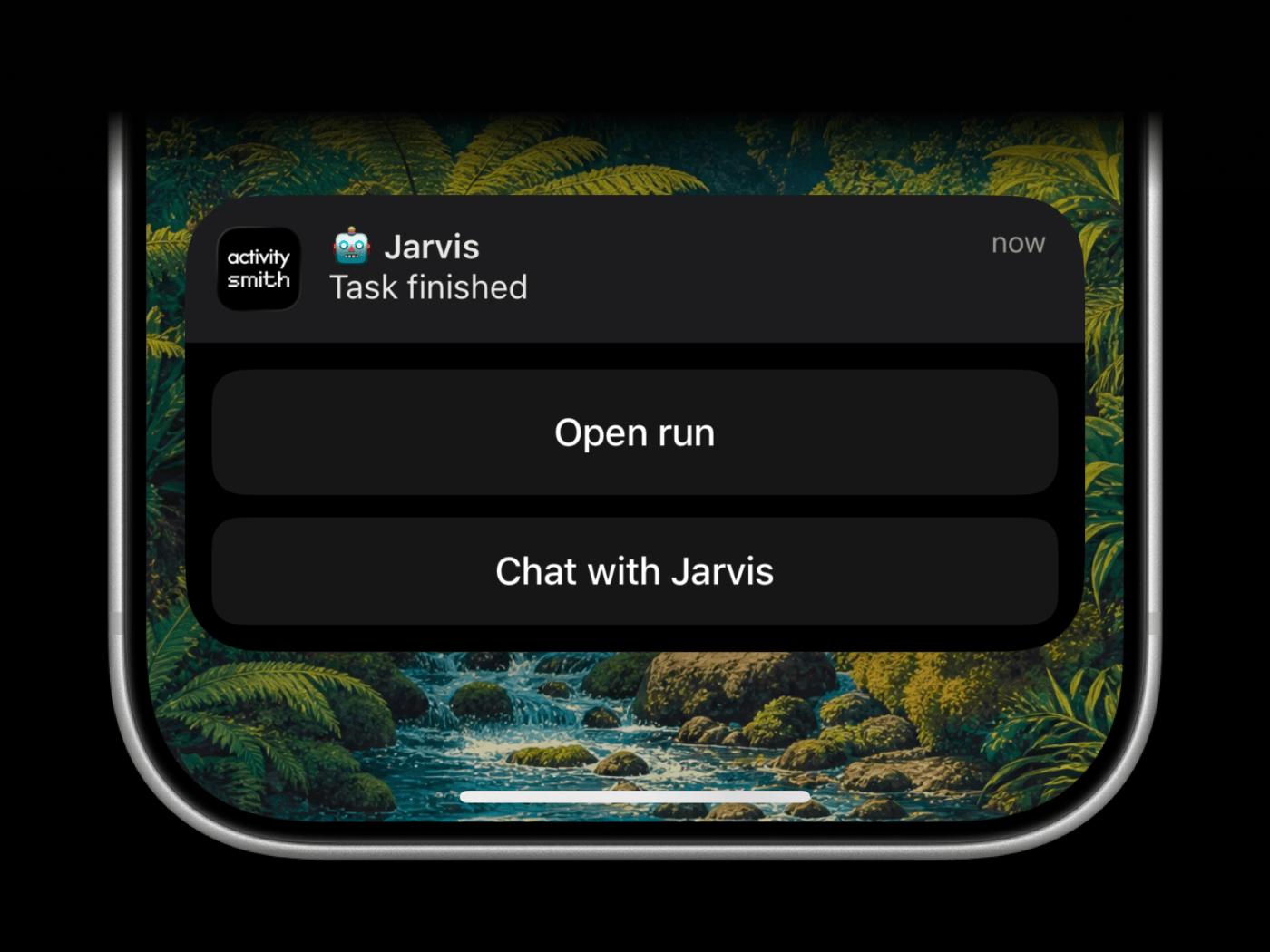
The ActivitySmith skill helps coding agents decide when and how to notify you.
Use it for prompts like:
- "Notify me when you're done."
- "Send me a push notification if you get blocked."
- "When the task finishes, the notification tap should run my Test Shortcut."
- "Show progress on my Lock Screen while you work."
The skill maps those requests to the CLI:
- Push Notifications for completion, blockers, and review requests
shortcuts:// redirection for a specific iPhone Shortcut- action buttons for follow-up links or Shortcut buttons
- Live Activities for long-running progress
- widget metrics for values that should stay visible
- App Icon Badge Counts for a number that should stay on the app icon
Install the public skill from this repo:
npx -y skills@latest add ActivitySmithHQ/activitysmith-cli --skill activitysmith
Skill path in this repo:
skills/activitysmith
The skill is agent-neutral and recipe-driven. It uses ACTIVITYSMITH_API_KEY auth plus the same CLI commands shown below.
Auth
Set ACTIVITYSMITH_API_KEY or pass --api-key.
For the skill scripts, you can also copy skills/activitysmith/.env.example to skills/activitysmith/.env.
Push Notifications
Run activitysmith --help to inspect available commands.
Send Push Notification
activitysmith push \
  --title "Build Failed 🚨" \
  --message "CI pipeline failed on main branch"
Rich Push Notifications with Media
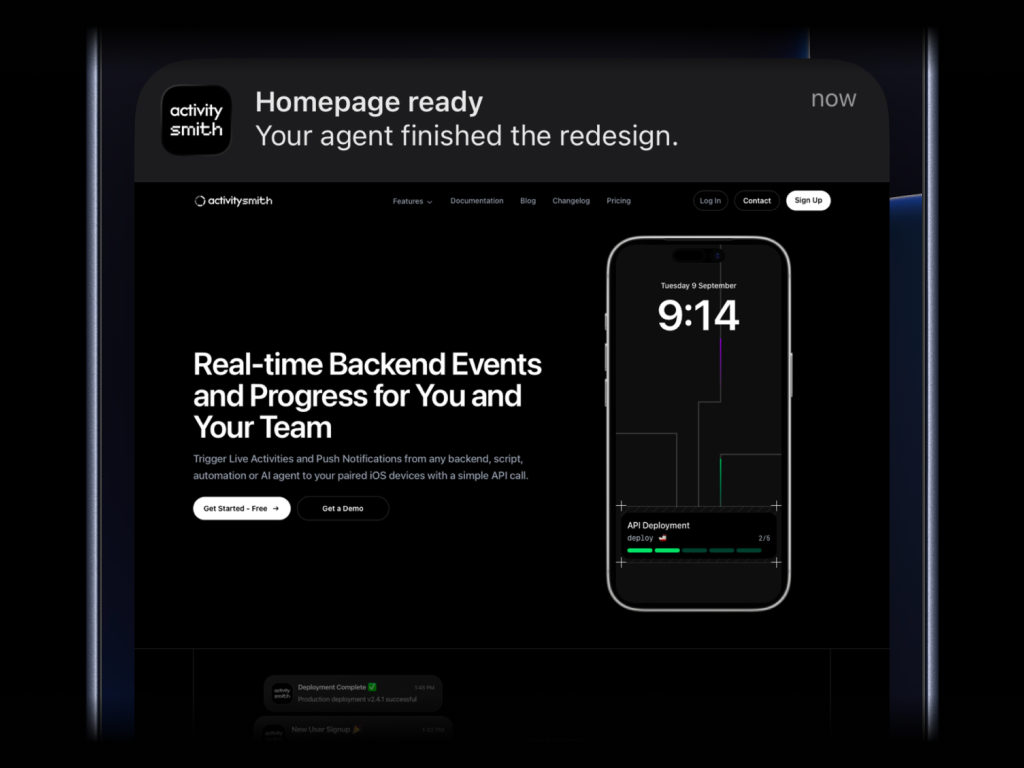
activitysmith push \
  --title "Homepage ready" \
  --message "Your agent finished the redesign." \
  --media "https://cdn.example.com/output/homepage-v2.png" \
  --redirection "https://github.com/acme/web/pull/482"
Send images, videos, or audio with your push notifications, press and hold to preview media directly from the notification, then tap through to open the linked content.
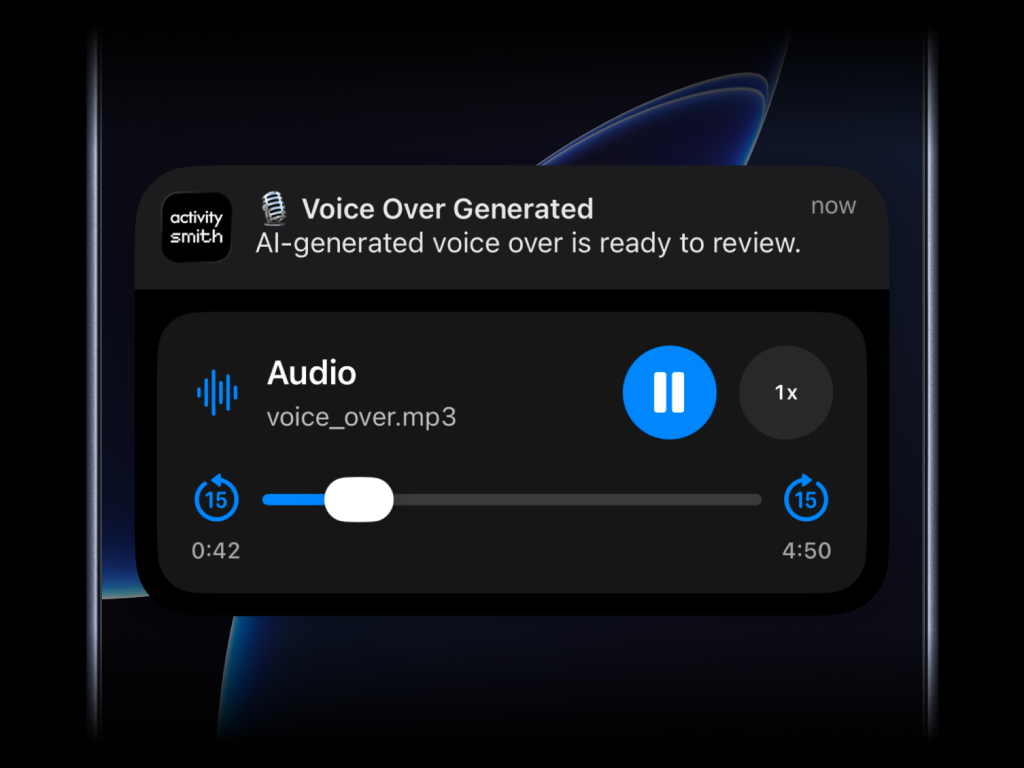
What will work:
- direct image URL:
.jpg, .png, .gif, etc.
- direct audio file URL:
.mp3, .m4a, etc.
- direct video file URL:
.mp4, .mov, etc.
- URL that responds with a proper media
Content-Type, even if the path has no extension
--media can be combined with --redirection, but not with --actions or --actions-file.
Actionable Push Notifications
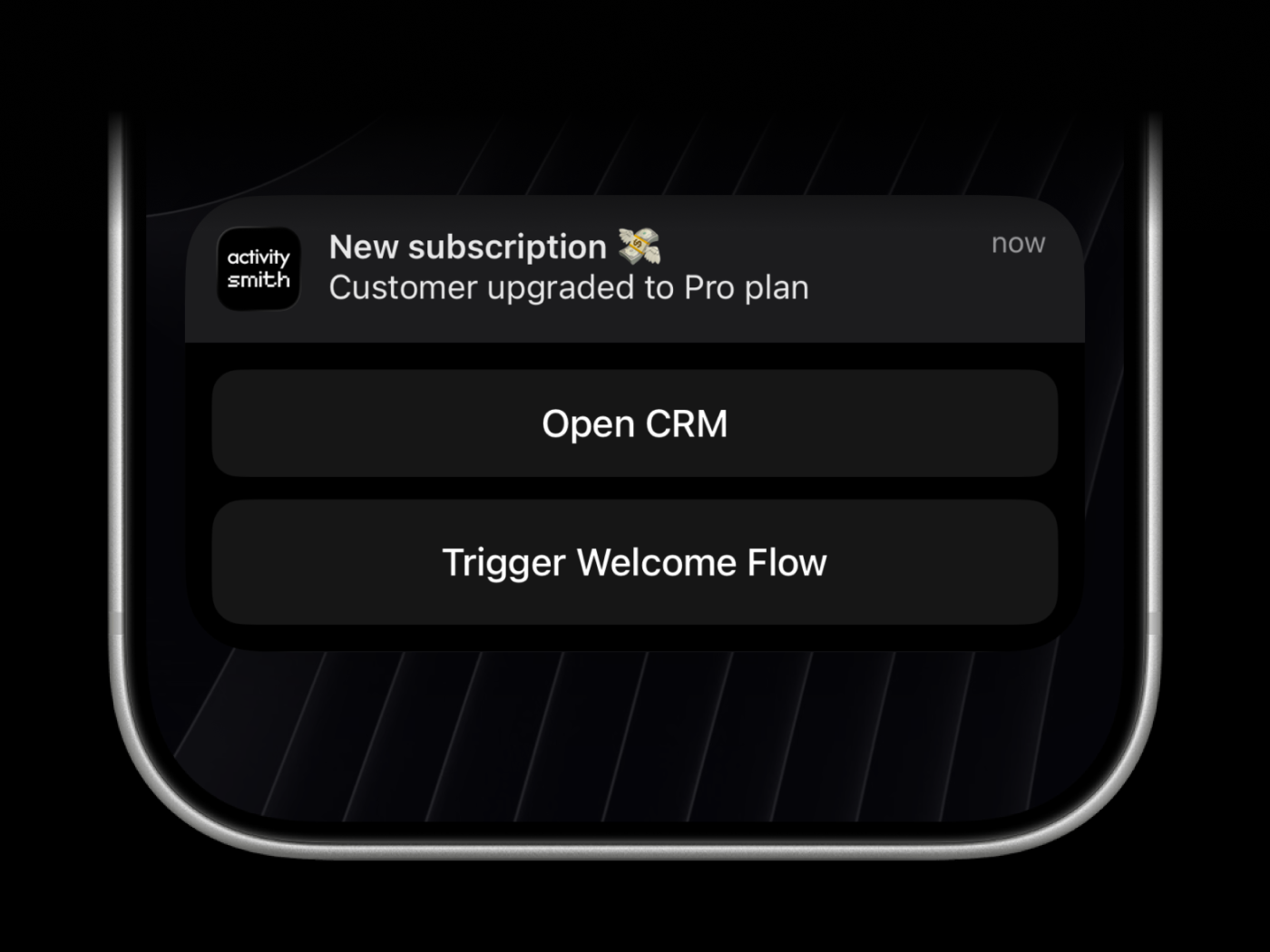
Push notification --redirection and --actions are optional. Use them to open HTTPS URLs, run a specific iPhone Shortcut with a shortcuts://run-shortcut?name=... URL, or trigger backend webhook workflows.
Webhooks are executed by the ActivitySmith backend.
activitysmith push \
  --title "Build Failed 🚨" \
  --message "CI pipeline failed on main branch" \
  --redirection "https://github.com/org/repo/actions/runs/123456789" \
  --actions '[
    {
      "title": "Open Failing Run",
      "type": "open_url",
      "url": "https://github.com/org/repo/actions/runs/123456789"
    },
    {
      "title": "Chat with Jarvis",
      "type": "open_url",
      "url": "shortcuts://run-shortcut?name=Jarvis"
    },
    {
      "title": "Create Incident",
      "type": "webhook",
      "url": "https://hooks.example.com/incidents/create",
      "method": "POST",
      "body": {
        "service": "payments-api",
        "severity": "high",
        "source": "activitysmith-cli"
      }
    }
  ]'
You can also load actions from a file:
activitysmith push \
  --title "Build Failed 🚨" \
  --message "CI pipeline failed on main branch" \
  --actions-file "./actions.json"
Live Activities
There are six types of Live Activities:
stats: best for showing business numbers side by side, such as revenue, sales, new users, conversion, refunds, or any other value you want visible at a glancemetrics: best for live percentage values that change often, like server CPU, memory usage, disk usage, or error ratesegmented_progress: best for anything that moves through clear stages, like deployments, onboarding flows, backups, ETL pipelines, migrations, and AI agent runsprogress: best for tracking real-time progress with percentage, like tasks, backups, migrations, syncs, or uploadsalert: best for status updates, such as feature adoption, reactivation, onboarding blockers, incidents, escalations, and other operational statestimer: best for countdowns and elapsed runtime, like benchmark runs, uploads, backups, transcodes, and long-running jobs
Start & Update Live Activity
Use a stable stream_key to identify the metric, job, deployment, or system you want to keep visible. The first activity stream command starts the Live Activity. Later commands with the same stream_key update it.
Stats
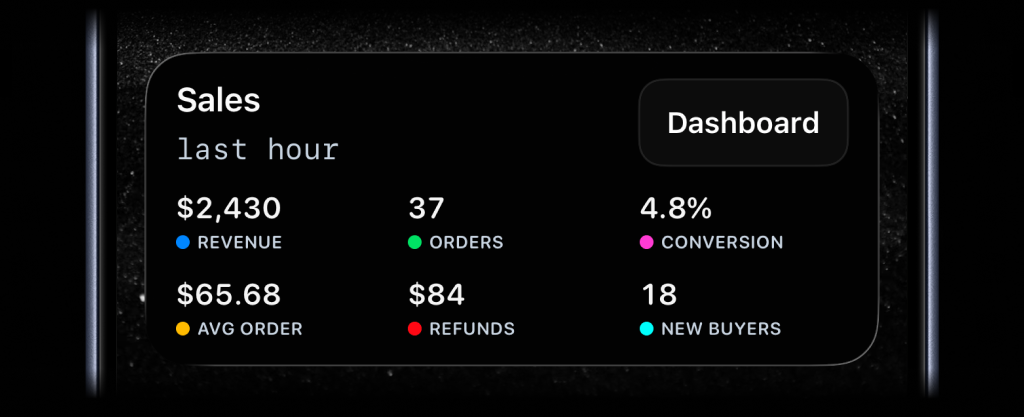
activitysmith activity stream sales-hourly \
  --content-state '{
    "title": "Sales",
    "subtitle": "last hour",
    "type": "stats",
    "metrics": [
      { "label": "Revenue", "value": "$2430", "color": "blue" },
      { "label": "Orders", "value": "37", "color": "green" },
      { "label": "Conversion", "value": "4.8%", "color": "magenta" },
      { "label": "Avg Order", "value": "$65.68", "color": "yellow" },
      { "label": "Refunds", "value": "$84", "color": "red" },
      { "label": "New Buyers", "value": "18", "color": "cyan" }
    ]
  }'
Metrics
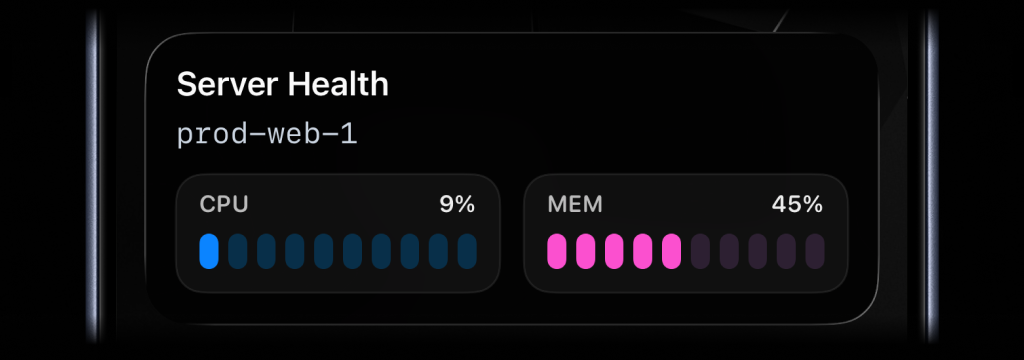
activitysmith activity stream prod-web-1 \
  --content-state '{
    "title": "Server Health",
    "subtitle": "prod-web-1",
    "type": "metrics",
    "metrics": [
      { "label": "CPU", "value": 9, "unit": "%" },
      { "label": "MEM", "value": 45, "unit": "%" }
    ]
  }'
Segmented Progress
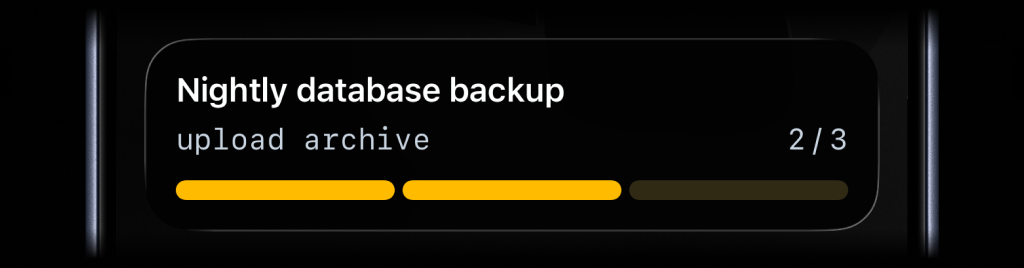
activitysmith activity stream nightly-backup \
  --content-state '{
    "title": "Nightly Backup",
    "subtitle": "upload archive",
    "type": "segmented_progress",
    "numberOfSteps": 3,
    "currentStep": 2
  }'
Progress
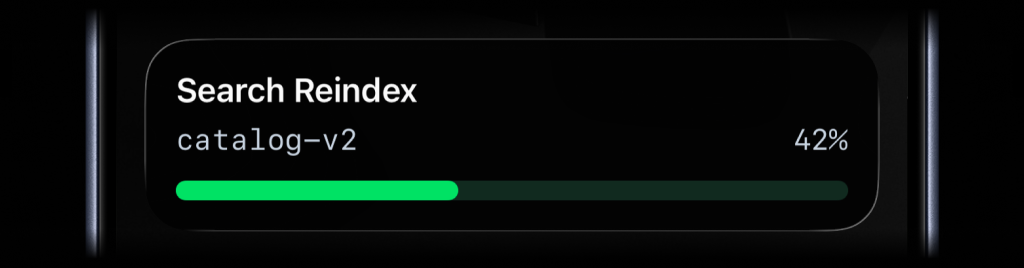
activitysmith activity stream search-reindex \
  --content-state '{
    "title": "Search Reindex",
    "subtitle": "catalog-v2",
    "type": "progress",
    "percentage": 42
  }'
Alert
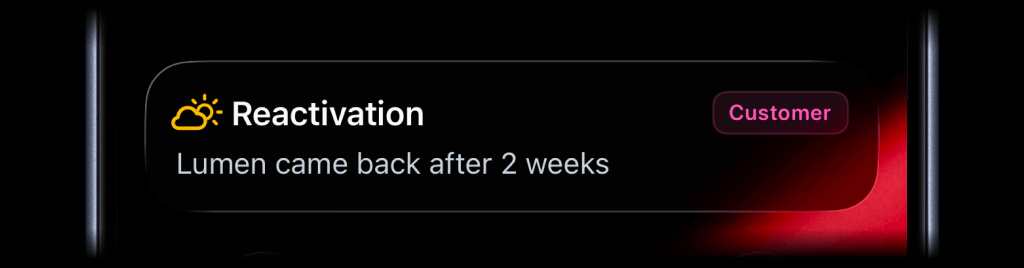
activitysmith activity stream customer-ops \
  --content-state '{
    "title": "Reactivation",
    "message": "Lumen came back after 2 weeks",
    "type": "alert",
    "icon": {
      "symbol": "cloud.sun",
      "color": "yellow"
    },
    "badge": {
      "title": "Customer",
      "color": "magenta"
    }
  }'
Timer
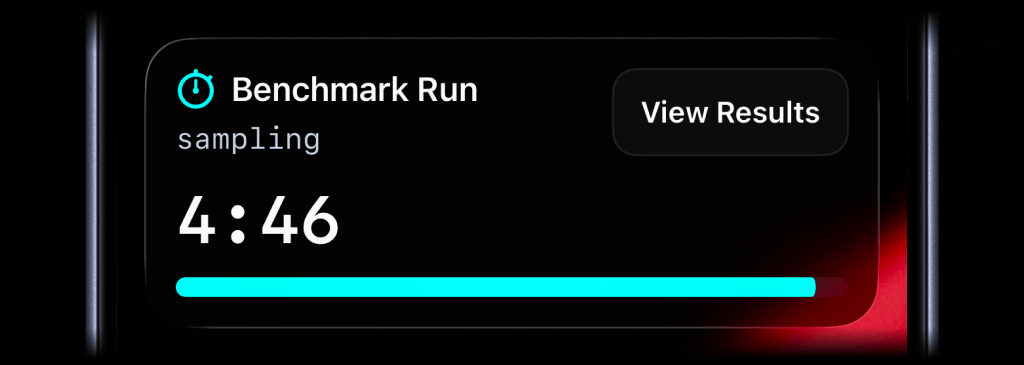
activitysmith activity stream benchmark-run \
  --content-state '{
    "title": "Benchmark Run",
    "subtitle": "sampling",
    "type": "timer",
    "durationSeconds": 300,
    "color": "cyan"
  }'
For a countdown, send duration_seconds. You can update title, subtitle, color, or any other visible field as the work changes. Leave duration_seconds out unless you want to change the timer.
To start at 00:00 and count up, set counts_down: false and leave out duration_seconds.
End Live Activity
Call activity end-stream with the same stream_key to dismiss the Live Activity. You can include final values before it is removed. By default, iOS removes the Live Activity after two minutes. Set autoDismissMinutes to choose a different dismissal time, including 0 for immediate dismissal.
activitysmith activity end-stream prod-web-1 \
  --content-state '{
    "title": "Server Health",
    "subtitle": "prod-web-1",
    "type": "metrics",
    "metrics": [
      { "label": "CPU", "value": 7, "unit": "%" },
      { "label": "MEM", "value": 38, "unit": "%" }
    ],
    "autoDismissMinutes": 2
  }'
Live Activity Action
Live Activities can include an action button.
open_url: open an HTTPS URL.open_url with a shortcuts:// URL: run an Apple Shortcut, for example to open an app.webhook: trigger a backend GET/POST workflow.
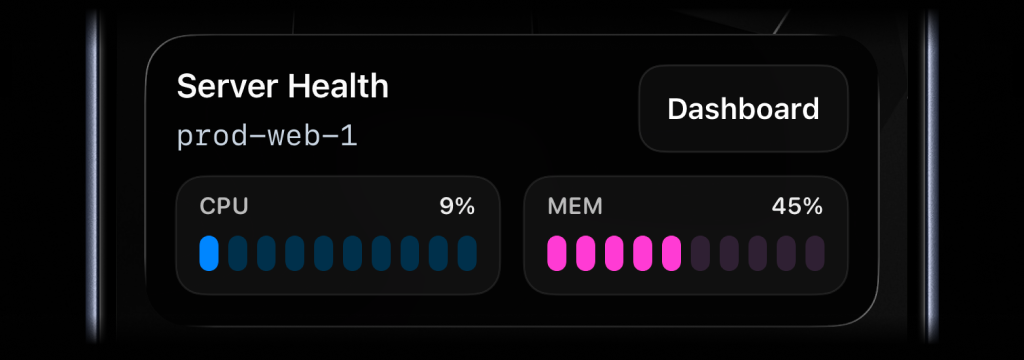
Open URL action
activitysmith activity stream prod-web-1 \
  --content-state '{
    "title": "Server Health",
    "subtitle": "prod-web-1",
    "type": "metrics",
    "metrics": [
      { "label": "CPU", "value": 76, "unit": "%" },
      { "label": "MEM", "value": 52, "unit": "%" }
    ]
  }' \
  --action '{
    "title": "Dashboard",
    "type": "open_url",
    "url": "https://ops.example.com/servers/prod-web-1"
  }'
Apple Shortcut action
activitysmith activity stream deploy-payments-api \
  --content-state '{
    "title": "Deploying payments-api",
    "subtitle": "Running database migrations",
    "type": "segmented_progress",
    "numberOfSteps": 5,
    "currentStep": 3
  }' \
  --action '{
    "title": "Chat with Jarvis",
    "type": "open_url",
    "url": "shortcuts://run-shortcut?name=Jarvis"
  }'
Webhook action
activitysmith activity stream search-reindex \
  --content-state '{
    "title": "Reindexing product search",
    "subtitle": "Shard 7 of 12",
    "type": "segmented_progress",
    "numberOfSteps": 12,
    "currentStep": 7
  }' \
  --action '{
    "title": "Pause Reindex",
    "type": "webhook",
    "url": "https://ops.example.com/hooks/search/reindex/pause",
    "method": "POST",
    "body": {
      "job_id": "reindex-2026-03-19",
      "requested_by": "activitysmith-cli"
    }
  }'
Secondary action
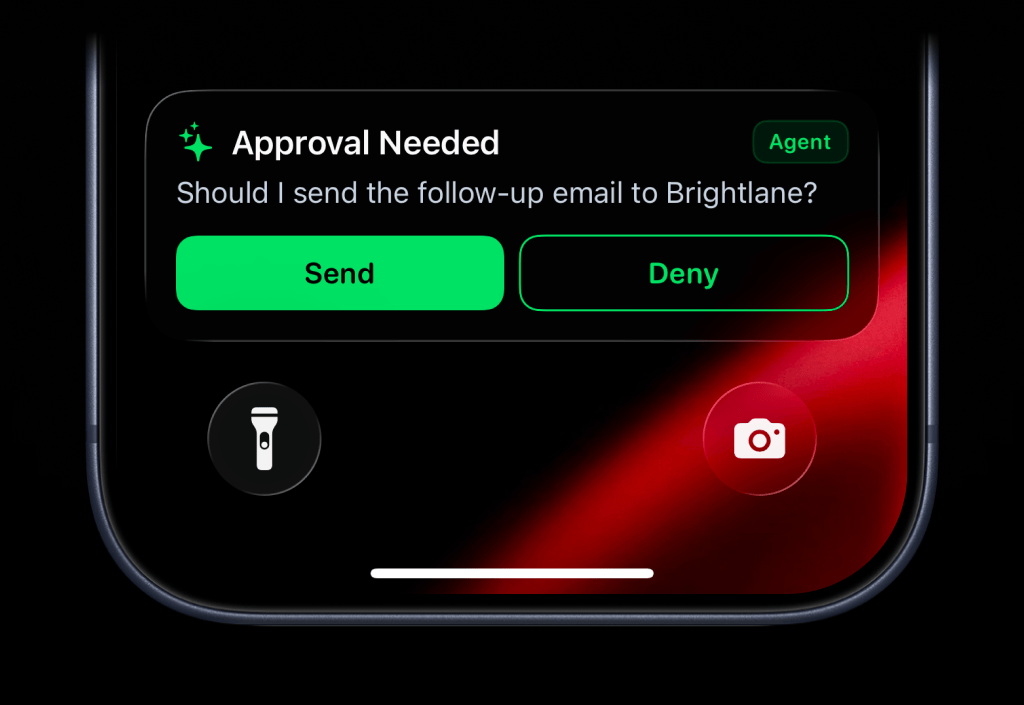
Use --secondary-action when you want a second button beside the primary --action.
The secondary action button is supported for alert, progress, and segmented_progress Live Activities. Both buttons use the same open_url, webhook, and Apple Shortcut payload shapes.
activitysmith activity stream agent-approval \
  --content-state '{
    "title": "Approval Needed",
    "message": "Should I send the follow-up email to Brightlane?",
    "type": "alert",
    "color": "green",
    "icon": { "symbol": "sparkles", "color": "green" },
    "badge": { "title": "Agent", "color": "green" }
  }' \
  --action '{
    "title": "Send",
    "type": "webhook",
    "url": "https://hooks.example.com/agent/approval",
    "method": "POST",
    "body": { "decision": "send" }
  }' \
  --secondary-action '{
    "title": "Deny",
    "type": "webhook",
    "url": "https://hooks.example.com/agent/approval",
    "method": "POST",
    "body": { "decision": "deny" }
  }'
Icons and Badges
Add more context to Live Activities with icons and badges.
Icon
Supported Live Activity types: stats, metrics, progress, segmented_progress, and alert.
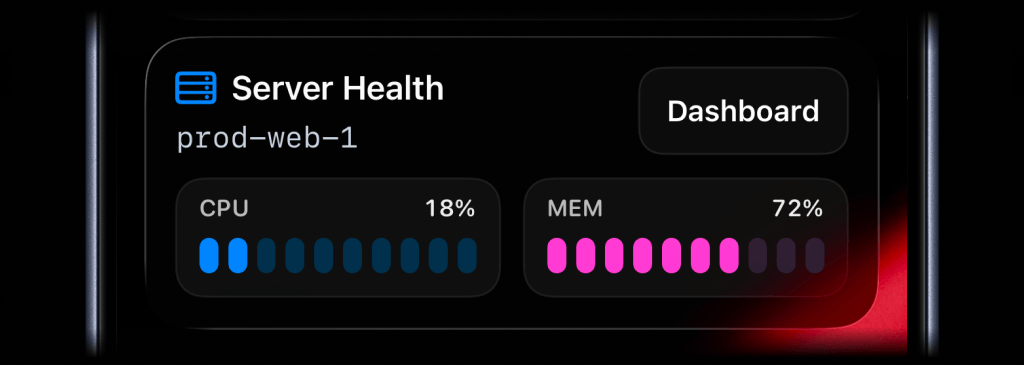
activitysmith activity stream prod-web-1 \
  --content-state '{
    "title": "Server Health",
    "subtitle": "prod-web-1",
    "type": "metrics",
    "icon": { "symbol": "server.rack", "color": "blue" },
    "metrics": [
      { "label": "CPU", "value": 18, "unit": "%" },
      { "label": "MEM", "value": 42, "unit": "%" }
    ]
  }'
The icon.symbol value is an Apple SF Symbol name. Browse the catalog with one of these tools:
- ActivitySmith app - Open Settings -> SF Symbols to browse 45 hand-picked icons ready to use
- SF Symbols - Apple's official macOS app
- Interactful - free third-party iOS app listing all SF Symbols under Foundations -> Iconography
Badge
Badges are supported by alert, progress, and segmented_progress Live Activities.
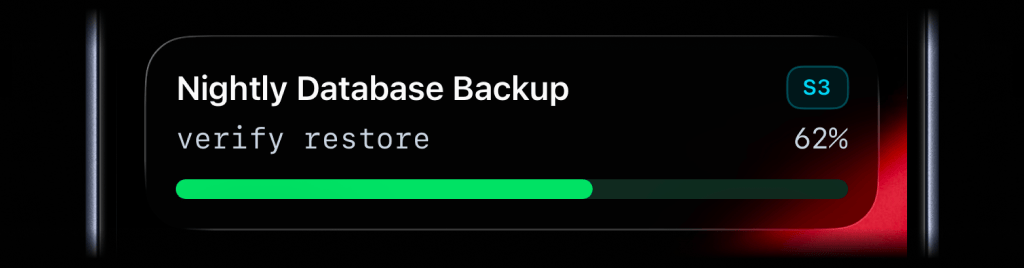
activitysmith activity stream nightly-database-backup \
  --content-state '{
    "title": "Nightly Database Backup",
    "subtitle": "verify restore",
    "type": "progress",
    "badge": { "title": "S3", "color": "cyan" },
    "percentage": 62
  }'
Live Activity Colors
Choose from these colors for the Live Activity accent, including progress bars and action buttons, or apply them to an individual icon or badge:
lime, green, cyan, blue, purple, magenta, red, orange, yellow, gray
Widgets
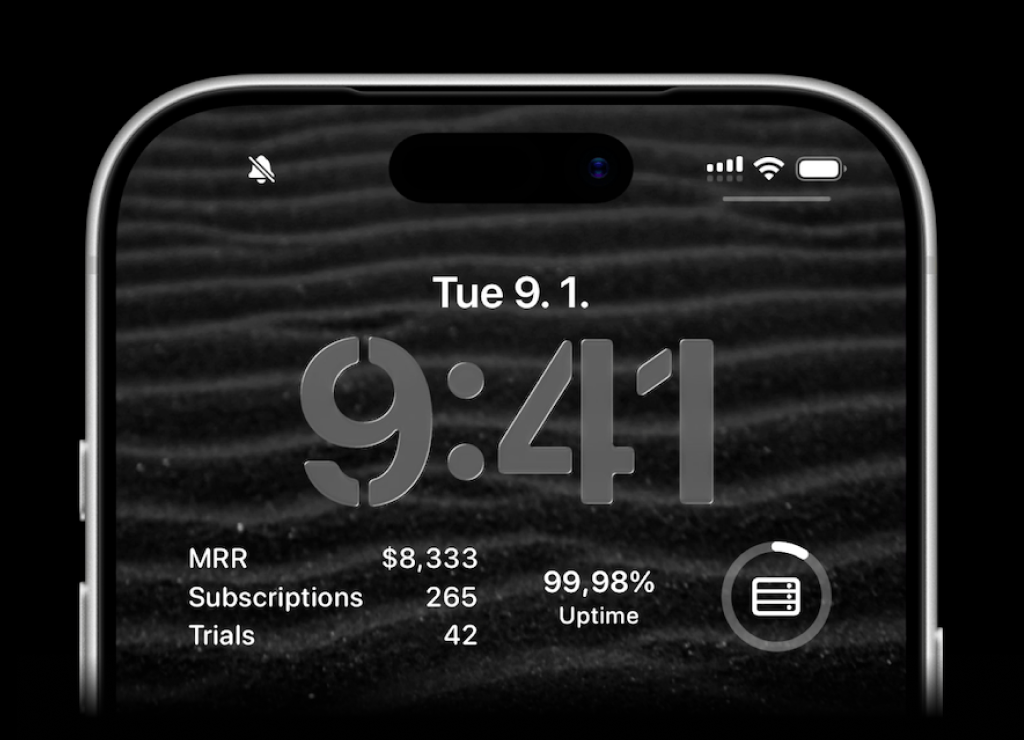
ActivitySmith lets you display any value on your Lock Screen with widgets - SaaS metrics, revenue, signups, uptime, habits, or anything else you want to track. Create a metric in the web app, then update the metric value using our API, add a widget to your lock screen and it will fetch the latest update automatically.
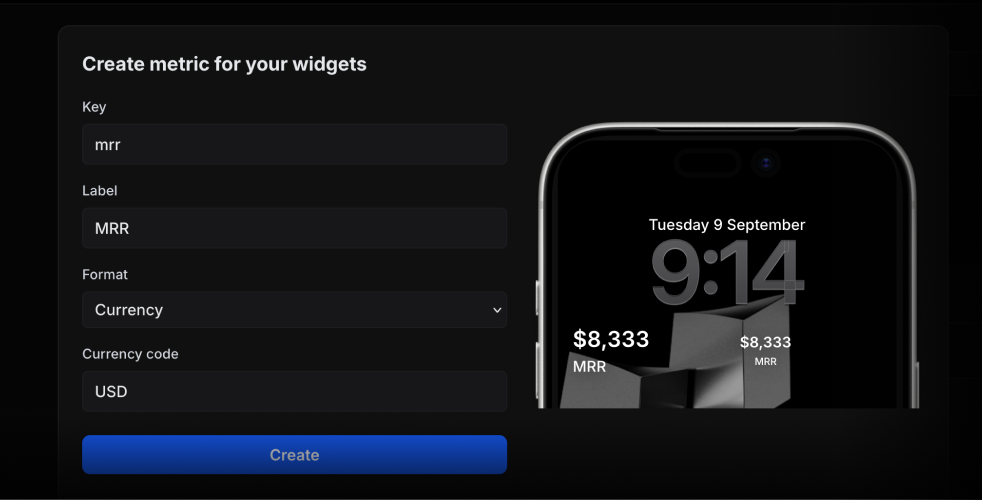
Use the metric key to update its value.
activitysmith metrics update deploy.success_rate 99.9
String metric values work too.
activitysmith metrics update prod.status healthy
App Icon Badge Count
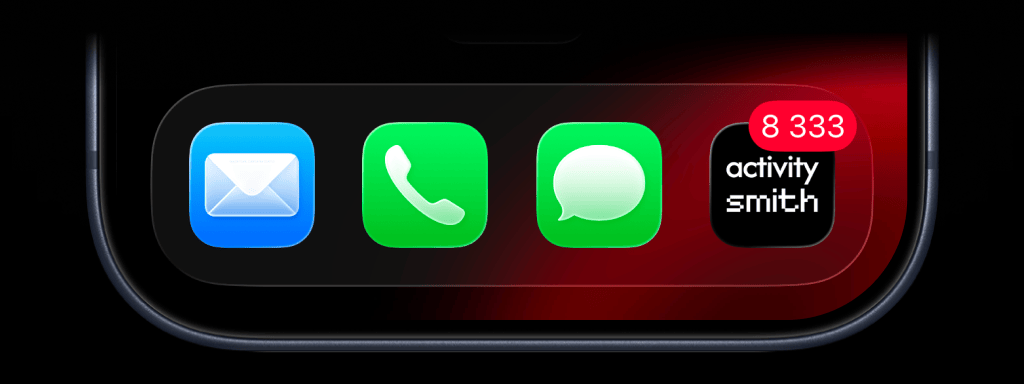
Show the number you care about on your ActivitySmith app icon. Track MRR, a customer count, a stock price, or any other value you want to keep in view.
Set or update the badge value.
activitysmith badge 8333
To clear the badge, set its value to 0.
activitysmith badge 0
Channels
Use --channels to target specific team members or devices
Push Notifications
activitysmith push \
  --title "New subscription 💸" \
  --message "Customer upgraded to Pro plan" \
  --channels "sales,customer-success"
Live Activities
activitysmith activity start \
  --title "Nightly Database Backup" \
  --subtitle "verify restore" \
  --type progress \
  --percentage 62 \
  --channels "sales,customer-success"
App Icon Badge Count
activitysmith badge 3 --channels "sales,customer-success"
Aliases
The CLI installs two bin names:
activitysmith (recommended)activitysmith-cli (alias)
Content State Options
For activity stream|start|update|end|end-stream, you can pass content state via JSON:
--content-state <json>--content-state-file <path>
For metrics and stats, you can also pass the metrics array directly:
--metrics <json-array>--metrics-file <path>
Or use flags to build the rest of the payload:
--title <title>--subtitle <subtitle>--type <type>--number-of-steps <number>--current-step <number>--percentage <number>--value <number>--upper-limit <number>--duration-seconds <number>--counts-down <true|false>--color <color>--step-color <color>--auto-dismiss-minutes <number>
For timer, use --duration-seconds for a countdown. To start at 00:00 and count up, use --counts-down false and leave out --duration-seconds.
Live Activity action options:
--action <json>--action-file <path>--secondary-action <json>--secondary-action-file <path>
Targeting options:
--channels <comma-separated-slugs> (for push, badge, activity stream, and activity start)
Widget metric options:
activitysmith metrics update <metric-key> <value>activitysmith metric update <metric-key> <value> (alias)
Required fields:
activity stream: --title, --type, plus --metrics, --number-of-steps and --current-step, --percentage, --value with --upper-limit, or timer fieldsactivity start: --title, --type, plus --metrics, --number-of-steps and --current-step, --percentage, --value with --upper-limit, or timer fieldsactivity update: --title, plus --metrics, --current-step, --percentage, --value with --upper-limit, or timer fieldsactivity end: --title, plus --metrics, --current-step, --percentage, --value with --upper-limit, or timer fieldsactivity end-stream: no content state is required, but if you provide one it follows the same rules as activity end
Output
Use --json for machine-readable output.
activitysmith push --title "Hello" --json



