


Security News
Deno Goes the Way of the Dinosaur
Cloudflare is acquiring Deno’s team, which will provide another year of bug fixes and security updates before ending support for the runtime.
By Sarah Gooding - Oct 16, 2026
aiapplyd-mcp
Advanced tools
Auto-Apply That Ends on an Interview. AI Applyd MCP server: your matched jobs, applications submitted on the employer's own hiring system across 34 hiring systems (sent automatically or held for your approval), a review queue, employer-receipt tracking, a

Version 1.9.0 includes fourteen portable job-search skills. See the changelog.
Auto-Apply That Ends on an Interview
Stop applying. Start interviewing.
Score your resume the way the screening software scores it, rewrite it for the exact role, write the cover letter, prepare for the interview, and send the application in on the employer's own hiring system. All from inside the assistant you already work in.

And it keeps the employer's own confirmation. Most tools count applications sent, which is a number the tool awards itself off its own button click. This one reports what the employer's system actually returned, so a real rejection is distinguishable from a form that quietly dropped your application.






Listing page · Website · Privacy · Terms
Most applicants are screened out by software before a person reads a word, and a good number are never screened at all, because the form silently dropped a required field or the upload never attached. From the candidate's side those look identical to rejection, which is why so many people rewrite a CV nobody ever read.
This server puts both halves of that process in your hands: the screening, and the proof that the application arrived.


From the first match to the interview invite. Every application carries the employer's own confirmation.
Every application goes in on the company's real careers page, under your name, with your own materials. It lands on 34 hiring systems, including Workday, Greenhouse, Lever, Ashby, iCIMS, Workable, SAP SuccessFactors, Oracle, ADP and Dayforce.
Nothing to install. Connect once and run it from Claude, ChatGPT, Codex, Cursor, Gemini CLI, VS Code or any MCP client, and from your phone over iMessage through Poke.
The whole job search in five calls: see your matches (aiapplyd_get_matches), apply to one
(aiapplyd_apply, sent automatically or held for your yes), approve or reject what is waiting
(aiapplyd_review_application), track every application to the employer's own receipt
(aiapplyd_get_applications), and check your plan and what is left (aiapplyd_get_account).
The full list is under Tools.
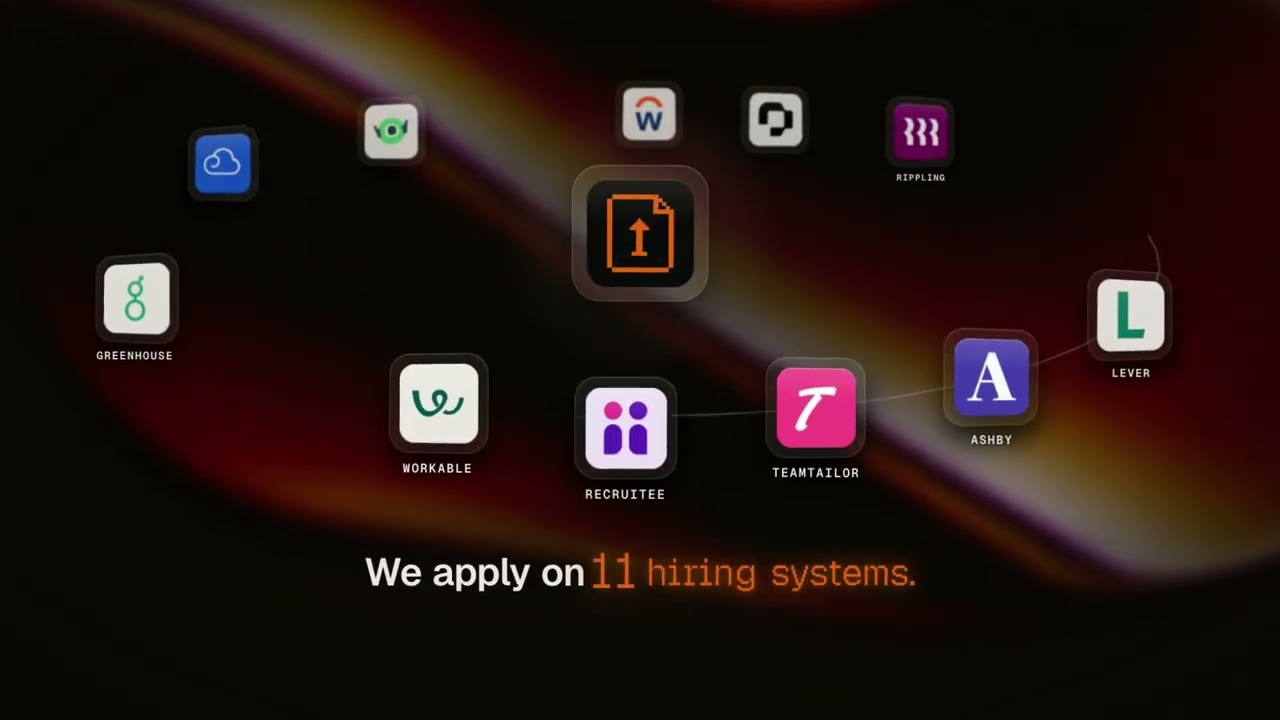
90 seconds: resume upload, job matching, a real application sent on the employer's own form, the employer's confirmation email, interview prep, and applying from ChatGPT, Claude and Cursor.
One click, if your app supports it:


AI Applyd is a hosted remote MCP server. Point your client at one URL:
https://mcp.aiapplyd.com/mcp
The first tool call opens an OAuth sign-in. Sign in with Google, and you are connected. A free account needs no card and arrives with a one-time 10,000-token starter grant.
Settings → Connectors → Add custom connector
| Field | Value |
|---|---|
| Name | AI Applyd |
| Remote MCP server URL | https://mcp.aiapplyd.com/mcp |
In Claude Code, one line does it:
claude mcp add --transport http aiapplyd https://mcp.aiapplyd.com/mcp
~/.cursor/mcp.json:
{
  "mcpServers": {
    "aiapplyd": {
      "url": "https://mcp.aiapplyd.com/mcp"
    }
  }
}
Settings → Connectors → Create and paste https://mcp.aiapplyd.com/mcp. ChatGPT speaks MCP
natively, so there is no Action schema to import and nothing to host.
code --add-mcp '{"name":"aiapplyd","type":"http","url":"https://mcp.aiapplyd.com/mcp"}'
This repository is a plugin marketplace. The aiapplyd plugin bundles the MCP server with fourteen
skills, in the portable plugin.json format that Codex, ChatGPT, Claude Code and Cursor read:
| Skill | Use it when |
|---|---|
using-ai-applyd | You want the assistant to pick the right tool and order for your request |
setup-job-search | You want to set your base resume, finish your profile or check readiness |
find-matching-jobs | You want your job matches, want to save or skip one, or want to change what it looks for |
apply-to-a-job | You want to apply, or you paste a job link and say "apply" |
review-and-send | You want to see what is waiting for you, change it, and send it |
tailor-for-a-job | You want a posting analysis, an ATS score or a resume rewrite for one role |
track-applications | You ask "did it go through", or how many applications you have left |
write-cover-letter | You want a letter for one job or changes to an existing letter |
prepare-for-interview | You want role-specific questions and to practise answers from your own experience |
handle-recruiter-replies | An employer wrote back and you want to read it and send a reply you approved |
follow-up-on-applications | An application has gone quiet and you want to follow up |
manage-saved-searches | You want to save a search and get emailed about its new jobs |
translate-resume | You want your resume in another language |
build-resume-document | You want a private editable summary draft, with a builder page to review before export |
The hosted skill index is at
aiapplyd.com/.well-known/agent-skills/index.json.
The plugin files are in plugins/aiapplyd/skills/. The root skills/ link points to that same
directory so Gemini CLI discovers the workflows without a second set of skill files.
Skills check account limits before metered work and get approval before credit-consuming actions or sending an application. Installing a plugin does not buy an AI Applyd plan. Public directory approval is separate from installing this repository directly.
Codex:
codex plugin marketplace add aiapplyd/aiapplyd-mcp
codex plugin add aiapplyd@aiapplyd
Claude Code:
claude plugin marketplace add aiapplyd/aiapplyd-mcp
claude plugin install aiapplyd@aiapplyd
codex mcp add aiapplyd --url https://mcp.aiapplyd.com/mcp
codex mcp login aiapplyd
The Codex CLI, the IDE extension and the ChatGPT desktop app share this configuration.
This repository is also a Gemini CLI extension (gemini-extension.json, GEMINI.md and the same
fourteen skills):
gemini extensions install https://github.com/aiapplyd/aiapplyd-mcp
Or add the server by hand in ~/.gemini/settings.json:
{
  "mcpServers": {
    "aiapplyd": { "httpUrl": "https://mcp.aiapplyd.com/mcp" }
  }
}
Settings → AI → MCP Servers → Add Remote Server, then paste https://mcp.aiapplyd.com/mcp.
~/.codeium/windsurf/mcp_config.json:
{
  "mcpServers": {
    "aiapplyd": { "command": "npx", "args": ["-y", "mcp-remote", "https://mcp.aiapplyd.com/mcp"] }
  }
}
Each has a custom connector screen that takes a remote MCP URL. Paste
https://mcp.aiapplyd.com/mcp and choose OAuth.
npx poke@latest mcp add https://mcp.aiapplyd.com/mcp -n "AI Applyd"), sign in, then text Poke:
"find me remote product designer jobs and apply to the best two".This repository ships a thin bridge. It relays the protocol to the hosted server and adds nothing of its own.
npx -y github:aiapplyd/aiapplyd-mcp
Or with Docker:
docker build -t aiapplyd-mcp .
docker run --rm -i aiapplyd-mcp
{
  "mcpServers": {
    "aiapplyd": {
      "command": "docker",
      "args": ["run", "--rm", "-i", "aiapplyd-mcp"]
    }
  }
}
| Environment variable | Default | Meaning |
|---|---|---|
AIAPPLYD_MCP_URL | https://mcp.aiapplyd.com/mcp | Endpoint to relay to. Point it at https://mcp-preview.aiapplyd.com/mcp to test against preview. |
AIAPPLYD_TOKEN | unset | Optional bearer token. Without it the server still answers introspection; tool calls return 401 until an account is connected. |
The same package is a small CLI, so a script, a cron job or a chat bot (Telegram, WhatsApp, iMessage) can run the whole job search without an MCP client.
npx aiapplyd-mcp login                                    # sign in once in the browser
npx aiapplyd-mcp tools                                    # list the tools
npx aiapplyd-mcp call aiapplyd_get_matches '{"limit": 5}' # matched jobs as JSON
npx aiapplyd-mcp call aiapplyd_apply '{"job_match_id": 123, "mode": "review"}'
npx aiapplyd-mcp call aiapplyd_get_applications '{"status": "waiting_for_review"}'
npx aiapplyd-mcp call aiapplyd_review_application '{"decision": "approve", "application_ids": [456]}'
login runs the same OAuth sign-in a desktop client runs and stores the token in
~/.config/aiapplyd/credentials.json (mode 600). It refreshes on its own, so an unattended bot
keeps working. call prints the tool's structured result as JSON. Exit code 0 means success,
1 means the tool reported an error, 2 means you are not signed in.
Run with no arguments and it is a stdio MCP server that relays to https://mcp.aiapplyd.com/mcp,
signed in with the stored login. AIAPPLYD_TOKEN overrides the stored login and
AIAPPLYD_MCP_URL overrides the endpoint.
| Environment | Streamable HTTP (modern) | SSE (legacy bridges) |
|---|---|---|
| Production | https://mcp.aiapplyd.com/mcp | https://mcp.aiapplyd.com/sse |
| Preview | https://mcp-preview.aiapplyd.com/mcp | https://mcp-preview.aiapplyd.com/sse |
Use /mcp. /sse remains only for clients that cannot speak Streamable HTTP.
The table below is generated from the live tools/list of https://mcp.aiapplyd.com/mcp.
Every tool runs on the caller's own AI Applyd account. Reading matches, applications
and account limits does not run AI generation. AI work and applications use the
account's allowance. Tool calls require sign-in; introspection is public.
Five tools run the whole job search from a chat, or from a bot where a match drops and you reply "yes":
aiapplyd_get_matches -> aiapplyd_apply -> aiapplyd_get_applications -> aiapplyd_review_application
                  aiapplyd_get_account (plan, what is left, readiness)
| Tool | Title | Hints | What it does |
|---|---|---|---|
aiapplyd_get_matches | Get Job Matches | read-only, idempotent | Your matched jobs, best first, each with the job_match_id that apply takes. Also reads full postings, or any posting from a link |
aiapplyd_apply | Apply to Job | destructive, open-world | Apply to one job by job_match_id or job_url on the employer's own hiring system. mode: "auto" sends it, mode: "review" holds it for your yes |
aiapplyd_get_applications | Get Applications | read-only, idempotent | Every application and where it stands, the review queue, and the employer's own confirmation when it exists |
aiapplyd_review_application | Approve or Reject Applications | destructive, open-world | Approve (send) or reject waiting applications, up to 25 at once. Also cancel, refine a document, re-prepare, or record the interview stage |
aiapplyd_get_account | Get Account | read-only, idempotent | Your plan, token balance, applications left, job preferences, and whether your profile is ready to apply |
aiapplyd_get_inbox | Get Recruiter Inbox | read-only, idempotent | The emails employers send about your applications, with the full conversation and suggested replies |
aiapplyd_reply_to_email | Reply to an Employer Email | destructive, open-world | Sends your reply to an employer from your AI Applyd address, only after you approve the exact text |
aiapplyd_manage_follow_ups | Follow Up on Applications | destructive, open-world | Lists applications that went quiet, drafts a follow-up, and sends it once you approve it |
| Tool | Title | Hints | What it does |
|---|---|---|---|
aiapplyd_set_resume | Set Resume | writes, open-world | Put your resume on your account as the base every application is tailored from: pasted text, a file link, or a saved resume |
aiapplyd_triage_matches | Save or Skip Matches | writes, idempotent | Save a match, or skip it with a reason, so a job you declined stops coming back |
aiapplyd_update_job_preferences | Update Job Preferences | destructive, idempotent | Point AI Applyd at the roles, locations, salary and seniority you want, and re-run discovery |
aiapplyd_update_application_profile | Update Application Profile | writes, idempotent | Reads or saves the answers employer forms ask for. EEO answers are optional and accept prefer not to say |
aiapplyd_update_auto_apply | Update Auto Apply | destructive, idempotent | Turns Auto Apply on or off and sets whether applications go out on their own or wait for your review |
aiapplyd_manage_saved_searches | Manage Saved Searches | writes | Saves your job preferences as named searches, with email alerts for new matches |
| Tool | Title | Hints | What it does |
|---|---|---|---|
aiapplyd_score_resume | Score Resume | writes, open-world | An ATS score with section scores, the keywords you match and the ones you are missing, and what to change |
aiapplyd_analyze_job_description | Analyze Job Description | writes, open-world | What a posting screens on, in its own language, so the resume can mirror it |
aiapplyd_optimize_resume | Optimize Resume with AI | writes, open-world | A resume rewritten to pass ATS screening and still reach a human reader |
aiapplyd_generate_interview_questions | Generate Interview Questions | writes, open-world | The questions this role is asked, with answer guidance, STAR scenarios and negotiation prep |
aiapplyd_translate_resume | Translate Resume | writes, open-world | Translates your resume into another language as a separate document. Works from the resume on file, or a resume pasted or attached in chat |
aiapplyd_generate_cover_letter | Generate Cover Letter | writes, destructive | A cover letter in your own voice, written from the resume on your account or one pasted in chat |
aiapplyd_build_pdf | Resume PDF or Draft | writes, open-world | Links the PDF of the resume on file, or creates an editable draft from pasted text |
| Tool | Title | Hints | What it does |
|---|---|---|---|
aiapplyd_search_jobs | Search Jobs | read-only, idempotent | Older name for aiapplyd_get_matches with a title filter, kept for existing clients |
aiapplyd_auto_apply | Auto Apply to Job | destructive, open-world | Older name for aiapplyd_apply with a job_url, kept for existing clients |
Every tool carries a title, all four annotation hints (readOnlyHint, destructiveHint,
idempotentHint, openWorldHint), and an outputSchema. Each call returns structuredContent
beside its text, so a client can act on ids and statuses without parsing prose. The server also
sends the main loop as its MCP instructions.
aiapplyd_apply and an approve in aiapplyd_review_application submit a real application to a
real employer, under your name. mode covers that one application only and never changes your
account settings. Leave it out to follow your own default.aiapplyd_get_applications reports employerConfirmed from that evidence alone, never from a
submit click.aiapplyd_get_matches never writes. To change what AI Applyd hunts for, call
aiapplyd_update_job_preferences. It is marked destructive because a list you pass replaces the
saved one.| Prompt | Title | What it does |
|---|---|---|
review_my_resume | Review My Resume | Scores a resume against a posting and returns the three changes that move it past the filter |
prepare_for_interview | Prepare for an Interview | Prepares the questions this company asks for this role, with structured answers ready |
apply_to_my_matches | Apply to My Matches | Shows your best matches, then applies to the ones you pick, each held for your approval |
find_jobs_like_this | Find Jobs Like This | The strongest matches for a target role, ranked by fit |
| Resource | URI | Contents |
|---|---|---|
ats-best-practices | aiapplyd://resources/ats-best-practices | Canonical guide to passing Applicant Tracking Systems in 2026. Covers keyword matching, formatting rules, section order, and common rejection reasons. |
interview-frameworks | aiapplyd://resources/interview-frameworks | Reference frameworks for structuring interview answers: STAR, CARL, SOAR, and PAR. |
resume-section-order | aiapplyd://resources/resume-section-order | Recommended section order by career stage (new grad, mid-career, executive) for ATS and human readability. |
OAuth 2.1, and it is the full specification rather than a subset:
client_id instead of
registering (client_id_metadata_document_supported: true)iss parameter on the authorization response (RFC 9207)An unauthenticated tools/call returns HTTP 401 with a WWW-Authenticate header pointing at
the metadata document. Introspection (initialize, tools/list, prompts/list,
resources/list) is open, so any directory or client can read the tool surface before a user
signs in.
SID=$(curl -s -D- -o /dev/null -X POST https://mcp.aiapplyd.com/mcp \
  -H 'Content-Type: application/json' \
  -H 'Accept: application/json, text/event-stream' \
  -d '{"jsonrpc":"2.0","id":1,"method":"initialize","params":{"protocolVersion":"2025-06-18","capabilities":{},"clientInfo":{"name":"probe","version":"1"}}}' \
  | grep -i '^mcp-session-id' | tr -d '\r' | awk '{print $2}')

curl -s -X POST https://mcp.aiapplyd.com/mcp \
  -H 'Content-Type: application/json' \
  -H 'Accept: application/json, text/event-stream' \
  -H "Mcp-Session-Id: $SID" \
  -d '{"jsonrpc":"2.0","id":2,"method":"tools/list"}'
Your resume and profile stay on your AI Applyd account. Tools read and write that account and nothing else. The privacy policy and terms are the binding statement.
The hosted server runs on Cloudflare Workers and its source is not public. This repository is
the public home of the MCP server: the server.json manifest, the connection documentation,
and the small stdio bridge above. The bridge is MIT licensed and forwards messages verbatim,
so you can read every line of what runs on your machine.
Built by AI Applyd. Questions: ava@aiapplyd.com
FAQs
Auto-Apply That Ends on an Interview. AI Applyd MCP server: your matched jobs, applications submitted on the employer's own hiring system across 34 hiring systems (sent automatically or held for your approval), a review queue, employer-receipt tracking, a
The npm package aiapplyd-mcp receives a total of 0 weekly downloads. As such, aiapplyd-mcp popularity was classified as not popular.
We found that aiapplyd-mcp demonstrated a healthy version release cadence and project activity because the last version was released less than a year ago. It has 1 open source maintainer collaborating on the project.
Security News
Cloudflare is acquiring Deno’s team, which will provide another year of bug fixes and security updates before ending support for the runtime.

Security News
Anthropic’s free OSS Scanner uses Mythos and other Claude models to find open source vulnerabilities and send maintainers reports with proposed fixes.

Security News
On Front Lines’ Early Adopters: CISO podcast, Andrew Becherer shares lessons from Datadog, weighs the long-term costs of AI-built tools, and explains how founders can actually gain a CISO’s trust.