Crispy
A power-user's workbench for multiple Claude Code and Codex instances at a time — run it in VS Code, in your browser, or from Discord on your phone.





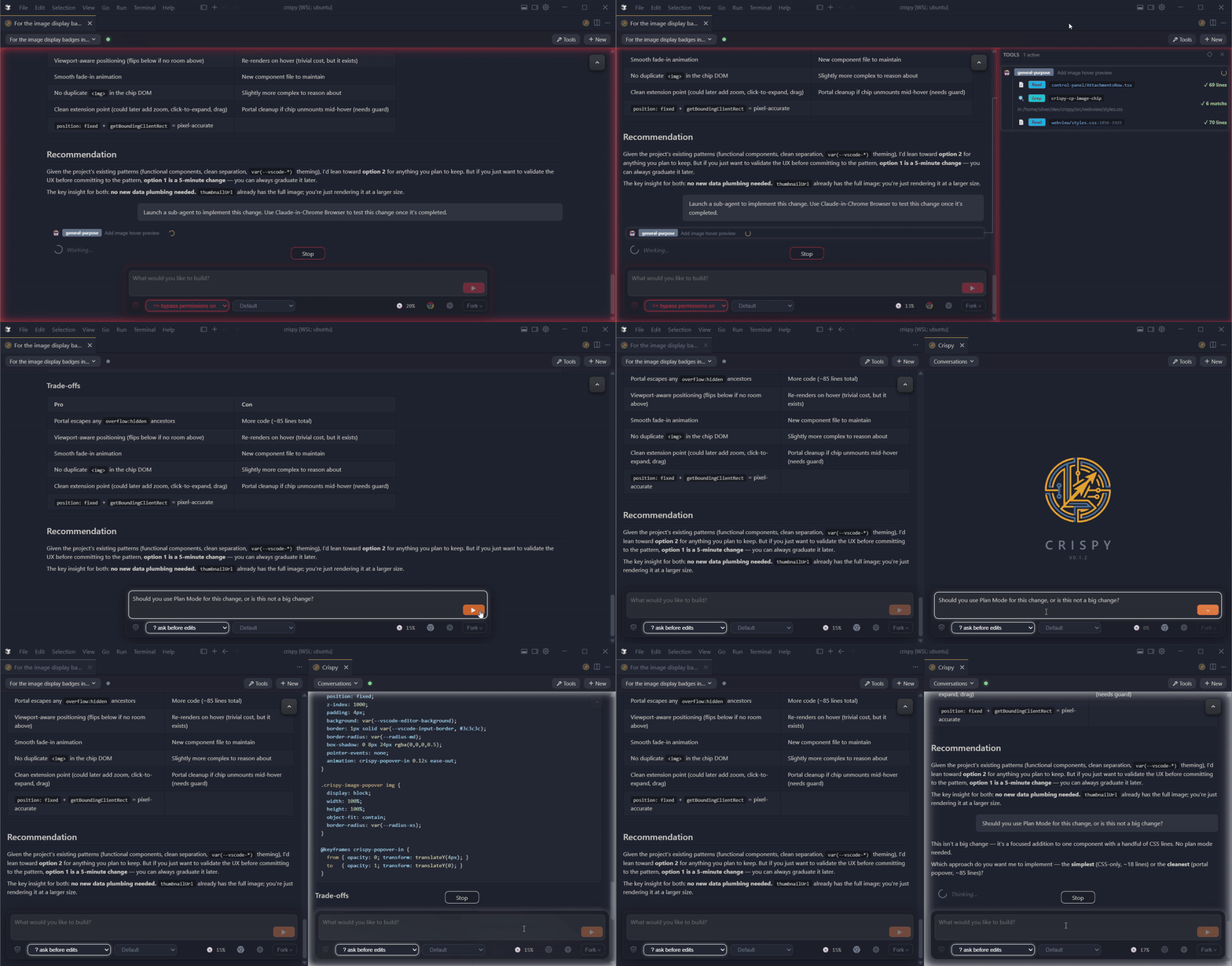
- Discord bot — live session monitor with inline approval buttons, session browser, and forum-based workspace channels. Approve tool use from your phone.
- Agent memory — every transcript indexed locally with full-text search (instant) and semantic search (local model downloaded on first use). Backfills from your existing transcripts across vendors.
- /superthink — pit Claude and Codex against each other on the same question. Catches bugs and blind spots a single model misses.
- Fork or rewind from any message — opens side-by-side with full context
- Tool audit panel — every tool call and sub-agent's work in a collapsible panel with timing and status badges
- Agency modes — plan, auto-accept,
--dangerously-skip-permissions — one click, persisted per session
What's New in v0.2.9
Native Windows app (Tauri)
Crispy now also ships as a standalone Windows desktop app — no VS Code, no Node, no browser required. Get it here.
- One-click install — no admin required
- Connects to WSL automatically — picks up your existing Claude Code or Codex sessions from WSL with no manual configuration
- System tray — runs in the background, accessible from the tray icon
Headless setup with crispy config
Want to run Crispy as a headless Discord bot on a server? crispy config
walks you through model selection, permission mode, Discord bot token, and
custom providers — all from the terminal, no browser needed. Pair with
crispy start to run as a background daemon.
Other
- Marketplace skills in autocomplete — third-party plugin skills now appear in the
/ and $ dropdown
- Discord bot management — delete button for bot configuration in Settings
- Approval pane fix — parallel tool calls no longer clobber the approval panel
Capabilities
Agent recall
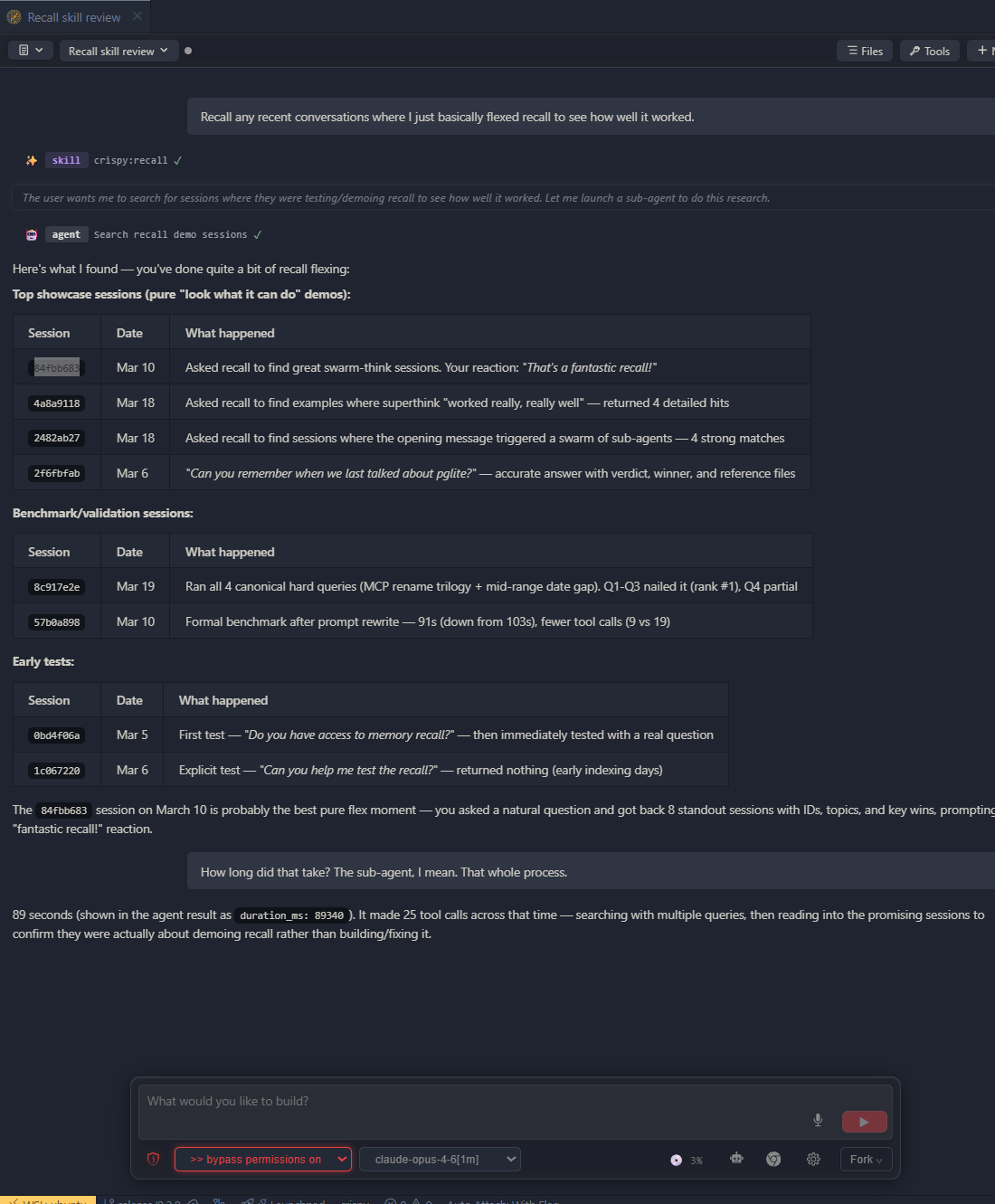
- Every session indexed locally with full-text and semantic search across all vendors
- Find past decisions, debugging threads, and design discussions — full transcripts, not summaries
- Backfills from your existing Claude Code and Codex transcripts automatically
- Claude Code and Codex adapters shipping
Multi-agent coordination
/superthink — pit Claude and Codex against each other on the same question. Catches bugs and blind spots a single model misses/super-implement — turn plans into self-contained execution prompts, auto-decomposed if too large/reflect — verify prompts and plans against the codebase before execution/handoff — distill context and rotate into a fresh session when context gets long/spec-mode — interactive spec-building through conversation
Discord remote
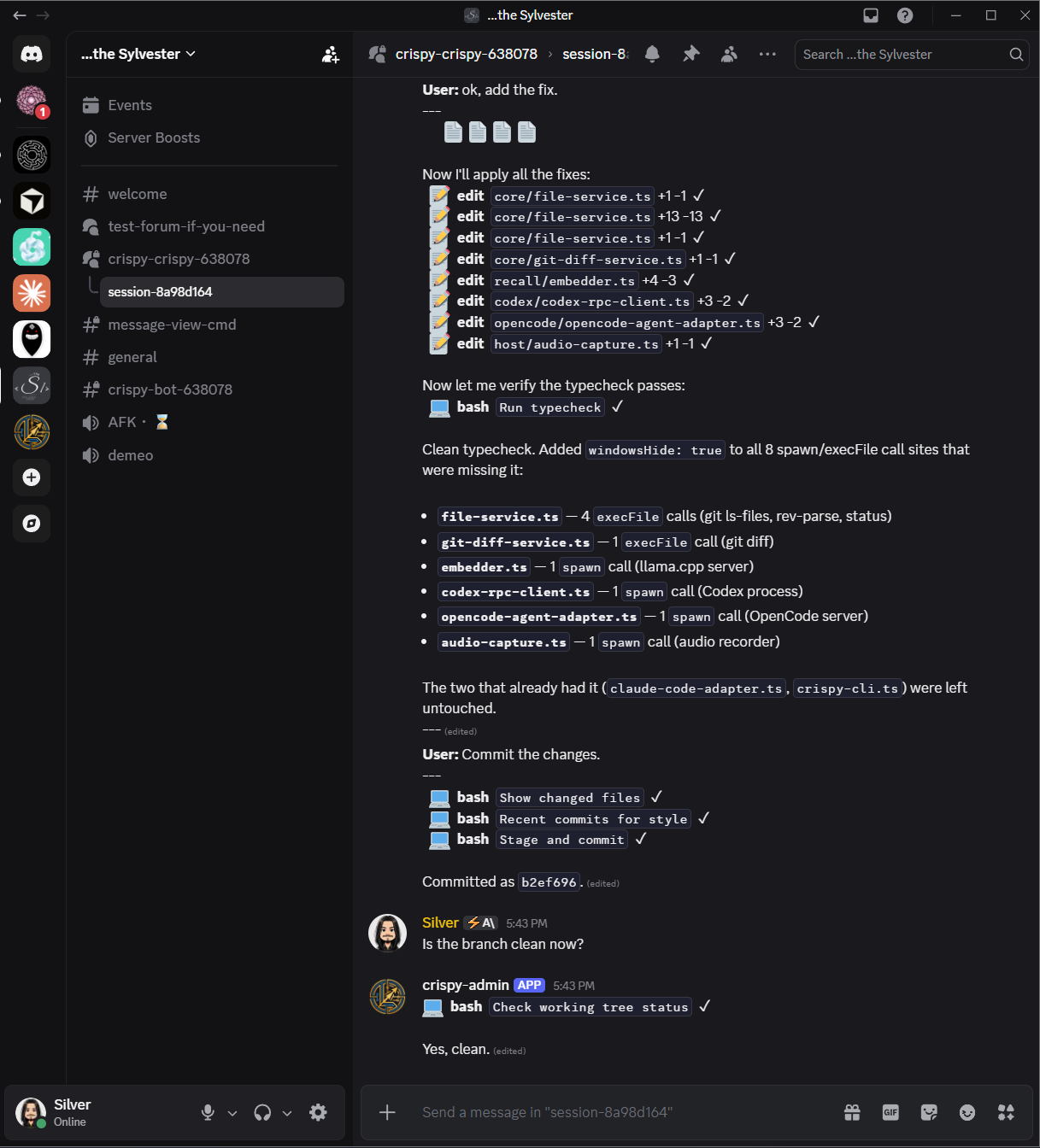
- Live session monitor — browse, open, and manage sessions with full tool-call visibility from Discord
- Inline approval buttons — approve or deny tool use from your phone
- Multi-instance — multiple Crispy instances share one server without conflicts
- Secure by default — fail-closed auth, allowlist access, guided setup wizard
Observability and control

- See everything your sub-agents are doing in the tool audit panel — timing, status badges, and nested sub-agent trees
- Agency modes — plan, auto-accept,
--dangerously-skip-permissions — one click, persisted per session
Conversations
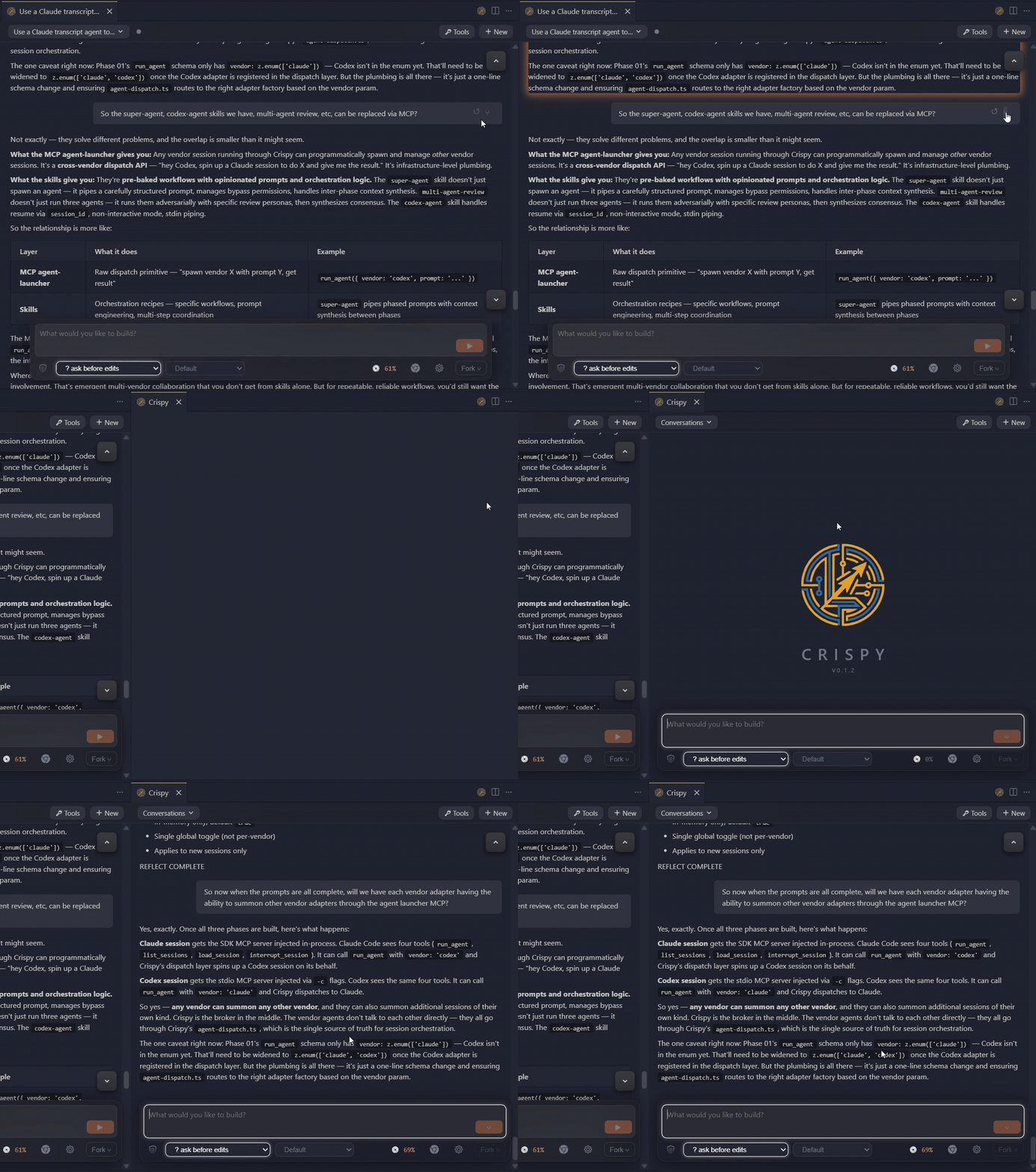
- Fork and rewind at any point — new session opens side-by-side with full context
- Side-by-side agent windows — as many as your editor can tile
- Session rotation — switch between Claude and Codex mid-conversation without losing context
- Execute prompts in Markdown files with one click from the Explorer or file panel
- Session browser with search and vendor filtering
UI
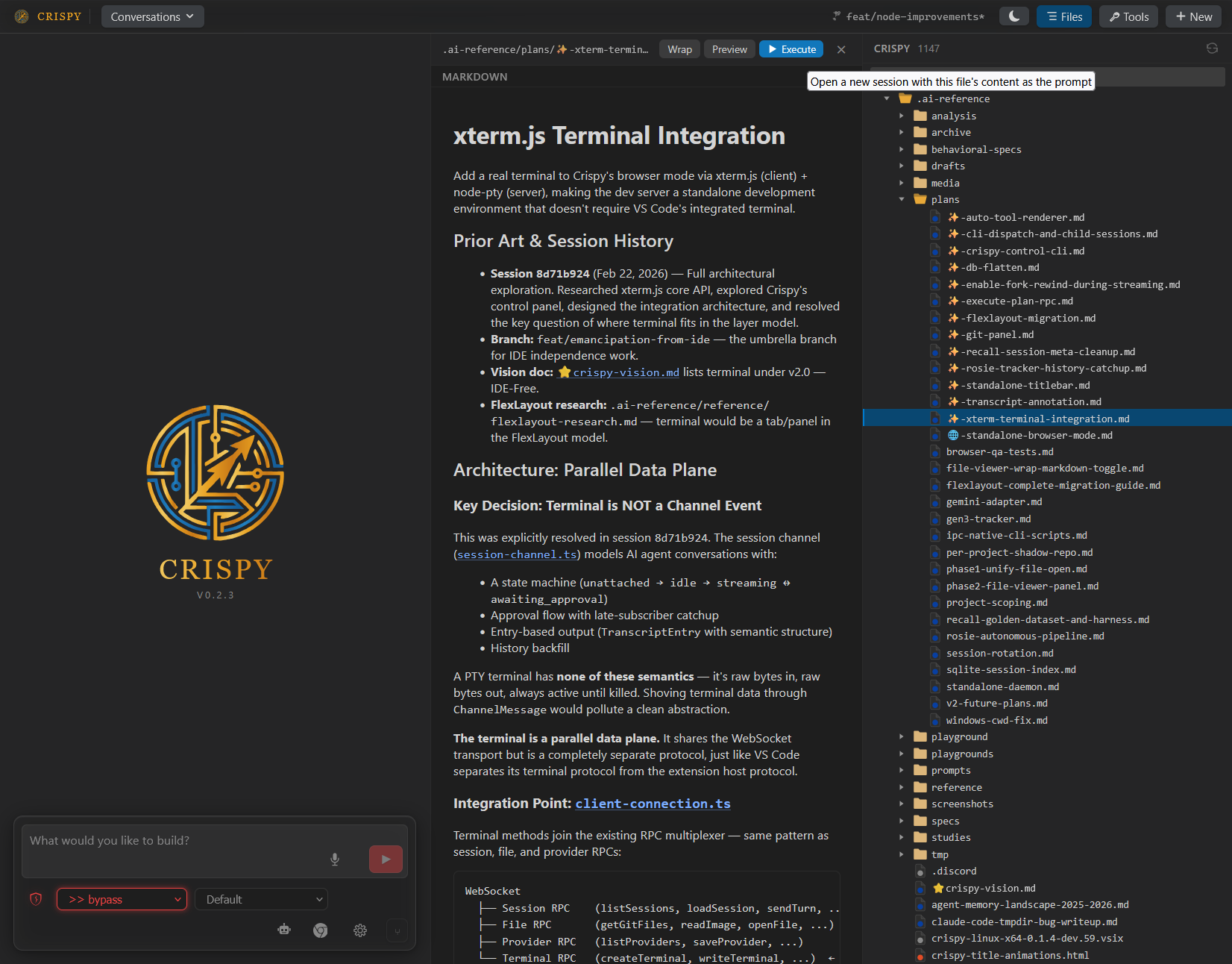
- File viewer side panel with word wrap, markdown preview, and quoting
- Git diff panel — staged, modified, and untracked files with syntax-highlighted diffs
- Four rendering modes — Icons (default), Blocks, Compact, YAML
- Inline quoting and copy-to-markdown
- Voice input with local VAD and speech-to-text
- Image attachments, @mentions, linkified file paths and URLs
- Light, dark, and high-contrast themes
Providers
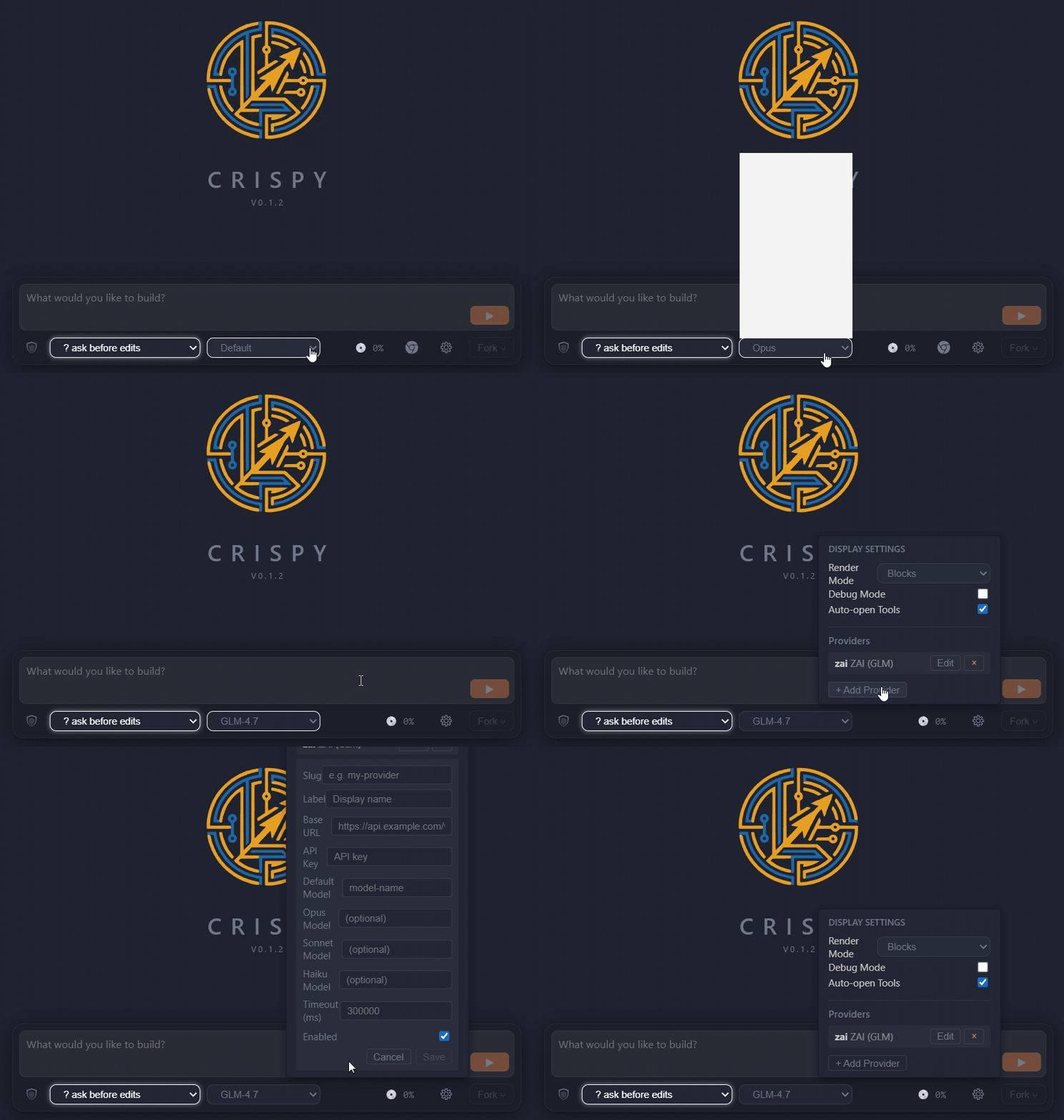
- Custom model providers — add Anthropic-compatible providers with a custom base URL and model names
- Start a conversation with Claude, continue it in Codex — switch vendors mid-session
Standalone mode
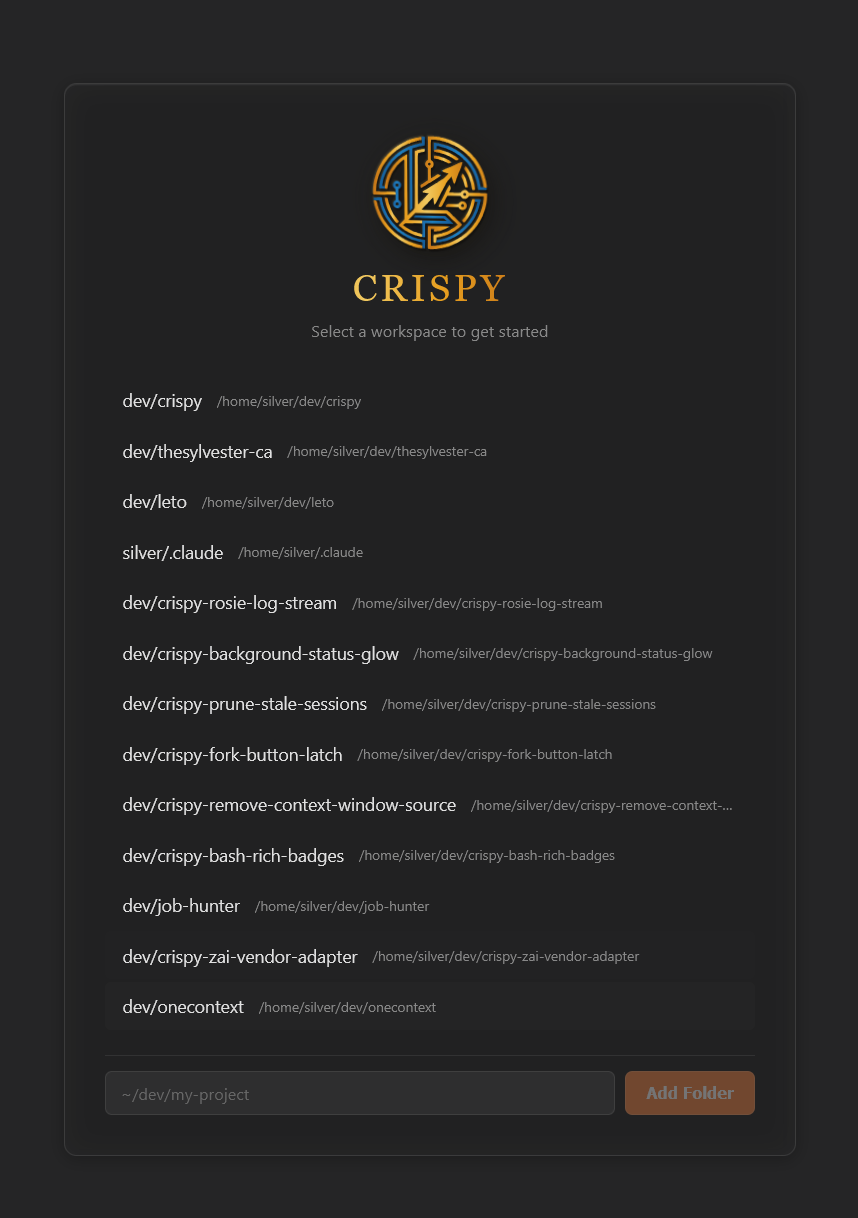
- Native Windows app (Tauri) — download the installer, no terminal required. Auto-provisions WSL and the Crispy daemon
- Run
npm i -g crispy-code && crispy — full UI in your browser, no VS Code required
- Background daemon with
crispy start / crispy stop / crispy status
- Workspace picker with URL-based routing for multiple projects
- Multiple browser tabs or native windows for parallel agent sessions
- Same core features — memory, superthink, fork, rewind
Coming Soon
Installation
Windows Desktop App
Download the installer from the latest
GitHub Release. Run it —
Crispy handles WSL setup and daemon provisioning automatically.
Standalone (npm)
npm i -g crispy-code
crispy
Opens Crispy in your browser. No VS Code, no extension install, no config.
Run crispy start for a background daemon, crispy stop to shut it down.
VS Code / Cursor Extension
Search for "Crispy" in the extensions panel, or:
code --install-extension the-sylvester.crispy
Also available on the
OpenVSX Marketplace.
From Source
git clone https://github.com/TheSylvester/crispy.git
cd crispy
npm install
npm run build
node dist/crispy-cli.js
Usage
Standalone
crispy start runs it as a background daemon- Navigate to
http://localhost:3456, or run crispy to open it automatically
- Start a conversation, or browse existing sessions in the sidebar
VS Code
- Open VS Code in any project
- Run
Crispy: Open from the command palette (Ctrl+Shift+Alt+I)
- Same UI, embedded in your editor
Requirements
- Node.js 18+ (standalone) or VS Code 1.94+ (extension)
- Claude Code CLI and/or Codex CLI — install whichever vendors you use
- Microphone (optional, for voice input)
Third-Party Notices
@anthropic-ai/claude-agent-sdk — The Claude adapter depends on
Anthropic's Agent SDK, which is proprietary ("All rights reserved") and
governed by Anthropic's Terms of Service.
This dependency is required for Claude Code integration. By using Crispy with
Claude Code, you accept Anthropic's terms for that SDK.
Codex protocol types — Files in src/core/adapters/codex/protocol/ are
generated from the OpenAI Codex CLI
project, licensed under Apache-2.0. See THIRD-PARTY-LICENSES for details.
License
MIT — see LICENSE for the full text.




