

Company News
Jerod Santo Joins Socket as Head of Media
Allow myself to introduce... myself.
By Jerod Santo - Sep 14, 2026


Add a secure single-account login to the DeepSeek Harness Web app. dsh-auth keeps Harness on loopback and installs an Nginx auth_request edge for pages, APIs, downloads, SSE, and WebSockets.
Start with an existing DSH Web systemd service whose upstream listens only on loopback, then run:
sudo npx dsh-auth@0.1.13 setup
The interactive installer asks for the exact DSH service, account name, HTTPS hostname, and certificate paths; shows a secret-free plan; reads and confirms the password without echo; and changes the system only after you type the exact confirmation. It installs the pinned bundle into the selected DSH profile, writes permission-restricted file-backed credentials and a systemd EnvironmentFile drop-in, renders the Nginx include, runs nginx -t, restarts only the named DSH service, then reloads Nginx. It never stores the plaintext password.
If Nginx is missing, the installer detects the operating system first. On the verified Ubuntu 24.04 baseline it can show and, after a separate install-nginx confirmation, run fixed apt-get argv. It uses only configured system repositories. Other systems fail closed with a copyable remediation; no curl | sh path exists.
Normal deployment requires Nginx 1.24 or newer with ngx_http_auth_request_module, systemd, Node.js 24.7 or newer, DSH Web 0.1.0-rc.6, and an existing TLS certificate and key. The installer cannot and does not guess a domain or certificate.
$ sudo npx dsh-auth@0.1.13 setup
Existing DSH Web systemd unit: dsh-web.service
Stable user id [admin]:
Login username [admin]: operator
Edge mode (https/http) [https]:
HTTPS listen address [0.0.0.0]:
Public HTTPS hostname: harness.example.com
TLS certificate absolute path: /etc/letsencrypt/live/harness.example.com/fullchain.pem
TLS certificate key absolute path: /etc/letsencrypt/live/harness.example.com/privkey.pem
...
Type install to apply this exact plan: install
Password:
Confirm password:
dsh-auth setup completed successfully.
Rerunning the same command is idempotent. An existing managed installation with identical non-secret settings is reported unchanged; different settings or files without an ownership record are rejected instead of overwritten.
Use plan before setup to inspect the same typed plan without reading a password or changing the filesystem:
sudo npx dsh-auth@0.1.13 plan
Non-interactive mode requires stable flags and an explicit Nginx policy. Mount the plaintext password as a temporary 0600 secret file supplied by the platform; dsh-auth reads it once to create an Argon2id hash and does not copy the plaintext.
sudo npx dsh-auth@0.1.13 setup \
  --non-interactive \
  --json \
  --nginx install \
  --authorize-nginx-install \
  --dsh-service dsh-web.service \
  --dsh-home /var/lib/dsh \
  --dsh-bin /usr/local/bin/dsh \
  --profile web \
  --package dsh-auth@0.1.13 \
  --user-id primary-admin \
  --username operator \
  --roles admin \
  --password-file /run/secrets/dsh-auth-password \
  --mode https \
  --upstream 127.0.0.1:3080 \
  --listen-address 0.0.0.0 \
  --server-name harness.example.com \
  --certificate /etc/letsencrypt/live/harness.example.com/fullchain.pem \
  --certificate-key /etc/letsencrypt/live/harness.example.com/privkey.pem
Use --nginx require when the image or provisioning layer already installs Nginx; missing or incompatible Nginx then returns exit code 3 and a JSON diagnostic. --nginx install never installs anything without --authorize-nginx-install. --nginx skip is accepted only with --output-dir, where no service or system Nginx action occurs.
Passwords are accepted only through hidden interactive input, --password-stdin, or --password-file. There is no inline password flag. Command output, JSON, plans, subprocess argv, and installer errors never contain password or session-secret values.
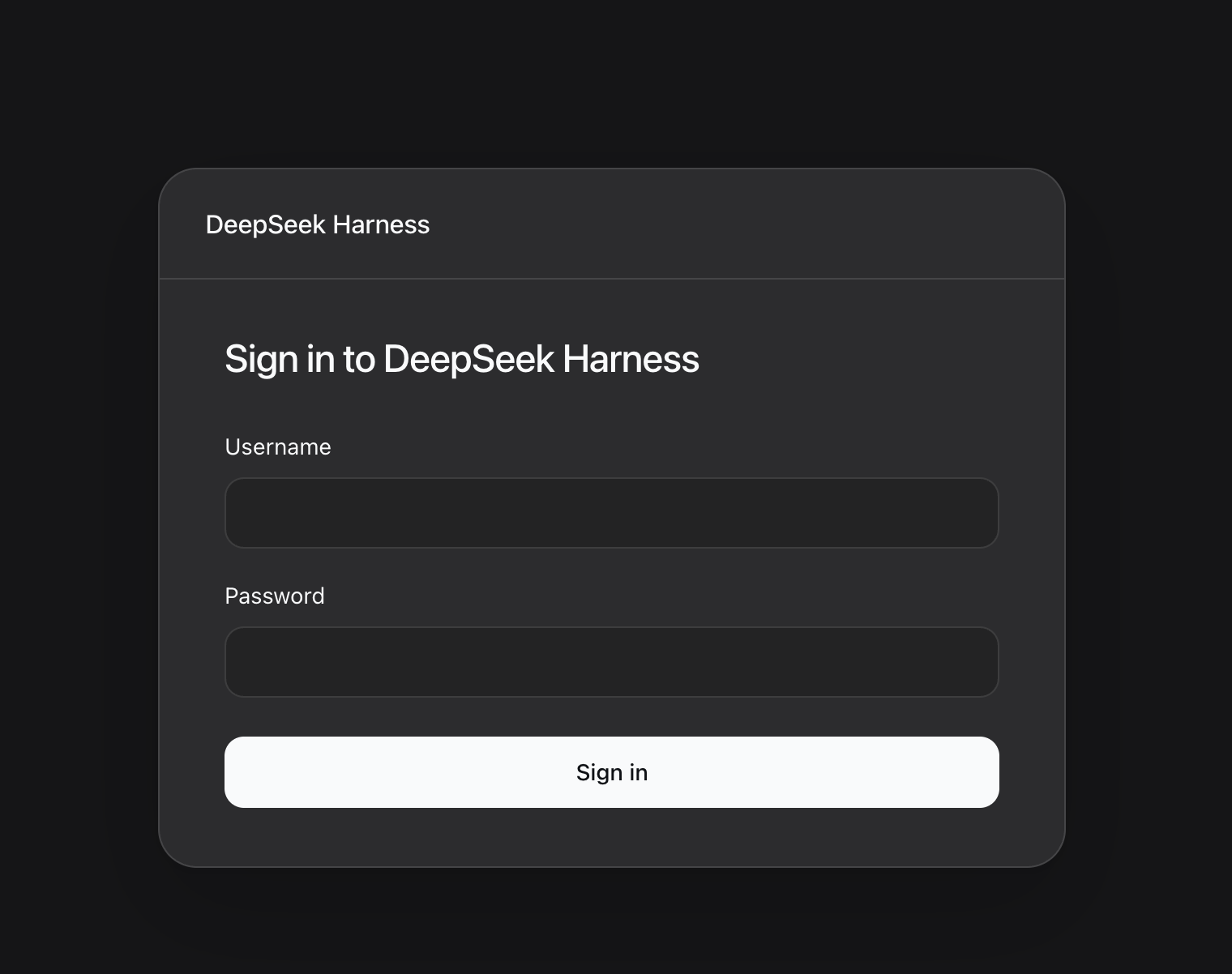
Unauthenticated visitors see a responsive login page styled to match DeepSeek Harness:
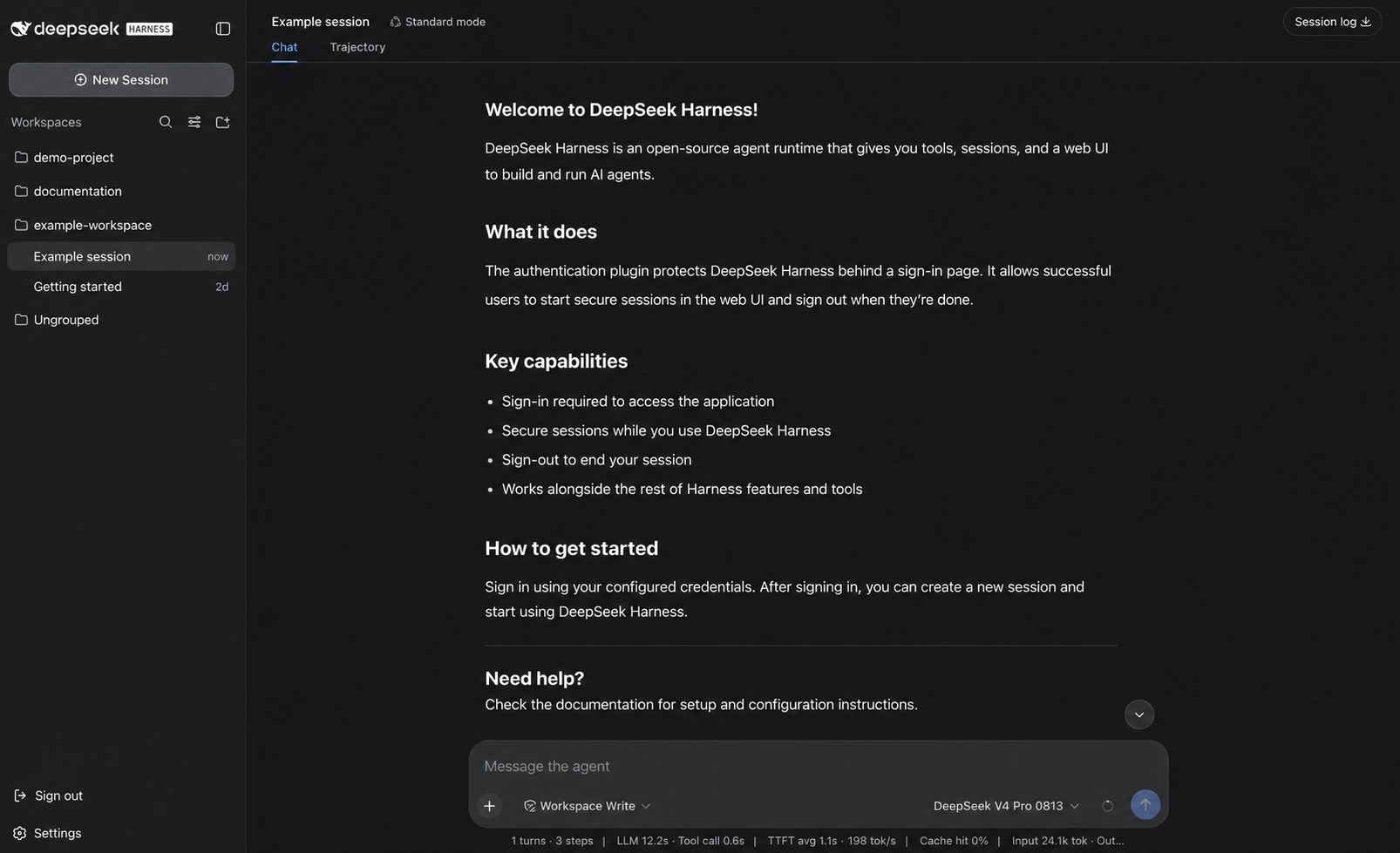
After sign-in, users enter the real Harness Web app with its normal sessions, tools, model selection, and workspace navigation. The authentication plugin adds a native sign-out action to the sidebar:
For an installation created by setup, run the interactive reset:
sudo npx dsh-auth@0.1.13 reset-password
After exact confirmation, the command reads and confirms the new password without echo. It atomically replaces the managed Argon2id hash, rotates the session secret, revokes all existing sessions, and restarts the recorded DSH service only when it is active. A failed restart restores both previous credential files.
Automation must provide the password through stdin or a temporary 0600 file and explicitly authorize the operation:
sudo npx dsh-auth@0.1.13 reset-password \
  --non-interactive \
  --json \
  --authorize-password-reset \
  --password-file /run/secrets/dsh-auth-new-password
The command never accepts a password value in argv and does not print the password, hash, or session secret.
Plain HTTP remains authenticated but exposes credentials and sessions to network interception. It is accepted only with an explicit --mode http and a literal loopback, RFC1918, or ULA listen address:
sudo npx dsh-auth@0.1.13 setup \
  --nginx require \
  --mode http \
  --listen-address 10.0.0.20 \
  --http-port 8080
Do not use this mode on an untrusted network. HTTPS is the production default.
doctor checks the ownership record, file permissions, the exact DSH service, root-executable safety, Nginx version and module support, nginx -t, and service state:
sudo npx dsh-auth@0.1.13 doctor
sudo npx dsh-auth@0.1.13 doctor --json
uninstall --dry-run lists only files and profile changes proven by the ownership record. Interactive uninstall requires typing uninstall; automation requires the exact --authorize-uninstall flag. Nginx is always retained as a shared system package, even when setup originally installed it.
sudo npx dsh-auth@0.1.13 uninstall --dry-run
sudo npx dsh-auth@0.1.13 uninstall
| Code | Meaning |
|---|---|
0 | success, healthy, or unchanged |
2 | invalid or incomplete CLI input |
3 | missing or unsupported prerequisite |
4 | ownership or existing-configuration conflict |
5 | insufficient or unsafe permissions |
6 | execution or rollback failure |
7 | interactive cancellation before changes |
8 | doctor found an unhealthy installation |
JSON output uses schema version 1 and includes the command, status, exit code, redacted actions, and structured diagnostics.
Build and pin the exact npm tarball, then install it into the DSH profile without registry access:
corepack pnpm pack --pack-destination packed
dsh plugin --profile web add --offline --config.auto-install-peers=false /artifacts/dsh-auth-0.1.13.tgz
Generate deterministic runtime files without invoking systemd, a package manager, or a host Nginx binary:
dsh-auth setup \
  --non-interactive \
  --nginx skip \
  --output-dir /image/dsh-auth \
  --package /artifacts/dsh-auth-0.1.13.tgz \
  --user-id primary-admin \
  --username operator \
  --password-file /run/secrets/dsh-auth-password \
  --mode https \
  --listen-address 0.0.0.0 \
  --server-name harness.example.com \
  --certificate /run/tls/fullchain.pem \
  --certificate-key /run/tls/privkey.pem
The output directory contains dsh-auth.env, file-backed credentials, a session-state directory, and dsh-auth.nginx.conf. Copy or mount them into fixed image paths and explicitly wire the environment file and Nginx include. deploy/docker/Dockerfile.install shows the offline profile layer.
HttpOnly, Secure, SameSite=Lax, Path=/, and __Host- prefixed. Plain HTTP uses an explicit compatibility cookie mode.0600 store.no-store.auth_request cannot immediately revoke an already-open WebSocket. Deployments requiring immediate stream termination need a connection-aware edge.Security reports follow SECURITY.md.
corepack pnpm install --frozen-lockfile
corepack pnpm run check
corepack pnpm run check:nginx
corepack pnpm pack --pack-destination packed
node scripts/installer-e2e.mjs packed/dsh-auth-0.1.13.tgz
Contributors should read AGENTS.md. Installer architecture and maintenance checks are in docs/installer.md.
Stable npm releases are dispatched from the Release workflow; maintainers should follow docs/releasing.md first.
FAQs
Caddy-fronted administrator authentication bundle for DeepSeek Harness
The npm package dsh-auth receives a total of 92 weekly downloads. As such, dsh-auth popularity was classified as not popular.
We found that dsh-auth demonstrated a healthy version release cadence and project activity because the last version was released less than a year ago. It has 1 open source maintainer collaborating on the project.
Company News
Allow myself to introduce... myself.

Research
/Security News
A Twitch browser extension on Chrome and Firefox forwards users’ live OAuth session tokens through proxies controlled by a Russian bot service.

Security News
Anthropic found biased reasoning and recklessness drove Claude Mythos 5 to publish malware on PyPI and compromise a security vendor.