

Security News
Deno Goes the Way of the Dinosaur
Cloudflare is acquiring Deno’s team, which will provide another year of bug fixes and security updates before ending support for the runtime.
By Sarah Gooding - Oct 16, 2026
dsh-native-session-delete
Advanced tools
DeepSeek Harness chat history and session management: search archives, restore conversations, and delete safely
Manage DeepSeek Harness chat history from the native sidebar: search archives, restore sessions, and delete safely.
Archive manager · Conversation search · One-click restore · Safe permanent deletion







中文 · Install · Use · Safety boundary
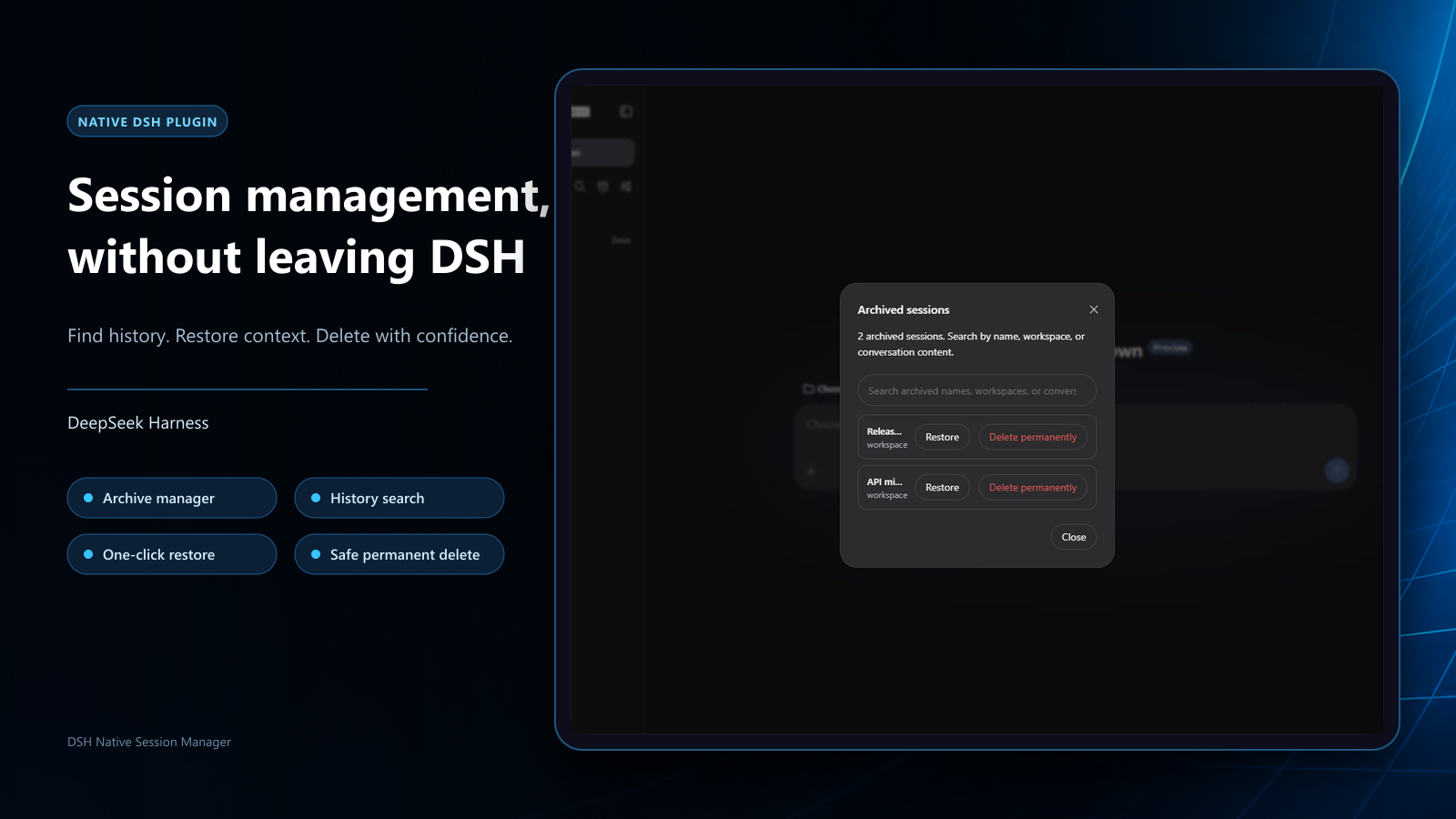
| Recover archives | Search conversations | Delete safely |
|---|---|---|
| Open the archive manager from the sidebar and restore hidden sessions | Search archived names, workspaces, and user/assistant conversation content | Keep native second confirmation; running work is stopped safely before local records are removed |
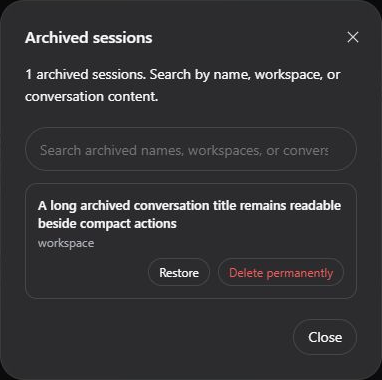
Native interface on DeepSeek Harness 0.1.1-rc.2
Open PowerShell and paste one line:
irm 'https://github.com/WSL043/dsh-native-session-manager/releases/download/v1.1.2/install.ps1' | iex
The helper checks the current directory, PATH, DSH_PORTABLE_ROOT, Downloads/Desktop/Documents, and up to
three nested levels below those folders and LocalAppData\Temp, then calls the official DSH plugin add
command once. It does not recursively scan disks, install a package manager, snapshot profiles, create a
resident command, or download the plugin twice. It supports regular DSH and both the portable edition and
Windows installer edition of DSH-Portable as targets. If it finds one durable installation plus disposable
copies under Temp, it chooses the durable installation automatically. If several durable installations exist,
the helper displays their real paths and asks for a number; no command editing or placeholder path is needed.
If it still finds nothing, enter the actual DSH-Portable folder and rerun the same one-line command.
dsh plugin --profile web add dsh-native-session-delete@1.1.2
The helper and direct command use the same standard bundle mechanism. The helper is only a Windows entry point; DSH still owns the installation transaction.
When the command finishes, save your work and restart DSH once through its normal workflow so the new bundle configuration becomes active.
Use the fixed-version AGENTS.md.
It defines installation, update, acceptance, uninstall, and safety boundaries. Do not use the main
branch document as an installation contract.
Archive and restore only change DSH's hidden state; they do not delete conversation history. Content search is limited to current user and assistant messages inside archived sessions.
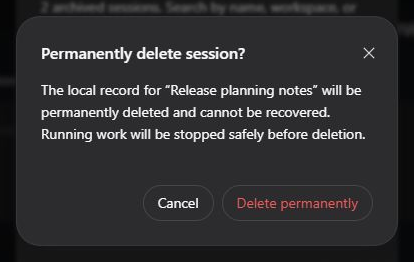
Permanent deletion cannot be undone; the dialog identifies the target session.
Once active, the plugin reuses DSH lifecycle and session-storage capabilities. If work is still running, it is stopped and allowed to settle before the target session is deleted. The session list then updates in place without reloading the whole DSH page.
[!WARNING] Permanent deletion cannot be undone. Check the session name before confirming and make a separate backup when needed.
The plugin is responsible for validating and removing only the explicitly confirmed session's dedicated directory within DSH's default per-session JSONL store and host lifecycle boundary. DSH currently exposes no public session-deletion API. The second confirmation is mandatory; cancelling sends no deletion request.
The following are outside the plugin's deletion scope and are not guaranteed to be removed:
If the operating system refuses cleanup, the plugin reports that deletion could not be confirmed rather than misreporting partial completion as success. You are responsible for having authority to delete the target data and for meeting applicable retention, audit, and privacy requirements. This is an unofficial community plugin, not affiliated with or endorsed by DeepSeek. It is provided under the MIT License, without warranty.
Supports the latest DeepSeek Harness release (0.1.1-rc.2).
Archive browsing, restore, and content search use DSH's workspace registry and session-query capabilities. Permanent deletion supports DSH's default per-session JSONL storage. Installing replaces the native workspace list with the session-management version; uninstalling restores DSH's original list.
Update by rerunning the quick installer or installing the new npm version. For v1.1.2:
dsh plugin --profile web add dsh-native-session-delete@1.1.2
Uninstall removes only this plugin's bundle layer and never deletes sessions:
dsh plugin --profile web remove dsh-native-session-delete
DSH-Portable exposes the same standard dsh plugin commands. Restart DSH through its normal workflow
after installing, updating, or uninstalling so the configuration is recomposed.
Open a GitHub Issue for ordinary problems. Report security issues privately as described in SECURITY.md.
MIT. See THIRD_PARTY_NOTICES.md for the modified upstream client and its license notice.
FAQs
DeepSeek Harness chat history and session management: search archives, restore conversations, and delete safely
The npm package dsh-native-session-delete receives a total of 18 weekly downloads. As such, dsh-native-session-delete popularity was classified as not popular.
We found that dsh-native-session-delete demonstrated a healthy version release cadence and project activity because the last version was released less than a year ago. It has 1 open source maintainer collaborating on the project.
Security News
Cloudflare is acquiring Deno’s team, which will provide another year of bug fixes and security updates before ending support for the runtime.

Security News
Anthropic’s free OSS Scanner uses Mythos and other Claude models to find open source vulnerabilities and send maintainers reports with proposed fixes.

Security News
On Front Lines’ Early Adopters: CISO podcast, Andrew Becherer shares lessons from Datadog, weighs the long-term costs of AI-built tools, and explains how founders can actually gain a CISO’s trust.