

Security News
Deno Goes the Way of the Dinosaur
Cloudflare is acquiring Deno’s team, which will provide another year of bug fixes and security updates before ending support for the runtime.
By Sarah Gooding - Oct 16, 2026
dsh-pomodoro
Advanced tools
A DeepSeek Harness Web Pomodoro plugin with configurable focus and break intervals, sidebar access, and a draggable floating panel
A Pomodoro plugin that adds focus and break cycles to the DeepSeek Harness Web UI.
English · 简体中文






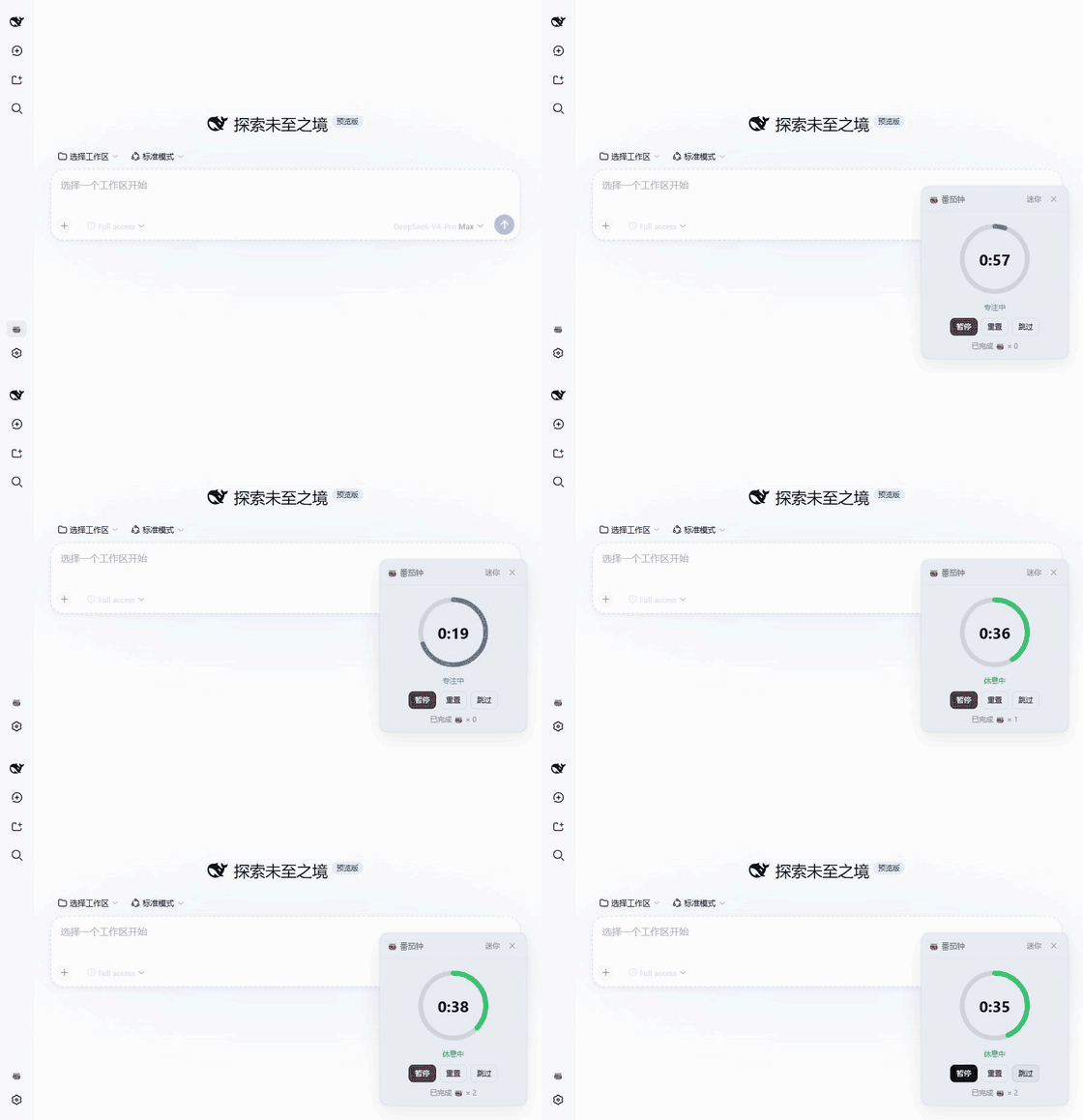
Interface Preview · Highlights · Quick Start · Usage · Settings and Notifications · Troubleshooting
Compatibility: DeepSeek Harness is evolving quickly, so this plugin tracks rc releases only: development and verification target rc baselines, with no commitment to intermediate prereleases such as alpha. The DSH version each release targets is noted in its Releases notes; after upgrading DSH, confirm compatibility against the release notes.
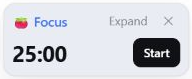
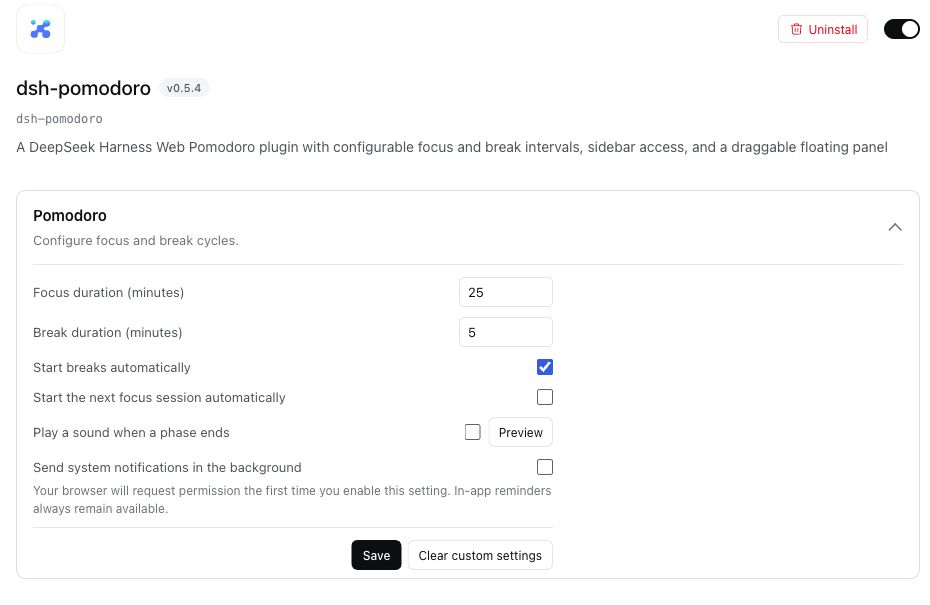
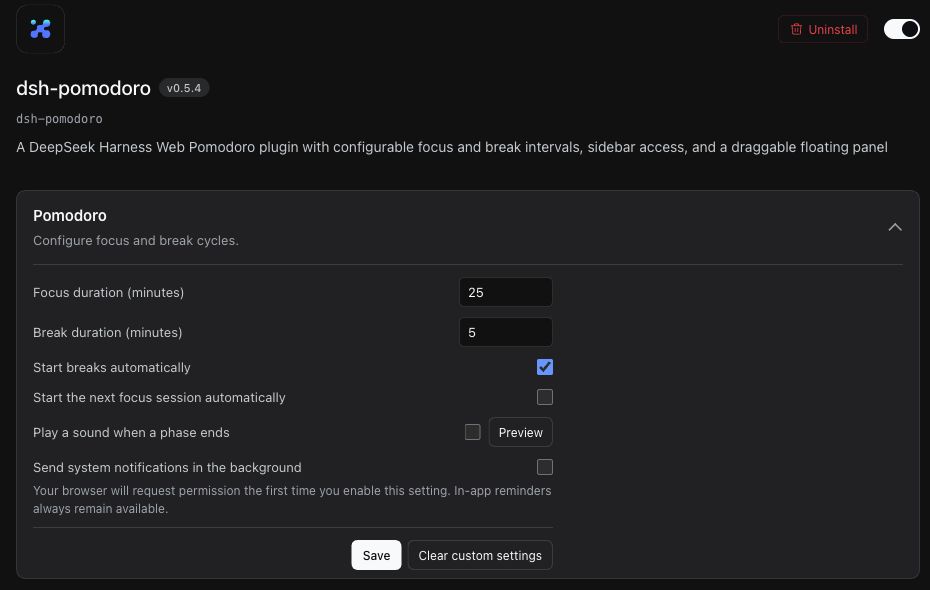
Supports light and dark themes, a compact mini mode, and configuration through DSH plugin settings.
| Light theme | Dark theme |
|---|---|
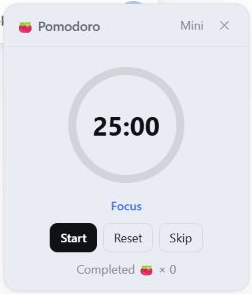 | 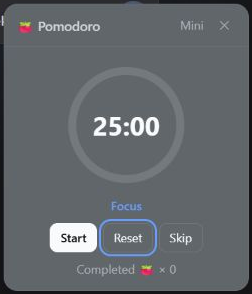 |
| Component | Requirement |
|---|---|
| DeepSeek Harness | Verified versions are listed in each plugin release note |
| Node.js | ^22.19.0 or >=24.0.0 |
| DSH profile | web; headless profiles do not provide the UI |
| pnpm | Available from the command line |
Install the plugin into the web profile:
dsh plugin --profile web add dsh-pomodoro
Then start or restart DSH Web:
dsh web
The plugin is loaded when the 🍅 button appears at the bottom of the sidebar.
Prefer staying in the Web UI? Two community companions can install this plugin for you:
dsh plugin --profile web add dshmarket and restart dsh web, then open Settings → Plugin Market, search for dsh-pomodoro, and install it with one click. The plugin goes live after a page refresh.dsh plugin --profile web add dsh-find-plugin and restart dsh web, then just tell the agent: "install the dsh-pomodoro plugin for DSH". It finds the plugin and runs the install for you; refresh the browser when it finishes.Click the sidebar 🍅 button to open or close the panel. Drag the title bar to reposition it. Use Mini in the title bar to hide secondary information, and Expand to restore the full panel.
| Control | Behavior |
|---|---|
| Start / Pause | Start or pause the current phase |
| Reset | Restore the current phase to its full duration and pause it |
| Skip | Move to the next phase and keep it paused |
| Mini / Expand | Switch between the low-obstruction layout and full controls |
On newer DSH hosts, open Plugins → dsh-pomodoro from the sidebar and expand Pomodoro. On older hosts, use Settings → Plugins → Plugin configuration → Pomodoro. Both provide the same six settings:
| Setting | Default | Behavior |
|---|---|---|
| Focus duration | 25 minutes | Full duration of each focus phase; accepts an integer from 1 to 240 minutes |
| Break duration | 5 minutes | Full duration of each break phase; accepts an integer from 1 to 240 minutes |
| Start breaks automatically | On | Start the break when a focus phase ends naturally |
| Start the next focus session automatically | Off | Start the next focus session when a break ends naturally |
| Play a sound when a phase ends | Off | Play the completion sound three times; a preview is available |
| Send system notifications in the background | Off | Send a browser notification while the DSH page is in the background |
If the current phase has not started, a new duration takes effect immediately. Once timing has started, the new duration applies from the next phase.
On newer DSH hosts that persist remote settings, authenticated remote browsers can also save and clear them. On initial page load, Pomodoro waits for the host settings before starting a timer or settling a phase that expired while the page was closed, avoiding default durations or automatic-start options. Older hosts without remote settings continue to use the defaults.
On hosts with the newer settings system, the plugin automatically reads the dsh-pomodoro section of $DSH_HOME/settings.yaml, falling back to settings.yaml.imported when the original is absent. It imports only the six valid fields listed above and only fills fields that are not explicitly configured in the newer configuration. The original file is preserved; invalid fields are skipped with a diagnostic in the host log.
The host saves the imported values and an internal completion marker in one write. Clear custom settings restores inherited values without importing old values again after a restart. If reading or writing fails, existing configuration is preserved. Fix the old file format or permissions and restart to retry, or configure the plugin from its detail page.
On newer hosts, saving and clearing each use one atomic update. A concurrent change or failed write displays an error and preserves your draft; review the current settings before retrying.
When every DSH page is closed, the browser cannot play the sound or send a notification at the exact deadline. The next DSH launch restores the timer and settles and reports the expired active phase once.
System notifications require DSH to be served from localhost, 127.0.0.1, or HTTPS, and the DSH page must remain open. The in-app reminder continues to work if sound or system notifications are unavailable.
# Update the plugin
dsh plugin --profile web update dsh-pomodoro

# Remove the plugin
dsh plugin --profile web remove dsh-pomodoro
Restart dsh web after either command.
The plugin declares its compatibility range through engines.dsh for newer hosts and retains peer dependency declarations for older hosts. Each Release lists the rc versions actually tested and the scope of that verification.
| Symptom | Fix |
|---|---|
'pnpm' is not recognized during install or update | dsh plugin forwards to pnpm on PATH: run npm install -g pnpm and retry |
dsh web fails to start because port 3080 is in use | A previous instance is still running: find the PID with netstat -ano | findstr :3080, end it with taskkill /PID <pid> /F, then restart |
| No 🍅 button in the sidebar | Confirm you are on the web profile and ran dsh plugin --profile web add dsh-pomodoro, then restart dsh web |
| The previous settings entry is missing | On newer hosts, use sidebar Plugins → dsh-pomodoro; older hosts retain Settings → Plugins → Plugin configuration |
| Older settings were not imported | Check the dsh-pomodoro migration diagnostic in the host log; fix the old file format or permissions and restart, or configure the plugin from its detail page |
| System notifications never arrive | Check browser notification permission and keep the DSH page open; see Completion feedback |
MIT. See THIRD_PARTY_NOTICES.md for the licenses covering React/ReactDOM and third-party assets such as the CC0 completion sound.
git clone https://github.com/causebefore/dsh-pomodoro.git
Set-Location dsh-pomodoro
dsh plugin --profile web add .
npm run check
npm pack --dry-run
The project has no build step: lib/client.js is the browser bundle that is published directly. Daily development happens on dev; main only receives versions that have completed release checks.
| Path | Responsibility |
|---|---|
lib/index.js | Node/Cordis entry point, official settings section, and the read-only config fallback channel (GET route on current hosts / loopback RPC on older hosts) |
lib/migrate-settings.js | Restricted legacy settings reads, validation, and one-time migration |
lib/client.js | Browser timer engine, React UI, slot registration, locale messages, and settings synchronization |
assets/sounds/deep-ding.mp3 | Source for the CC0 completion sound; its runtime bytes are embedded in the client bundle |
docs/images/ | Chinese and English README screenshots plus the GitHub Social Preview image |
cordis.patch.yml | Inserts the plugin service into the DSH Web composition |
package.json | Exports, peer ranges, bundle declaration, and npm publication allowlist |
.github/workflows/publish.yml | Trusted Publishing workflow from a GitHub Release to npm |
dev, then update the version in package.json.dev into main through a release pull request.main commit with a name matching vX.Y.Z.main ancestry, runs syntax and package checks, and publishes through npm Trusted Publishing.FAQs
A DeepSeek Harness Web Pomodoro plugin with configurable focus and break intervals, sidebar access, and a draggable floating panel
The npm package dsh-pomodoro receives a total of 0 weekly downloads. As such, dsh-pomodoro popularity was classified as not popular.
We found that dsh-pomodoro demonstrated a healthy version release cadence and project activity because the last version was released less than a year ago. It has 1 open source maintainer collaborating on the project.
Security News
Cloudflare is acquiring Deno’s team, which will provide another year of bug fixes and security updates before ending support for the runtime.

Security News
Anthropic’s free OSS Scanner uses Mythos and other Claude models to find open source vulnerabilities and send maintainers reports with proposed fixes.

Security News
On Front Lines’ Early Adopters: CISO podcast, Andrew Becherer shares lessons from Datadog, weighs the long-term costs of AI-built tools, and explains how founders can actually gain a CISO’s trust.