dsh-usage


English · 简体中文
See where your tokens go. dsh-usage adds per-turn token summaries, estimated model cost, and a 52-week activity dashboard to DeepSeek Harness Web.
Community plugin maintained independently from DeepSeek. Cost is an estimate, not a provider bill.

What you get
- A compact
Total · Input · Cache · Output · Cost summary below every completed turn.
- A dedicated Settings → Usage page with totals by model, session, and turn.
- A GitHub-style 52-week activity heatmap built from durable session history.
- Provider-neutral accounting: any model that reports standard usage can contribute token totals.
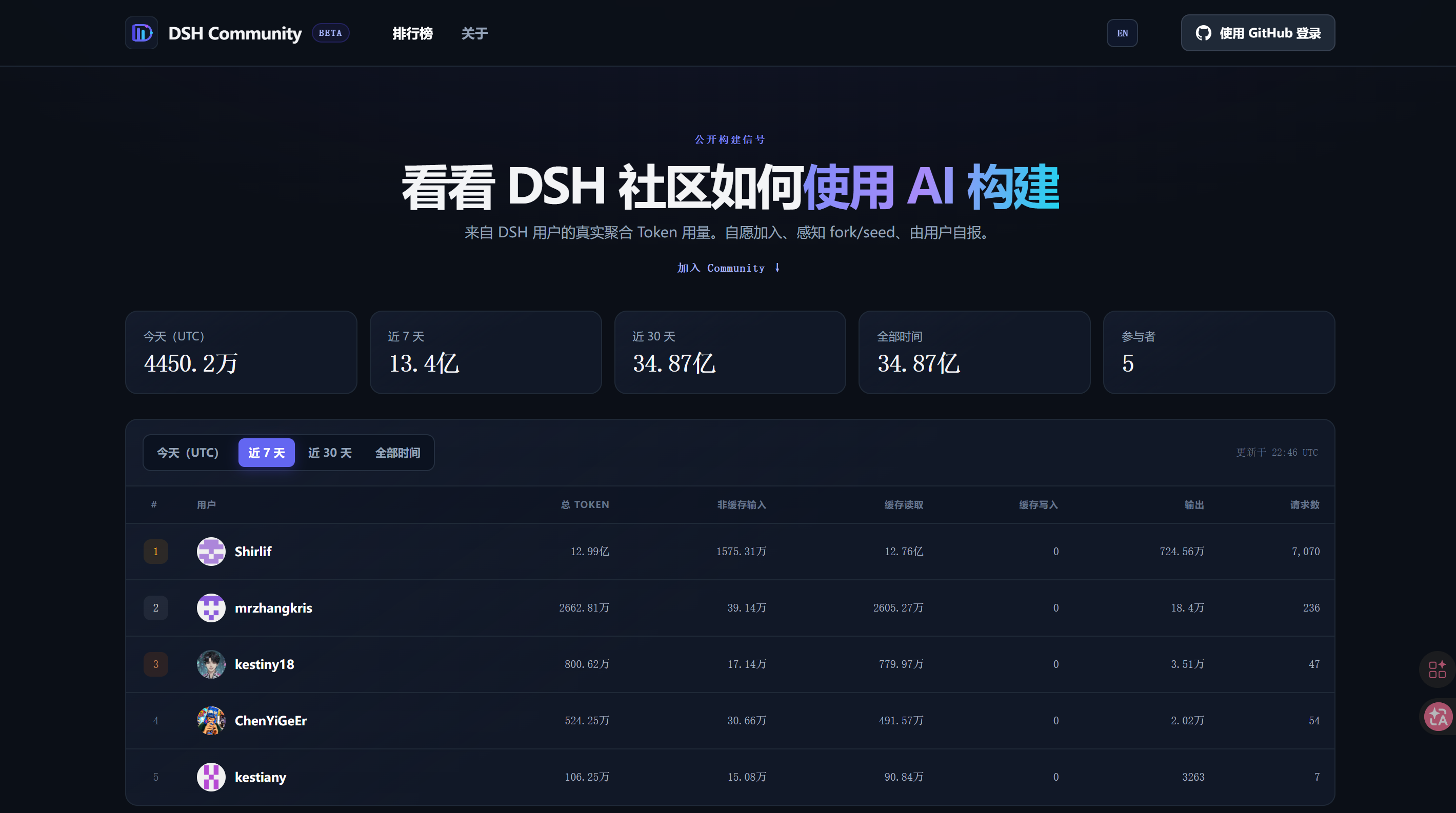
- Optional aggregate-only participation in DSH Community, disabled by default.
The plugin replays Harness's existing session log instead of creating another usage database. Local Usage remains independent from Community login and network availability.
Install in 30 seconds
Requirements: Node.js 22.18 or newer and an existing DeepSeek Harness Web profile.
npx --yes --package=@deepseek-ai/dsh --package=pnpm@11.9.0 -- dsh plugin --profile web add dsh-usage
npx --yes @deepseek-ai/dsh --profile web --dump-config
npx --yes @deepseek-ai/dsh --profile web
Open the Web URL printed in the terminal, complete one model response, then check the turn summary and Settings → Usage. Restart Harness after the first installation so the Web client discovers the plugin.
The commands deliberately pin the verified pnpm 11.9.0 installation baseline. pnpm 11.7.0 can fail while installing the plugin.
Upgrade, global CLI, source-checkout, proxy, and troubleshooting guide
Connect GitHub and Community Sync are separate choices. Signing in identifies your public profile; it does not start an upload. Sync stays off until you explicitly enable it in Settings → Usage.
When enabled, the plugin uploads only aggregate daily/model request and token totals. It never uploads prompts, responses, session content, tool content, paths, hostnames, hardware identifiers, or cost. Unknown/private model routes are combined into other before the request is created. A failed sync never interrupts local Usage.
Open the leaderboard and illustrated setup guide →
Trustworthy accounting
Input, cache read, cache write, and output remain separate buckets. Reasoning tokens already reported as output are not counted twice. Forked and sub-Agent sessions subtract inherited seed events while retaining the child's new model calls, including provider-reported cache reads.
Cost appears only when every relevant call has provider usage and a matching effective-dated rate. Otherwise token totals remain visible and cost is omitted instead of showing a misleading partial amount.
Links
MIT licensed.



