

Security News
Deno Goes the Way of the Dinosaur
Cloudflare is acquiring Deno’s team, which will provide another year of bug fixes and security updates before ending support for the runtime.
By Sarah Gooding - Oct 16, 2026
go-tokenless
Advanced tools
Switch npm publishing in GitHub Actions from NPM_TOKEN to trusted publishing (OIDC) with one command. CLI, MCP server and Agent Skill.
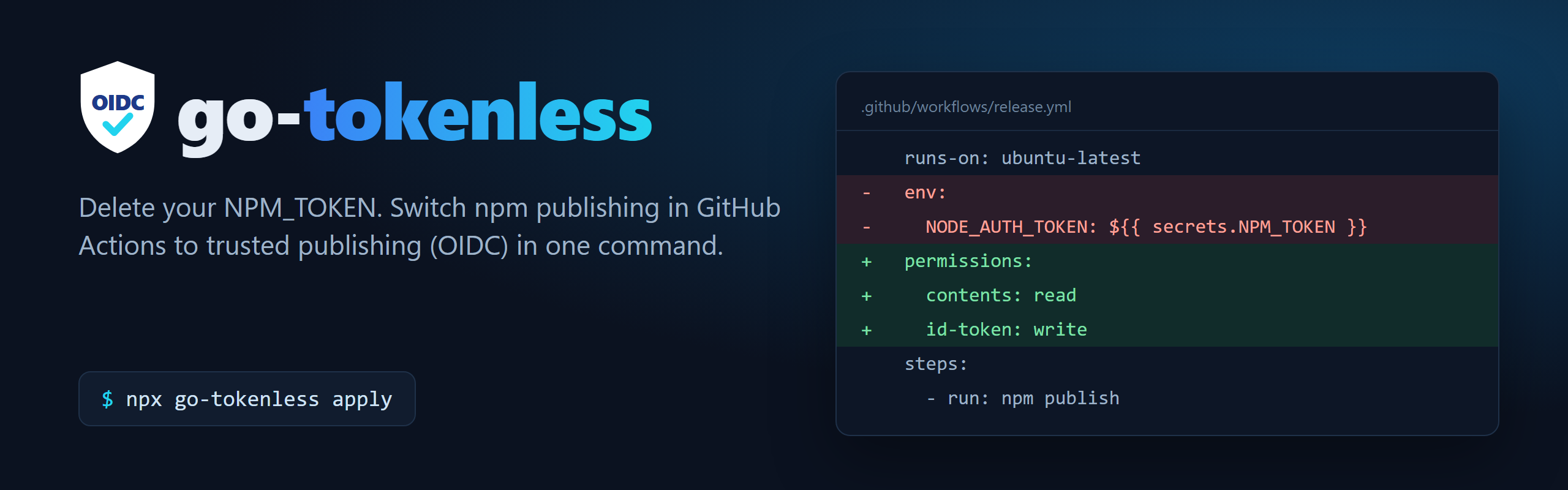




Delete your NPM_TOKEN. One command switches npm publishing in GitHub Actions to trusted publishing (OIDC). No long-lived token is stored anywhere, and every release gets a provenance badge.
npm is retiring token publishing: from January 2027 a token can no longer publish on its own (npm docs).
Contents
From the root of the repository that publishes to npm:
npx go-tokenless          # 1. preview: lists every change and shows a diff, writes nothing
npx go-tokenless apply    # 2. edit the workflow and package.json files
Then follow the Next steps it prints: commit the change, connect the package to the workflow on npm, and delete the old secret. Needs Node 22.14+.
Only the lines that need to change are touched: comments, quoting and layout in your workflows are kept, and in package.json only the repository field is edited. Before writing, go-tokenless re-reads both versions and refuses if anything other than the migration would change.
| Problem in your release workflow | What go-tokenless does |
|---|---|
NODE_AUTH_TOKEN / NPM_TOKEN on the publish job (or the workflow) | Removes it, so the secret can be deleted. npm prefers OIDC but falls back to a configured token, which would keep the old token in use |
| Job can't request an OIDC token | Adds permissions: id-token: write, keeping the permissions it had |
| npm older than 11.5.1 (Node 22 and below) | Adds npm install -g npm@^12, or moves Node < 22 to 24 |
actions/setup-node without registry-url | Adds registry-url: https://registry.npmjs.org |
JS-DevTools/npm-publish below v4 | Updates it to v4, which no longer requires a token |
A script writes _authToken to .npmrc | Removes those lines |
repository missing or in the wrong form in package.json | Sets git+https://github.com/<owner>/<repo>.git (with directory in monorepos) |
It stops with exit code 1 and writes nothing when a person needs to decide:
pull_request_target, issue_comment, workflow_run and similar triggers. Granting it OIDC would let a fork publish.repository pointing at another repo.Dry runs (npm publish --dry-run) never count as publishing. Steps that publish to GitHub Packages, and GITHUB_TOKEN values, are left alone.
$ npx go-tokenless
go-tokenless: Ready to go tokenless. (acme/widgets)

Changes:
  .github/workflows/release.yml
    - publish: remove `NODE_AUTH_TOKEN` from job env
    - publish: grant `id-token: write`
    - publish: raise setup-node from Node 20 to 24 (trusted publishing needs Node 22.14+)
  package.json
    - widgets: add repository.url git+https://github.com/acme/widgets.git

Next:
  1. Run `npx go-tokenless apply` (or apply the diff above) and commit the changes on a branch.
  2. Add a trusted publisher for each package. With npm 11.15+ logged in with 2FA, run:
       npm trust github widgets --repo acme/widgets --file release.yml --allow-publish --yes
  3. Merge, then let the release workflow publish once. Check the new version shows a provenance badge.
  4. Delete the old publish token secret (`gh secret delete NPM_TOKEN`) and revoke the token on npmjs.com.
| Setup | Notes |
|---|---|
npm publish (incl. workspaces) | |
pnpm publish / -r publish | pnpm 10 hands off to npm; pnpm 11 needs 11.1.3+ |
Yarn Berry yarn npm publish | Yarn 4.10.3+; remove npmAuthToken from .yarnrc.yml |
changesets (changesets/action) | Works as is; if the first tokenless release can't authenticate, update to v2 |
| semantic-release | Needs @semantic-release/npm 13.1.0+ (semantic-release 25+) |
release-please + npm publish | |
| Lerna / Nx release | Lerna 9+ |
| JS-DevTools/npm-publish | Updated to v4 |
| release-it | Also set npm.skipChecks: true |
Reusable workflows (workflow_call) | npm checks the calling workflow's file name; a trust command is printed for every caller |
| Publishing inside scripts | Follows package.json scripts, ./scripts/*.sh, make <target> and local composite actions (uses: ./.github/actions/...), including working-directory |
Yarn 1 yarn publish, bun publish | Flagged: those tools can't use trusted publishing yet, so switch to npm publish |
If your installs need private packages from your npm org, give the install steps a read-only token. Publish steps stay token-free:
npx go-tokenless apply --read-token NPM_READ_TOKEN
       - run: npm ci
+        env:
+          NODE_AUTH_TOKEN: ${{ secrets.NPM_READ_TOKEN }}
       - run: npm publish
Every install step in the release workflow gets it, including separate build and test jobs. Create a granular token on npmjs.com with read-only access to your packages and save it with gh secret set NPM_READ_TOKEN.
Add the Action to CI. It fails the job if a token creeps back into a publish workflow, and the job summary lists the exact fixes:
# .github/workflows/ci.yml
jobs:
  tokenless:
    runs-on: ubuntu-latest
    permissions:
      contents: read
    steps:
      - uses: actions/checkout@v5
      - uses: continuous-actions/go-tokenless@v1
        # with:
        #   mode: report               # annotate only, never fail
        #   read-token: NPM_READ_TOKEN # if installs use a read-only token
It runs go-tokenless --json read-only and needs no token. Its status output is already-tokenless, ready, blocked or no-publish-workflow.
go-tokenless is built to be run by coding agents: --json output, clear exit codes, an MCP server and an Agent Skill. Ask your agent: "Move our npm publishing to trusted publishing."
| Client | Setup |
|---|---|
| Claude directory (claude.ai, Cowork, Claude Code) | Submitted to Anthropic's plugin directory and awaiting approval. Once listed: open the directory, search go-tokenless and select Add. It then syncs to Claude Code as go-tokenless@synced. Until then, use the marketplace command below |
| Claude Code (plugin: skill + MCP) | /plugin marketplace add continuous-actions/go-tokenless then /plugin install go-tokenless@continuous-actions |
| Claude Code (MCP only) | claude mcp add go-tokenless -- npx -y go-tokenless mcp |
| Gemini CLI | gemini extensions install https://github.com/continuous-actions/go-tokenless |
| Cursor, VS Code, others | Add the MCP config below |
| Any agent with skills | npx skills add continuous-actions/go-tokenless |
{ "mcpServers": { "go-tokenless": { "command": "npx", "args": ["-y", "go-tokenless", "mcp"] } } }
MCP tools: plan_trusted_publishing (read-only) and apply_trusted_publishing (writes files; no git or network writes). It is listed in the MCP Registry as io.github.continuous-actions/go-tokenless. See also llms.txt and the Agent Skill.
npx go-tokenless [plan | apply | mcp] [options]
| Option | Description |
|---|---|
--json | Print the full plan as JSON (status, changes, diff, findings, trust, nextSteps) |
--diff | Include the diff in text output (always on for plan) |
--repo <owner/repo> | GitHub repository, when origin isn't GitHub |
--cwd <dir> | Repository root (default: current directory) |
--offline | Skip the npm registry check that each package already exists |
--read-token <SECRET> | Give install steps a read-only token from this secret (private packages) |
--npm-version <range> | npm for the inserted upgrade step. Default ^12, pinned to one major so releases don't change under you. Other versions show a warning; below 11.5.1 is refused |
--npm-args "<args>" | Extra arguments for every npm command it generates (upgrade step and npm trust) |
Exit codes: 0 ok · 1 blocked (needs a human fix) · 2 usage error · 3 unexpected error.
.github/workflows/*.yml, package.json files and related scripts in the repository you point it at. apply and the apply_trusted_publishing MCP tool write only to workflow and package.json files inside that repository. It never follows links out of the repository.GET requests to https://registry.npmjs.org/<package> to check that each package already exists (--offline or MCP offline: true turns this off). Nothing else is fetched or sent. There is no telemetry.npx -y go-tokenless@<pinned version> mcp.go-tokenless never touches your npm account, secrets or git history. After apply:
npm trust github … commands (npm 11.15+, asks for 2FA), or go to npmjs.com → package → Settings → Trusted publishing.Each error has its own page with causes and fixes: ENEEDAUTH, 404 on PUT, E422 repository.url, still using the token, and the 2FA-bypass notice.
| Error | Usual cause |
|---|---|
npm error code ENEEDAUTH | No id-token: write, npm older than 11.5.1, or the workflow file name doesn't match the trusted publisher exactly (case-sensitive, with .yml) |
npm error 404 Not Found - PUT https://registry.npmjs.org/... | Same as above, an environment mismatch, or no trusted publisher yet |
npm error code E422 … repository.url | package.json repository doesn't match the GitHub repo. apply fixes the format |
| Publishing still uses the token | Something still sets NODE_AUTH_TOKEN, NPM_TOKEN, an .npmrc _authToken or .yarnrc.yml npmAuthToken. Run npx go-tokenless again to find it |
Issues and pull requests are welcome. Run corepack enable && yarn install && yarn check (typecheck, build and end-to-end tests). See AGENTS.md for how the code is laid out, and SECURITY.md to report a vulnerability.
MIT © continuous-actions
FAQs
Switch npm publishing in GitHub Actions from NPM_TOKEN to trusted publishing (OIDC) with one command. CLI, MCP server and Agent Skill.
The npm package go-tokenless receives a total of 32 weekly downloads. As such, go-tokenless popularity was classified as not popular.
We found that go-tokenless demonstrated a healthy version release cadence and project activity because the last version was released less than a year ago. It has 1 open source maintainer collaborating on the project.
Security News
Cloudflare is acquiring Deno’s team, which will provide another year of bug fixes and security updates before ending support for the runtime.

Security News
Anthropic’s free OSS Scanner uses Mythos and other Claude models to find open source vulnerabilities and send maintainers reports with proposed fixes.

Security News
On Front Lines’ Early Adopters: CISO podcast, Andrew Becherer shares lessons from Datadog, weighs the long-term costs of AI-built tools, and explains how founders can actually gain a CISO’s trust.