immutablejs-devtools
If you've ever debugged Immutable.js data structures, you know the output looks
something unreadable like this:
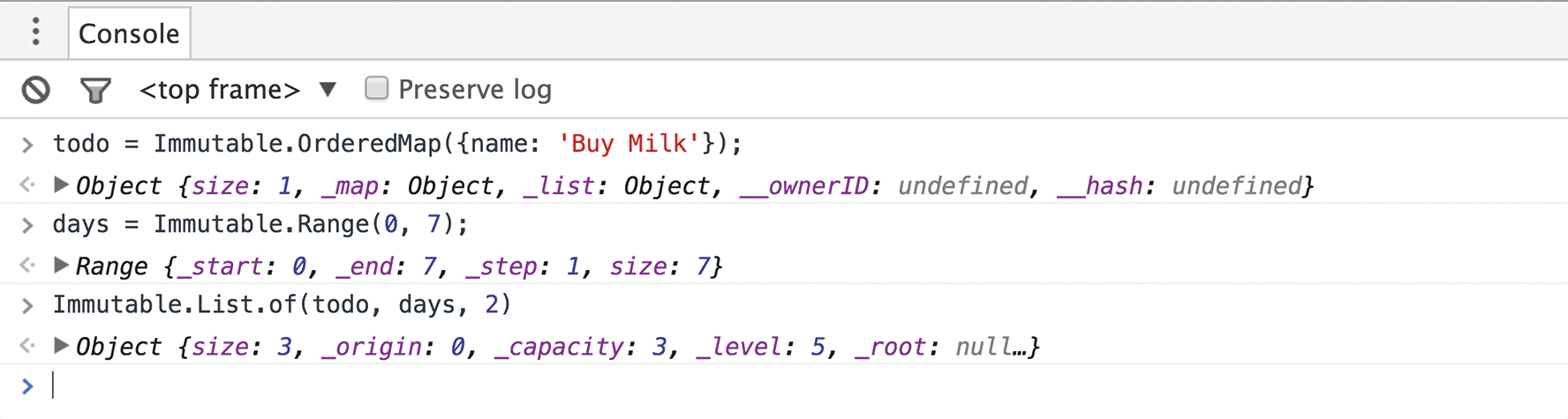
Once included in your project, this custom formatter displays the inner value of
the data structure, just like you would expect:

Usage
require('immutablejs-devtools').install();
Rationale
You can force Immutable.js' data structures to be JS-friendly with the .toJS()
method, but a) you need to call that method everytime you wish to inspect
a variable b) you lose all the information about the type of that collection.
This is annoying, particularly when you're stepping through the code in the
debugger and your data structure is made of other nested structures (i.e.
a List of OrderedMaps).
But what if you could see what's inside the data structure, without calling the
.toJS()? What if you could also retain the collection type?
Chrome DevTools formatters is a nice feature that allows you to do just that:
control how the value of a JavaScript object appears in Chrome's console and
debugger.
This code leverages Chrome DevTools custom formatters to prettify the output so
that you can have the best of both worlds: using Immutable.js with a readable
output.
Gotchas
- Chrome DevTools formatters is available in Chrome 47 or greater.
When will this custom formatter be used?
- In the javascript console
- Watches/Scopes
- In the popover while debugging: While your javascript is paused, you can hover
a variable in the editor, and devtools will show an popover with the value of
this variable



