iwork-mcp
MCP server for Apple iWork automation — 117 tools for Numbers, Pages, and Keynote.
One line to install. Works with Claude Desktop, Claude Code, Codex, and any MCP client.
What it does
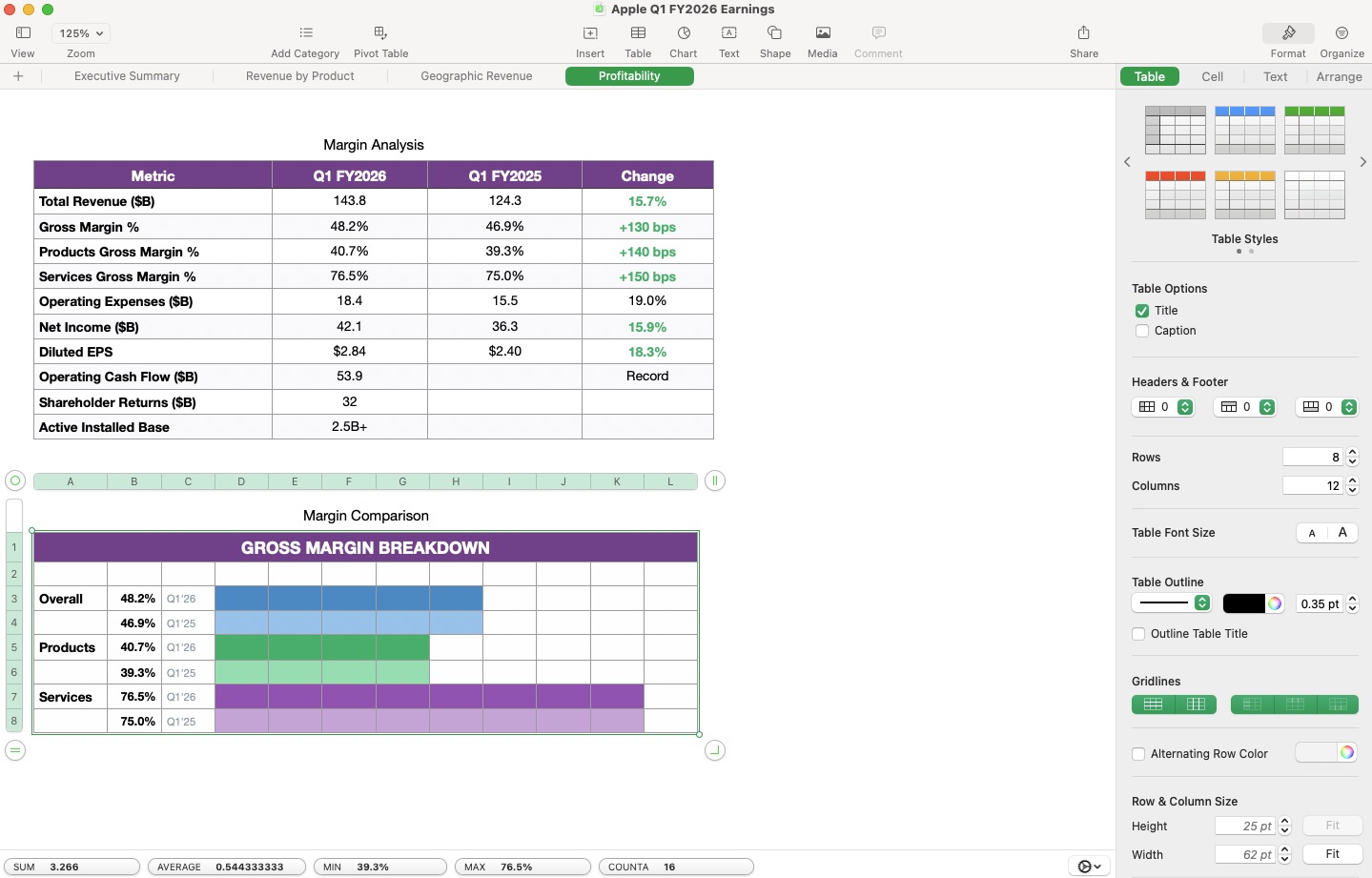
Ask Claude to build spreadsheets, write documents, and create presentations — it controls the real iWork apps on your Mac through Apple's JavaScript for Automation (JXA) scripting bridge.
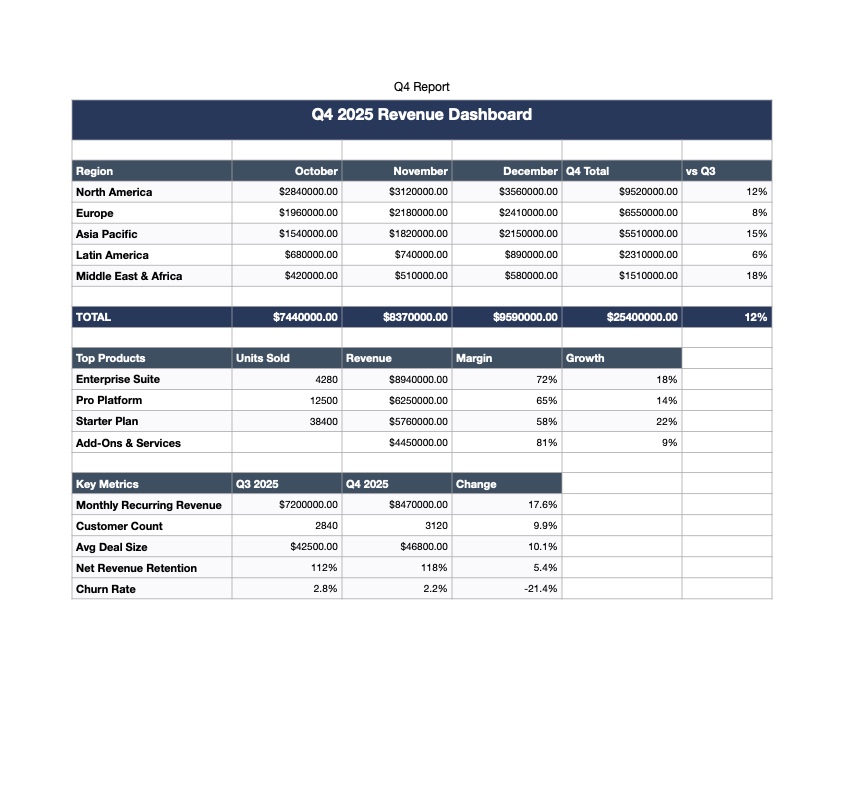
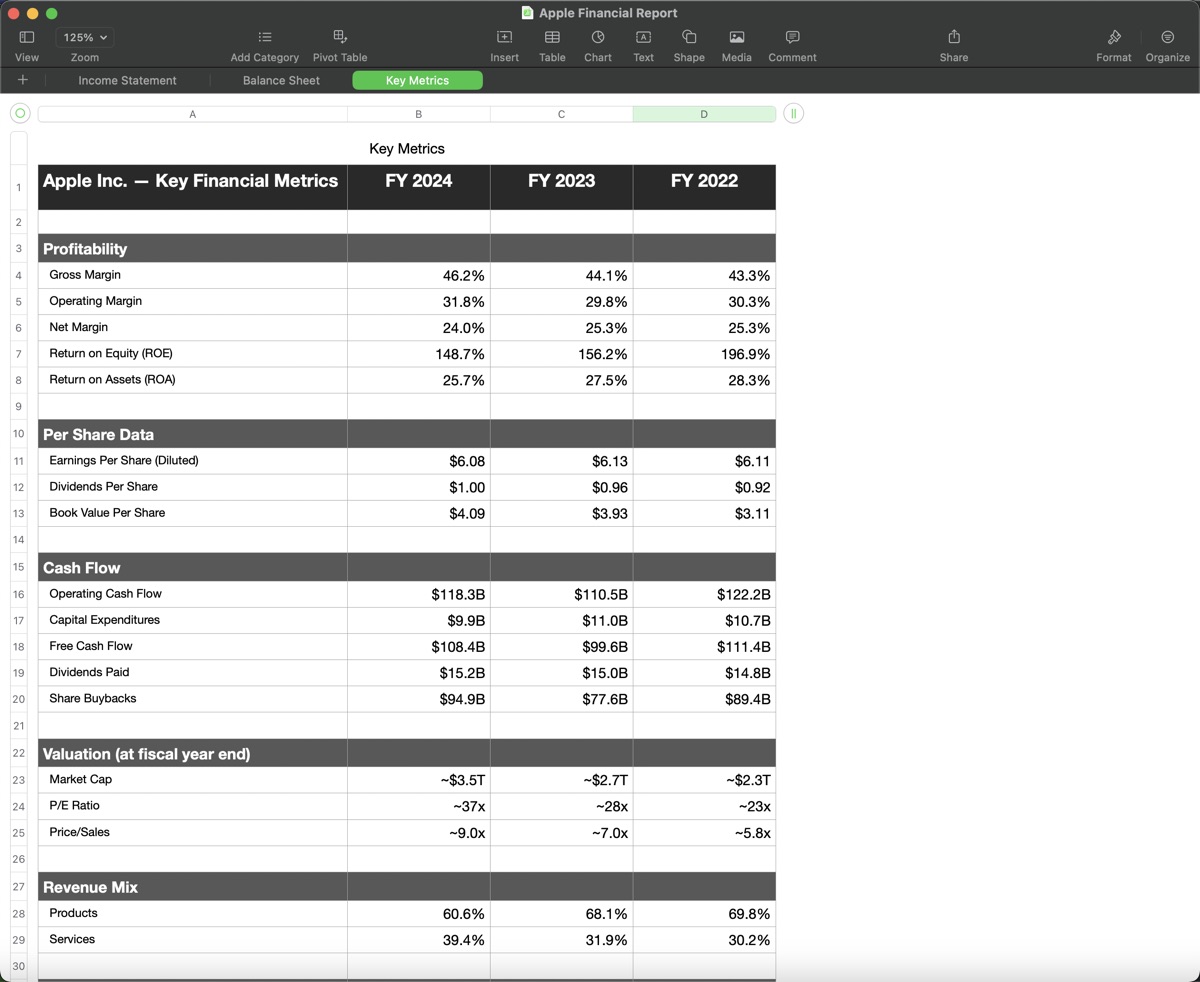
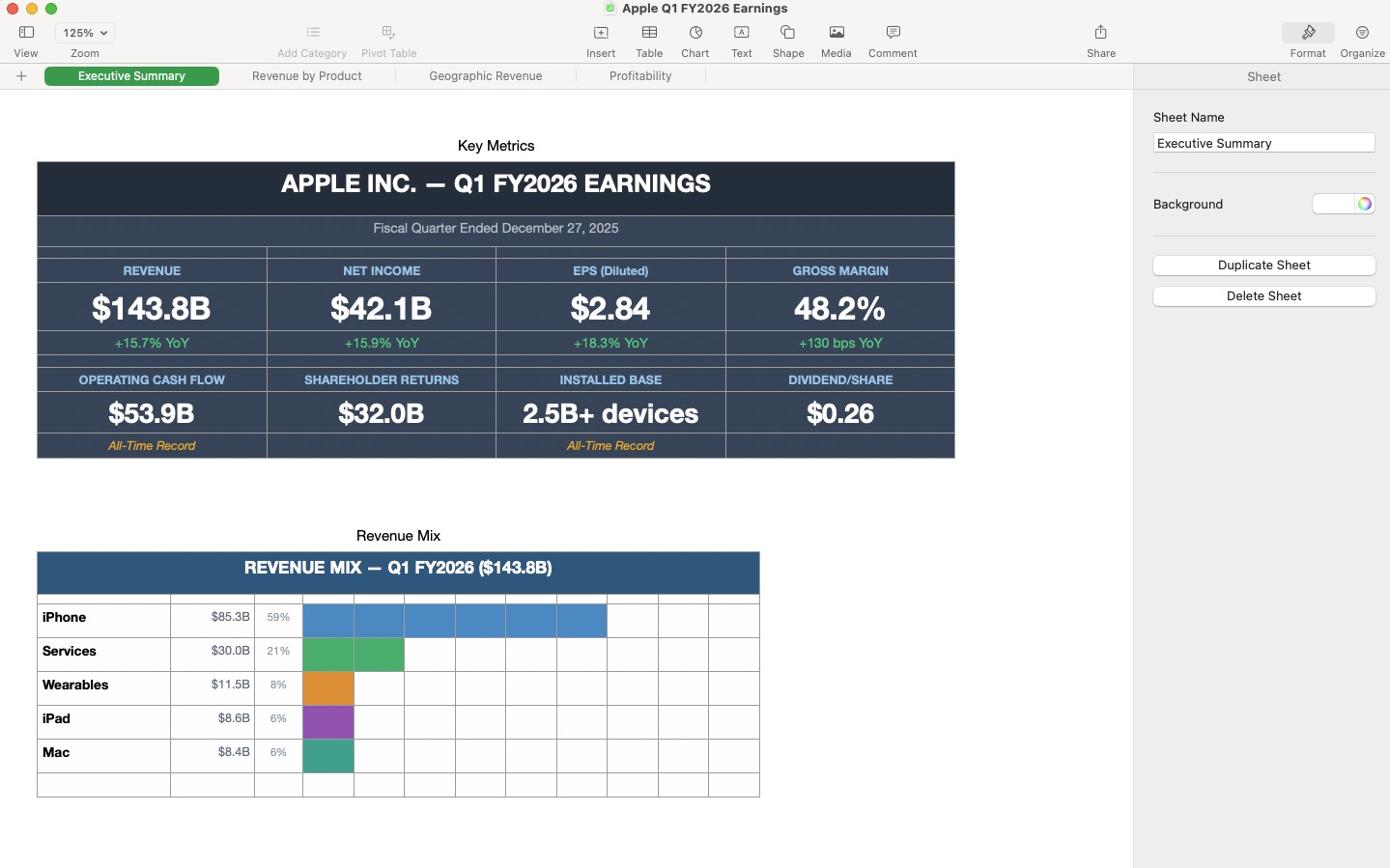
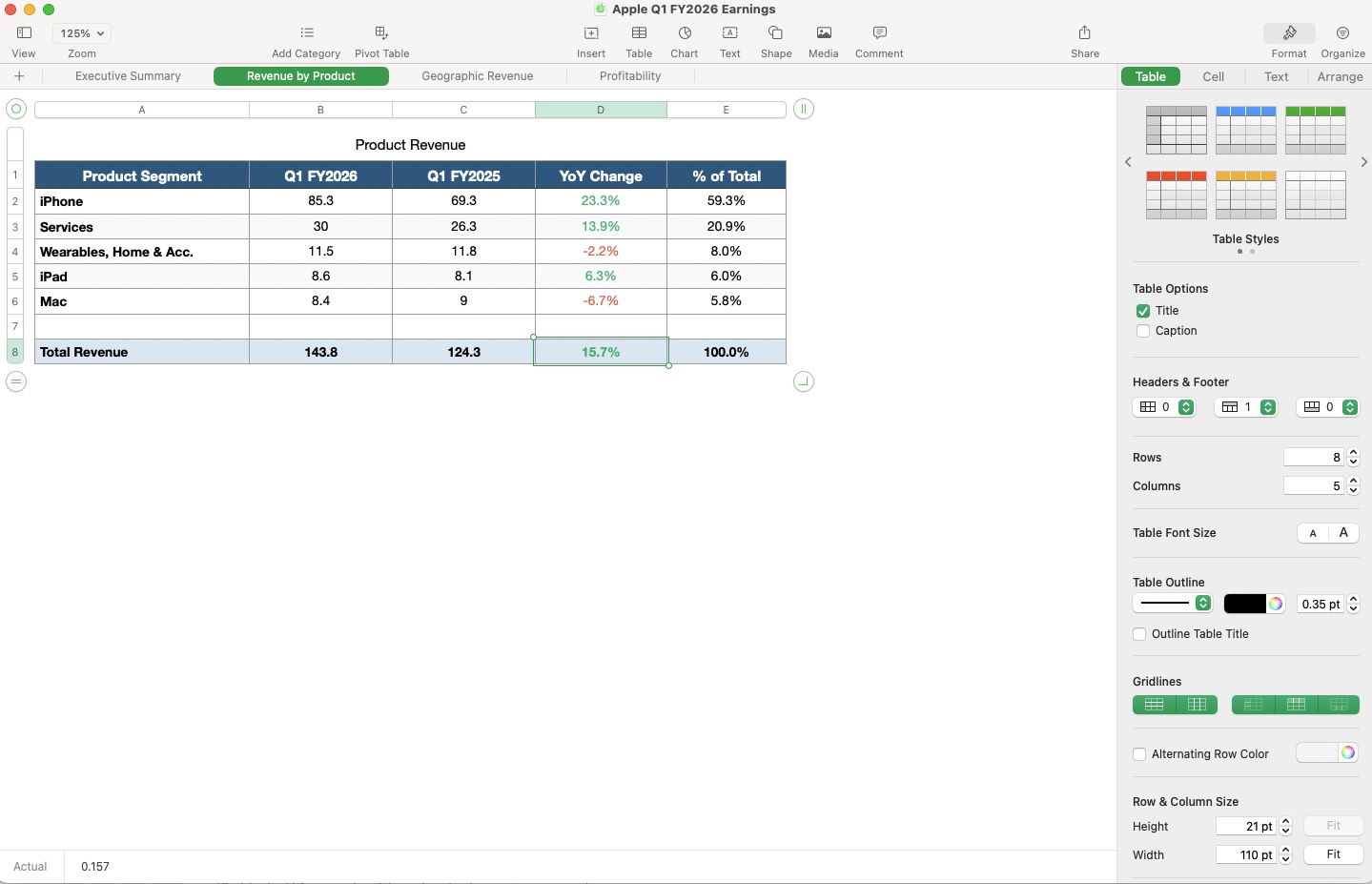
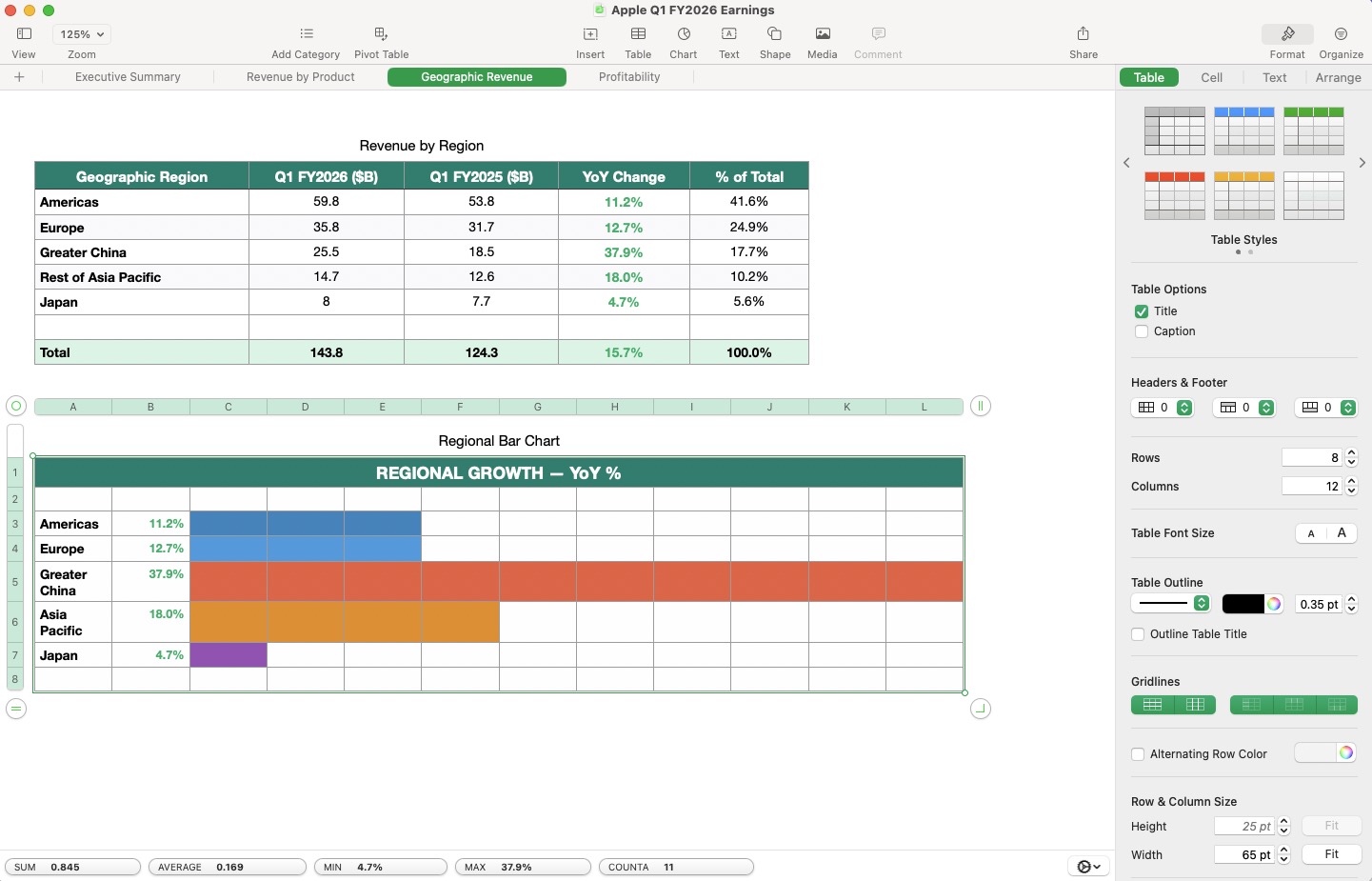
Numbers — Browse built-in templates (budget, invoice, schedule, etc.) or create from scratch, read/write cells and ranges, set formulas (including cross-sheet references like SUMIFS), sort rows, merge cells, format cells (fonts, colors, backgrounds, alignment, number formats like percent and currency), manage sheets and tables, set column widths and row heights, bulk-create sheets with data and formatting in one call, export to PDF/Excel/CSV.
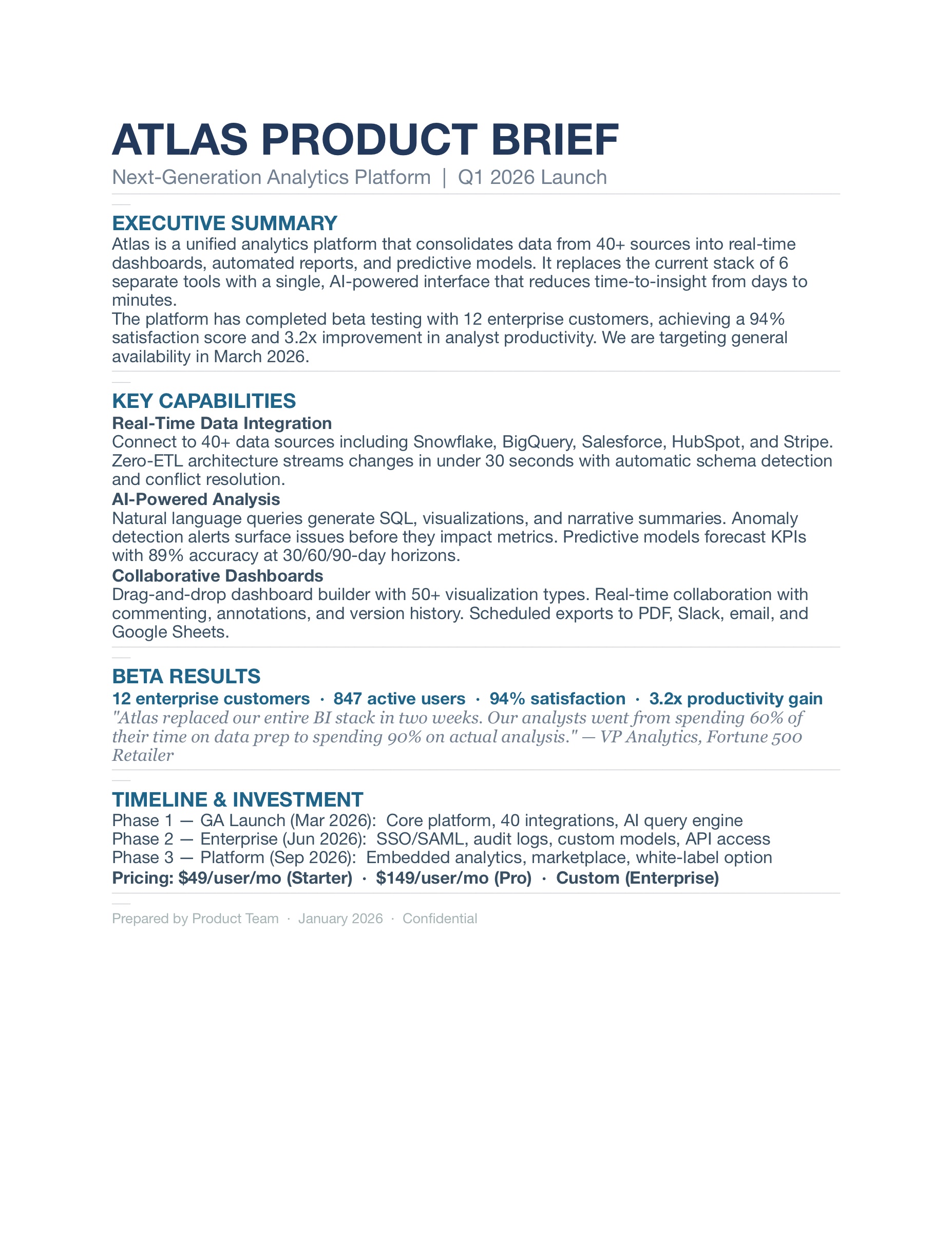
Pages — Browse built-in templates (resume, report, letter, flyer, newsletter, etc.) or create from scratch, create documents with formatted content in one call, read and insert text at any position, find and replace (preserves formatting), format paragraphs (font, size, color), insert images and tables, export to PDF/Word/EPUB.
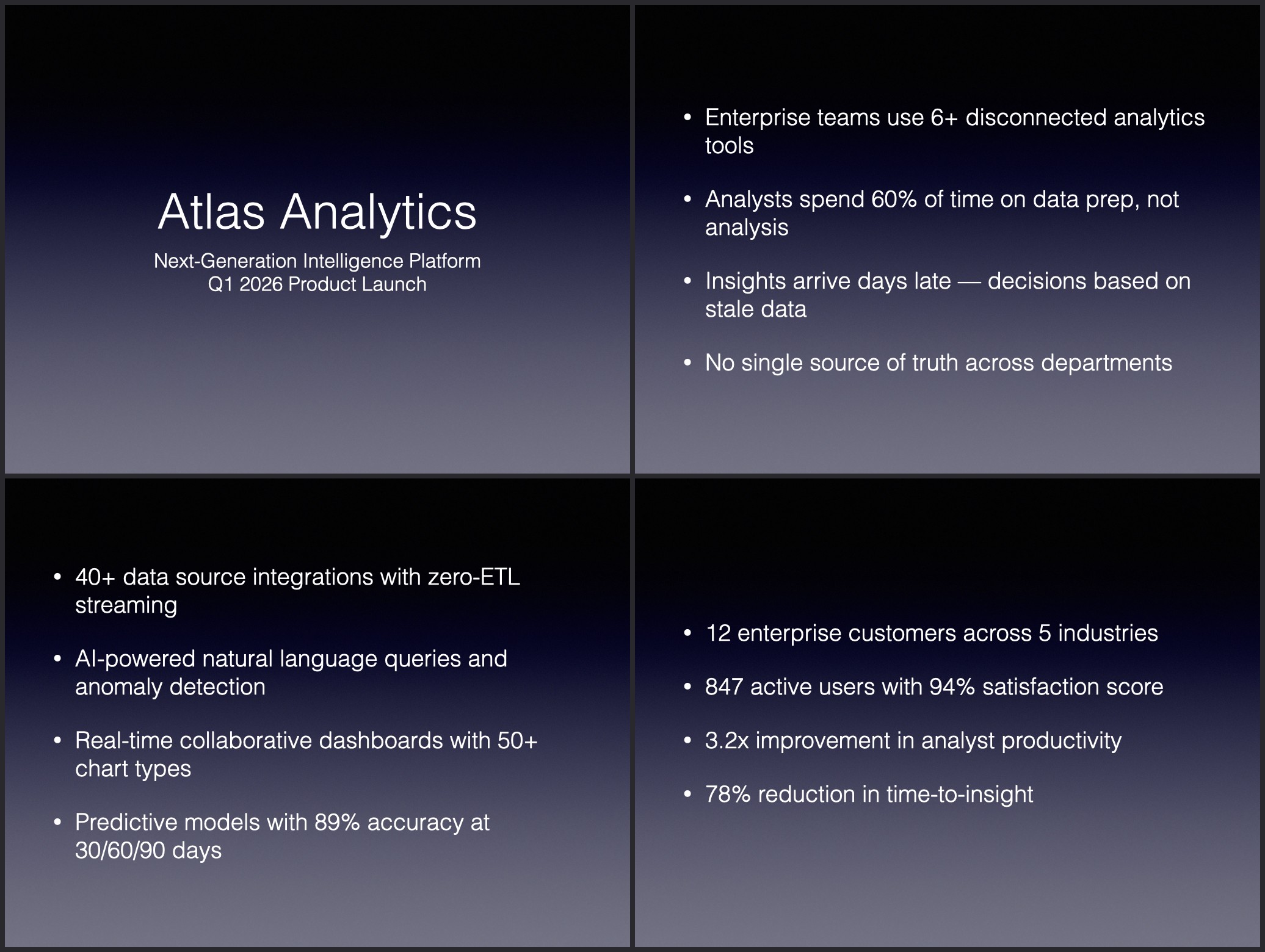
Keynote — Browse available themes or create with a specific theme, create presentations with multiple fully-configured slides in one call (layouts, titles, body, notes, transitions), add/delete/duplicate/reorder/skip slides, choose slide layouts from master slides, read slide content, set titles and bullet points, add images and shapes, start/stop slideshows, export to PDF/PowerPoint/HTML.
More examples
Install
Claude Desktop
npx iwork-mcp install
Then restart Claude Desktop (Cmd+Q and reopen). Done.
Claude Code
claude mcp add iwork -- npx -y iwork-mcp
Codex
codex mcp add iwork -- npx -y iwork-mcp
Requirements
- macOS 13 Ventura or later (tested on macOS 14 Sonoma)
- Numbers, Pages, and Keynote 14.0+ (tested on 14.5 and 15.1.1 Creator Studio; free from the App Store)
- Node.js 18+ (
brew install node if you have Homebrew)
- On first use, macOS will ask to grant Automation permission — click OK
iWork 15.1+ (Creator Studio): Fully supported — tested on 15.1.1 (February 2026). Creator Studio is auto-detected and used when available. Creator Studio subscribers get 8 additional AI tools (Magic Fill, Clean Up Slide, Super Resolution, Remove Background). See Creator Studio known issues below for export/save-as limitations.
Examples
Build a monthly budget spreadsheet in Numbers with income, expenses, and a net savings row. Color positive differences green and negative red.
Create a professional resume in Pages for a software engineer with experience at three companies, education, and skills sections.
Make a Keynote presentation for a Q4 business review with 6 slides — highlights, revenue, product milestones, and roadmap. Add presenter notes on every slide.
Open my budget spreadsheet at ~/Documents/budget.numbers and add a new row for February.
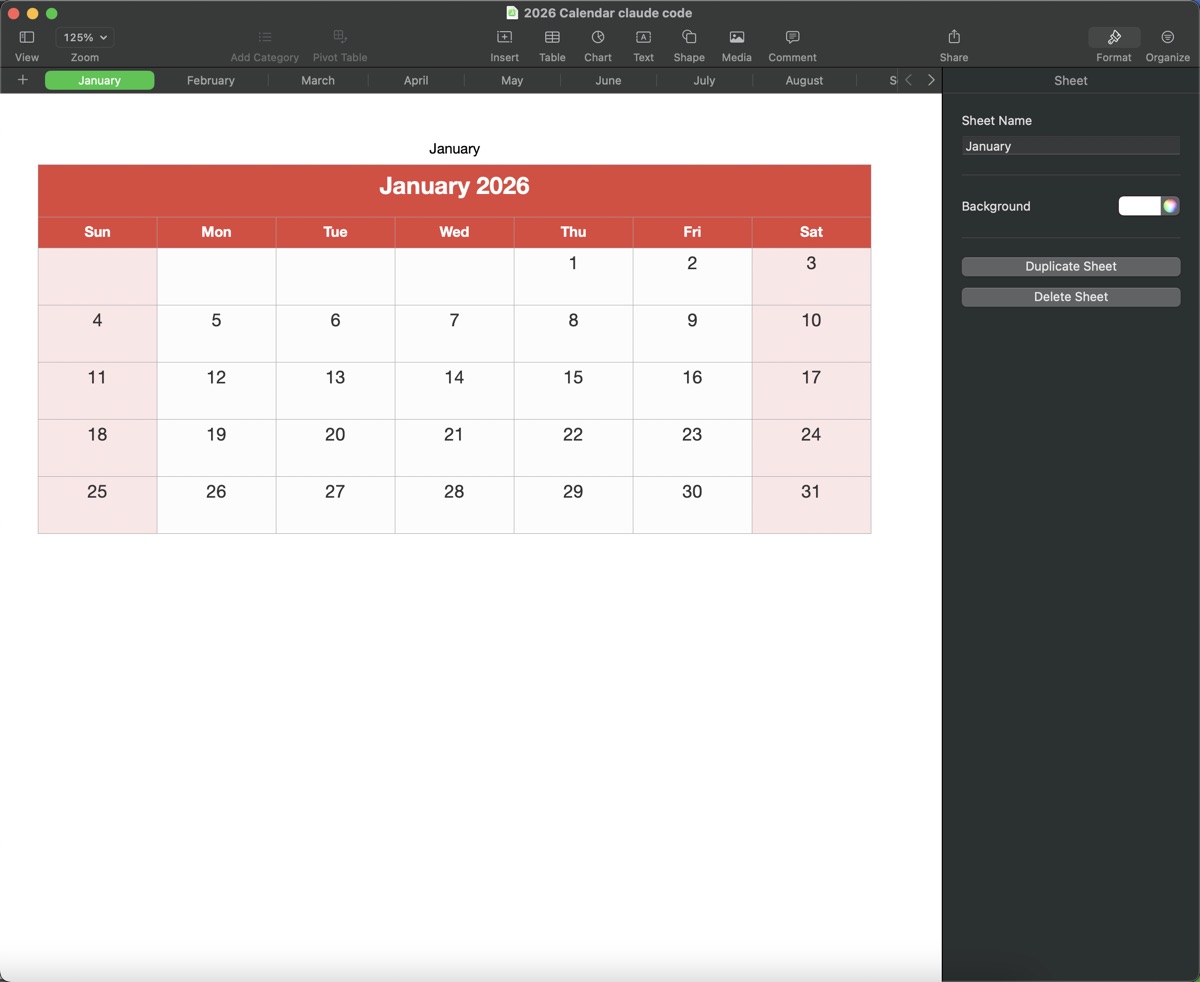
Create a 2026 calendar in Numbers with a sheet for each month, colored headers, and weekend highlighting.
Tools
Numbers (50 tools)
numbers_list_documents | List all open documents |
numbers_list_templates | List available templates (e.g. Personal Budget, Invoice) |
numbers_create_document | Create a new spreadsheet |
numbers_open_document | Open a .numbers file |
numbers_save_document | Save a document |
numbers_export_document | Export to PDF, Excel, or CSV |
numbers_close_document | Close a document |
numbers_list_sheets | List sheets in a document |
numbers_add_sheet | Add a new sheet |
numbers_rename_sheet | Rename a sheet |
numbers_delete_sheet | Delete a sheet |
numbers_list_tables | List tables with dimensions |
numbers_add_table | Create a new table (configurable headers) |
numbers_rename_table | Rename a table |
numbers_delete_table | Delete a table |
numbers_read_table | Read all data as a 2D array |
numbers_read_cell | Read a single cell |
numbers_read_range | Read a specific cell range |
numbers_get_table_info | Get table metadata (name, dimensions, position) |
numbers_get_cell_format | Read a cell's number format and alignment |
numbers_move_table | Move a table to a new position on the sheet |
numbers_write_cell | Write a value to a cell |
numbers_write_cells | Batch write multiple cells |
numbers_write_table | Bulk write a 2D array (fast) |
numbers_set_formula | Set a formula on a cell |
numbers_add_row | Add rows with optional data |
numbers_insert_row_at | Insert rows at a specific position, shifting existing rows down |
numbers_add_column | Add a column |
numbers_insert_column_at | Insert columns at a specific position, shifting existing columns right |
numbers_delete_row | Delete rows |
numbers_delete_column | Delete columns |
numbers_sort_rows | Sort table by a column |
numbers_set_header_rows | Set header row count (0 removes header styling) |
numbers_set_header_columns | Set header column count |
numbers_merge_cells | Merge a cell range |
numbers_unmerge_cells | Unmerge cells |
numbers_clear_cells | Clear cell contents |
numbers_format_cells | Set font, size, color, bold, italic, alignment, background, number format (percent, currency, etc.) |
numbers_set_column_width | Set column width |
numbers_set_row_height | Set row height |
numbers_format_range | Apply multiple formatting rules to different cell ranges in one call |
numbers_auto_format | Auto-detect and apply formatting (currency, percent, number) from string values |
numbers_copy_range | Copy values between open documents |
numbers_add_image | Add an image to a sheet from a file path |
numbers_list_images | List all images on a sheet with positions and sizes |
numbers_add_chart | Create charts (bar, line, pie, area, scatter) from table data |
numbers_create_sheet_with_table | Create a full sheet with table, data, and formatting in one fast call |
numbers_magic_fill | AI pattern fill — provide examples, fill remaining cells automatically (Creator Studio) |
numbers_super_resolution | AI image upscaling — increase resolution while preserving quality (Creator Studio) |
numbers_remove_background | AI background removal from images (Creator Studio) |
Pages (26 tools)
pages_list_documents | List all open documents |
pages_list_templates | List available templates (e.g. Resume, Report, Letter) |
pages_create_document | Create a new document |
pages_open_document | Open a .pages file |
pages_save_document | Save a document |
pages_export_document | Export to PDF, Word, EPUB, or plain text |
pages_close_document | Close a document |
pages_get_body_text | Read all body text |
pages_get_paragraphs | Get paragraphs as indexed array |
pages_get_document_info | Get word count, character count, page count, modified status |
pages_list_images | List all images in a document with positions and sizes |
pages_add_text | Append text (preserves formatting) |
pages_insert_text_at | Insert text at a paragraph index |
pages_delete_text | Delete a paragraph |
pages_replace_text | Find and replace (preserves formatting) |
pages_format_text | Set font, size, color, bold, italic on a paragraph |
pages_add_image | Insert an image |
pages_add_table | Insert a table |
pages_list_tables | List tables with size and header configuration |
pages_read_table | Read all cell values and formulas from a table |
pages_write_table_cells | Write cell values; = strings set formulas, existing formulas recalculate |
pages_resize_table | Change a table's row/column count |
pages_insert_page_break | Insert a page break between paragraphs |
pages_create_document_with_content | Create a document with multiple formatted paragraphs in one fast call |
pages_super_resolution | AI image upscaling — increase resolution while preserving quality (Creator Studio) |
pages_remove_background | AI background removal from images (Creator Studio) |
Keynote (41 tools)
keynote_list_presentations | List all open presentations |
keynote_list_themes | List available themes (e.g. White, Black, Gradient) |
keynote_get_theme | Get the current theme of a presentation |
keynote_set_theme | Change the theme of an existing presentation |
keynote_create_presentation | Create a new presentation |
keynote_open_presentation | Open a .key file |
keynote_save_presentation | Save a presentation |
keynote_export_presentation | Export to PDF, PowerPoint, HTML, or images |
keynote_close_presentation | Close a presentation |
keynote_list_slides | List slides with titles |
keynote_get_slide_content | Read all content from a slide |
keynote_list_slide_items | List all items on a slide with types, positions, and sizes |
keynote_list_master_slides | List available slide layouts |
keynote_add_slide | Add a slide with optional layout |
keynote_delete_slide | Delete a slide |
keynote_duplicate_slide | Duplicate a slide |
keynote_reorder_slide | Move a slide to a new position |
keynote_skip_slide | Hide/unhide a slide |
keynote_set_slide_layout | Change the master slide layout of an existing slide |
keynote_set_slide_title | Set slide title text |
keynote_set_slide_body | Set slide body / bullet points |
keynote_add_image_to_slide | Add an image to a slide |
keynote_add_shape | Add a shape with text |
keynote_add_line | Add a line between two points on a slide |
keynote_position_item | Move/resize a shape, image, or text item by type and index |
keynote_align_items | Align 2+ items along an edge or center (left, right, top, bottom, center, middle) |
keynote_distribute_items | Evenly space 3+ items horizontally or vertically |
keynote_get_shape_info | Read shape properties (position, size, opacity, rotation, text formatting) |
keynote_format_shape | Set opacity, rotation, and text font/size/color/alignment on a shape |
keynote_add_table_to_slide | Add a table to a slide with optional data |
keynote_read_slide_table | Read all data from a table on a slide |
keynote_write_slide_table | Write data to cells of an existing table on a slide |
keynote_format_slide_table | Format cells in a slide table (text color, number format) |
keynote_set_presenter_notes | Set presenter notes |
keynote_set_transition | Set slide transition effect |
keynote_start_slideshow | Start playing the presentation |
keynote_stop_slideshow | Stop the slideshow |
keynote_create_presentation_with_slides | Create a presentation with multiple fully-configured slides in one fast call |
keynote_clean_up_slide | AI slide cleanup — auto-adjust layout, spacing, alignment, and typography (Creator Studio) |
keynote_super_resolution | AI image upscaling — increase resolution while preserving quality (Creator Studio) |
keynote_remove_background | AI background removal from images (Creator Studio) |
How it works
The server runs JXA (JavaScript for Automation) scripts via osascript to control iWork apps. Each tool call is a single osascript invocation — parameters go in as JSON via argv[0], results come back as JSON via stdout.
Claude Desktop / Claude Code / Codex
  ↓ MCP protocol over stdio
iwork-mcp server (Node.js)
  ↓ child_process.execFile
/usr/bin/osascript -l JavaScript
  ↓ JXA scripting bridge
Numbers.app / Pages.app / Keynote.app
Development
git clone https://github.com/reichenbach/iwork_mcp.git
cd iwork-mcp
npm install
npm run build
Testing
npm test
npm run test:integration
npm run test:all
Tests use node:test with in-memory MCP transport (no subprocess). Integration tests skip automatically if the corresponding app isn't installed.
Local development with Claude Desktop
To test locally with Claude Desktop, point to your local build:
{
  "mcpServers": {
    "iwork": {
      "command": "node",
      "args": ["/absolute/path/to/iwork-mcp/dist/index.js"]
    }
  }
}
Limitations
iWork's scripting dictionary defines what's automatable — some features (charts, track changes, comments) simply aren't exposed by Apple. iwork-mcp covers everything the API allows. I'm hopeful Apple expands automation capabilities as AI tooling becomes more integrated across the ecosystem.
- macOS only — requires Numbers, Pages, and Keynote 14.0+ (tested on 14.5 and 15.1 Creator Studio; free from the App Store)
- Apps are visible — iWork apps launch and show windows; there's no headless mode
- ~430ms per call — osascript startup overhead per tool invocation (use compound tools like
create_sheet_with_table, create_document_with_content, and create_presentation_with_slides for speed)
- Charts are basic —
numbers_add_chart creates data-bound charts (bar, line, pie, area, scatter) via an AppleScript bridge workaround, but chart customization (titles, labels, colors) is not exposed by Apple's scripting dictionary
- Formulas are write-only — Apple's scripting dictionary returns computed values, not formula text
- No comments or track changes — not exposed in the scripting dictionary
- Pages formatting — paragraph formatting uses
bodyText.paragraphs which supports font, size, and color; bold/italic require PostScript font names (e.g. HelveticaNeue-Bold); there is no direct bold/italic toggle
- First-use permission prompt — macOS will ask to grant Automation access once
Creator Studio known issues
iWork 15.1–15.1.1 Creator Studio has scripting bugs that iwork-mcp works around automatically:
app.export() fails with error (6) for all non-PDF formats — "document could not be exported". PDF export works via a Quick Look workaround (qlmanage). Non-PDF export formats (Excel, CSV, Word, EPUB, PowerPoint, HTML, images) are broken on Creator Studio with no known workaround.doc.save() hangs and shows a popup dialog that never returns (both with and without a path argument). Save-as works via a file copy workaround (copies the auto-saved iCloud file, then closes and reopens from the new path). Plain save (no path) is handled by iCloud auto-save automatically.- Auto-save renames documents by appending file extensions (e.g. "Untitled" becomes "Untitled.numbers"), which breaks
documents.byName() lookups. iwork-mcp injects name resolution that tries both the original and extended names, with automatic retry on transient failures during auto-save.
- Table creation in Pages fails with error -2763 — both the JXA and AppleScript creation APIs are broken on Pages 15.x (existing tables can still be read and resized).
pages_add_table works around this with UI scripting: it clicks Insert > Table > Basic via System Events, then resizes the new table to the requested dimensions. This needs Accessibility permission for the host app (System Settings > Privacy & Security > Accessibility), and the table is inserted at an insertion point near the top of the visible page rather than at the end of the document.
All workarounds are applied automatically when Creator Studio is detected. If you need non-PDF export, use the classic iWork 14.x versions from the Mac App Store.
License
MIT




