markdown-for-agents




Runtime-agnostic HTML to Markdown converter built for AI agents. One dependency, works everywhere.
Try it in the playground — paste a URL or HTML and see the conversion live.
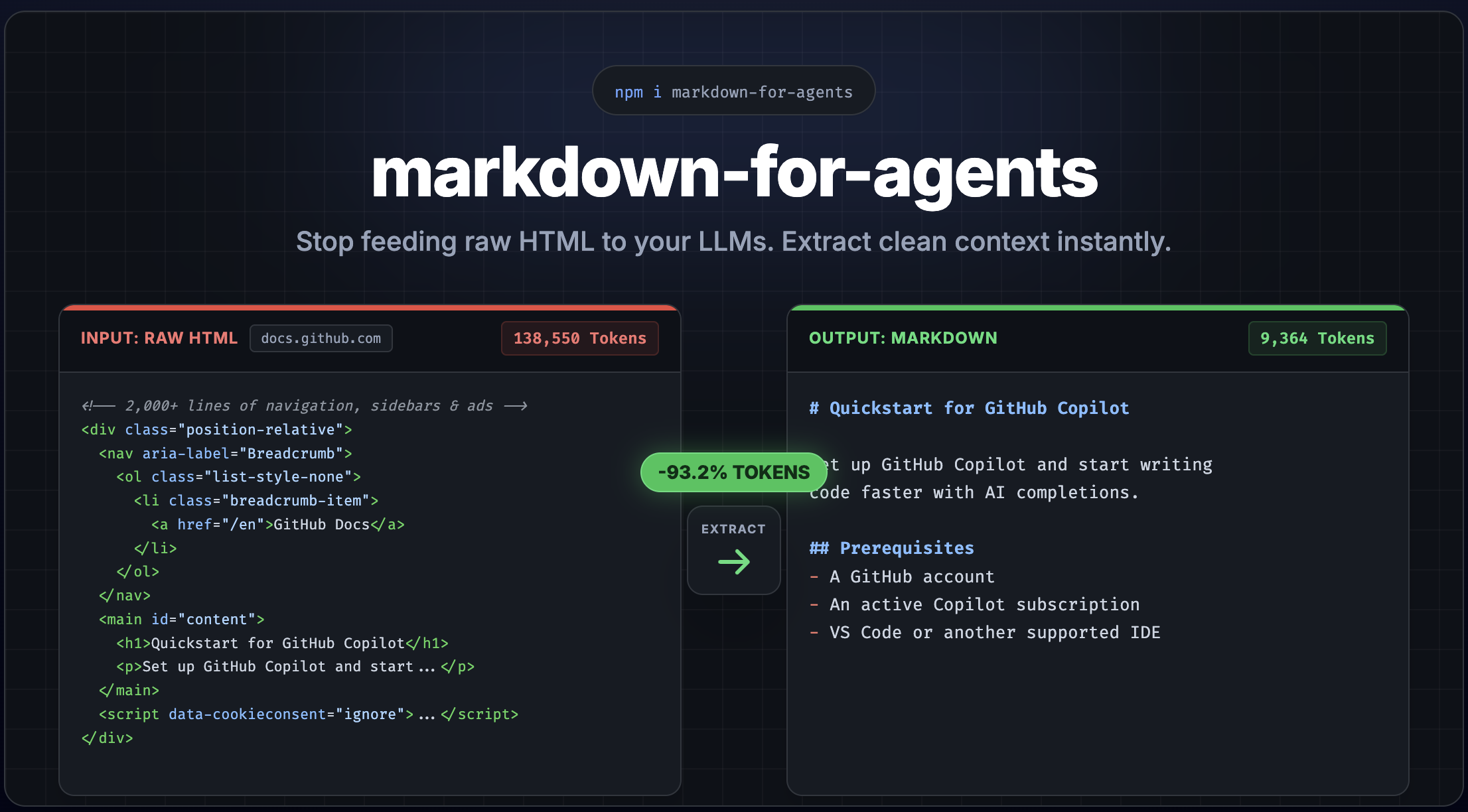
Audit any URL — no installation required:
npx @markdown-for-agents/audit https://docs.github.com/en/copilot/get-started/quickstart
           HTML            Markdown        Savings
───────────────────────────────────────────────────
Tokens     138,550         9,364           -93.2%
Chars      554,200         37,456          -93.2%
Words      27,123          4,044
Size       541.3 KB        36.6 KB         -93.2%
Convert any HTML page into clean, token-efficient Markdown — with built-in content extraction to strip away navigation, ads, and boilerplate. Inspired by Cloudflare's Markdown for Agents.
Features
- Runtime-agnostic — Node.js, Bun, Deno, Cloudflare Workers, Vercel Edge, browsers
- Frontmatter — automatically extracts title, description, and image from
<head> and prepends YAML frontmatter
- Content extraction — strip nav, footer, ads, sidebars, cookie banners automatically
- Content-signal header — opt-in
content-signal HTTP header for publisher consent (AI training, search, AI input)
- Framework middleware — drop-in support for Express, Fastify, Hono, Next.js, and any Web Standard server
- Content negotiation — respond with Markdown when clients send
Accept: text/markdown
- Token estimation — built-in heuristic token counter for LLM cost planning, with support for custom tokenizers
- Plugin system — override or extend any element conversion with custom rules
- Single dependency — only htmlparser2 (no DOM required)
- ESM only — modern, tree-shakeable, with subpath exports
- Fully typed — written in TypeScript with complete type definitions
Install
npm install markdown-for-agents
Quick Start
import { convert } from 'markdown-for-agents';
const html = `
<h1>Hello World</h1>
<p>This is a <strong>simple</strong> example.</p>
`;
const { markdown, tokenEstimate, contentHash } = convert(html);
console.log(markdown);
console.log(tokenEstimate);
console.log(contentHash);
Real-world HTML pages are full of navigation, ads, sidebars, and cookie banners. Enable extraction mode to get just the main content:
const { markdown } = convert(html, { extract: true });
This strips <nav>, <header>, <footer>, <aside>, <script>, <style>, ad-related elements, cookie banners, social widgets, and more.
Frontmatter
By default, metadata is extracted from the HTML <head> element and prepended as YAML frontmatter. This aligns with Cloudflare's Markdown for Agents convention.
const html = `<html>
<head>
<title>My Page</title>
<meta name="description" content="A great page about things">
<meta property="og:image" content="https://example.com/hero.png">
</head>
<body><p>Content here</p></body>
</html>`;
const { markdown } = convert(html);
Extracted fields: title (from <title>), description (from <meta name="description">), image (from <meta property="og:image">).
Disable it or merge custom fields:
convert(html, { frontmatter: false });
convert(html, { frontmatter: { author: 'Jane', title: 'Custom Title' } });
Middleware
Framework middleware is available as separate packages — they serve Markdown automatically when AI agents request it via Accept: text/markdown:
import { markdown } from '@markdown-for-agents/express';
app.use(markdown());
import { markdown } from '@markdown-for-agents/fastify';
fastify.register(markdown());
import { markdown } from '@markdown-for-agents/hono';
app.use(markdown());
import { withMarkdown } from '@markdown-for-agents/nextjs';
export default withMarkdown(handler);
import { markdownMiddleware } from '@markdown-for-agents/web';
const mw = markdownMiddleware();
The middleware inspects the Accept header. Normal browser requests pass through untouched. When an AI agent sends Accept: text/markdown, the HTML response is automatically converted.
Custom Rules
Override how any element is converted, or add support for custom elements:
import { convert, createRule } from 'markdown-for-agents';

const { markdown } = convert(html, {
    rules: [
        createRule(
            node => node.name === 'div' && node.attribs.class?.includes('callout'),
            ({ convertChildren, node }) => `\n\n> **Note:** ${convertChildren(node).trim()}\n\n`
        )
    ]
});
Custom rules have higher priority than defaults and are applied first.
Options
All options are optional. Defaults are shown below:
convert(html, {
frontmatter: true,
extract: false,
rules: [],
baseUrl: '',
headingStyle: 'atx',
bulletChar: '-',
codeBlockStyle: 'fenced',
fenceChar: '`',
strongDelimiter: '**',
emDelimiter: '*',
linkStyle: 'inlined',
deduplicate: false,
tokenCounter: undefined,
serverTiming: false
});
Server Timing
Enable serverTiming to measure conversion duration. The result includes convertDuration (in milliseconds), and middleware adapters use it to set a Server-Timing header:
const { markdown, convertDuration } = convert(html, { serverTiming: true });
console.log(`Conversion took ${convertDuration}ms`);
Custom Token Counter
By default, token estimation uses a fast heuristic (~4 characters per token). You can replace it with an exact tokenizer:
import { convert } from 'markdown-for-agents';
import { encoding_for_model } from 'tiktoken';

const enc = encoding_for_model('gpt-4o');

const { markdown, tokenEstimate } = convert(html, {
    tokenCounter: text => ({
        tokens: enc.encode(text).length,
        characters: text.length,
        words: text.split(/\s+/).filter(Boolean).length
    })
});
The custom counter receives the final markdown string and must return a TokenEstimate object with tokens, characters, and words fields. It flows through to middleware as well — the x-markdown-tokens header will reflect your counter's value.
Deduplication Options
Pass deduplicate: true to use defaults, or pass a DeduplicateOptions object to customize behavior:
const { markdown } = convert(html, {
deduplicate: { minLength: 5 }
});
The minLength option (default: 10) controls the minimum block length eligible for deduplication. Blocks shorter than this are always kept. Lower it to catch short repeated phrases, raise it for more conservative deduplication.
Middleware can set a content-signal HTTP header to communicate publisher consent for AI training, search indexing, and AI input. This is opt-in — the header is only set when explicitly configured:
app.use(
markdown({
contentSignal: {
aiTrain: true,
search: true,
aiInput: true
}
})
);
Only explicitly set fields are included. Set a field to false to signal denial (e.g. aiTrain: false → ai-train=no). Omit a field to exclude it from the header entirely.
Supported Elements
Block
<h1>...<h6> | # Heading (atx) or underline (setext) |
<p> | Paragraph with blank lines |
<blockquote> | > Quoted text |
<pre><code> | Fenced code block with language |
<hr> | --- |
<br> | Trailing double-space line break |
<ul>, <ol>, <li> | Lists with nesting and indentation |
<table> | GFM pipe table with separator row |
<script>, <style>, <noscript>, <template> | Stripped |
Inline
<strong>, <b> | **bold** |
<em>, <i> | *italic* |
<del>, <s>, <strike> | ~~strikethrough~~ |
<code> | `inline code` |
<a> | [text](url) with title and baseUrl support |
<img> |  with title and baseUrl support |
<sub> | ~subscript~ |
<sup> | ^superscript^ |
<abbr>, <mark> | Pass-through (text preserved) |
Subpath Exports
The core package provides fine-grained imports for tree-shaking:
import { convert } from 'markdown-for-agents';
import { extractContent } from 'markdown-for-agents/extract';
import { estimateTokens } from 'markdown-for-agents/tokens';
Runtime Compatibility
| Node.js | >= 22 | Tested |
| Bun | >= 1.0 | Tested |
| Deno | >= 2.0 | Tested |
| Cloudflare Workers | - | Compatible |
| Vercel Edge | - | Compatible |
| Browsers | ES2022+ | Compatible |
Audit
The @markdown-for-agents/audit package lets you measure token savings when converting HTML to Markdown. Fetch any URL and see exactly how many bytes and tokens you save:
npx agent-markdown-audit https://example.com
           HTML            Markdown        Savings
───────────────────────────────────────────────────
Tokens     48,291          12,073          -75.0%
Chars      193,164         48,292          -75.0%
Words      9,456           5,209
Size       188.6 KB        47.2 KB         -75.0%
License
MIT


