react-native-tab-view




React Native TabView
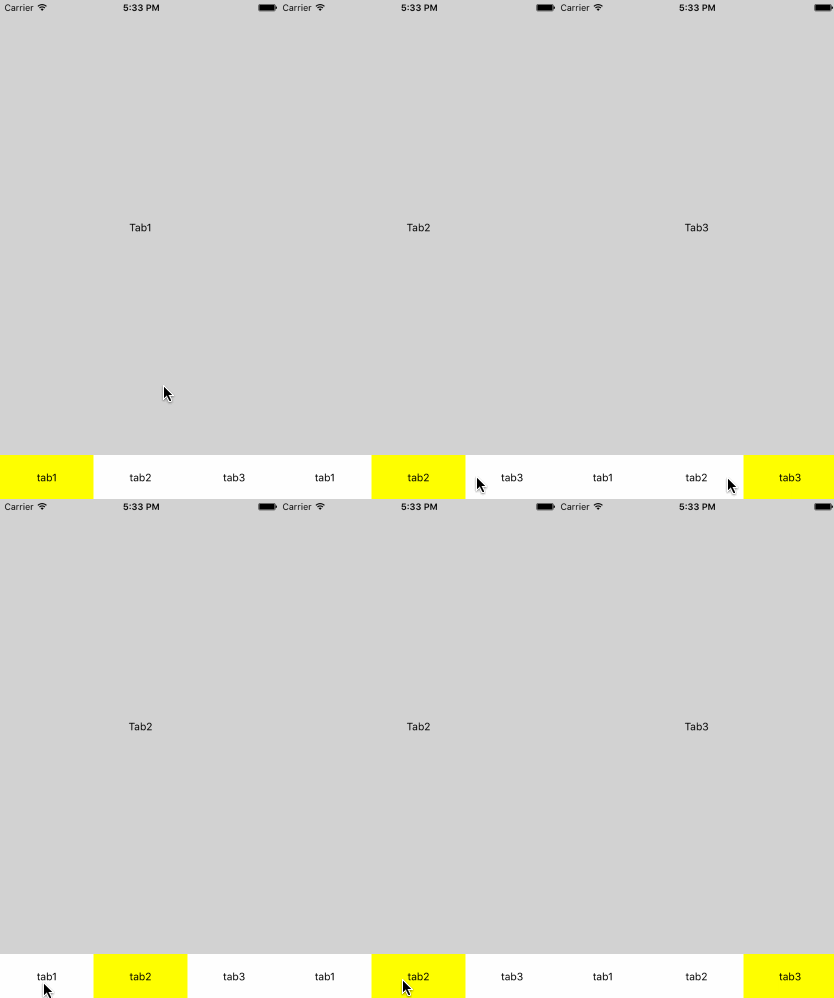
Install
$ npm install mkp-react-native-tab-view --save
Support
IOS/Android
Quick Start
<TabView
    style={{flex:1}}
    tabs={[{
        text:"tab1",
        onPress:()=>{},
        component:<Tab1/>
      },{
        text:"tab2",
        component:<Tab2/>,
        onHide:(tab,index)=>{
        	console.log(`tab${index} will be hidden`);
        }
      },{
        text:"tab3",
        component:<View style={{backgroundColor:"lightgray",flex:1,justifyContent:"center",alignItems:"center"}}>
                    <Text>Tab3</Text>
                </View>
      }]}
    renderTabBar={(isActive,tab)=>{
        console.log("render tab bar")
        if(isActive){
          return <Text style={{backgroundColor:"yellow",textAlign:"center",height:60,lineHeight:60}}>{tab.text}</Text>
        }
        return <Text style={{textAlign:"center",height:60,lineHeight:60}}>{tab.text}</Text>
      }}>
</TabView>
TabView Props
tabs:object[]
This property is used to configure tab bar . you must provide a array , children can be any object. but some one is defined ,please see it following,
type tab={
component:Element,
onPress:Function,
onHide:Function,
...otherParameter
};
renderTabBar(isActive:bool,tab:object)
This property specify how to render tab bar, the first parameter mark the bar whether is active, the second parameter refer to tabs's item.
you must implement this method.
style:object|number
tabBarPosition:"top"|"bottom"
Marking the tab bar position when is top or bottom, the default value is "bottom".
index:Number
the default value is 0.
styles
it's contain "content" and "tabBar"




