OpenZeroCode
繁體中文 | 简体中文
Terminal-first AI coding agent — inspired by OpenCode.
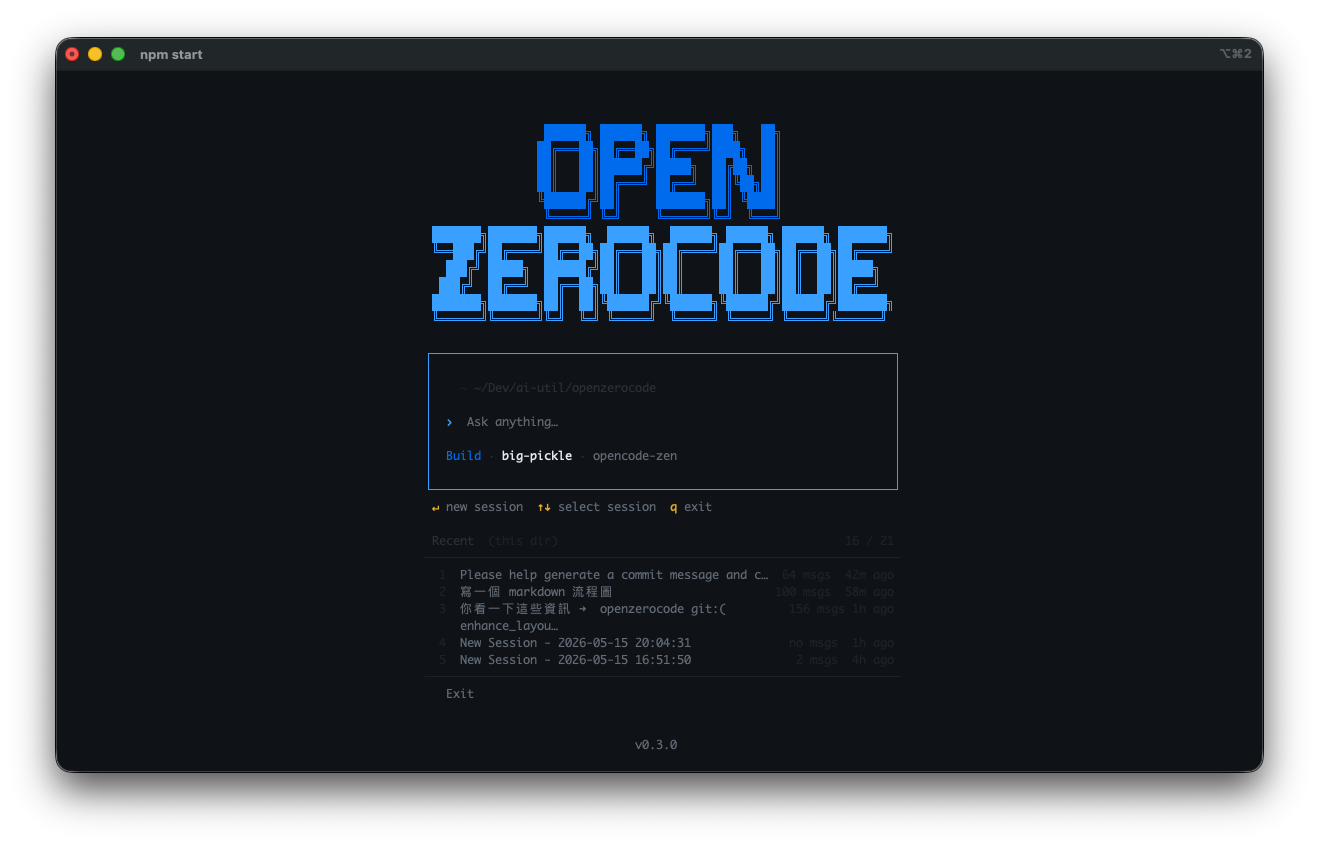
OpenZeroCode is a local-first, TUI-driven AI coding assistant adapted from the OpenCode direction. It strips away the zero cloud dependency and focuses on a self-contained terminal experience with built-in tooling, multi-provider support, and working memory.
Inspiration
This project is heavily inspired by OpenCode, a terminal-native AI coding agent. OpenZeroCode started as a fork of OpenCode's architecture and has since evolved its own identity:
- Same foundation: SolidJS terminal UI (
@opentui), provider abstraction, tool system, session persistence
- Different focus: Local-first, independent of the
zero ecosystem, extensible for custom workflows
- Shared lineage: Provider registry, tool registration, and build pipeline patterns derive from OpenCode
We're grateful for the OpenCode project's design — this project wouldn't exist without it.
Current State
This repo is actively implemented. Current capabilities include:
- Solid-based terminal UI in
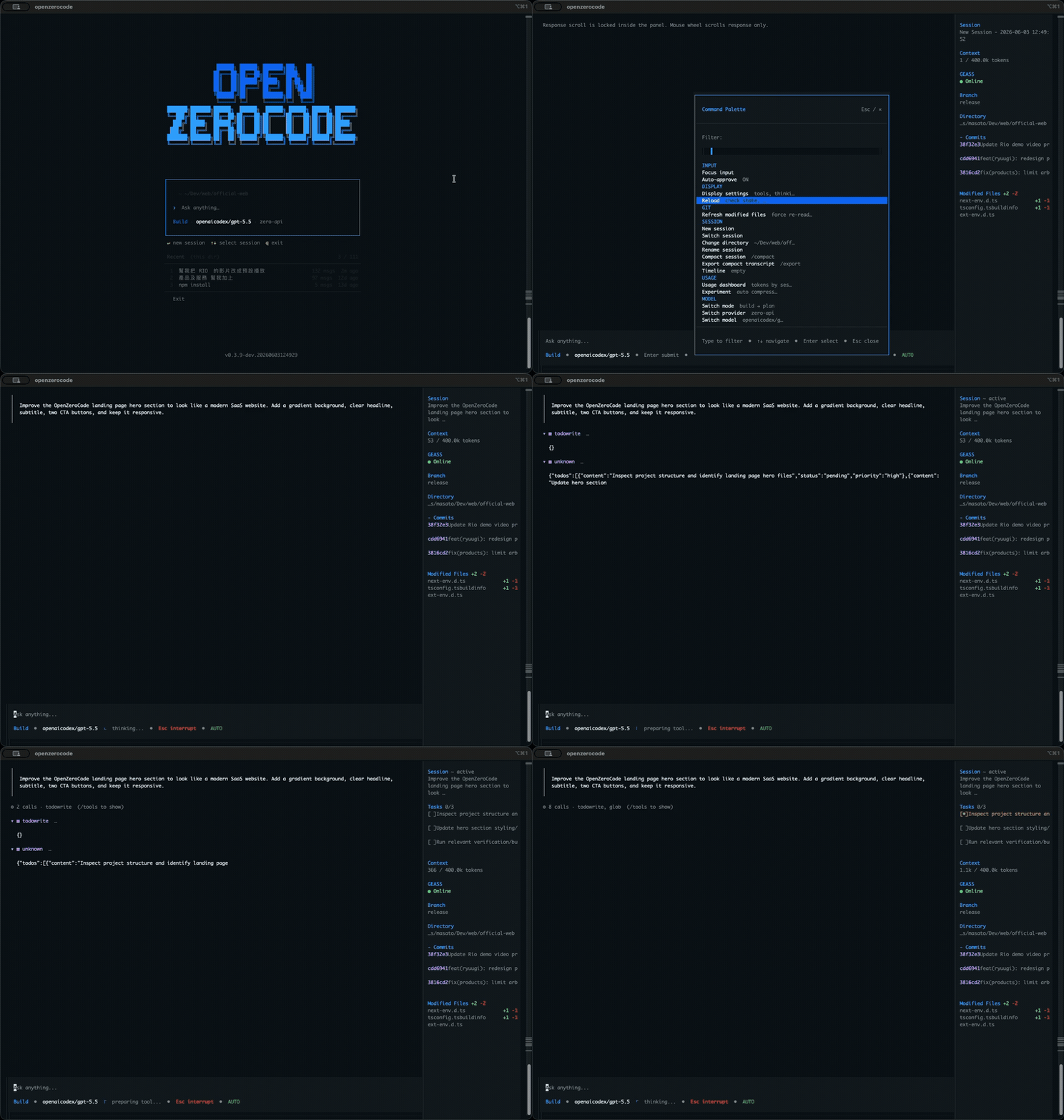
src/client/tui.tsx — streaming responses, reasoning display, command palette
- Build mode — implement coding tasks directly; ask for analysis or a plan when needed
- Provider switching — OpenCode Zen, OpenAI, OpenAI Codex, OpenRouter, Zero-API, DeepSeek, plus configurable OpenAI-compatible endpoints
- Model switching — switch models on the fly
- Multi-session persistence under
~/.openzerocode/sessions
- Session management — rename, delete, compact, timeline actions (revert/copy/fork)
- Headless and server modes —
--run for one-shot CLI runs and serve for the streaming HTTP API
- Sidebar context — token usage, cost tracking, git diff summary
- Prompt memory — user-global
~/.openzerocode/AGENTS.md / CONTEXT.md injected into the system prompt
- Session handoff —
SESSION_SUMMARY.md for concise local continuation notes
- GEASS browser tools — optional browser navigation, reading, interaction, screenshots, and visual observation
- Built-in tools:
read | Read file contents |
write | Write / overwrite files |
grep | Search file contents by pattern |
glob | Find files by glob pattern |
bash | Execute shell commands |
edit | Targeted string replacement edits |
apply-patch | Apply multi-file patches |
web-fetch | Fetch content from URLs |
todo-write | Maintain structured task lists during multi-step work |
browser-navigate | Navigate the connected GEASS browser to a URL |
browser-read | Read structured content from the current GEASS browser page |
browser-click | Click page elements in the GEASS browser |
browser-type | Type into inputs in the GEASS browser |
browser-select | Select dropdown options in the GEASS browser |
browser-scroll | Scroll the current GEASS browser page |
browser-screenshot | Capture a browser screenshot |
browser-observe-visual | Inspect the current browser view visually |
analyze-image | Analyze an image file |
call-peer | Message another named OpenZeroCode peer |
Quick Start
Prerequisites
For source development, use bun ≥ 1.2 and npm on your PATH.
Linux clipboard support
OpenZeroCode uses a system clipboard tool for copy and paste on Linux. Install the package that matches your desktop session:
- Wayland (including Kubuntu running a Wayland session):
wl-clipboard
- X11/Xorg:
xclip or xsel
For Debian, Ubuntu, or Kubuntu:
sudo apt install wl-clipboard
sudo apt install xclip
OpenZeroCode tries Wayland and X11 tools in the order appropriate for the current session. WSL uses the Windows clipboard through clip.exe and PowerShell when available.
Install script
The release installer follows opencode's user-level install style: it installs the binary to ~/.openzerocode/bin and updates your shell config to add that directory to PATH when needed.
curl -fsSL https://github.com/arborlogic/openzerocode/releases/latest/download/install | bash
Use --no-modify-path if you want to update PATH manually, or set OPENZEROCODE_INSTALL_DIR to choose a different writable install directory.
Install from npm
Supported prebuilt npm targets:
darwin-arm64linux-x64linux-arm64win32-x64
Install with:
npm install -g openzerocode
The root package installs a small Node launcher and resolves the matching optional platform package at runtime.
Install from source
git clone https://github.com/arborlogic/openzerocode.git
cd openzerocode
python3 scripts/dev-install.py
This remains the supported local development install path. It installs dependencies, rebuilds dist/openzerocode with a timestamped -dev.YYYYMMDDHHMMSS version suffix, and runs npm install -g . so the global openzerocode command points at that locally built binary. Built-in skills are included in the installed package and deployed beside that binary.
Run
openzerocode
Development mode
npm run dev
Updating
OpenZeroCode does not currently update itself or download updates in the background. Users must update it manually using the same method they originally used to install it.
Install script: rerun the installer to replace the installed binary with the latest GitHub Release:
curl -fsSL https://github.com/arborlogic/openzerocode/releases/latest/download/install | bash
If you originally set OPENZEROCODE_INSTALL_DIR, set it to the same directory when updating.
npm: install the latest published version globally:
npm install -g openzerocode@latest
Source checkout: pull the latest source and rebuild the local development installation:
git pull
python3 scripts/dev-install.py
That refreshes dependencies, rebuilds the binary, and reinstalls the global openzerocode command from your local checkout.
After updating, verify the installed version with:
openzerocode --version
npm packaging workflow
The published npm artifacts use a "root launcher + platform packages" structure:
- Root package
openzerocode ships only the Node launcher bin/openzerocode.js
- Platform binaries live in
@openzerocode/<target> optional dependencies
- Currently supported targets:
darwin-arm64, linux-x64, linux-arm64, win32-x64
Typical workflow:
-
Build the local binary
npm run build
This runs scripts/build.sh and outputs dist/openzerocode by default.
-
Generate the npm/ publishing staging layout
node scripts/create-platform-packages.mjs
This creates:
npm/package.json: root npm package manifestnpm/bin/openzerocode.js: launcher that dispatches to the matching platform binarynpm/packages/<target>/package.json: manifest for each platform packagenpm/README.md, npm/LICENSE, npm/bin/package.json: supporting publish files
-
Build each platform binary on its native platform
scripts/build-platform-package.sh darwin-arm64
scripts/build-platform-package.sh linux-x64
scripts/build-platform-package.sh linux-arm64
scripts/build-platform-package.sh win32-x64
scripts/build-platform-package.sh must run on the matching host platform. For example, linux-arm64 must be built on a linux-arm64 machine. Successful builds output binaries to:
npm/packages/<target>/bin/openzerocode- Windows target:
npm/packages/win32-x64/bin/openzerocode.exe
-
Pack / publish the npm packages
After staging and building the platform binaries, run npm pack or npm publish inside npm/ and each npm/packages/<target>/ directory.
Recommended order:
- Publish platform packages
@openzerocode/<target> first
- Publish the root package
openzerocode second
-
Release checklist
First add a real CHANGELOG.md entry for the target version. Then use the release script to prepare the version bump, release commit, and matching git tag:
npm run release -- patch
npm run release -- patch --dry-run
npm run release -- patch --push
The script requires no unrelated working-tree changes, validates that CHANGELOG.md already contains the target version entry, updates package.json and package-lock.json if present, stages the changelog entry, runs npm run typecheck by default, commits chore: release v<version>, and creates the v<version> tag. Use --no-verify only when you intentionally want to skip typecheck.
Before and after a release, verify:
- Confirm the target version changelog entry is complete before running the release script
- If you did not pass
--push, push both the release commit and tag: git push origin HEAD && git push origin v<version>
.github/workflows/build.yml always builds and uploads root/platform npm tarballs plus direct binary release archives (.tar.gz for Linux/macOS, .zip for Windows)- Tag pushes create a matching GitHub Release with those artifacts and automatically publish npm packages
- npm publishing publishes platform packages first and then the root
openzerocode package, skipping versions that already exist
- If a workflow failed and only needs a rerun, use
workflow_dispatch from the Actions page; no version bump or rerun of the release script is needed in that case. Enable publish_to_npm to rerun npm publishing, or provide the existing tag and enable the release option to recreate/update the GitHub Release
- After publishing, verify
openzerocode --version from the GitHub Release artifacts and verify npm install -g openzerocode
This structure keeps npm install -g openzerocode lightweight while npm resolves the real executable from the platform-specific optional package.
Command-line usage
openzerocode
openzerocode --version
openzerocode --help
openzerocode --run "fix the tests"
openzerocode serve --port 4096
Environment overrides:
OPENZERO_MODEL | Override the default model used by headless --run mode |
OPENZEROCODE_PROVIDER_CONFIG | Override the provider config path (default ~/.openzerocode/providers.json) |
Alternative entrypoint
npm run start:tui
Provider Configuration
Provider credentials can be set through environment variables or a local config file:
~/.openzerocode/providers.json
Shape:
{
  "providers": {
    "openrouter": {
      "activeKey": "default",
      "keys": {
        "default": "sk-or-...",
        "backup": "sk-or-..."
      },
      "baseURL": "https://openrouter.ai/api/v1"
    }
  }
}
Supported providers:
opencode-zen | OpenCode Zen | OPENCODE_API, OPENCODE_API_KEY (optional; anonymous free models are available) |
openai | OpenAI | OPENAI_API_KEY |
openai-codex | OpenAI Codex | ChatGPT OAuth via /codex-login |
xai-oauth | xAI Grok OAuth | SuperGrok / X Premium+ OAuth via /xai-login |
openrouter | OpenRouter | OPENROUTER_API_KEY |
zero-api | Zero-API-compatible local endpoint | ZERO_API_KEY |
deepseek | DeepSeek | DEEPSEEK_API_KEY |
Notes:
- Each provider can have multiple named keys.
activeKey selects which key the runtime uses for that provider.baseURL can override a provider's default endpoint for compatible APIs.- Config file values take precedence over environment variables.
- You can inspect and switch providers, models, and keys inside the TUI with slash commands and the command palette.
Development
npm run typecheck
npm run test:unit
npx tsx --test src/client/workspace-memory.test.ts
See DEVELOPMENT.md for detailed guidance on:
- Building standalone binaries
- Cross-platform distribution
- The build system &
Bun.build() compilation
Architecture
┌─ TUI client ──────────────────────────────────┐
│  src/client/tui.tsx                            │
│  - transcript / response rendering             │
│  - command palette & autocomplete              │
│  - session management (create, rename, delete) │
│  - build workflow                              │
│  - sidebar: token usage, cost, git summary     │
│  - workspace memory + skill injection          │
└────────┬───────────────────────────────────────┘
         │
         ├── provider layer ─────────────────────┐
         │  src/provider/registry.ts             │
         │  - OpenCode Zen (opencode-zen)         │
         │  - OpenAI / OpenAI Codex              │
         │  - OpenRouter / Zero-API / DeepSeek   │
         │  - Extensible via registry            │
         └───────────────────────────────────────┘
         │
         └── tool layer ─────────────────────────┐
            src/tool/registry.ts                 │
            - file/search/shell/edit/web tools    │
            - todo + GEASS browser tools         │
            - Permission / auto-approve system   │
            └────────────────────────────────────┘
Prompt Memory Model
OpenZeroCode keeps durable prompt memory user-global and intentionally small:
~/.openzerocode/AGENTS.md: user personal cross-project preferences, language/response style, and general safety rules. Always loaded when non-empty.~/.openzerocode/CONTEXT.md: user background, common tools, and long-term preferences. Always loaded when non-empty.DEVELOPMENT.md: regular project-local development guidance; not auto-injected into every prompt.SESSION_SUMMARY.md: concise handoff notes for humans/continuation; not auto-injected into the system prompt.
Project AGENTS.md / CONTEXT.md files are treated as regular repository documentation, not automatic prompt memory. Conditional memory.d auto-injection is intentionally not used. Run the built-in compose workflow for a structured spec→ship pipeline.
Key source files
src/client/tui.tsx | Main TUI entrypoint & UI orchestration |
src/client/sessions.ts | Session persistence helpers |
src/client/workspace-memory.ts | Loads user-global AGENTS.md / CONTEXT.md into the system prompt and reports memory status |
SESSION_SUMMARY.md | Manual session handoff / continuation notes |
src/provider/registry.ts | Provider registration & resolution |
src/tool/registry.ts | Built-in tool registration |
src/server/index.ts | Streaming HTTP API server for openzerocode serve |
Relationship to OpenCode
| Runtime | Requires zero cloud service | Self-contained, local-first |
| TUI framework | @opentui (SolidJS) | @opentui (SolidJS) — same |
| Provider layer | OpenRouter, others | OpenCode Zen, OpenAI, OpenAI Codex, OpenRouter, Zero-API, DeepSeek, extensible |
| Tool system | Built-in tools | File/search/shell/edit/web tools + todo + GEASS browser tools + permission system |
| Session storage | Local files | Local files under ~/.openzerocode/ |
| Prompt memory | Varies | User-global AGENTS.md + CONTEXT.md are injected into the local system prompt |
| Cloud dependency | Requires zero for operation | None — works entirely offline |
| Binary distribution | Platform-specific npm packages | Platform-specific npm packages (darwin-arm64, linux-x64, linux-arm64, win32-x64) plus source-first local install via python3 scripts/dev-install.py |
License
MIT — see LICENSE.



