AI agents forget everything between sessions. mex gives them permanent, navigable project memory.
Every session starts cold:
- The agent has no idea what it built yesterday
- It forgets the conventions you agreed on
- It doesn't know what broke last week
Developers compensate by stuffing everything into CLAUDE.md — but that floods the context window, burns tokens, and degrades attention. Meanwhile, the project changes and nobody updates the docs. The agent's understanding drifts from reality.
mex is a structured markdown scaffold with a CLI that keeps it honest. The scaffold gives agents persistent project knowledge through navigable files — architecture, conventions, decisions, patterns. The CLI detects when those files drift from the actual codebase, and targets AI to fix only what's broken. The scaffold grows automatically — after every task, the agent updates project state and creates patterns from real work.
Works with any stack — JavaScript, Python, Go, Rust, and more.
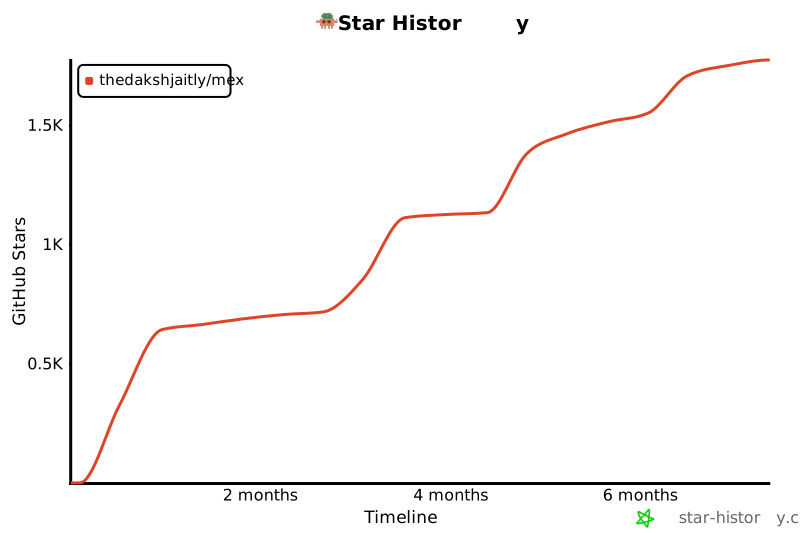
Star History
Install
npx promexeus setup
That's it. The setup command creates the .mex/ scaffold, asks which AI tool you use, pre-scans your codebase, and generates a targeted prompt to populate everything. Takes about 5 minutes.
For ongoing use, install as a dev dependency:
npm install --save-dev promexeus
Then add to your package.json scripts:
{
  "scripts": {
    "mex": "mex check",
    "mex:sync": "mex sync"
  }
}
Alternative: install via git clone
git clone https://github.com/theDakshJaitly/mex.git .mex
bash .mex/setup.sh
Drift Detection
Eight checkers validate your scaffold against the real codebase. Zero tokens, zero AI.
| path | Referenced file paths that don't exist on disk |
| edges | YAML frontmatter edge targets pointing to missing files |
| index-sync | patterns/INDEX.md out of sync with actual pattern files |
| staleness | Scaffold files not updated in 30+ days or 50+ commits |
| command | npm run X / make X referencing scripts that don't exist |
| dependency | Claimed dependencies missing from package.json |
| cross-file | Same dependency with different versions across files |
| script-coverage | package.json scripts not mentioned in any scaffold file |
Scoring: starts at 100. Deducts -10 per error, -3 per warning, -1 per info.

CLI
All commands run from your project root.
mex check
Commands
mex setup | First-time setup — create .mex/ scaffold and populate with AI |
mex setup --dry-run | Preview what setup would do without making changes |
mex check | Run all 8 checkers, output drift score and issues |
mex check --quiet | One-liner: mex: drift score 92/100 (1 warning) |
mex check --json | Full report as JSON for programmatic use |
mex check --fix | Check and jump straight to sync if errors found |
mex sync | Detect drift → choose mode → AI fixes → verify → repeat |
mex sync --dry-run | Preview targeted prompts without executing |
mex sync --warnings | Include warning-only files in sync |
mex init | Pre-scan codebase, build structured brief for AI |
mex init --json | Raw scanner brief as JSON |
mex watch | Install post-commit hook (silent on perfect score) |
mex watch --uninstall | Remove the hook |
mex commands | List all commands and scripts with descriptions |

Running check after drift is fixed by sync

Shell Scripts (alternative)
If you installed via git clone, these bash scripts are also available:
bash .mex/setup.sh
bash .mex/sync.sh
bash .mex/update.sh
Before / After
Real output from testing mex on Agrow, an AI-powered agricultural voice helpline (Python/Flask, Twilio, multi-provider pipeline).
Scaffold before setup:
## Current Project State
<!-- What is working. What is not yet built. Known issues.
     Update this section whenever significant work is completed. -->
Scaffold after setup:
## Current Project State

**Working:**
- Voice call pipeline (Twilio → STT → LLM → TTS → response)
- Multi-provider STT (ElevenLabs, Deepgram) with configurable selection
- RAG system with Supabase pgvector for agricultural knowledge retrieval
- Streaming pipeline with barge-in support

**Not yet built:**
- Admin dashboard for call monitoring
- Automated test suite
- Multi-turn conversation memory across calls

**Known issues:**
- Sarvam AI STT bypass active — routing to ElevenLabs as fallback
Patterns directory after setup:
patterns/
├── add-api-client.md       # Steps, gotchas, verify checklist for new service clients
├── add-language-support.md  # How to extend the 8-language voice pipeline
├── debug-pipeline.md        # Where to look when a call fails at each stage
└── add-rag-documents.md     # How to ingest new agricultural knowledge
Real World Results
Independently tested by a community member on OpenClaw across 10 structured scenarios on a homelab setup (Ubuntu 24.04, Kubernetes, Docker, Ansible, Terraform, networking, monitoring). 10/10 tests passed. Drift score: 100/100.
Token usage before vs after mex:
| "How does K8s work?" | ~3,300 tokens | ~1,450 tokens | 56% |
| "Open UFW port" | ~3,300 tokens | ~1,050 tokens | 68% |
| "Explain Docker" | ~3,300 tokens | ~1,100 tokens | 67% |
| Multi-context query | ~3,300 tokens | ~1,650 tokens | 50% |
~60% average token reduction per session.
Context is no longer all-or-nothing — loaded on demand, only what's relevant.
How It Works
Session starts
    ↓
Agent loads CLAUDE.md (auto-loaded, lives at project root)
    ↓
CLAUDE.md says "Read .mex/ROUTER.md before doing anything"
    ↓
ROUTER.md routing table → loads relevant context file for this task
    ↓
context file → points to pattern file if task-specific guidance exists
    ↓
Agent executes with full project context, minimal token cost
    ↓
After task: agent updates scaffold (GROW step)
    ↓
New patterns, updated project state — scaffold grows from real work
CLAUDE.md stays at ~120 tokens. The agent navigates to only what it needs. After every task, the agent updates the scaffold — creating patterns from new task types, updating project state, fixing stale context. The scaffold compounds over time.
File Structure
your-project/
├── CLAUDE.md              ← auto-loaded by tool, points to .mex/
├── .mex/
│   ├── ROUTER.md          ← routing table, session bootstrap
│   ├── AGENTS.md          ← always-loaded anchor (~150 tokens)
│   ├── context/
│   │   ├── architecture.md   # how components connect
│   │   ├── stack.md           # technology choices and reasoning
│   │   ├── conventions.md     # naming, structure, patterns
│   │   ├── decisions.md       # append-only decision log
│   │   └── setup.md           # how to run locally
│   └── patterns/
│       ├── INDEX.md           # pattern registry
│       └── *.md               # task-specific guides with gotchas + verify checklists
└── src/
Multi-Tool Compatibility
| Claude Code | CLAUDE.md |
| Cursor | .cursorrules |
| Windsurf | .windsurfrules |
| GitHub Copilot | copilot-instructions.md |
All config files contain identical content. mex setup asks which tool you use and copies the right one.
Contributing
Contributions welcome! See CONTRIBUTING.md for setup and guidelines.
Changelog
See CHANGELOG.md for release history.
License
MIT




