

Security News
Federal Audit Finds NIST Wasted Funds With No Plan to Clear NVD Backlog
Federal audit finds NIST lacked a plan to clear the NVD backlog, wasted funds on duplicate work, and delayed use of CISA data.
By Sarah Gooding - Jun 03, 2026
react-native-linear-gradient
Advanced tools
A <LinearGradient> element for React Native



Using Yarn
yarn add react-native-linear-gradient
Using npm
npm install react-native-linear-gradient --save
Run npx pod-install
Note: If you are using react-native version 0.60 or higher you don't need to link react-native-linear-gradient.
react-native link react-native-linear-gradient
Add the following line to your Podfile:
pod 'BVLinearGradient', :path => '../node_modules/react-native-linear-gradient'
Run npx pod-install
Libraries and click Add Files to "Your Project Name".node_modules/react-native-linear-gradient/ios and add BVLinearGradient.xcodeproj. (Screenshot 1) (Screenshot 2).libBVLinearGradient.a to Build Phases -> Link Binary With Libraries
(Screenshot 1) (Screenshot 2).BVLinearGradient.xcodeproj in Libraries and go the Build Settings tab.Header Search Paths and verify that it has $(SRCROOT)/../react-native/React - if it isn't, then add it. (Screenshot).In android/settings.gradle
include ':react-native-linear-gradient'
project(':react-native-linear-gradient').projectDir = new File(rootProject.projectDir, '../node_modules/react-native-linear-gradient/android')
In android/app/build.gradle add:
dependencies {
    ...
    implementation project(':react-native-linear-gradient')
}
In android/app/src/main/java/com/{YOUR_APP_NAME}/MainActivity.java for react-native < 0.29,
or android/app/src/main/java/com/{YOUR_APP_NAME}/MainApplication.java for react-native >= 0.29 add:
// ...

import com.BV.LinearGradient.LinearGradientPackage; // <--- This!

// ...

@Override
protected List<ReactPackage> getPackages() {
  return Arrays.<ReactPackage>asList(
    new MainReactPackage(),
    new LinearGradientPackage() // <---- and This!
  );
}
in windows/MyApp.sln Add -> Existing Project: node_modules/react-native-linear-gradient/windows/LinearGradientWPF/LinearGradientWPF.csproj
in windows/MyApp/MyAppWPF/MyAppWPF.csproj Add -> Reference -> LinearGradientWPF
in windows/MyApp/MyAppWPF/AppReactPage.cs add: using LinearGradient;
and
public override List<IReactPackage> Packages => new List<IReactPackage>
{
  ...
  new LinearGradientPackage()
}
react-native-login is a
legacy component which showcases the use of <LinearGradient>.
The following code will produce something like this:
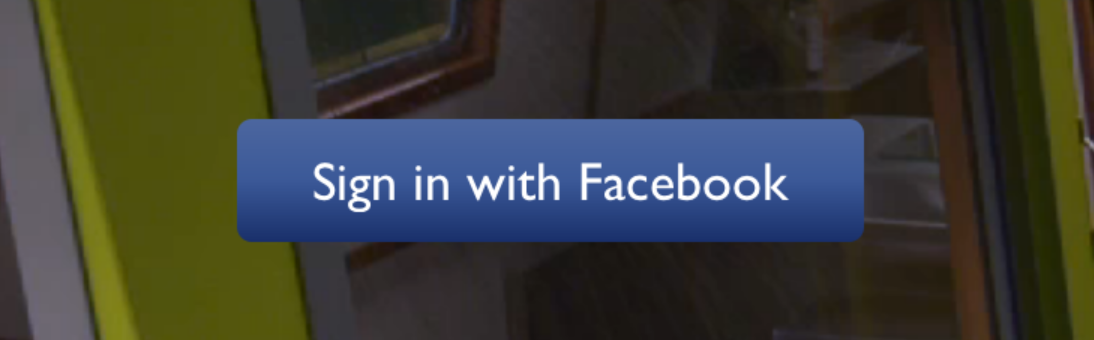
import LinearGradient from 'react-native-linear-gradient';

// Within your render function
<LinearGradient colors={['#4c669f', '#3b5998', '#192f6a']} style={styles.linearGradient}>
  <Text style={styles.buttonText}>
    Sign in with Facebook
  </Text>
</LinearGradient>

// Later on in your styles..
var styles = StyleSheet.create({
  linearGradient: {
    flex: 1,
    paddingLeft: 15,
    paddingRight: 15,
    borderRadius: 5
  },
  buttonText: {
    fontSize: 18,
    fontFamily: 'Gill Sans',
    textAlign: 'center',
    margin: 10,
    color: '#ffffff',
    backgroundColor: 'transparent',
  },
});
Using the styles from above, set start and end like this to make the gradient go from left to right, instead of from top to bottom:
<LinearGradient start={{x: 0, y: 0}} end={{x: 1, y: 0}} colors={['#4c669f', '#3b5998', '#192f6a']} style={styles.linearGradient}>
  <Text style={styles.buttonText}>
    Sign in with Facebook
  </Text>
</LinearGradient>
On iOS you can use the MaskedViewIOS to display text with a gradient. The trick here is to render the text twice; once for the mask, and once to let the gradient have the correct size (hence the opacity: 0):
<MaskedViewIOS maskElement={<Text style={styles.text} />}>
  <LinearGradient colors={['#f00', '#0f0']} start={{ x: 0, y: 0 }} end={{ x: 1, y: 0 }}>
    <Text style={[styles.text, { opacity: 0 }]} />
  </LinearGradient>
</MaskedViewIOS>
Check out Examples/AnimatedGradient (git clone this project, cd into it, npm install, open in Xcode and run) to see how this is done:
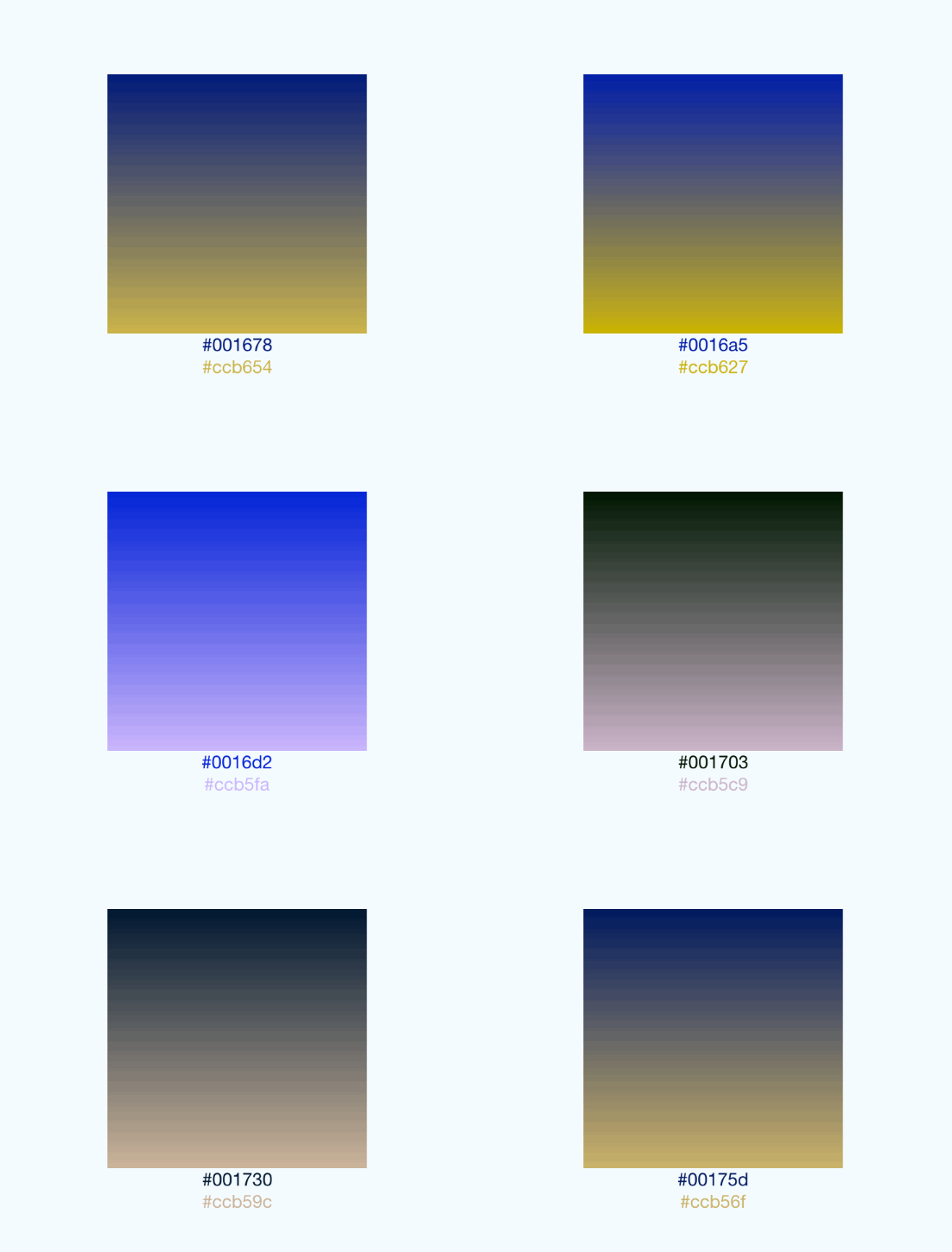
This gif was created using licecap - a great piece of free OSS
The use of transparent color will most likely not lead to the expected result. transparent is actually a transparent black color (rgba(0, 0, 0, 0)). If you need a gradient in which the color is "fading", you need to have the same color with changing alpha channel. Example:
// RGBA

<LinearGradient colors={['rgba(255, 255, 255, 0)', 'rgba(255, 255, 255, 1)']} {...otherGradientProps} />

// Hex

<LinearGradient colors={['#FFFFFF00', '#FFFFFF']} {...otherGradientProps} />
In addition to regular View props, you can also provide additional props to customize your gradient look:
An array of at least two color values that represent gradient colors. Example: ['red', 'blue'] sets gradient from red to blue.
An optional object of the following type: { x: number, y: number }. Coordinates declare the position that the gradient starts at, as a fraction of the overall size of the gradient, starting from the top left corner. Example: { x: 0.1, y: 0.1 } means that the gradient will start 10% from the top and 10% from the left.
Same as start, but for the end of the gradient.
An optional array of numbers defining the location of each gradient color stop, mapping to the color with the same index in colors prop. Example: [0.1, 0.75, 1] means that first color will take 0% - 10%, second color will take 10% - 75% and finally third color will occupy 75% - 100%.
<LinearGradient
  start={{x: 0.0, y: 0.25}} end={{x: 0.5, y: 1.0}}
  locations={[0,0.5,0.6]}
  colors={['#4c669f', '#3b5998', '#192f6a']}
  style={styles.linearGradient}>
  <Text style={styles.buttonText}>
    Sign in with Facebook
  </Text>
</LinearGradient>
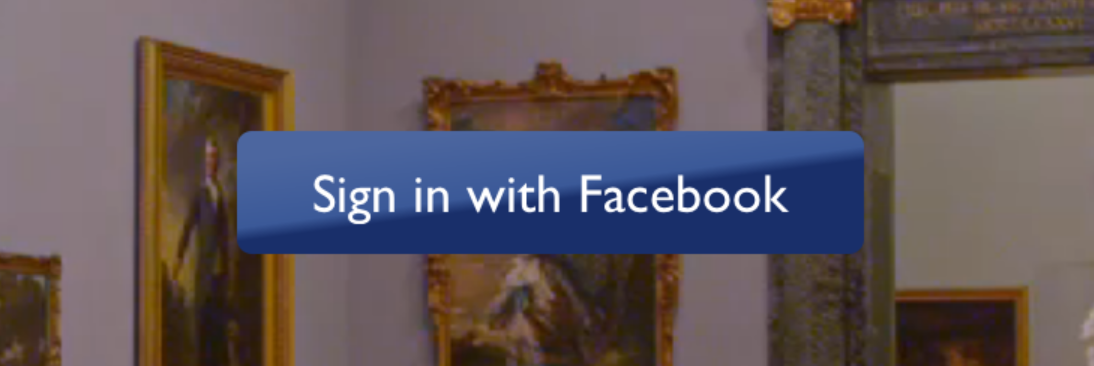
You may want to achieve an angled gradient effect, similar to those in image editors like Photoshop. One issue is that you have to calculate the angle based on the view's size, which only happens asynchronously and will cause unwanted flickr.
In order to do that correctly you can set { useAngle: true, angle: 45, angleCenter: { x: 0.5, y: 0.5} }, to achieve a gradient with a 45 degrees angle, with its center positioned in the view's exact center.
useAngle is used to turn on/off angle based calculation (as opposed to start/end).
angle is the angle in degrees.
angleCenter is the center point of the angle (will control the weight and stretch of the gradient like it does in photoshop.
You can see this component in action in brentvatne/react-native-login.
react-native link for React Native < 0.60 and npx pod-install instead for > 0.60).pod 'BVLinearGradient', :path => '../node_modules/react-native-linear-gradient' is present in your ios/Podfileios/**.xcworkspace file instead of ios./**.xcodeprojEnsure you import the LinearGradient correctly:
// Like that:
import LinearGradient from 'react-native-linear-gradient';

// Not like that:
import { LinearGradient } from 'react-native-linear-gradient';
Clearing build caches and reinstalling dependencies sometimes solve some issues. Try next steps:
node_modules with rm -rf node_modules && yarn(cd android && ./gradlew clean)(cd ios && rm -rf ./ios/Pods/**) && npx pod-installFor other troubleshooting issues, go to React Native Troubleshooting
MIT
The react-native-svg package provides SVG support for React Native, allowing you to create complex vector graphics, including gradients. It offers more flexibility and control over the shapes and paths, but it can be more complex to use compared to react-native-linear-gradient.
The react-native-linear-gradient-text package allows you to apply linear gradients specifically to text components in React Native. While it is more specialized than react-native-linear-gradient, it can be useful if you only need gradient text and not full background gradients.
FAQs
A <LinearGradient> element for React Native
The npm package react-native-linear-gradient receives a total of 608,009 weekly downloads. As such, react-native-linear-gradient popularity was classified as popular.
We found that react-native-linear-gradient demonstrated a not healthy version release cadence and project activity because the last version was released a year ago. It has 9 open source maintainers collaborating on the project.
Did you know?

Socket for GitHub automatically highlights issues in each pull request and monitors the health of all your open source dependencies. Discover the contents of your packages and block harmful activity before you install or update your dependencies.
Security News
Federal audit finds NIST lacked a plan to clear the NVD backlog, wasted funds on duplicate work, and delayed use of CISA data.

Research
/Security News
A mini Shai-Hulud campaign compromised Red Hat Cloud Services npm packages to steal developer and CI/CD secrets during installation.

Research
/Security News
The North Korean malware loader hides in a Packagist-listed package and its GitHub branch to fetch and execute remote code in a likely Contagious Interview-style lure.