Skillfold
Declarative skill manager for Claude Code, Codex, and Cursor


Website · Blog · Getting Started · Manifest · CLI
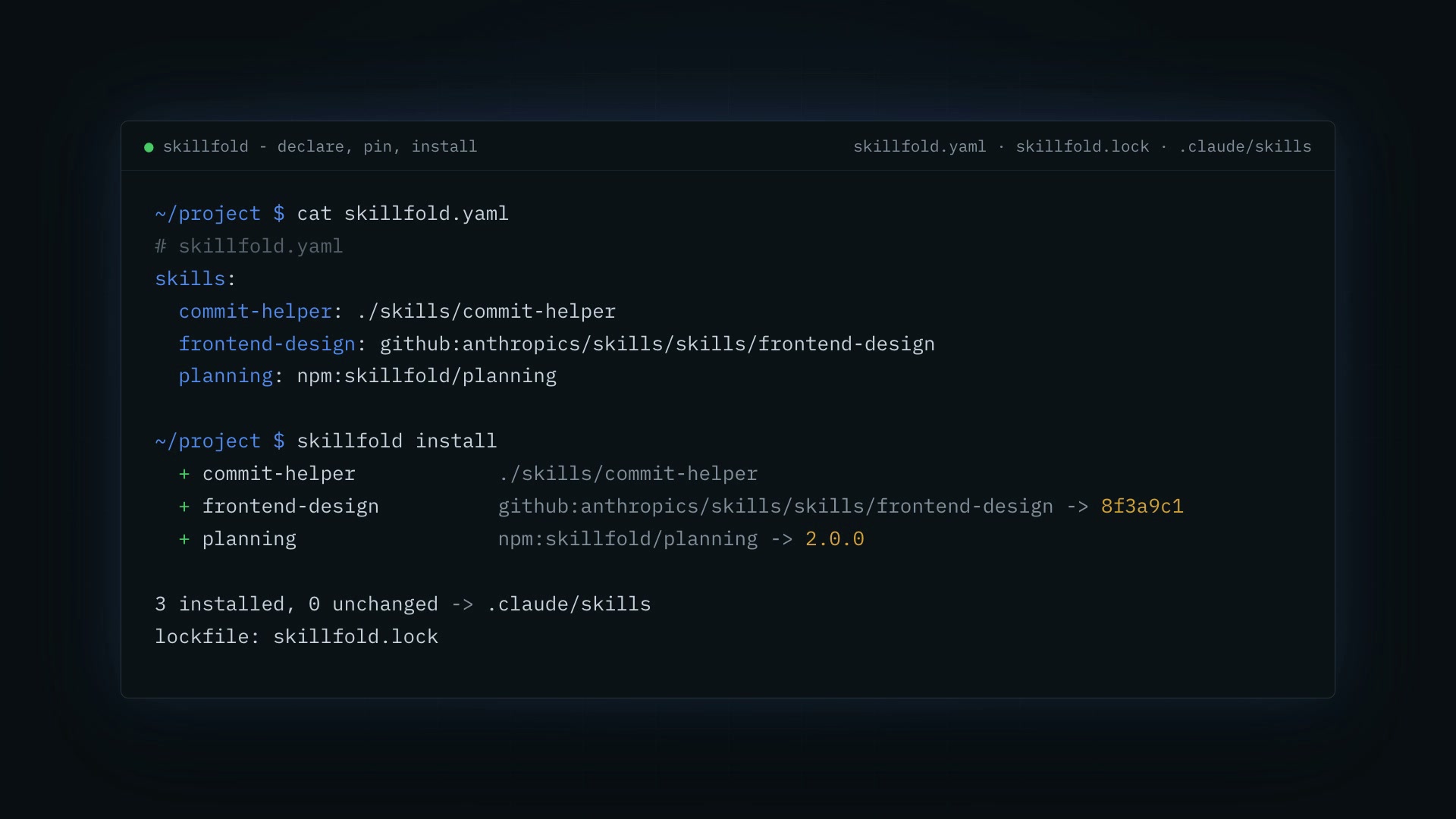
Skillfold in 20 seconds: declare, install, commit the lockfile. Click for the video.
Your .claude/skills directory is state with no source of truth. Skills get pasted in from blog posts, copied between machines, edited in place, and lost on the next laptop. Nobody knows which version of a skill a teammate is running, and "works on my machine" now applies to your agent.
Skillfold treats skills like dependencies. Declare them in one YAML file, pin exact revisions in a lockfile, install them reproducibly.
skills:
commit-helper: ./skills/commit-helper
frontend-design: github:anthropics/skills/skills/frontend-design
planning: npm:skillfold/planning
$ skillfold install
  + commit-helper            ./skills/commit-helper
  + frontend-design          github:anthropics/skills/skills/frontend-design -> 8f3a9c1
  + planning                 npm:skillfold/planning -> 2.0.0

3 installed, 0 unchanged -> .claude/skills
lockfile: skillfold.lock
Commit skillfold.yaml and skillfold.lock. Anyone who clones the repo runs skillfold install and gets byte-identical skills.
Get started
npm install -g skillfold
skillfold init
skillfold add github:anthropics/skills/skills/frontend-design
skillfold install
Full walkthrough in Getting Started.
How it works
flowchart LR
  L["./skills/local"] --> M
  G["github:owner/repo"] --> M
  N["npm:package/skill"] --> M
  M["skillfold.yaml<br/>what you want"] --> K["skillfold.lock<br/>exact SHA + sha256"]
  K --> I(["skillfold install"])
  I -->|"target: claude"| C[".claude/skills"]
  I -->|"target: codex"| X[".agents/skills"]
  I -->|"target: cursor"| U[".cursor/skills"]
Skills come from local directories, GitHub, or npm. The manifest says what you want; the lockfile records exactly what you got. Installs read both.
Reproducible. The lockfile pins the commit SHA or version every remote skill resolved to, plus a sha256 of its contents. skillfold install never moves a pin - only skillfold update does. skillfold install --frozen is npm ci for skills: it fails on any drift and verifies every hash.
Safe by default. Skillfold only writes or prunes directories named in the lockfile. Hand-authored skills sitting next to managed ones are never touched.
Portable. One manifest can install for more than one agent:
targets: [claude, codex, cursor]
Skills are plain SKILL.md directories (the agent skills standard), so supporting another tool is just another install location. Codex uses .agents/skills and a marker-fenced rules block in AGENTS.md. Cursor uses .cursor/skills and always-on .mdc rules in .cursor/rules.
Verify it in CI
- uses: byronxlg/skillfold@main
skillfold check verifies offline that the manifest, the lockfile, and what is actually installed all agree. It catches the case where someone edits a skill in place and forgets.
Compose skills together
Composed skills concatenate other skills into one generated SKILL.md, regenerated whenever an input changes:
compose:
  reviewer:
    description: Review code changes together with their tests.
    use: [code-review, testing]
Supporting files come along, allowed-tools unions across the inputs, and cycles are rejected at parse time. See Composition.
Manage rules too
The same manifest handles rules - single markdown files installed into .claude/rules/:
rules:
  code-style: ./rules/code-style.md
  security: github:acme/standards/rules/security.md@v3
Rules pin in the lockfile and take part in install, check, list, and remove exactly like skills. Rule mappings support targets: [codex] and hosts: [my-workstation] to share one config across agents and machines. See rule selection for examples and ownership behavior.
Commands
skillfold init | Scaffold a starter manifest and example skill |
skillfold add <source> | Add a skill to the manifest and install it |
skillfold remove <name> | Remove a skill and uninstall it |
skillfold install | Install every declared skill, write the lockfile |
skillfold install --frozen | Install exactly what the lockfile pins; fail on drift |
skillfold update [name...] | Re-resolve moving refs and reinstall |
skillfold check | Verify manifest, lockfile, and installed skills agree |
skillfold list | Show declared skills and their status |
skillfold info <name> | Show source, pin, hash, and install path for one skill |
skillfold search [query] | Search npm for published skills |
Add -g to manage user-level config in ~/.config/skillfold/ (or $XDG_CONFIG_HOME/skillfold/). Migrate a legacy ~/.claude config with skillfold migrate -g. See Global vs project and the full CLI reference.
Share your skills
Publish a collection as an npm package with an agentskills map, and anyone can skillfold add npm:my-skills/tdd:
{
  "name": "my-skills",
  "keywords": ["skillfold-skill"],
  "agentskills": { "tdd": "./skills/tdd" }
}
The skillfold-skill keyword makes it discoverable through skillfold search. See Publishing.
Skillfold ships its own library of general-purpose skills, each installable with skillfold add npm:skillfold/<name>:
planning · research · decision-making · code-writing · code-review · testing · writing · summarization · github-workflow · file-management · skillfold-cli
Programmatic API
Everything the CLI does is available as a library:
import { loadManifest, resolveManifest, syncSkillsDir } from "skillfold";
License
MIT



