THREE.Terrain is a procedural terrain generation engine for use with the
Three.js 3D graphics library for the web.
Usage
You can download the script normally, install it with Bower (bower install THREE.Terrain), or install it with npm (npm install three.terrain.js). To
include it on a page client-side without a module loader:
<script src="build/THREE.Terrain.min.js"></script>
<script src="bower_components/THREE.Terrain/build/THREE.Terrain.min.js"></script>
<script src="node_modules/three.terrain.js/build/THREE.Terrain.min.js"></script>
You then have access to the THREE.Terrain object. (Make sure the three.js
library is loaded first.)
The latest releases of this project have been tested with three.js
r86.
Procedurally Generate a Terrain
In your own script, generate a terrain and add it to your scene:
var xS = 63, yS = 63;
terrainScene = THREE.Terrain({
easing: THREE.Terrain.Linear,
frequency: 2.5,
heightmap: THREE.Terrain.DiamondSquare,
material: new THREE.MeshBasicMaterial({color: 0x5566aa}),
maxHeight: 100,
minHeight: -100,
steps: 1,
useBufferGeometry: false,
xSegments: xS,
xSize: 1024,
ySegments: yS,
ySize: 1024,
});
scene.add(terrainScene);
decoScene = THREE.Terrain.ScatterMeshes(geo, {
mesh: new THREE.Mesh(new THREE.CylinderGeometry(2, 2, 12, 6)),
w: xS,
h: yS,
spread: 0.02,
randomness: Math.random,
});
terrainScene.add(decoScene);
All parameters are optional and thoroughly documented in the
source code.
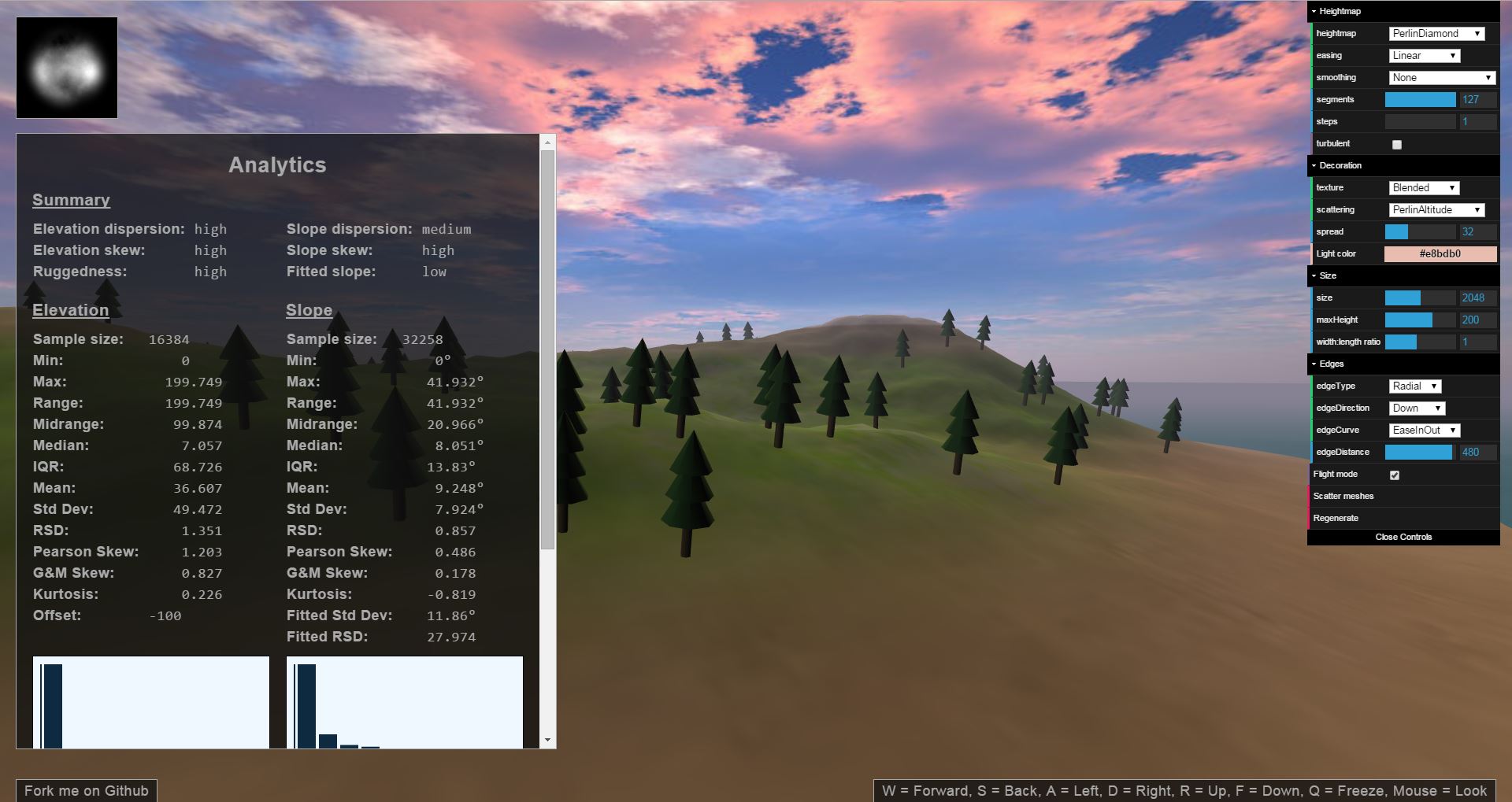
You can play around with some of the parameters and see what happens in the
demo.
Methods for generating terrain procedurally that are available by default
include Cosine, Diamond-Square (a better version of Midpoint Displacement),
Fault lines, Feature picking, Particle deposition, Perlin and Simplex noise,
Value noise, Weierstrass functions, Worley noise (aka Cell or Voronoi noise),
Brownian motion, arbitrary curves, and various combinations of those.
Exporting and Importing
Export a terrain to a heightmap image:
var canvas = THREE.Terrain.toHeightmap(
terrainScene.children[0].geometry.vertices,
{ xSegments: 63, ySegments: 63 }
);
The result will look something like this:

Of course, the easy way to generate a heightmap (if all you need is a static
terrain) is to use the demo and
save the generated heightmap that appears in the upper-left corner. However,
if you want to perform custom manipulations on the terrain first you will need
to export the heightmap yourself.
To import a heightmap, create a terrain as explained above, but pass the loaded
heightmap image (or a canvas containing a heightmap) to the heightmap option
for the THREE.Terrain() function (instead of passing a procedural generation
function).
If you want to export and import the scattered foliage with the terrain or if
you want to export/import the whole scene, you can do this the usual Three.js
way (currently using
SceneExporter
and JSONLoader).
This will work just fine in general with the caveat that the exported files
will be much larger than a heightmap. Note that if you do it this way and
you're using the dynamic texture generator, you'll need to re-generate the
texture in code and apply it to the terrain.
Dynamic Terrain Materials
When generating terrains procedurally, it's useful to automatically texture
terrains based on elevation/biome, slope, and location. A utility function is
provided that generates such a material (other than blending textures together,
it is the same as a MeshLambertMaterial).
var material = THREE.Terrain.generateBlendedMaterial([
{texture: t1},
{texture: t2, levels: [-80, -35, 20, 50]},
{texture: t3, levels: [20, 50, 60, 85]},
{texture: t4, glsl: '1.0 - smoothstep(65.0 + smoothstep(-256.0, 256.0, vPosition.x) * 10.0, 80.0, vPosition.z)'},
{texture: t3, glsl: 'slope > 0.7853981633974483 ? 0.2 : 1.0 - smoothstep(0.47123889803846897, 0.7853981633974483, slope) + 0.2'},
]);
More
Many other utilities are provided, for example for compositing different
terrain generation methods; creating islands, cliffs, canyonjs, and plateaus;
manually influencing the terrain's shape at different locations; different
kinds of smoothing; and more. These will be documented online soon. In the mean
time, these features are all fully documented in the
source code.
Additionally, you can create custom methods for generating terrain or affecting
other processes. How to do so will also be documented soon. A writeup on how it
all works under the hood is in order as well.
There is also a
simulation
included that calculates statistics about each major procedural terrain
generation method included in the THREE.Terrain library.
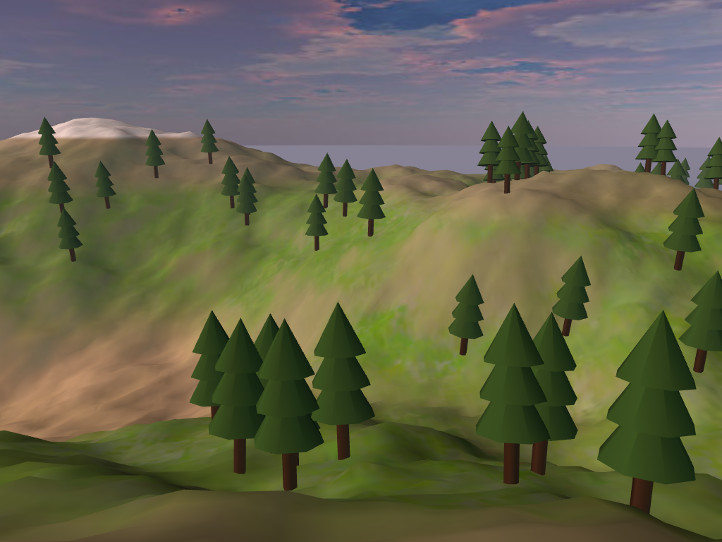
Screenshots