  ██╗   ██╗██╗ ██████╗███████╗
  ██║   ██║██║██╔════╝██╔════╝
██║   ██║██║██║     █████╗
╚██╗ ██╔╝██║██║     ██╔══╝
   ╚████╔╝ ██║╚██████╗███████╗
    ╚═══╝  ╚═╝ ╚═════╝╚══════╝
Black-box & white-box security auditor for web applications.





What is VICE?
VICE is a security auditing CLI tool that finds vulnerabilities in your web applications. It has two modes:
Remote scan gives it a URL. It crawls your site with a real browser, extracts secrets from JS bundles, tests your login for brute force and SQL injection, scans your VPS ports, checks your Supabase RLS, and more. Like an attacker would, but on your own systems.
Local audit points it at your project directory. It reads your source code, checks your .env files, runs npm audit, analyzes your Supabase migrations for missing RLS, finds SQL injections and XSS in your code, and tells you exactly what to fix.
Built by Webba Creative Technologies.
Quick start
npm install -g vice-security
vice
vice scan
vice audit .
vice audit . --ci
vice history
GitHub Action
VICE ships as a GitHub Action that scans your code on every pull request and push, posts findings as a PR comment, and maintains a security badge in your repo.
Quickstart
Add .github/workflows/security.yml to your repo:
name: Security
on:
  push:
    branches: [main]
  pull_request:

permissions:
  contents: write
  pull-requests: write
  security-events: write

jobs:
  vice:
    runs-on: ubuntu-latest
    steps:
      - uses: actions/checkout@v4
      - uses: Webba-Creative-Technologies/vice@v3
That's it. The action installs VICE, audits your code, comments on every PR with the score and findings, and updates a .github/vice-badge.json file on your default branch so you can embed a live security badge in your README.
What it does
- On pull requests: posts a comment with the security score, severity counts, and top findings grouped by severity. The same comment is updated on every commit, no spam.
- On push to default branch: refreshes
.github/vice-badge.json with the current score so your README badge stays up to date.
- SARIF integration: uploads findings to GitHub Code Scanning so they appear in the Security tab and as inline annotations on the changed lines of pull requests.
- Score gating: fails the workflow if the score drops below
min-score (default 70). Catches regressions before they merge.
- Diff vs base: when a badge already exists on the base branch, the PR comment shows the score delta (e.g.
87 (-5 vs base)).
Permissions
The workflow needs three permissions:
contents: write — to commit the badge file on push eventspull-requests: write — to post and update PR commentssecurity-events: write — to upload SARIF findings to GitHub Code Scanning (Security tab)
Inputs
path | Project path to audit | . |
min-score | Minimum score required to pass (0-100) | 70 |
fail-on-score | Fail the workflow if score is below min-score | true |
comment-pr | Post a comment on pull requests | true |
update-badge | Update the security badge file on push | true |
upload-sarif | Upload SARIF findings to GitHub Code Scanning | true |
badge-path | Path to the badge JSON file | .github/vice-badge.json |
github-token | Token used to post comments and commit the badge | ${{ github.token }} |
Outputs
score | Security score from 0 to 100 |
grade | Grade from A to F |
total-findings | Total number of findings |
critical-findings | Number of critical findings |
high-findings | Number of high severity findings |
report-path | Absolute path to the JSON report file |
You can chain these in subsequent steps via ${{ steps.<id>.outputs.score }} if you give the step an id.
Security badge
After the first push to your default branch, the action commits .github/vice-badge.json to your repo. Add this snippet to your README to display a live security badge:

Replace USERNAME/REPO with your repo path. The badge updates automatically on every push to your default branch.
GitHub Code Scanning integration
VICE uploads findings as SARIF (Static Analysis Results Interchange Format) to GitHub Code Scanning on every run. The findings appear in three places:
- The repo's Security tab under "Code scanning alerts", alongside CodeQL and other scanners
- Inline annotations on the changed lines of pull request diffs
- The organization's Security overview for repos that enable it
This requires the security-events: write permission in your workflow (already included in the quickstart above). For private repos, GitHub Advanced Security must be enabled. Public repos get this for free.
You can disable SARIF uploads by setting upload-sarif: false in the action inputs if you only want PR comments.
Pinning a version
You can pin the action to a specific version for reproducible builds:
- uses: Webba-Creative-Technologies/vice@v3.1.0
- uses: Webba-Creative-Technologies/vice@v3
The action version always matches the CLI version, so pinning gives you both at once.
Remote scan (black-box)
Give VICE a URL and it audits your site from the outside using a headless browser. It captures every JS file, every network request, and every cookie, then runs 15 security modules against them.
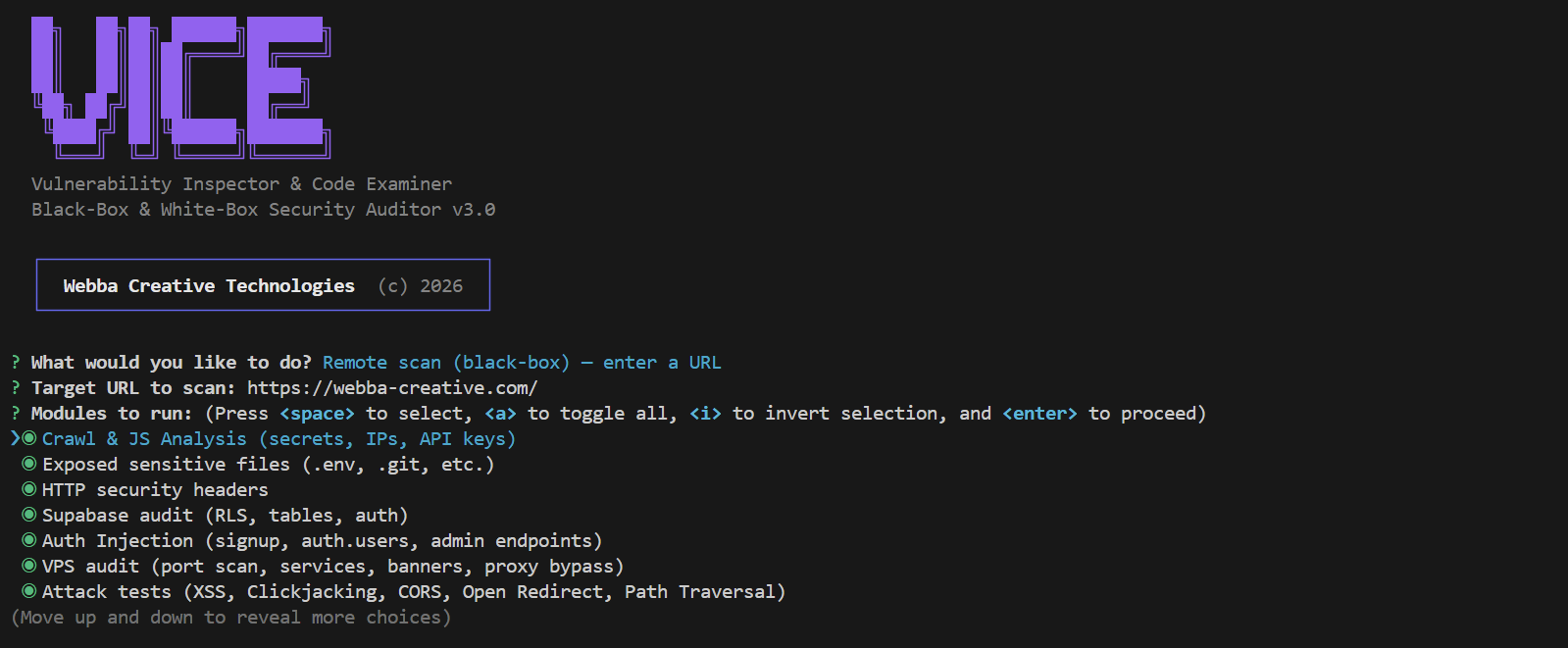
Modules
| Crawl & JS Analysis | Launches Puppeteer, captures all scripts (including lazy-loaded chunks), extracts DOM, scrolls for lazy loads |
| Secrets Detection | API keys (Supabase, Stripe, AWS, Firebase, GitHub), tokens, hardcoded passwords in client bundles |
| IP Detection | Server IPs exposed in code with network context analysis to filter false positives |
| Exposed Files | .env, .git/config, package.json, .DS_Store, source maps, with SPA catch-all detection |
| HTTP Headers | Missing CSP, HSTS, X-Frame-Options, X-Content-Type-Options, Referrer-Policy, Permissions-Policy |
| Supabase Audit | RLS policies on every table, read/write access with anon key, auth providers, admin endpoints |
| Auth Injection | Signup abuse, direct injection into auth.users, service_role key detection (JWT payload decoded) |
| VPS Port Scan | 20 common ports (SSH, databases, Redis, dev servers, admin panels), banner grabbing, reverse DNS |
| Attack Tests | XSS reflected (6 payloads x 14 params), clickjacking, CORS misconfiguration, open redirect, path traversal, SSL/TLS, cookie security, CSP bypass, HTTP methods |
| Login Audit | GET vs POST form, CSRF tokens, brute force (5 attempts), user enumeration, SQL injection (5 phases with UNION extraction), password reset security, external script injection demo |
| Stack Detection | 40+ technologies fingerprinted across frameworks, servers, BaaS, analytics, build tools, UI libraries |
| Subdomain Scan | DNS enumeration of 80+ common subdomains, HTTP/HTTPS check, dangerous subdomain detection |
| DNS & Email | SPF, DKIM (12 selectors), DMARC policy analysis, dangling CNAME detection (subdomain takeover) |
| API Endpoints | Discovery from JS bundles, auth testing, rate limiting, SQL injection, CORS per endpoint |
| Storage Buckets | Supabase Storage bucket enumeration, file listing, upload testing, S3/GCS URL detection |
| WebSocket | Realtime channel eavesdropping, Supabase Realtime, Socket.IO, unauthenticated message capture |
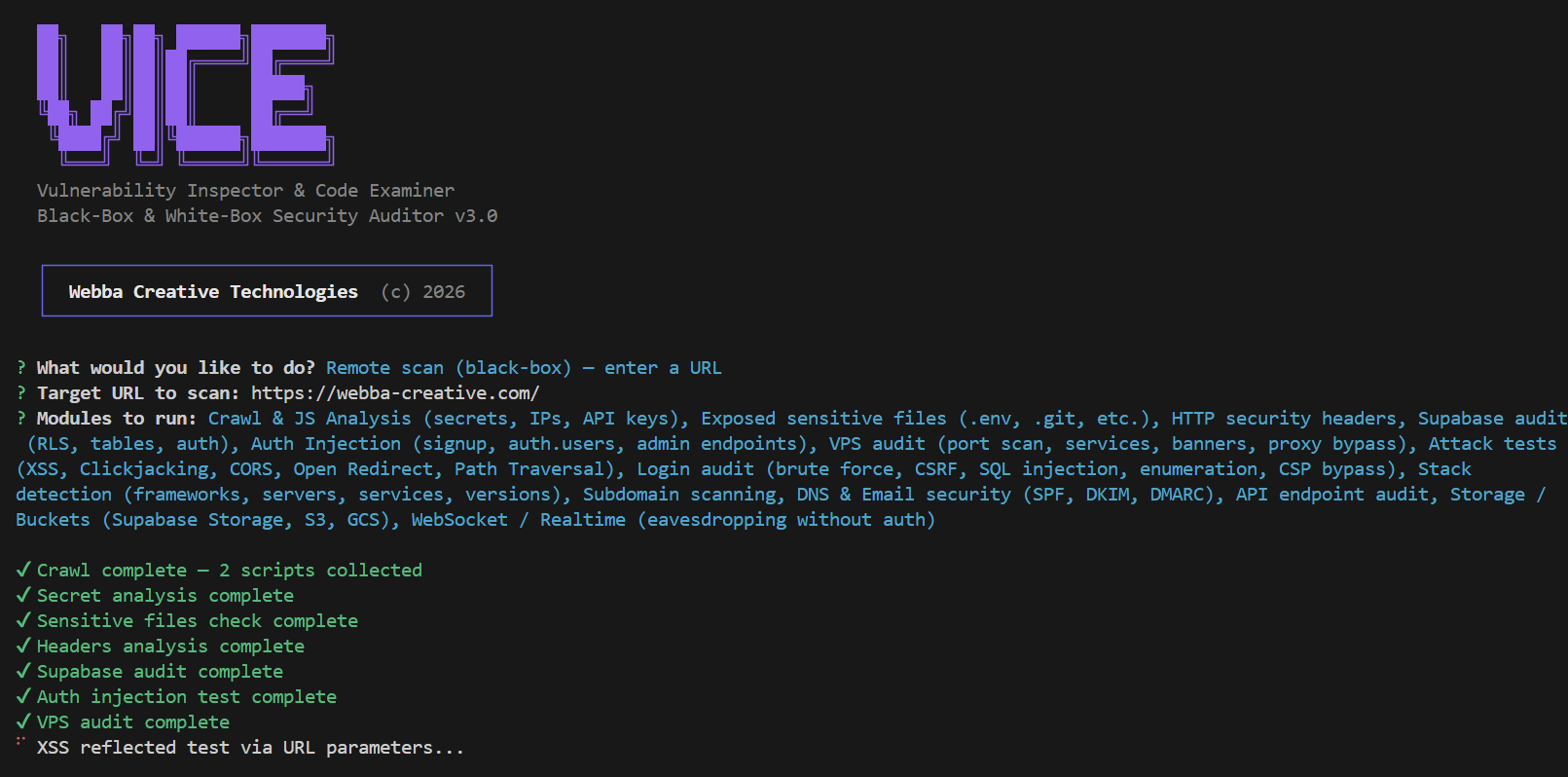
Here's what it looks like running:
Local audit (white-box)
Point VICE at your project directory. It reads your source code and gives you concrete fixes.
vice audit .
vice audit /path/to/project
Modules
| Code Secrets | Hardcoded API keys and tokens in source files, with line numbers and fix suggestions |
| Environment Files | .env in .gitignore, real secrets in .env.example, sensitive config files exposed |
| Dependencies | npm audit for CVEs, outdated packages with known vulnerabilities |
| Supabase RLS | SQL migrations analyzed for missing ENABLE ROW LEVEL SECURITY, empty policies, unsafe grants, SECURITY DEFINER without auth checks |
| Auth & Middleware | Rate limiting presence, CORS wildcards, CSRF protection, session config, JWT expiration, hardcoded passwords |
| Code Vulnerabilities | SQL injection (template literals in queries), XSS (v-html, dangerouslySetInnerHTML, innerHTML), eval(), command injection, open redirects, weak crypto, ReDoS |
| Headers Config | CSP and HSTS configuration in Nuxt, Next.js, Vercel, Netlify, Express configs |
Scoring
Every scan produces a security score from 0 to 100, graded A through F.
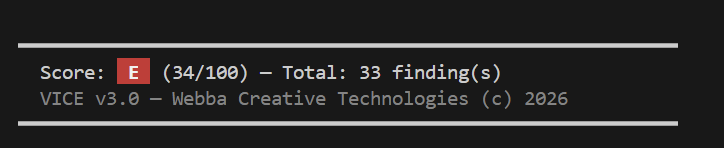
Each finding has a severity level that impacts the score:
| Critical | -15 | Exploitable vulnerability, immediate action required |
| High | -8 | Serious risk, fix soon |
| Medium | -3 | Moderate risk, fix when possible |
| Low | -1 | Minor risk |
| Info | 0 | Informational, no action needed |
The score helps you prioritize and track improvements over time. Use --ci --min-score 70 to enforce a minimum score in your deployment pipeline.
HTML report
Every scan can be exported as a clean HTML report for sharing with your team.
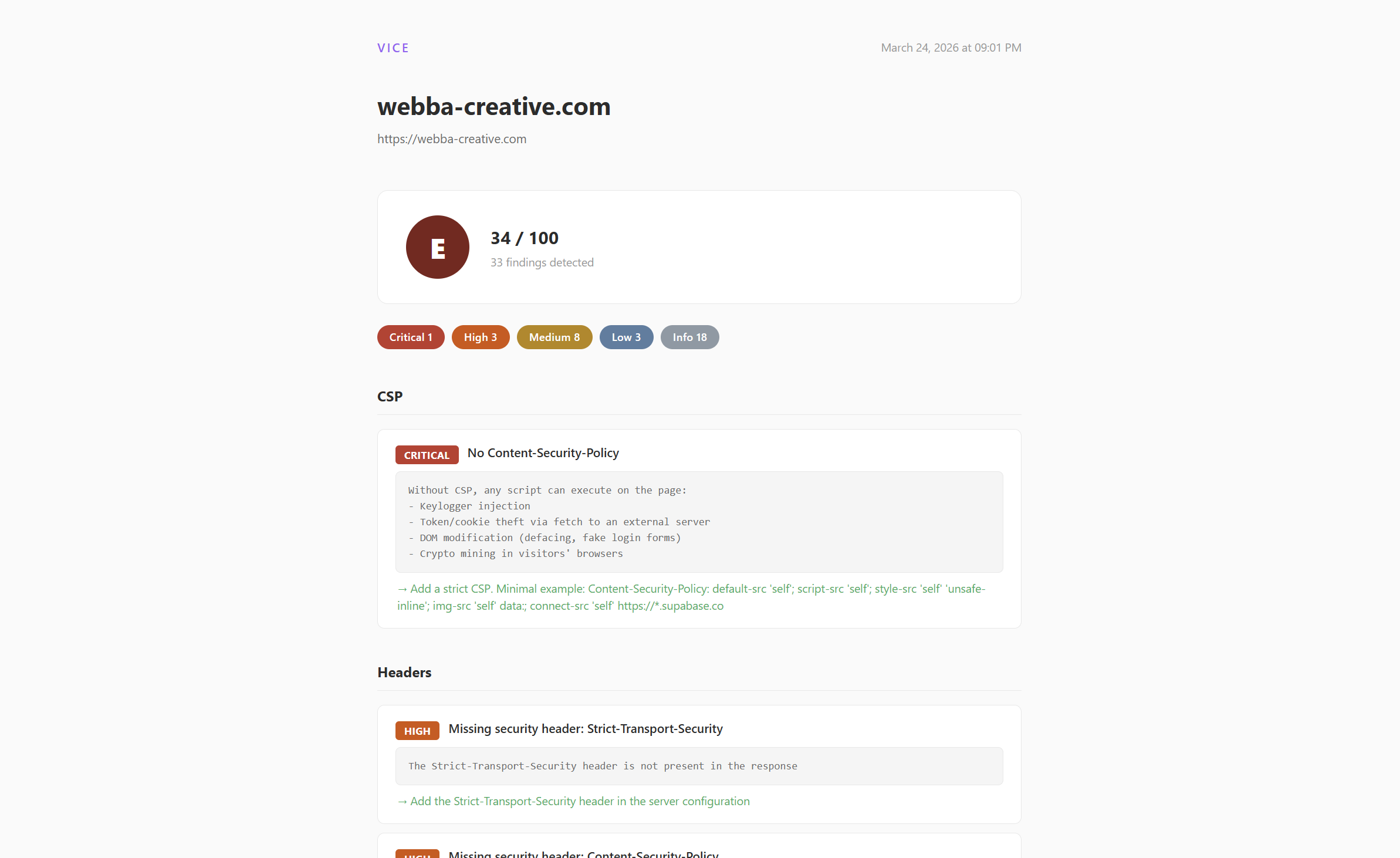
Reports are saved in the scans/ directory. You can also export older scans to HTML from the history menu.
Configuration
CLI options
vice scan
vice audit .
vice audit /path/to/project
vice audit . --ci
vice audit . --ci --min-score 80
vice history
Config file (optional)
Create vice.config.js in your project root:
export default {
  url: 'https://your-site.com',
  ignore: ['Supabase Anon Key', 'Firebase API Key'],
  ci: {
    minScore: 70,
    failOnCritical: true,
  },
  supabaseMigrations: './supabase/migrations',
}
.viceignore (optional)
Create a .viceignore file in your project root to exclude files or directories from the local audit. Works like .gitignore:
# Ignore translation files
**/i18n/**
**/locales/**

# Ignore a specific file
src/config/ui-labels.ts

# Ignore by pattern
*.locale.*
Excluded files are skipped by all local audit modules (secrets, auth, code vulnerabilities, etc.).
For developers
Project structure
vice/
├── bin/
│   └── vice.js                  # CLI entry point
├── src/
│   ├── core/
│   │   ├── findings.js          # Shared findings store
│   │   ├── score.js             # A-F score calculator
│   │   └── reporter/
│   │       ├── console.js       # Terminal output
│   │       ├── json.js          # JSON export
│   │       └── html.js          # HTML report
│   ├── local/                   # White-box modules
│   │   ├── index.js             # Module orchestrator
│   │   ├── secrets.js           # Source code secrets
│   │   ├── env.js               # .env audit
│   │   ├── dependencies.js      # npm audit
│   │   ├── supabase-rls.js      # RLS in migrations
│   │   ├── auth.js              # Auth & middleware
│   │   ├── code-vulnerabilities.js  # SQLi, XSS, eval
│   │   └── headers-config.js    # CSP/HSTS config
│   └── utils/
│       ├── fetch.js             # HTTP with timeout
│       └── patterns.js          # Shared regex patterns
├── scan.js                      # Remote scan engine (15 modules)
├── scans/                       # Saved reports
└── package.json
Adding a local audit module
- Create
src/local/your-module.js:
import { addFinding } from '../core/findings.js';
export async function auditYourModule(projectPath, spinner) {
spinner.text = 'Running your check...';
addFinding(
'HIGH',
'Module Name',
'Short title',
'Detailed info',
'How to fix this'
);
}
- Register it in
src/local/index.js:
import { auditYourModule } from './your-module.js';
{ name: 'Your module description', value: 'yourmod', fn: auditYourModule },
Adding a remote scan module
Add your module function in scan.js and register it in the main() function with a spinner and the module selection menu.
Contributing
See CONTRIBUTING.md for guidelines. In short: fork, branch, PR. Keep false positives low, always provide concrete fix recommendations.
Changelog
v3.0
- Two modes: remote scan (black-box) and local audit (white-box)
- 15 remote modules, 7 local modules
- Legal disclaimer on first launch
- HTML report with clean design
- Scan history with JSON/HTML export
- CI mode with exit codes
- Score system A-F
- npm package (
vice-security)
v2.0
- Puppeteer headless browser for crawling
- Stack detection and fingerprinting
- Subdomain scanning, DNS/email security
- Storage bucket audit, WebSocket testing
- Score system and HTML reports
v1.0
- Initial release
- URL-based scanning with fetch
- Secrets, headers, Supabase RLS, VPS port scan
- SQL injection testing on login forms
License
MIT. See LICENSE.
Built by Webba Creative Technologies.
This tool is intended for authorized security testing only. You are solely responsible for how you use it. See the legal disclaimer shown on first launch.



