

Product
Introducing Repository Access Permissions and Custom Roles
Socket now supports Custom Roles and Repository Access Permissions so organizations can control who can access specific repositories and actions.
By Joe Werle - Jun 19, 2026
vuepress-es
Advanced tools





VuePress是一个非常好的 静态网站生成器,我也使用这个构建了笔记文档,本着效率至上的原则,但是我感觉配置过程还可以再一步省略,提高生产效率。于是就有了本项目。
本项目的定位如下:
1.对于 VuePress没有配置成功过 的用户来说,提供一键化生成的效果(vpe init)
2.对于可以能进行基础配置,但是功能没有熟悉全的用户来说,提供快速生成配置,跟更快速的插件选择,第三方插件选择,让你的网站看起来更好一些
3.对于能配置 VuePress 95% 以上的用户,提供自行配置发挥的空间
"我如果有空闲时间的话,就会思考怎么提高效率,节省时间" --- 朱昆鹏
# 安装
npm install vuepress-es --save
# 初始化(可以生成一个基础结构,并启动预览)
npx vpe init
# 预览
npx vpe serve
# 打包
npx vpe build
# 生成配置文件(没有配置文件的时候使用,用这个生成初始化配置文件)
npx vpe config
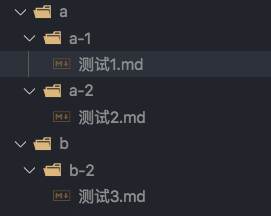
在根目录建立如下文件夹格式
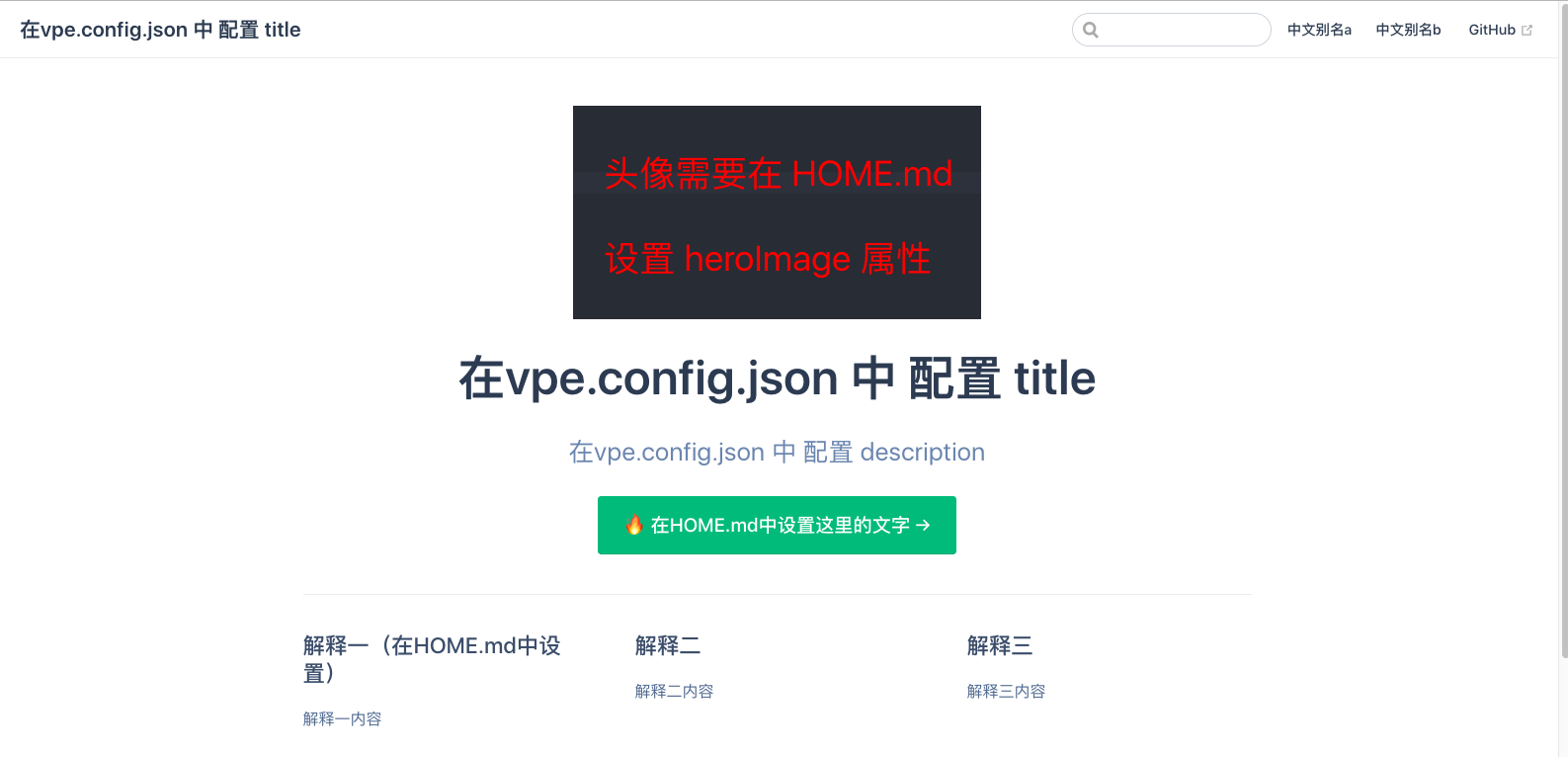
文字在哪里设置,都备注好了,我解释一下 vpe.config.json 这个文件 的 folderShowOrder属性配置
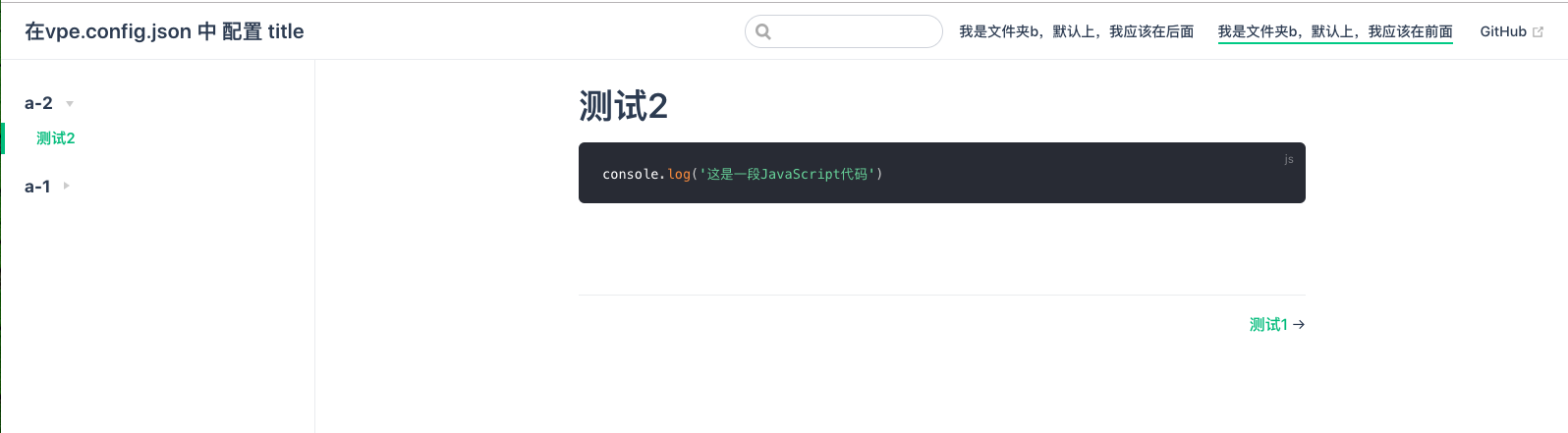
此属性可以完全自定义导航栏展示的顺序和名称 和 侧边栏展示的顺序,如果你没有特殊的展示顺序需要,只需要更改显示名称即可,我现在只把folderShowOrder改一下试试
{
    // 左上角的标题(也是首页图像下面的一级标题)
    "title": "在vpe.config.json 中 配置 title",
    // 首页头像下面标题的解释
    "description": "在vpe.config.json 中 配置 description",
    // 右上角 跳转GitHub的地址(写一个GitHub项目地址)
    "repo": "https://github.com/itz2019/vuepress-es",

    // 设置侧边栏是否全部默认展开(一般官方介绍经常使用这个)
    "collapsable": true, // 注意:false 是展开,true 是不展开
    // 代码块是否显示行号
    "lineNumbers": false,

    // 文件夹展示顺序(有需求就进行设置,不仅可以设置需要显示的文件夹,还能设置展示的顺序,这里可能有点绕)
    "folderShowOrder": [
        {
            "title": "b",
            "alias": "我是文件夹b,默认上,我应该在后面",
            "childrenFolder": ["b-2", ]
        },
        {
            "title": "a",
            "alias": "我是文件夹b,默认上,我应该在前面",
            "childrenFolder": ["a-2", "a-1"] // ❣️ 这里的二级目录只是调换位置用的,不能修改名称
        },
    ]
}
修改之后的效果
v1.0.0 --- v1.3.2
FAQs
vuepress-es 可以让你快速使用vuepress,而不需要进行配置
The npm package vuepress-es receives a total of 1 weekly downloads. As such, vuepress-es popularity was classified as not popular.
We found that vuepress-es demonstrated a not healthy version release cadence and project activity because the last version was released a year ago. It has 1 open source maintainer collaborating on the project.
Did you know?

Socket for GitHub automatically highlights issues in each pull request and monitors the health of all your open source dependencies. Discover the contents of your packages and block harmful activity before you install or update your dependencies.
Product
Socket now supports Custom Roles and Repository Access Permissions so organizations can control who can access specific repositories and actions.

Product
Socket MCP now lets AI assistants review org alerts, investigate threats using the Socket threat feed, and inspect package files in addition to dependency scoring.

Product
Socket Firewall blocks malicious VS Code and Open VSX extensions before install, protecting developers from compromised editor marketplaces.