


Security News
Deno Goes the Way of the Dinosaur
Cloudflare is acquiring Deno’s team, which will provide another year of bug fixes and security updates before ending support for the runtime.
By Sarah Gooding - Oct 16, 2026
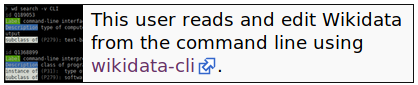
wikidata-cli
Advanced tools

The Command-line interface interface to Wikidata
This project is funded by a Wikimedia Project Grant.
Show your support by adding {{#babel:Wikidata CLI}} to your Wikidata user page



npm install -g wikidata-cli
Installing globally allows to make the command wikidata-cli and its alias wd accessible from your shell $PATH
# Might require to be run with sudo depending on your Docker installation
docker run --rm -t maxlath/wikidata-cli
# You can make an alias out of it:
alias wd="docker run --rm -t maxlath/wikidata-cli"
# You're then ready to use it as in the documentation examples
wd label Q1
That would work, but all operations using cached data (such as the list of all properties) would need to re-fetch those data for each operations, and all operations editing Wikidata would require you to enter your username and password everytime. To work around this, you can allow this container to persist some files on your system, using shared volumes:
mkdir -p $HOME/.local/share/wikidata-cli
alias wd='docker run --rm --volume "$HOME/.local/share/wikidata-cli:/wikidata-cli/local" -t maxlath/wikidata-cli'
NB: Beware that using wikidata-cli through a Docker container has a performance cost of something like 1s per command, so if you need to run many commands (for instance in a script to mass edit Wikidata), you should probably rather use the NPM package directly for long series of commands
see Read operations

see Write operations
Allows to persist options
see Config

Do you know inventaire.io? It's a web app to share books with your friends, built on top of Wikidata! And its libre software too.
FAQs
[OBSOLETE: use wikibase-cli] The command-line interface to Wikidata
The npm package wikidata-cli receives a total of 0 weekly downloads. As such, wikidata-cli popularity was classified as not popular.
We found that wikidata-cli demonstrated a not healthy version release cadence and project activity because the last version was released a year ago. It has 1 open source maintainer collaborating on the project.
Security News
Cloudflare is acquiring Deno’s team, which will provide another year of bug fixes and security updates before ending support for the runtime.

Security News
Anthropic’s free OSS Scanner uses Mythos and other Claude models to find open source vulnerabilities and send maintainers reports with proposed fixes.

Security News
On Front Lines’ Early Adopters: CISO podcast, Andrew Becherer shares lessons from Datadog, weighs the long-term costs of AI-built tools, and explains how founders can actually gain a CISO’s trust.