AIContextBuilder (aicb)





Give coding agents a Roslyn-accurate map of your C#/.NET solution. aicb
answers questions about callers, implementations, dependency injection, tests,
side effects and change impact, then packs the relevant code into compact
Markdown for an LLM. It runs locally as an MCP server and CLI; a Windows desktop
app adds visual context selection, analysis and editing.
The software is closed source. This public repository contains its
documentation, licence and releases. It is free for individuals, education and
organizations below the licence thresholds.
See it answer a code question
Ask your coding agent:
What could be affected if I change ColorMixerService? Use AICB.
Or call the same tool from a terminal:
aicb call impact_of_change --sln C:/repo/App.sln --arg symbol=ColorMixerService
Abridged output from the bundled ColorMixer.SelectionLab sample:
{
  "symbol": "ColorMixerService",
  "resolvedKind": "type",
  "directCount": 1,
  "transitiveCount": 2,
  "risk": "low",
  "productionImpactCount": 2,
  "directImpact": { "items": ["DemoCompositionRoot"] }
}
The desktop app's MCP Usage page records calls locally and separates guided
refusals from suspected defects:
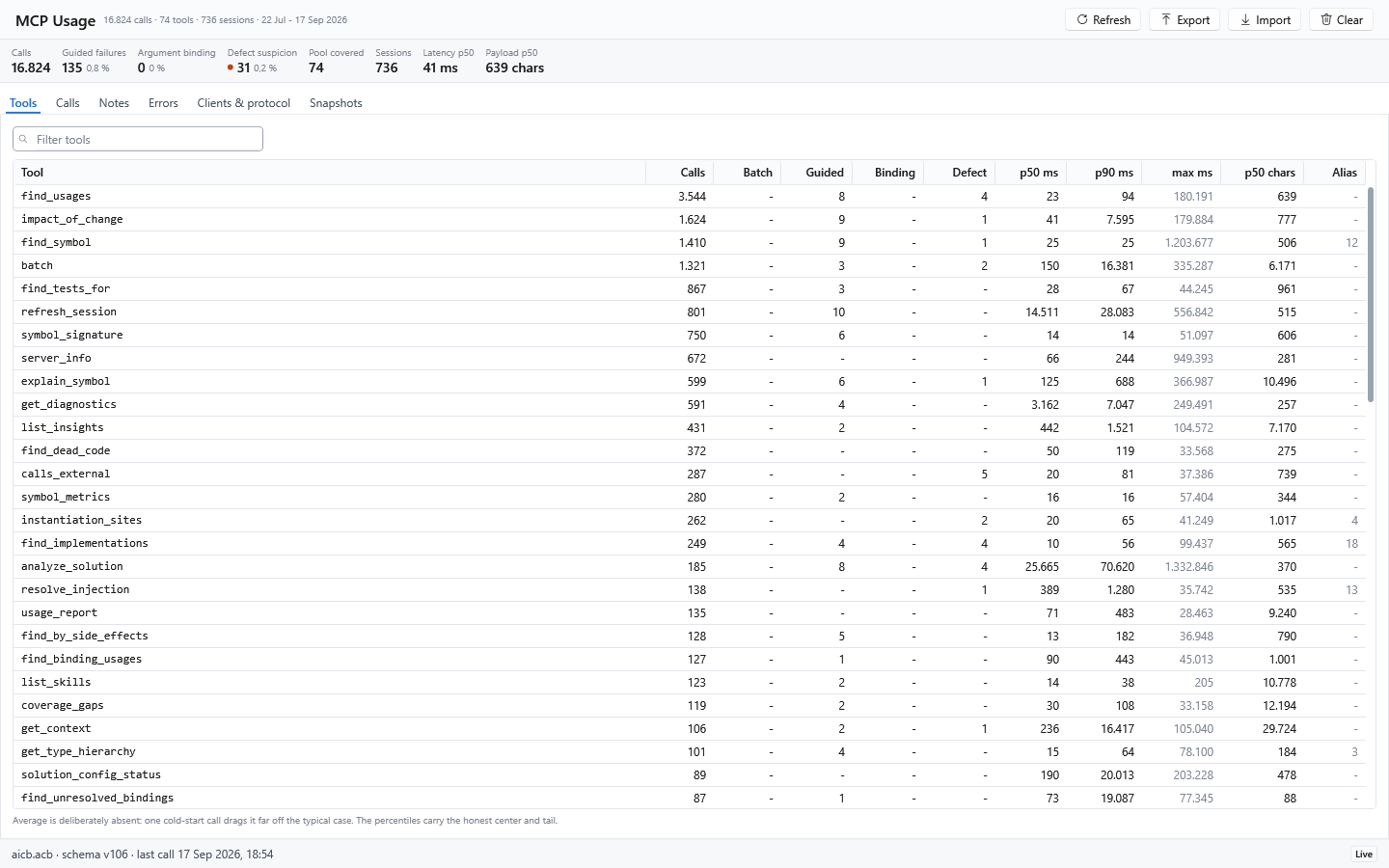
That answer comes from the Roslyn symbol graph, not a substring search. AICB
distinguishes overloads, follows interface and override relationships, understands
partial types and records DI construction paths.
Where it helps
| Who calls or uses this? | find_usages |
| What is the blast radius of a change? | impact_of_change |
| Where is this interface implemented or overridden? | find_implementations, find_overrides |
| Which tests exercise this symbol? | find_tests_for |
| What gets injected here? | resolve_injection |
| Which code has side effects or calls an external API? | find_by_side_effects, calls_external |
| What context does an agent need for this task? | explain_symbol, prepare_task, pack_for_task |
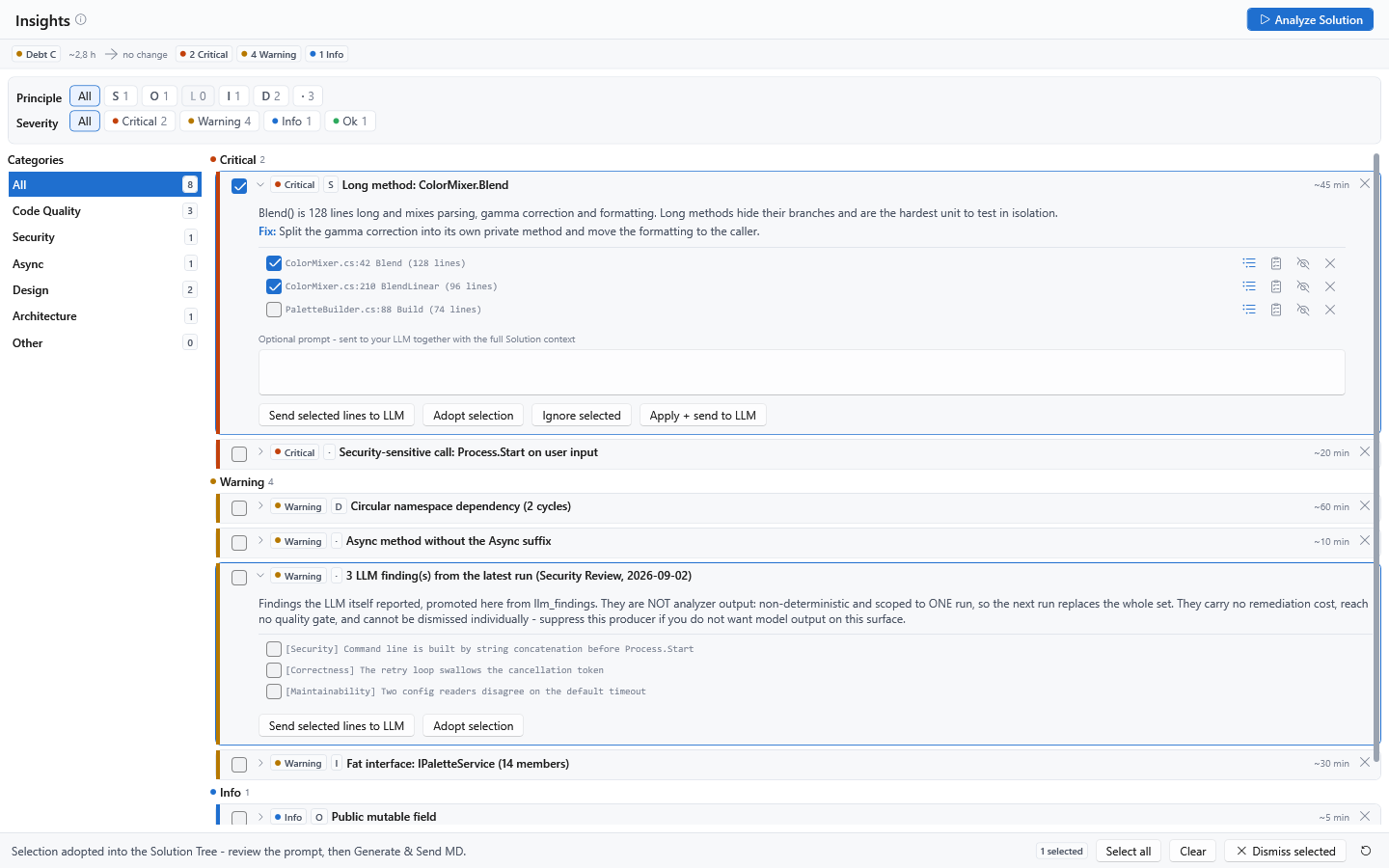
The desktop app turns code-quality, security, design and architecture findings
into an actionable review queue:
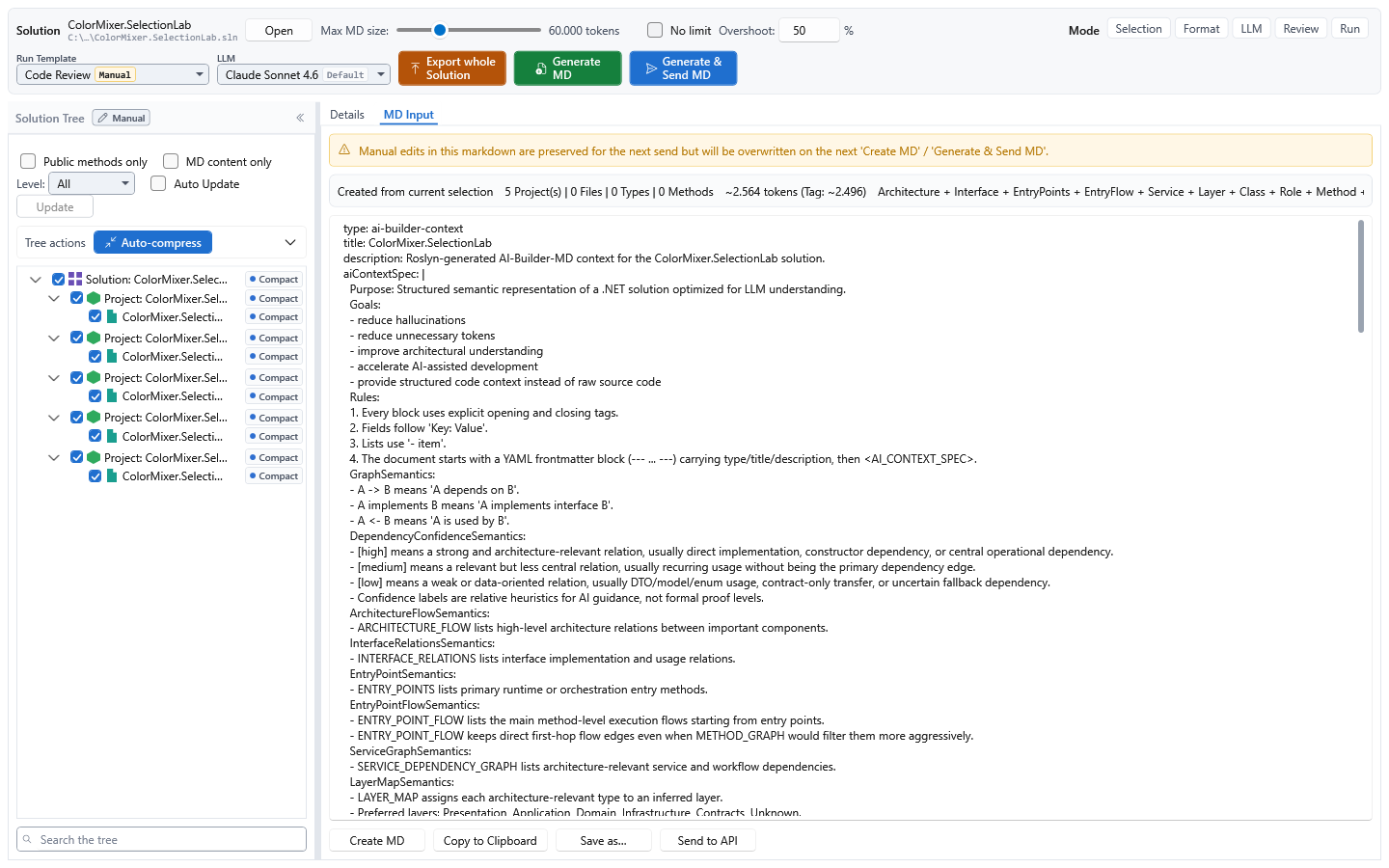
AICB is most useful for non-trivial C#/.NET solutions and semantic questions that
plain text search cannot answer reliably. It is not a general-purpose code search
tool and does not analyze non-.NET projects. The first question opens and analyzes
the solution, which can take seconds to minutes; later questions reuse the warm
session.
Install
Install one form per machine:
The .NET tool needs the .NET 8 SDK:
dotnet tool install -g AIContextBuilder
aicb --version
Update it later with dotnet tool update -g AIContextBuilder.
The Windows downloads are self-contained, but analyzing a solution still needs
MSBuild from a .NET SDK or Visual Studio. The installer is not code-signed yet, so
Windows SmartScreen displays a warning; every release provides SHA-256 checksums.
Connect a coding agent
Run this from the project you want the agent to work on:
aicb init
It writes the MCP configuration and the aicb-csharp-context agent skill without
overwriting existing files. If it detects Claude Code, Codex or OpenCode project
configuration, it also installs a symbol guard that blocks C# symbol searches
by grep and redirects the agent to the semantic tool. This intentionally changes
agent behaviour. Opt out with:
aicb init --hooks none
Client-specific status:
| Claude Code | .mcp.json written by aicb init | Skill and optional guard installed |
| Codex | Add aicb mcp through the client's MCP configuration | Optional guard supported; skill location is not guessed |
| OpenCode | Add aicb mcp to opencode.json | Optional guard supported; skill location is not guessed |
| Cursor / Cline / other stdio clients | Add command aicb with argument mcp | Use the published skill if the client supports Agent Skills |
Manual .mcp.json configuration for clients that read it:
{
  "mcpServers": {
    "aicb": {
      "command": "aicb",
      "args": ["mcp"]
    }
  }
}
Verify the connection by asking the client to call server_info. Every analysis
tool accepts an absolute .sln, .slnx or .slnf path as its session, so no
separate analyze step is required. See the five-minute guide
for setup, first questions and troubleshooting.
Tool sets and Agent Skills
| Default MCP profile | 54 tools | Curated semantic and structural tools for normal agent work |
| Full analysis profile | 72 tools | Default set plus the measured long tail |
| Complete server surface | 82 tools | Full profile plus opt-in infrastructure tools |
Start the full analysis profile with
aicb mcp --mcp-profile mcp-profile/full. Set AICB_MCP_TOOLS=all to add
the infrastructure tools. The generated tool reference documents
the default set; the MCP server manual
documents all 82 tools and their parameters, and alongside them sessions and
staleness, profiles, pools and facets, and what aicb init writes — twelve
chapters in Markdown, readable in the browser and by an agent, and also
published as a PDF.
Four Agent Skills ship in skills/:
aicb-csharp-context routes semantic C# questions to the right tool.aicb-code-review checks a completed change for correctness.aicb-code-simplifier looks for unnecessary complexity.aicb-usage-check reports what this server was actually reached for.
The last three are opt-in: aicb init --skills=all.
CLI at a glance
aicb init      Connect a project to the MCP server and install the agent skill.
aicb analyze   Analyze a solution and emit context Markdown.
aicb export    Re-render Markdown from an existing session database.
aicb import    Import a constellation JSON.
aicb list      List built-in and custom profiles and presets.
aicb mcp       Start the stdio MCP server.
aicb call      Invoke one MCP tool without an MCP client.
Run aicb <command> --help for options.
Local by default
- The CLI and MCP server have no outbound network capability and do not modify
the source code they analyze.
- There is no telemetry, analytics, update check, account or licence server.
- The desktop app sends context to an LLM only when you press Send to API;
the endpoint may be a local model. Its Details tab is also a real editor and
saves a file only when you explicitly use Save.
- Opening a solution runs its MSBuild logic to resolve references. Analyze only
solutions you trust. AICB does not run third-party Roslyn analyzers or source
generators.
A small number of explicitly named tools can write configuration or an export;
their tool descriptions state this. The complete threat model and private
reporting route are in SECURITY.md.
Licence at a glance
Use is free for:
- private, hobby and educational use by natural persons,
- accredited educational institutions for teaching, learning and
non-commercial research,
- organizations that reach none of these thresholds: 100 employees,
EUR 10 million annual turnover, 21 developers.
The thresholds apply to your organization, not to your clients. After first
reaching any one threshold, you have 90 days to agree a commercial licence; use
remains free during that period. Contact aicb@dadera.de. There is no technical
licence enforcement. Redistribution, modification, repackaging and competing
products are not permitted. See the plain-language guide,
LICENSE.txt and the full bilingual EULA.md.
Documentation and support
Questions and feature requests are welcome in
GitHub Discussions. Report bugs
through GitHub Issues; if GitHub does
not offer a New issue button, use Discussions. Include aicb --version and,
for MCP problems, the output of server_info. Report security issues privately as
described in SECURITY.md.
"AIContextBuilder" and "AIContextBuilder for .NET" are unregistered trademarks of
Gregor Dadera.



