OfficeAgent.NET




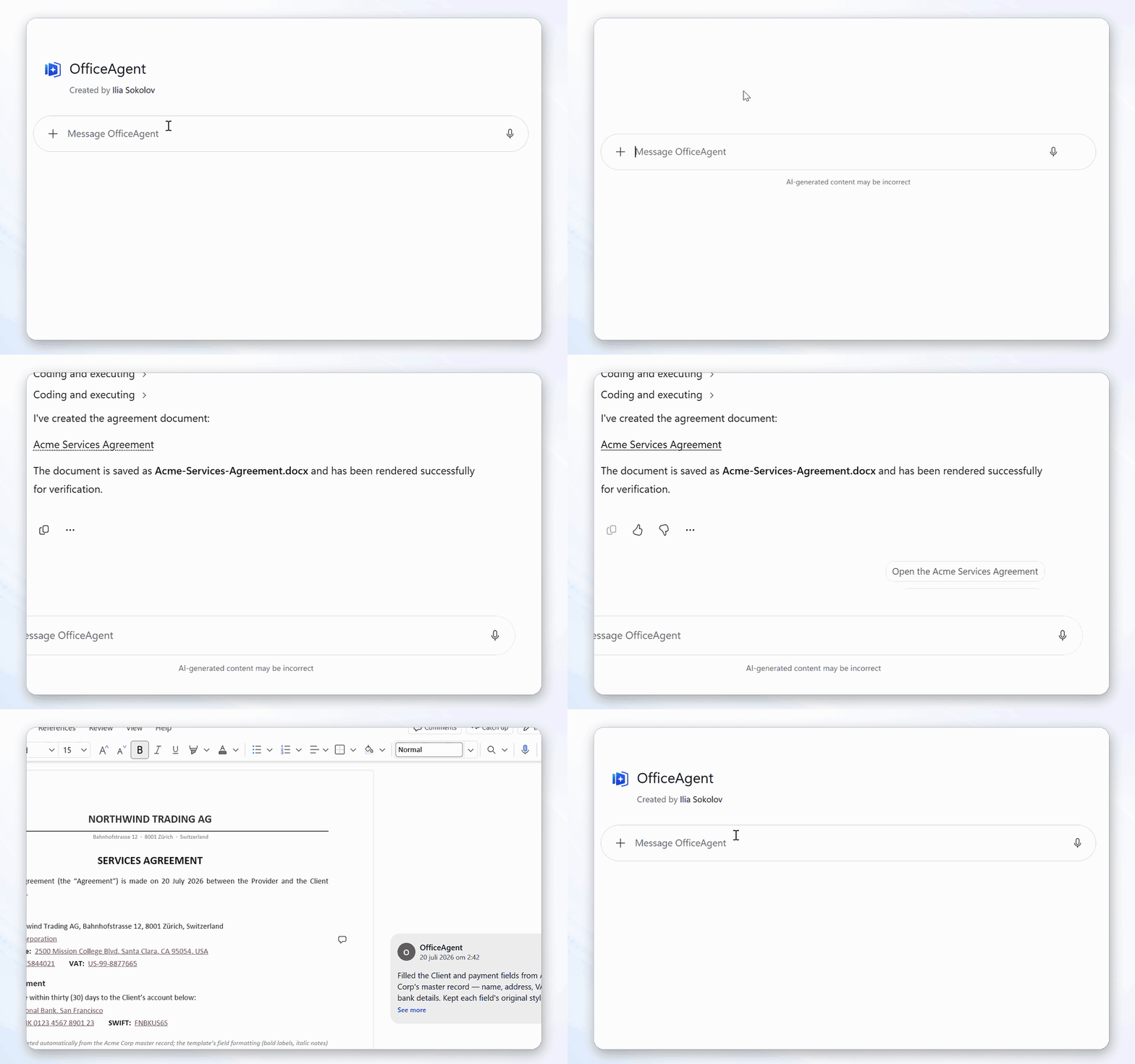
OfficeAgent.NET translates an AI agent’s intent into controlled changes to Microsoft Word documents and PowerPoint decks. The agent proposes a typed edit plan; the library validates and applies it while preserving document features such as styles and comments. Word edits can be recorded as tracked changes for human review, while structured document operations can reduce token use compared with processing entire files.
What this project does
A .docx or .pptx file is a package of related XML parts. A small text change
can affect runs, styles, numbering, comments, content controls, or revision
markup. OfficeAgent.NET handles that document-specific work. The model works
with structured document data and JSON-serialisable operations such as "replace
this clause as a tracked change" or "add a row to this table."
The same engine is available in three forms:
- an MCP server for agents that support the Model Context Protocol;
- tools for Microsoft Agent Framework and
Microsoft.Extensions.AI;
- a .NET API for applications that want to control the workflow directly.
It supports Word .docx files and PowerPoint .pptx decks; one client serves
both, routing each document to the module that handles it. Excel is not
implemented. See Scope and limitations before choosing
it for a workflow that depends on Office's layout or calculation engine.
Choose a starting point
MCP quick start
Install the server as a .NET tool:
dotnet tool install --global OfficeAgent.Mcp
The following examples register it with Claude Code and limit its filesystem
connection to one directory.
macOS/Linux:
claude mcp add officeagent \
  --env OfficeAgent__FileSystemConnections__0__ConnectionId=documents \
  --env OfficeAgent__FileSystemConnections__0__RootPath=/absolute/path/to/documents \
  --env OfficeAgent__AllowCreation=true \
  -- officeagent-mcp --stdio
PowerShell:
claude mcp add officeagent `
  --env OfficeAgent__FileSystemConnections__0__ConnectionId=documents `
  --env OfficeAgent__FileSystemConnections__0__RootPath=C:\officeagent-documents `
  --env OfficeAgent__AllowCreation=true `
  -- officeagent-mcp --stdio
AllowCreation is off by default and is what adds create_document; drop that
line for an agent that may only edit documents that already exist.
Run claude mcp list to confirm that officeagent is connected. Then ask the
client to edit a file in the configured directory, for example:
Change the payment terms in contract.docx from 30 to 45 days.
The server exposes tools to register, create, inspect, search, preview, and apply
edits. Asking for a document that does not exist yet - "draft a project brief in
brief.docx" - creates it in the configured directory rather than failing.
Text replacements are tracked changes by default. A successful apply writes back
to the document it edited, guarded by an optimistic version check; pass
saveMode: "NewVersion" to keep the source and write a sibling such as
contract.v2.docx instead.
A connection accepts .docx only until you say otherwise. To work on decks, add
three more --env settings to the command above - .pptx in the extension
allow-list, and a Direct default change mode, because a deck has no redline
vocabulary and refuses tracked changes:
OfficeAgent__FileSystemConnections__0__AllowedExtensions__0=.docx
OfficeAgent__FileSystemConnections__0__AllowedExtensions__1=.pptx
OfficeAgent__FileSystemConnections__0__DefaultChangeMode=Direct
OfficeAgent does not send the complete .docx package through the model, but
the MCP client and model do receive document text and structure returned by the
inspect and find tools. Only connect document folders and model providers that
are appropriate for the data you are processing.
Configuration for other clients, streamable HTTP hosting, containers, and
SharePoint is in Deployment and client setup.
The server does not provide an authentication layer for HTTP hosting; put it
behind the authentication and network controls appropriate for your environment.
.NET quick start
Install the core package and Word module:
dotnet add package OfficeAgent.Core
dotnet add package OfficeAgent.Word
After registering services and a document provider, the edit loop looks like
this:
var client = services.GetRequiredService<OfficeAgentClient>();
var doc = await client.RegisterAsync("workspace", "/srv/workspace/contract.docx");

var inspect = await client.InspectAsync("workspace", doc.ItemId);
var hit = (await client.FindAsync(
    "workspace", doc.ItemId, new FindQuery("Acme Corp"))).First();

var plan = new DocumentPlan
{
    Snapshot = inspect.Snapshot,
    Operations = new PlanOperation[]
    {
        new ChangeTextOp
        {
            Target = hit.Anchor,
            With = "Globex Inc.",
            Mode = ChangeMode.Tracked
        }
    }
};

var preview = await client.PreviewAsync("workspace", doc.ItemId, plan);
if (preview.IsValid)
    await client.CommitAsync("workspace", doc.ItemId, plan);
The complete example, including service registration and reading the saved
file, is in Getting started.
The minimal sample replaces the first Acme Corp with Globex Inc.. To run it,
copy a Word document containing Acme Corp to contract.docx in the cloned
repository root, then run:
dotnet run --project samples/QuickEdit -- ./contract.docx ./contract-edited.docx
The repository also contains a
direct IChatClient Word-editing sample and an
interactive
Agent Framework sample.
How it works
Every edit follows the same four steps:
- Inspect returns a structured map of the document: its outline,
paragraphs, styles, content controls, tables, images, and revisions.
- Find searches text and returns a content-verified anchor for each match.
- Preview validates a plan against the current document and reports the
proposed changes without writing.
- Apply commits the complete plan and saves it through the configured
provider.
A plan (DocumentPlan) is a typed, JSON-serialisable list of operations. An
anchor records both a location and the content expected there. If the content
or optional document snapshot has changed, validation fails instead of silently
targeting a different location. Applying a plan is all-or-nothing.
The Word module supports changes to text, paragraphs, tables, images, styles,
content controls, comments, document properties, and tracked revisions. The
PowerPoint module implements the subset a deck can express - text, run and
paragraph formatting, tables, images, speaker notes, and resolvable comments -
and names any verb it does not support instead of silently skipping it. The
full operation schema is documented in
Document plans, and the deck specifics in
PowerPoint support.
Documents are accessed through configured providers. After registration,
editing calls use a (connectionId, documentId) pair instead of a storage path
or credentials. The filesystem provider restricts registrations to its root;
the SharePoint provider uses the permissions of its configured identity.
CreateAsync starts a new document inside a connection: the engine mints a
minimal valid .docx, applies an optional initial plan in memory, and then asks
the provider to create and register it without overwriting an existing name.
Documentation
| Getting started | A complete edit from service registration to reading the result |
| Concepts | Anchors, snapshots, plans, providers, transactions, and capabilities |
| Document plans | JSON shapes and validation rules for every operation |
| Document providers | Filesystem, SharePoint, save modes, and custom providers |
| PowerPoint support | Slide addressing, the verbs the deck module implements, and what it preserves |
| Agent integration | Microsoft Agent Framework and Microsoft.Extensions.AI tools |
| MCP server | Server configuration, transports, security notes, and tool contracts |
| Deployment and client setup | Codex, Claude Code, Microsoft Copilot clients, containers, and Azure |
| Operations | Concurrency, streams, cancellation, telemetry, and production concerns |
| Failure modes | Common plan errors and what to do next |
Contributing
Bug reports, documentation fixes, new document operations, provider
integrations, and focused test cases are useful contributions. If you found a problem,
open an issue with the
document feature involved, the operation you attempted, and the error or
unexpected result. Do not attach confidential documents; a small sanitised
reproduction is enough.
To work on the code, install the .NET 8 SDK, fork the repository, and run:
dotnet build OfficeAgent.NET.sln
dotnet test OfficeAgent.NET.sln
Before starting a larger change, especially one that changes public types or
the JSON wire format, open an issue
so the design can be discussed. See
CONTRIBUTING.md
for code style, tests, and pull-request expectations.
Scope and limitations
OfficeAgent.NET edits Word .docx files and PowerPoint .pptx decks; it does
not automate the Office desktop applications. An Excel module can be added
through IFormatModule, but it does not ship today.
The deck module implements a subset of the shared verb vocabulary - text,
formatting, tables, images, speaker notes, and comments - and refuses the rest
per operation rather than applying part of a plan. PresentationML has no redline
vocabulary, so tracked changes are Word-only; see
PowerPoint support for what a deck does and does not
accept.
The engine does not render pages or calculate Word fields. Operations that
depend on pagination, table-of-contents rendering, field recalculation, or
page-fit checks are outside its scope. Preview reports structural changes, not
a visual rendering of the final document. Test the workflow on representative
documents and keep human review in the loop for consequential edits.
Commercial support
OfficeAgent.NET is MIT-licensed and can be self-hosted. Managed hosting and
commercial support are available from dotaction:
contact dotaction.
License
MIT. See LICENSE.




